
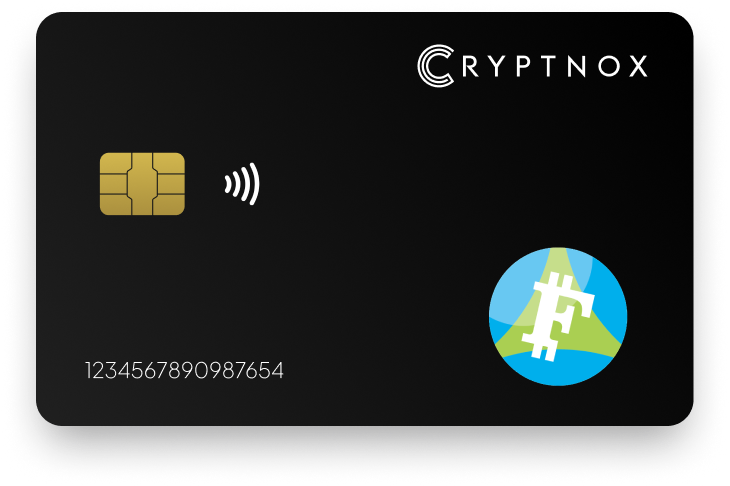
Secure Your Digital Assets with Confidence
Experience next-level protection for your digital assets with a premium hardware wallet built for security-first users
Designed around advanced encryption and a dedicated secure chip, it delivers robust offline storage while supporting a wide range of digital assets and ecosystems
The streamlined setup lets you get started in minutes, giving you access to true cold storage, reliable backup options, and full control over your assets
Engineered for performance and peace of mind, this hardware wallet is a trusted solution for anyone seeking long-term security beyond online threats
Buy it from CRYPTNOX shop directly
Accepts:

Preferred shopping solution for US:

Also available on other Amazon shops:
DE, FR, IT, BE, SE, ES, PL, NL, CA, MX, AU
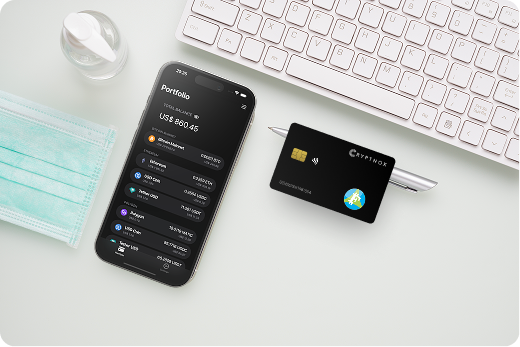
Keeps sensitive access data fully offline, protecting against online threats
Delivers a higher level of security compared to software-based solutions
Enables quick, secure actions while maintaining maximum protection
Introducing Cryptnox, the revolutionary hardware wallet designed to keep your digital assets safe, accessible, and fully under your control. Built on advanced smartcard technology, our wallets feature a secure dual-card backup system, biometric authentication, and seamless integration with MetaMask, WalletConnect, and Web3 apps. Whether you’re storing cryptocurrencies, swapping tokens, or diving into DeFi, Cryptnox delivers bank-level security without the complexity, empowering you to manage your portfolio with peace of mind.
Product Features
Product Specifications:
What It’s Built For:
Cryptnox hardware wallets are your go-to solution for:
Why Cryptnox Stands Out:
This isn’t just a wallet it’s a fortress for your digital future. With no access to your keys by Cryptnox (we never store or see them), audited firmware for top-tier reliability, and global availability, our hardware empowers beginners and experts alike. Backed by comprehensive tutorials, blogs, technical resources, and 24/7 support, Cryptnox ensures you stay ahead in the crypto world with unmatched security, simplicity, and innovation.
Cryptnox Hardware Wallets – Your Gateway to Secure, User-Friendly Crypto Management.
Ready to secure your assets? Buy a Cryptnox Hardware Wallet now and protect your crypto with ease.
Rank | Wallet Name | Description |
2 | Ledger Nano X | Ledger Nano X combines Bluetooth connectivity with comprehensive multi-asset support for over 5,500 cryptocurrencies including full Avalanche network integration for Fuji testnet access. The flagship Ledger device enables wireless transaction signing through mobile devices, making it particularly valuable for developers who test dApps on phones or need to approve testnet transactions away from their primary workstation. The offline secure element chip protects keys during wireless operations while Ledger Live integration bridges to MetaMask for C-Chain functionality. |
3 | Trezor Model T | Trezor Model T emphasizes transparency through fully open-source firmware that developers can audit before trusting with Fuji testnet operations. The color touchscreen provides clear transaction verification with detailed parameter display, while Shamir backup capability splits recovery seeds across multiple shares for enhanced security redundancy. Native or third-party Avalanche support works via MetaMask for comprehensive C-Chain testing workflows on Fuji. |
4 | SafePal S1 | SafePal S1 delivers budget-friendly security through complete air-gap isolation using QR codes for all communication between the wallet and online devices. The tamper-proof design includes a self-destruct mechanism that wipes private keys if physical tampering is detected, providing hardware protection at an accessible price point for testnet developers. Full Avalanche and Fuji testnet support via companion app includes NFT and DeFi compatibility for comprehensive testing scenarios. |
5 | Ellipal Titan | Ellipal Titan features rugged metal construction with dust and water resistance rated for challenging environments, making it ideal for developers who work in varied locations or need physical durability guarantees. The large color touchscreen provides excellent visibility for transaction verification during complex subnet deployment sequences on Fuji testnet. Completely air-gapped via QR code communication with multi-account support for managing separate testnet projects and strong DeFi integration for Avalanche ecosystem testing. |
6 | Keystone 3 Pro | Keystone 3 Pro incorporates fingerprint unlock for convenient developer access combined with triple secure chip architecture distributing security across multiple processors. The open-source firmware approach allows team security audits, while official MetaMask partnership ensures reliable Fuji testnet connectivity through tested integration paths. Multi-seed support manages separate testnet identities with Tor integration for enhanced privacy during development workflows. |
7 | Tangem Wallet | Tangem Wallet reimagines hardware security as ultra-thin NFC cards that tap smartphones or computers to sign transactions instantly. The seedless backup option uses multiple cards as redundant key storage, eliminating recovery phrase management entirely while maintaining full security for Fuji testnet development workflows. Direct Avalanche network support including Fuji testnet with IP68 durability rating for water and dust protection makes it perfect for mobile-first developers testing on-the-go. |
8 | BitBox02 | BitBox02 delivers Swiss-engineered minimalism through gesture controls and touch sensors that replace buttons entirely. The privacy-focused design supports full node integration, allowing developers to verify Fuji testnet transactions against their own infrastructure rather than trusting third-party RPC providers. Reliable EVM and Avalanche support for Fuji testnet with microSD backup for offline recovery storage and compact design ideal for developer workflows. |
9 | NGRAVE ZERO | NGRAVE ZERO achieves the highest security certification available with EAL7 rating typically reserved for military applications, combined with fingerprint authentication and completely air-gapped communication. The largest secure screen among hardware wallets displays comprehensive transaction details for complex Fuji subnet deployments and validator operations. Military-grade security for high-value Fuji testnet holdings and pre-mainnet validation with graphene backup plates for fireproof seed storage. |
10 | D’CENT Biometric | D’CENT Biometric integrates fingerprint scanning directly into the wallet for convenient developer authentication while supporting 4,500+ digital assets across multiple blockchain ecosystems. The Bluetooth connectivity enables wireless testnet transaction signing through mobile devices, with native DEX integration simplifying Fuji DeFi protocol testing. Easy Fuji testnet access through companion app with biometric convenience for frequent testnet transactions. |
11 | Ledger Nano S Plus | Ledger Nano S Plus offers budget-conscious developers the Ledger ecosystem benefits with significantly expanded app storage supporting 100+ blockchain applications simultaneously. The USB-only wired connection eliminates Bluetooth security concerns while maintaining full compatibility with Fuji testnet through MetaMask and Ledger Live integration. Expanded screen compared to original Nano S with support for NFT testing and multiple testnet accounts ideal for developers managing multiple Fuji projects. |
12 | Trezor Safe 5 | Trezor Safe 5 modernizes the Trezor line with color touchscreen interface and haptic feedback enhancing user experience during transaction confirmation. The EAL6+ secure element provides bank-grade security while maintaining Trezor’s commitment to open-source transparency, combining hardware security with verifiable firmware for Fuji testnet developers. Native Avalanche C-Chain support via MetaMask with USB-C connectivity for current development hardware and haptic confirmation reducing transaction errors. |
13 | OneKey Pro | OneKey Pro emphasizes superior usability through a large touchscreen interface with intuitive navigation designed for complex multi-chain operations. The broad blockchain support includes comprehensive Avalanche integration with advanced signing tools beneficial for developers testing intricate subnet configurations and cross-chain operations on Fuji testnet. EAL6+ secure element chip security with Bluetooth and USB connectivity options providing flexible connection methods for different testing environments. |
14 | Ledger Stax | Ledger Stax introduces curved E-Ink touchscreen technology with wireless charging capability representing Ledger’s premium flagship device. The customizable display and NFC connectivity complement Bluetooth and USB options, creating the most versatile connection portfolio for developers testing Fuji across desktop, mobile, and web3 wallet interfaces. Full Ledger ecosystem integration for Avalanche with premium design and signature on-device display perfect for developers managing multiple testnet environments with style. |
Initial hardware wallet configuration for Fuji development requires creating a new seed phrase specifically for testnet operations rather than using existing mainnet wallets. This separation prevents accidental transaction broadcasts to the wrong network and protects mainnet assets from testnet experimentation risks.
Start by initializing your hardware wallet with a fresh seed phrase generated entirely on the device itself, never using computer-generated seeds or importing existing phrases unless specifically designated for testnet purposes. Write the recovery words on physical backup materials and store them securely but separately from mainnet wallet backups to maintain clear operational boundaries.
Connect the hardware wallet to MetaMask using the “Connect Hardware Wallet” function, which establishes communication between the browser extension and your device through USB, Bluetooth, or NFC depending on wallet capabilities. MetaMask displays available addresses from your hardware wallet, allowing you to select specific accounts designated for Fuji testnet development.
Adding Fuji network manually:
Request testnet AVAX from the official Avalanche faucet by providing your C-Chain address and completing any required verification. Most developers receive sufficient testnet tokens within minutes to begin smart contract deployment, subnet testing, and transaction signing workflows.
Test the complete workflow with a small transaction first, verifying that transaction details appear correctly on your hardware wallet screen and match the intended operation in MetaMask before confirming. This validation prevents errors in production testing workflows where deployment scripts may execute dozens of transactions in sequence.
Subnet deployment on Fuji testnet demonstrates the full power of Avalanche’s L1 blockchain architecture, allowing developers to launch custom blockchain instances with tailored configurations before committing resources to mainnet validators. Hardware wallets secure the critical P-Chain transactions that establish subnet parameters, register validators, and manage blockchain lifecycles throughout the testing process.
The subnet creation workflow begins with P-Chain interactions to define the new subnet and specify validator requirements, followed by blockchain deployment using a virtual machine like Subnet-EVM for EVM compatibility or custom VMs for specialized use cases. Each step requires signed transactions that hardware security devices authorize while maintaining private key isolation from development environments.
Developers testing subnet functionality should maintain dedicated hardware wallet accounts specifically for subnet validator operations, separating these from accounts used for C-Chain smart contract testing or X-Chain asset experiments. This organizational structure prevents confusion during multi-chain workflows and simplifies tracking of testnet activities across different Avalanche chains.
Use Core wallet for comprehensive subnet management since it provides native support for P-Chain operations that MetaMask cannot handle alone. Core enables cross-chain transfers between C-Chain, X-Chain, and P-Chain, essential functionality when moving testnet AVAX between chains for validator staking, subnet registration fees, and gas payments across different blockchain instances.
Hardware wallet integration with Core follows similar patterns to MetaMask connection, requiring device authorization for each transaction while displaying operation details on the wallet screen. Developers can verify subnet validator additions, blockchain deployments, and stake delegation transactions before physical confirmation ensures correct execution.
Maintaining security discipline during testnet development prevents costly mistakes when transitioning to mainnet deployment. Hardware wallets provide technical security mechanisms, but operational practices determine whether those protections deliver their intended benefits throughout the development lifecycle.
Never reuse mainnet seed phrases or private keys for testnet operations regardless of convenience temptations. Creating completely separate hardware wallets or dedicated testnet-only seed phrases eliminates the possibility of accidental mainnet transactions during testing and protects valuable mainnet assets from testnet-related security incidents.
Verify network parameters in MetaMask before every transaction signing session, confirming that Chain ID 43113 appears for Fuji testnet rather than 43114 for mainnet. This simple visual check prevents the most common and costly developer mistake of broadcasting testnet transactions to mainnet or vice versa, which can result in lost funds or failed deployments.
Additional protective measures include:
Consider using dedicated testnet-only hardware devices for high-frequency development workflows where constant transaction signing might encourage shortcut-taking behaviors. Budget-friendly options provide robust security at accessible price points, allowing teams to maintain strict mainnet-testnet separation without significant hardware investment.
Testnet security practices directly translate to mainnet operational readiness, making development phase security discipline valuable for establishing production security habits that protect assets once dApps launch to real users.
Discover how Cryptnox’s biometric hardware wallet streamlines your Fuji testnet workflow with instant NFC signing and dual-card backup security.
The Cryptnox solution is a high-security hardware wallet based on the latest smartcard technology available A seed is either generated or injected as part of the initialization process, which makes it compatible with the BIP32 and BIP39 standards When choosing the Dual Card Setup option, you can generate an identical seed in two cards in only seconds, and store the backup card in a safe place for recovery
A hardware wallet is a physical device designed to securely store private keys offline Keeping sensitive data disconnected from the internet, it significantly reduces exposure to hacking, malware, and phishing attacks
Unlike software wallets that operate on internet-connected devices, hardware wallets isolate private keys in a secure environment Transactions are signed internally, ensuring keys never leave the device or are exposed online
Yes! Hardware wallets are ideal for long-term asset protection Offline storage, durable hardware, and secure backup mechanisms make them well-suited for holding assets safely over extended periods
Access can be restored using a secure recovery process, typically based on a recovery phrase or backup solution created during setup This ensures assets remain accessible even if the physical device is no longer available
Modern hardware wallets are designed with user-friendly interfaces and guided setup processes
This makes them accessible to beginners while still meeting the security standards required by advanced users