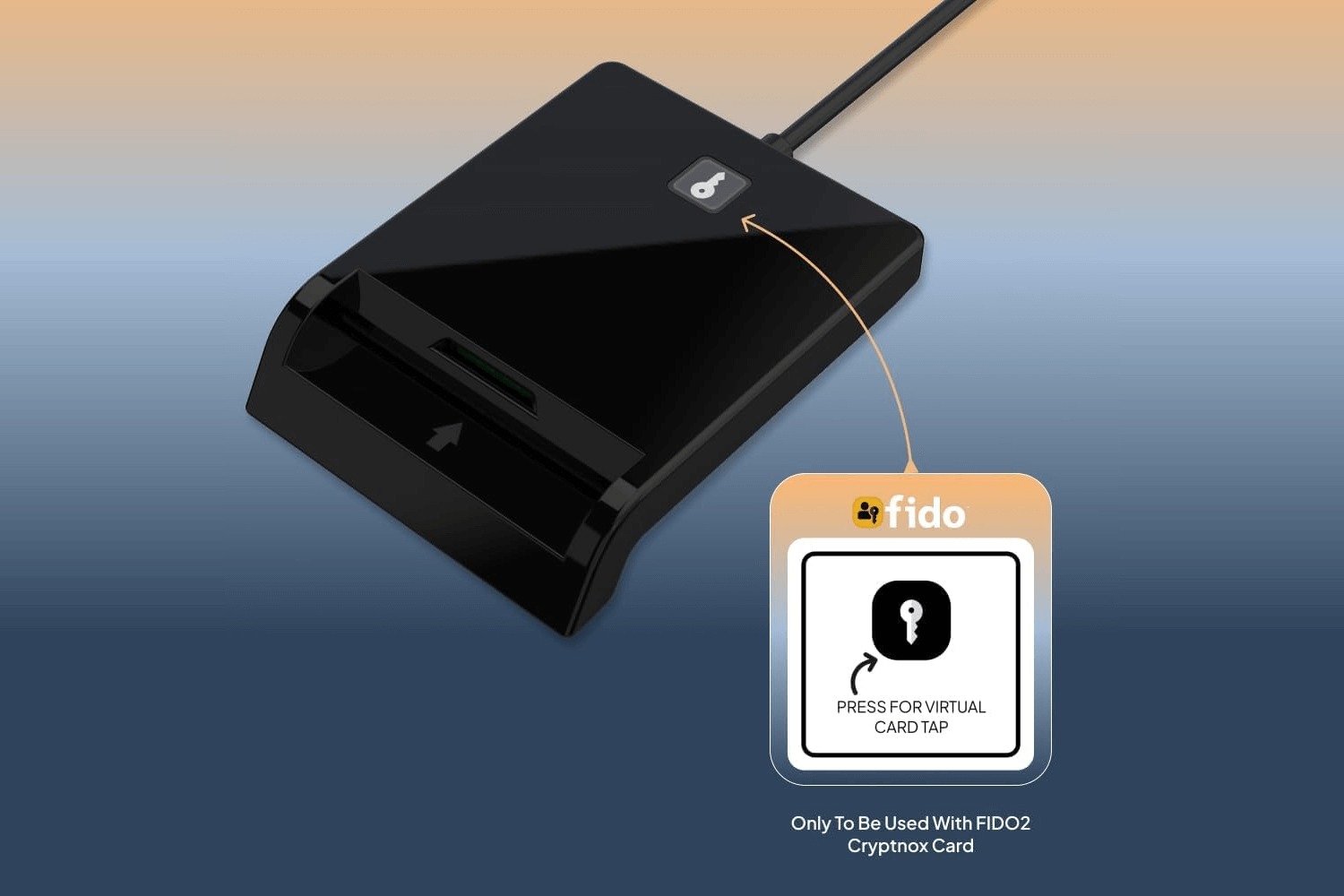
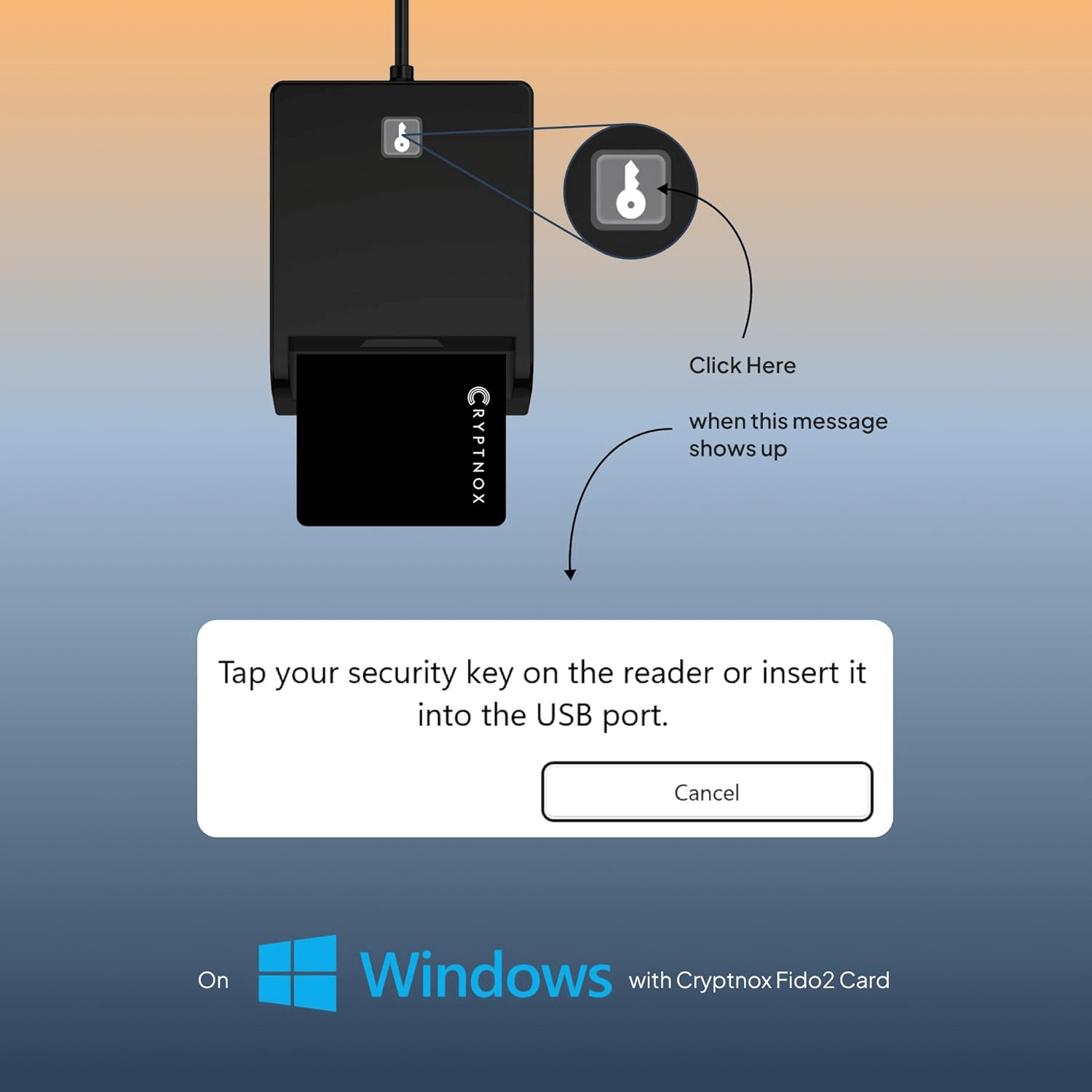
One press. Signed in. When a website asks you to touch your security key, the patented Click-to-Tap button confirms user presence for your Cryptnox FIDO2 card — without ever taking the card out of the reader.
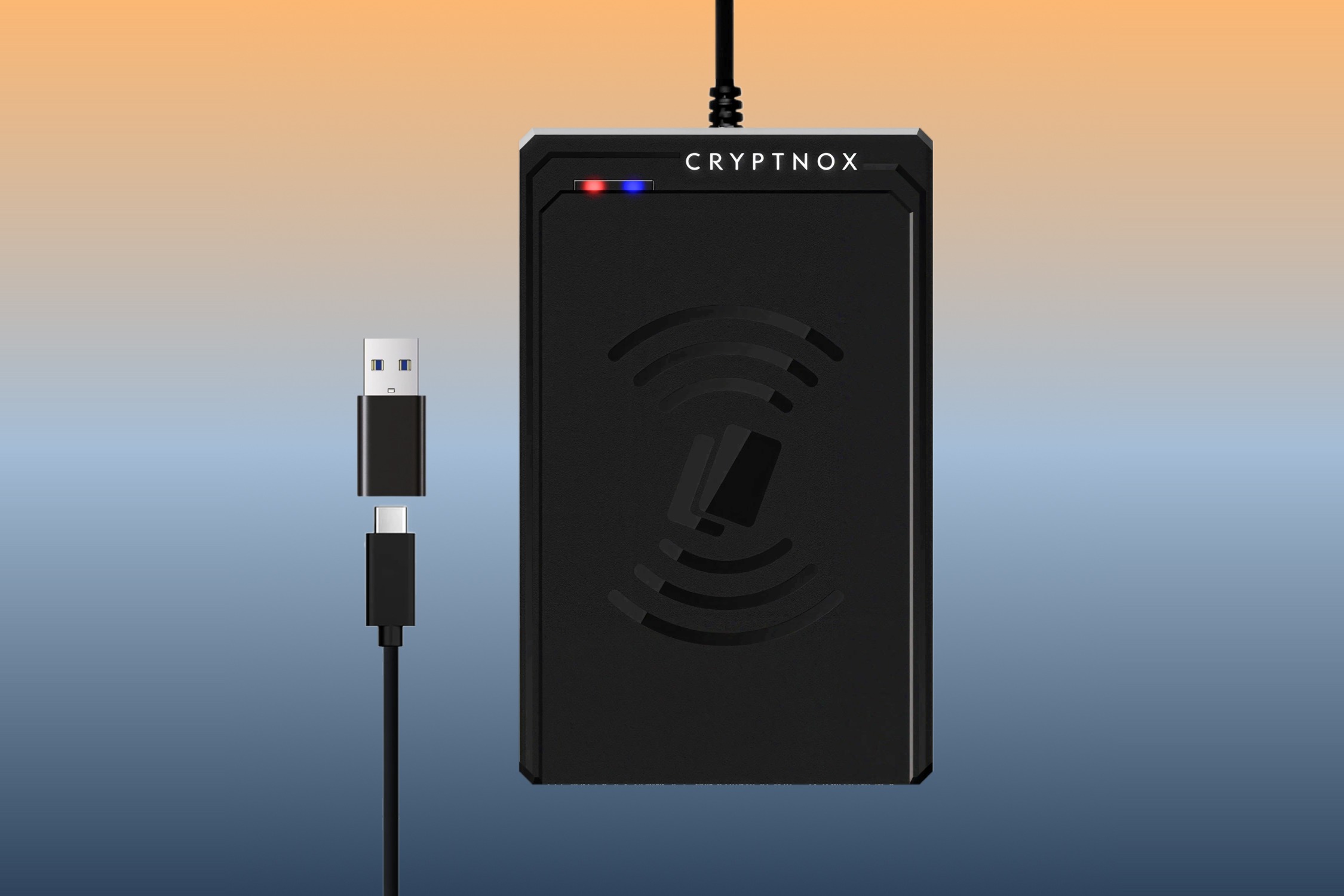
Two readers cover the desktop smart-card workflows. Take the contact reader for FIDO2 sign-in, Windows smart-card logon and government ID cards; take the contactless reader for NFC cards and building-access credentials. Both connect over USB-C and include a plug-on USB-A adapter.

Contact · ISO 7816 · Click-to-Tap
A premium USB-C contact reader with the patented Click-to-Tap button for FIDO2 user presence on Windows. Full-size card slot plus a separate SIM-format ID-000 slot.
Primary use: FIDO2 sign-in on Windows desktops, PIV, CAC and eID cards

Contactless · ISO 14443 · MIFARE DESFire
A USB-C contactless reader for NFC smart cards: Cryptnox FIDO2 and hardware wallet cards, MIFARE DESFire access credentials and other ISO 14443 cards.
Primary use: NFC cards and physical-access credentials
A USB smart card reader is a small device that connects a smart card to your computer. It powers the card, exchanges commands with the chip and presents the card to the operating system through the standard PC/SC interface, using the CCID smart-card stack already present in Windows, macOS and Linux, so there is no vendor driver to install. Browsers, identity providers and smart-card middleware then talk to the card through that interface. Both Cryptnox readers connect over USB-C and ship with a USB-C-to-USB-A adapter for older ports.
The card is inserted so that the chip’s gold contacts touch the reader’s pins. This is the interface for smart-card logon, PIV and CAC PIN verification, certificate operations and digital signatures, and for FIDO2 sign-in over the contact interface on Windows, where the Click-to-Tap button completes the user-presence check while the card stays in the slot.
The card is tapped or laid on the reader and powered by its 13.56 MHz field over a few centimetres. This is the interface for FIDO2 sign-in over NFC, for NFC cards and tags, for MIFARE DESFire access credentials and for Cryptnox contact & NFC cards over their NFC interface. It cannot perform PIV or CAC PIN verification, so it is not a smart-card logon reader, and like every 13.56 MHz reader it does not read 125 kHz proximity badges.
Operating-system requirements and the national cards we have verified are listed in Smart Card Reader Compatibility by Country.
The contactless reader is not a smart-card logon reader: PIV and CAC PIN verification requires the contact interface.

Every FIDO2 / WebAuthn sign-in requires a user-presence check — proof that a human, and not software running in the background, approved the login. A USB security key has a metal touch button for exactly this. A smart card sitting in an ordinary contact reader has nothing to touch.
Ordinary contact reader
An ordinary contact reader has no button. The only way to signal user presence is to physically pull the card out of the slot and push it back in — for every single sign-in.
It is slow, it wears out the card and the connector, and the card is out of the reader exactly when you are trying to work.
Cryptnox Click-to-Tap reader
One press of the button drives the smart-card interface through a controlled extraction-and-reinsertion sequence at the protocol level — with no mechanical movement of the card.
The host sees a fresh tap, the card never leaves the slot, and nothing wears out. It is the contactless "tap" gesture, on a contact-mode card.
Click-to-Tap requires Cryptnox FIDO2 smart cards and works on Windows. With other cards or other operating systems the reader continues to work as a standard CCID / PC-SC contact reader. See the Click-to-Tap virtual button tutorial.
Click-to-Tap · Windows
Phishing-resistant multi-factor and two-factor sign-in for Microsoft 365, Microsoft Entra ID, Google Workspace and other WebAuthn services — and passwordless sign-in where the service supports it. Click-to-Tap confirms user presence with one press.
PIV · NIST SP 800-73-4
Certificate-based logon to Windows and Active Directory, VPN access, digital signatures and document encryption, using a PIV card and certificates issued by your own certificate authority.
CAC · PIV · eID · OpenPGP
Reads US DoD CAC and PIV cards, European national eID cards, OpenPGP and corporate PKI cards over the contact interface, with the official middleware each card requires.
The same contact reader that carries the Click-to-Tap button is a standard CAC reader. It reads US DoD Common Access Cards, US government PIV cards, European national eID cards, OpenPGP and corporate PKI cards — anything presenting an ISO 7816 contact interface.
A Common Access Card is a contact ISO 7816 smart card. Reading it needs a contact reader — a contactless reader cannot be used for CAC sign-in, because the PIN has to be verified over the contact interface.
The Cryptnox Click-to-Tap reader is a standard USB CCID / PC-SC device, so it is driven by the smart-card stack already built into Windows, macOS and Linux. No vendor driver is installed.
The reader moves messages between the card and your computer. It holds no keys, has no secure element and performs no signing of its own.
You still need the certificates and middleware your organisation mandates — the reader does not supply them, and no reader can. The same applies to PIV cards and to European national eID cards, each of which has its own official software.
Which national cards are readable, and the middleware each country requires, is documented in Smart Card Reader Compatibility by Country.
Click-to-Tap is a Cryptnox invention layered on top of the standard USB CCID interface. Pressing the button drives the smart-card interface through a controlled extraction-and-reinsertion sequence at the protocol level — with no mechanical movement of the card — giving a contact-mode FIDO2 card the same user experience as a contactless tap, eliminating wear on the card and connector and enabling rapid re-authentication.
Cryptnox patented technology · Click-to-Tap reader factsheet (PDF)
The contact reader reads European national eID and professional cards — the Belgian eID, the Czech eObčanka, the Estonian ID-kaart, digital tachograph driver cards and others — each with the official middleware its issuer requires.
Which card works with which reader, and the middleware each one needs, is documented country by country in Smart Card Reader Compatibility by Country.
Both readers work with Cryptnox hardware wallet cards on the desktop. The card is a contact and NFC smart card: keys are generated and held on the card's secure element, and the reader only passes messages through.
Cryptnox hardware wallet · FIDO2, PIV & MIFARE smart cards · Card reader tutorials
Every FIDO2 / WebAuthn sign-in needs a user-presence check — proof that a person approved the login. A USB security key has a touch button for this. A smart card in an ordinary contact reader has no button, so the only gesture left is removing the card and reinserting it. The Cryptnox Click-to-Tap button replaces that gesture with a single press.
Click-to-Tap is a button on the Cryptnox contact reader that electronically simulates card extraction and reinsertion. Pressing it drives the smart-card interface through a controlled extraction-and-reinsertion sequence at the protocol level, with no mechanical movement of the card, so the card can stay in the slot. It is protected by registered Austrian and German utility models, with a United States patent application pending.
Yes, on a desktop PC. Most desktops have no NFC antenna, so a contact reader is how the card connects. The Cryptnox Click-to-Tap reader adds the user-presence button that a contact reader otherwise lacks.
No. Click-to-Tap requires Cryptnox FIDO2 smart cards. With any other card the device still works as a standard CCID / PC-SC contact reader — you simply do not get the tap simulation.
Click-to-Tap works on Windows. The readers themselves are standard USB CCID devices and work on Windows, macOS, Linux and ChromeOS for ordinary smart-card use.
Yes, but not for the reader itself — it is a standard USB CCID device driven by the smart-card stack already in Windows, macOS and Linux, with no vendor driver to install. What you do need is the certificates and middleware your organisation mandates for its cards. No reader can supply those.
Yes. The contact reader reads US DoD CAC cards, US government PIV cards, European eID cards, OpenPGP cards and corporate PKI cards, with the middleware each card requires.
No. PIN verification for PIV and CAC cards requires the contact interface, so smart-card logon needs the contact reader. The contactless reader is for NFC cards, MIFARE DESFire access credentials and Cryptnox contact & NFC cards over NFC.
That depends on the country and its middleware. Every card we have checked is listed, country by country, in Smart Card Reader Compatibility by Country.
Because presence is not consent. A card sitting in a reader proves that the credential is available; the touch proves that a person is approving this specific sign-in right now, so malware or a background browser tab cannot sign in silently and a card left in an unattended reader cannot be used. WebAuthn calls this the user-presence check. A USB security key has a touch pad. A card has no surface to touch, so an ordinary contact reader can only satisfy the check by having you pull the card out and push it back in. The Click-to-Tap button answers the check with one press instead.
Either, depending on how you sign in. Cryptnox FIDO2 cards carry both interfaces. On a Windows desktop the contact reader is the better choice: the card stays in the slot and the Click-to-Tap button completes the user-presence check. Over NFC, a contactless reader or an NFC phone reads the same card with a tap. A contact reader is the only option for smart-card logon, PIV, CAC and eID cards, because their PIN verification requires the contact interface.
Almost no desktops and few laptops have an NFC reader that smart-card software can use, so the first thing you need is a USB contactless reader. Then check three things: the card must be a 13.56 MHz NFC card, because 125 kHz proximity badges are not readable by any NFC reader; the card must lie flat on the reader’s antenna area; and the software on the computer must support that card type, since an access badge encrypted by the building’s issuer will show only its identifier. If a Cryptnox contact & NFC card shows nothing, follow the NFC contactless reader tutorial.