
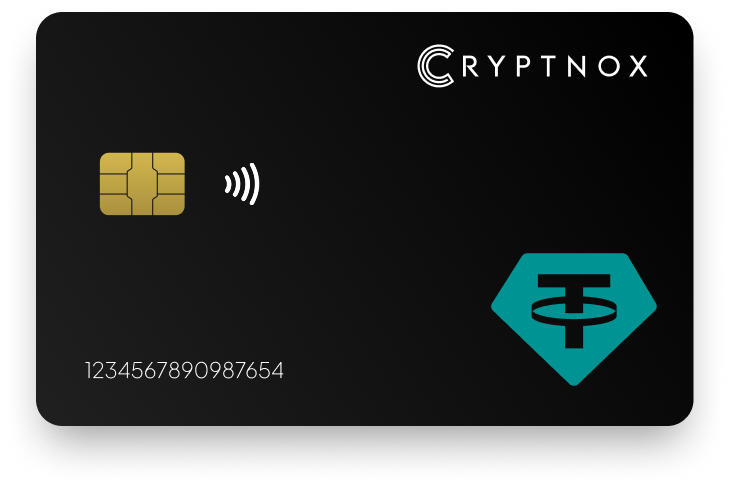
Secure Your Digital Assets with Confidence
Experience next-level protection for your digital assets with a premium hardware wallet built for security-first users
Designed around advanced encryption and a dedicated secure chip, it delivers robust offline storage while supporting a wide range of digital assets and ecosystems
The streamlined setup lets you get started in minutes, giving you access to true cold storage, reliable backup options, and full control over your assets
Engineered for performance and peace of mind, this hardware wallet is a trusted solution for anyone seeking long-term security beyond online threats
Buy it from CRYPTNOX shop directly
Accepts:

Preferred shopping solution for US:

Also available on other Amazon shops:
DE, FR, IT, BE, SE, ES, PL, NL, CA, MX, AU
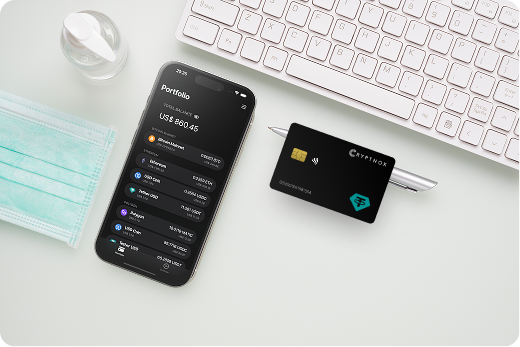
Keeps sensitive access data fully offline, protecting against online threats
Delivers a higher level of security compared to software-based solutions
Enables quick, secure actions while maintaining maximum protection
Introducing Cryptnox, the revolutionary hardware wallet designed to keep your digital assets safe, accessible, and fully under your control. Built on advanced smartcard technology, our wallets feature a secure dual-card backup system, biometric authentication, and seamless integration with MetaMask, WalletConnect, and Web3 apps. Whether you’re storing cryptocurrencies, swapping tokens, or diving into DeFi, Cryptnox delivers bank-level security without the complexity, empowering you to manage your portfolio with peace of mind.
Product Features
Product Specifications:
What It’s Built For:
Cryptnox hardware wallets are your go-to solution for:
Why Cryptnox Stands Out:
This isn’t just a wallet it’s a fortress for your digital future. With no access to your keys by Cryptnox (we never store or see them), audited firmware for top-tier reliability, and global availability, our hardware empowers beginners and experts alike. Backed by comprehensive tutorials, blogs, technical resources, and 24/7 support, Cryptnox ensures you stay ahead in the crypto world with unmatched security, simplicity, and innovation.
Cryptnox Hardware Wallets – Your Gateway to Secure, User-Friendly Crypto Management.
Ready to secure your assets? Buy a Cryptnox Hardware Wallet now and protect your crypto with ease.
Hardware Wallet | Description |
Ledger Flex | Premium E-Ink touchscreen with Bluetooth, USB-C, and NFC supporting 15,000+ assets including USDT on ERC-20, TRC-20, and multiple chains. EAL-certified chip with Ledger Live management for swaps and staking. Clear-signing display verifies stablecoin transactions. |
Ledger Stax | Luxury curved E-Ink touchscreen with wireless charging and magnetic design. Comprehensive multi-chain USDT support through Ledger ecosystem. Premium choice for long-term stablecoin holders seeking elegant hardware security. |
Ledger Nano X | Bluetooth-enabled mobile-friendly wallet supporting thousands of tokens including USDT on ERC-20, TRC-20, and L2 networks. Popular for on-the-go USDT management with Ledger Live app integration and portable form factor. |
Ledger Nano S Plus | Budget-friendly wired USB wallet with expanded memory. Reliable for multi-chain USDT storage via Ledger Live. Great entry-level option for beginners seeking hardware security without Bluetooth connectivity. |
Ledger Nano Gen5 | Newer 2025 Ledger model with advanced features and broad token support including USDT across chains. Enhanced security certifications with improved user interface and comprehensive stablecoin management capabilities. |
Trezor Safe 7 | Top-rated open-source wallet with Bluetooth, touchscreen, and auditable secure chip. Supports thousands of assets including ERC-20 USDT. Emphasizes transparency and verifiable security with community-audited firmware. |
Trezor Safe 5 | Touchscreen upgrade with improved usability and open-source firmware. Strong for multi-chain USDT via compatible apps. Balances security and ease of use with color display and intuitive interface. |
Trezor Safe 3 | Affordable straightforward open-source hardware wallet. Excellent cold storage for USDT and other tokens across multiple networks. Highly regarded for security on a budget with physical button confirmation. |
Trezor Model T | Classic touchscreen model with broad coin support and established reputation. Reliable for managing Tether securely with Trezor Suite software across ERC-20 and compatible networks. |
Tangem Wallet | Innovative NFC card-based seedless cold wallet supporting 6,000+ assets including USDT across 90+ networks. Simple tap-to-phone setup with EAL6+ chip and multi-card redundancy. Great for beginners seeking portable security. |
SafePal S1 | Affordable air-gapped wallet with QR code camera for offline signing. Supports hundreds of chains and multi-chain USDT. Self-destruct features provide extra security for budget-conscious users. |
BitBox02 | Compact Swiss-made open-source wallet (multi-asset edition). Strong security and privacy focus supporting ERC-20 tokens like USDT. Minimalist design with dual-chip architecture and microSD backup. |
Keystone Pro | Large touchscreen air-gapped open-source wallet. Good for DeFi and multi-chain including USDT across major networks. QR-based workflow eliminates USB/Bluetooth attack vectors. |
ELLIPAL Titan | Fully air-gapped metal wallet with large screen and anti-tamper casing. Supports many tokens and USDT across chains. Durable offline design protects against physical and remote attacks. |
OneKey Pro | Feature-rich touchscreen wallet with strong usability and security certifications. Broad crypto support including multi-chain USDT. Polished companion app with competitive pricing. |
NGRAVE Zero | Ultra-secure air-gapped wallet with high-end build quality and light-based QR communication. Focuses on maximum protection for assets like USDT with no connectivity vulnerabilities and EAL7 security target. |
D’CENT Biometric | Fingerprint biometric hardware wallet with mobile app support and EAL5+ certification. Convenient for USDT management across 70+ blockchains. Combines hardware security with biometric authentication. |
SafePal S1 Pro | Upgraded metal version of S1 with USB-C connectivity. Maintains air-gapped security and wide USDT/multi-chain support at budget-friendly price point with enhanced durability. |
ELLIPAL X Card / Titan Mini | Compact air-gapped card or mini variants with tap-to-sign functionality. Suitable for portable USDT cold storage with fully offline operation and reduced form factor for everyday carry. |
Managing USDT across multiple blockchain networks requires connecting your hardware wallet to different wallet interfaces and applications. Each blockchain has preferred software that simplifies USDT transactions while maintaining your hardware wallet’s security.
Ledger Live native USDT support covers multiple chains directly through Ledger’s official application. You can manage ERC-20, TRC-20, and BEP-20 USDT within a single interface, switching between networks without installing additional software. Ledger Live displays your USDT balances separately for each network, preventing confusion and wrong-network transfers.
MetaMask for ERC-20 USDT works with most hardware wallets to manage Ethereum-based tokens and Layer-2 networks. After connecting your hardware wallet, you can add custom networks for Polygon, Avalanche, Arbitrum, Optimism, and BSC by entering network details manually or using ChainList. MetaMask displays your ERC-20 USDT balance and allows you to switch networks before sending transactions.
TronLink for TRC-20 USDT provides dedicated support for Tron network transactions with significantly lower fees than Ethereum. Hardware wallet integration with TronLink requires enabling developer mode on most devices. Once connected, you can manage TRC-20 USDT, stake TRX for transaction energy (reducing fees further), and interact with Tron-based DeFi protocols.
Managing USDT across chains with one hardware wallet means your single device securely stores private keys for all networks simultaneously. Your 12-24 word seed phrase generates mathematically related addresses for Ethereum, Tron, BSC, Polygon, and other chains through hierarchical deterministic (HD) wallet derivation. Each network receives a unique address, but all connect to your one hardware wallet.
Adding custom networks to wallet interfaces typically requires:
Popular USDT networks come pre-configured in most wallet software, but newer Layer-2 solutions may require manual addition.
WalletConnect for cross-chain dApps enables your hardware wallet to interact with thousands of decentralized applications across different blockchains. Scan a QR code with your wallet software, approve the connection on your hardware device, and you can use DeFi protocols, NFT marketplaces, and DEXs while keeping your private keys secured offline.
Verifying the correct network before sending prevents irreversible losses:
Gas fee optimization across networks involves choosing the appropriate blockchain for your transaction type. Use Tron (TRC-20) for person-to-person transfers and exchange deposits supporting TRC-20, Ethereum (ERC-20) for DeFi protocols and institutional transactions, BSC or Polygon for balanced speed and cost, and Layer-2 networks like Arbitrum for frequent trading.
Bridge operations for USDT allow moving your stablecoin between different blockchains. Official bridges like Tether’s own tools, centralized exchange transfers (deposit on one network, withdraw on another), and third-party bridges like Multichain or Stargate enable cross-chain transfers. Always verify bridge contract addresses on your hardware wallet screen before approving transactions.
Troubleshooting multi-chain connections:
Active Tether trading and DeFi participation require balancing security with accessibility. Hardware wallets protect your USDT while still allowing you to interact with exchanges, lending protocols, and decentralized applications across multiple networks.
Exchange deposit and withdrawal security improves dramatically when you control your private keys through a hardware wallet rather than leaving USDT on exchange platforms. Generate deposit addresses directly on your hardware wallet, send USDT to exchanges only when trading, and withdraw immediately after completing trades. Always verify the withdrawal address and network on your hardware device screen before confirming.
DeFi protocol compatibility across chains means your hardware wallet can interact with lending platforms, automated market makers, and yield aggregators while keeping your keys offline. Popular protocols like Aave (Ethereum, Polygon, Avalanche), Compound (Ethereum), Venus (BSC), and JustLend (Tron) all support hardware wallet connections through WalletConnect or direct browser integration.
Lending USDT on Aave, Compound, and Venus generates passive income while your stablecoin remains secured by your hardware device. Connect your wallet to the protocol interface, approve the USDT spending limit on your hardware wallet, deposit your desired amount, and receive interest-bearing tokens (aUSDT, cUSDT) that automatically accumulate yield. Your private keys never leave your hardware wallet during these operations.
Liquidity provision with USDT pairs on decentralized exchanges like Uniswap, PancakeSwap, or SushiSwap allows you to earn trading fees by depositing USDT alongside another token. Hardware wallets enable you to approve liquidity pool contracts, deposit paired assets, receive LP tokens representing your position, and withdraw funds when desired, all with transaction-by-transaction confirmation on your device.
Trading on DEXs with hardware security combines the advantages of non-custodial trading with cold storage protection. Connect your hardware wallet to DEX interfaces, approve token swaps individually on your device screen, verify slippage limits and recipient addresses, and execute trades without exposing your private keys to browser-based threats.
Managing trading USDT versus cold storage USDT requires a balanced strategy:
Transaction verification for DeFi protocols becomes critical when approving smart contract interactions. Hardware wallets with advanced verification display the contract address, function being called, USDT amount, and gas costs directly on the device screen. This prevents approval of malicious contracts that might drain your funds.
Gas fee considerations for active trading vary significantly across networks. Ethereum DeFi transactions can cost $5-$50 during peak periods, making frequent small transactions expensive. Consider using Layer-2 networks like Arbitrum or Optimism for regular DeFi activity, Polygon for balanced costs and ecosystem options, BSC for lower fees with substantial DeFi options, and Tron for the lowest fees but a smaller DeFi ecosystem.
Multi-chain DeFi strategy with USDT involves:
Emergency procedures for locked USDT help you respond if funds become inaccessible in DeFi protocols. Keep emergency contact information for protocol support teams, maintain records of all transaction hashes and contract addresses, understand protocol-specific emergency withdrawal procedures, and consider using protocols with time-lock overrides that allow you to reclaim funds after a waiting period.
Selecting the optimal blockchain network for your USDT transactions depends on your specific use case, cost sensitivity, and security requirements. Each network offers distinct advantages for different types of Tether users.
ERC-20 USDT (Ethereum) provides the highest security and deepest DeFi integration. With extensive decentralization and the largest developer ecosystem, Ethereum hosts the most established lending protocols, DEXs, and institutional-grade applications. Transaction fees range from $1 to $50 depending on network congestion, making Ethereum ideal for large transactions where the percentage fee remains reasonable, institutional treasury management requiring maximum security, DeFi activities on blue-chip protocols like Aave and Compound, and long-term storage prioritizing network reliability over transaction costs.
TRC-20 USDT (Tron) dominates retail transfers and exchange transactions with minimal fees typically under $1. Tron hosts over $80 billion in circulating USDT and processes approximately $24 billion in daily transfer volume. The network suits person-to-person USDT transfers, exchange deposits and withdrawals supporting TRC-20, frequent small transactions where Ethereum fees would be prohibitive, remittance and payment use cases, and trading between exchanges via USDT transfers.
BEP-20 USDT (BSC) offers balanced fees and strong DeFi options through Binance Smart Chain’s EVM compatibility. Transaction costs typically range from $0.10 to $1, positioning BSC as a middle ground between Ethereum’s security and Tron’s low costs. BSC works well for DeFi yield farming with moderate risk tolerance, trading on PancakeSwap and other BSC DEXs, cross-chain arbitrage opportunities, and users prioritizing Binance ecosystem integration.
Polygon USDT provides Layer-2 Ethereum benefits with substantially reduced fees while maintaining connection to Ethereum’s security and DeFi ecosystem. Transactions cost pennies, making Polygon suitable for frequent DeFi interactions, NFT marketplace transactions using USDT, gaming and metaverse applications, and users wanting Ethereum ecosystem access without mainnet fees.
Avalanche, Arbitrum, and Optimism represent newer scaling solutions with growing USDT adoption. These Layer-2 networks offer fast transaction finality with minimal fees, emerging DeFi protocols with competitive yields, and bridges to Ethereum mainnet for asset movement. They attract early adopters of Layer-2 technology, DeFi power users seeking new yield opportunities, and traders requiring fast transaction confirmation.
Solana SPL USDT delivers extremely fast and cheap transactions through Solana’s high-throughput architecture. Despite holding only $2.1 billion in USDT supply compared to Ethereum’s $77 billion, Solana provides viable options for high-frequency trading applications, NFT and gaming ecosystems on Solana, and users prioritizing transaction speed over maximum decentralization.
Network selection based on use case:
Hardware wallet compatibility across networks varies by device and manufacturer. Most modern hardware wallets support ERC-20 on Ethereum and EVM-compatible chains (BSC, Polygon, Avalanche, Arbitrum, Optimism) through MetaMask integration, TRC-20 on Tron through TronLink or native support, and emerging networks through firmware updates and custom app installations.
Security considerations for each network depend on decentralization levels, validator counts, and network maturity. Ethereum offers maximum decentralization with thousands of validators, Tron uses 27 super representatives with faster consensus but more centralization, BSC operates with 21 validators controlled by Binance ecosystem participants, and Layer-2 networks inherit Ethereum security through rollup mechanisms with additional trust assumptions for sequencers and bridges.
Best practices for multi-network USDT management:
Secure your Tether holdings across all major blockchain networks with Cryptnox’s professional-grade hardware wallet featuring EAL6+ security and comprehensive multi-chain USDT support.
The Cryptnox solution is a high-security hardware wallet based on the latest smartcard technology available A seed is either generated or injected as part of the initialization process, which makes it compatible with the BIP32 and BIP39 standards When choosing the Dual Card Setup option, you can generate an identical seed in two cards in only seconds, and store the backup card in a safe place for recovery
A hardware wallet is a physical device designed to securely store private keys offline Keeping sensitive data disconnected from the internet, it significantly reduces exposure to hacking, malware, and phishing attacks
Unlike software wallets that operate on internet-connected devices, hardware wallets isolate private keys in a secure environment Transactions are signed internally, ensuring keys never leave the device or are exposed online
Yes! Hardware wallets are ideal for long-term asset protection Offline storage, durable hardware, and secure backup mechanisms make them well-suited for holding assets safely over extended periods
Access can be restored using a secure recovery process, typically based on a recovery phrase or backup solution created during setup This ensures assets remain accessible even if the physical device is no longer available
Modern hardware wallets are designed with user-friendly interfaces and guided setup processes
This makes them accessible to beginners while still meeting the security standards required by advanced users