
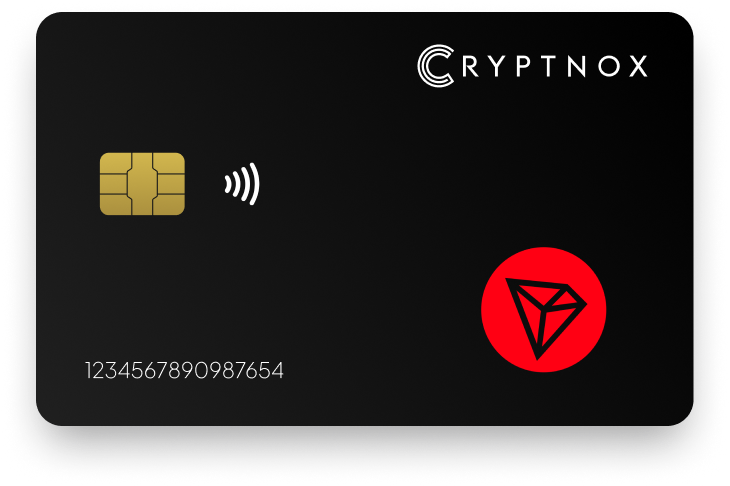
Secure Your Digital Assets with Confidence
Experience next-level protection for your digital assets with a premium hardware wallet built for security-first users
Designed around advanced encryption and a dedicated secure chip, it delivers robust offline storage while supporting a wide range of digital assets and ecosystems
The streamlined setup lets you get started in minutes, giving you access to true cold storage, reliable backup options, and full control over your assets
Engineered for performance and peace of mind, this hardware wallet is a trusted solution for anyone seeking long-term security beyond online threats
Buy it from CRYPTNOX shop directly
Accepts:

Preferred shopping solution for US:

Also available on other Amazon shops:
DE, FR, IT, BE, SE, ES, PL, NL, CA, MX, AU
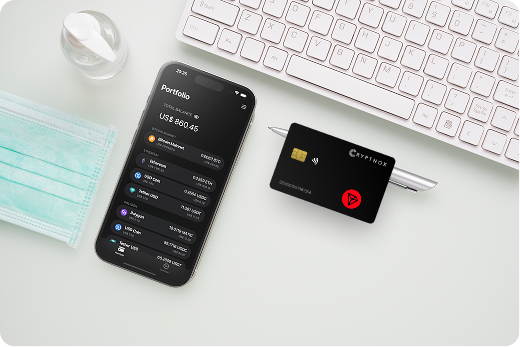
Keeps sensitive access data fully offline, protecting against online threats
Delivers a higher level of security compared to software-based solutions
Enables quick, secure actions while maintaining maximum protection
Introducing Cryptnox, the revolutionary hardware wallet designed to keep your digital assets safe, accessible, and fully under your control. Built on advanced smartcard technology, our wallets feature a secure dual-card backup system, biometric authentication, and seamless integration with MetaMask, WalletConnect, and Web3 apps. Whether you’re storing cryptocurrencies, swapping tokens, or diving into DeFi, Cryptnox delivers bank-level security without the complexity, empowering you to manage your portfolio with peace of mind.
Product Features
Product Specifications:
What It’s Built For:
Cryptnox hardware wallets are your go-to solution for:
Why Cryptnox Stands Out:
This isn’t just a wallet it’s a fortress for your digital future. With no access to your keys by Cryptnox (we never store or see them), audited firmware for top-tier reliability, and global availability, our hardware empowers beginners and experts alike. Backed by comprehensive tutorials, blogs, technical resources, and 24/7 support, Cryptnox ensures you stay ahead in the crypto world with unmatched security, simplicity, and innovation.
Cryptnox Hardware Wallets – Your Gateway to Secure, User-Friendly Crypto Management.
Ready to secure your assets? Buy a Cryptnox Hardware Wallet now and protect your crypto with ease.
Hardware Wallet | Description |
Ledger Nano X | Bluetooth-enabled flagship with secure element chip. Excellent TRX/TRC20 support via Ledger Live including staking, swaps, and dApp integration. Mobile-friendly design supports thousands of assets. Top choice for most Tron users. |
Ledger Stax | Premium touchscreen model with curved E-Ink display and full Tron ecosystem integration. Stylish modern design with high security standards. Ideal for users wanting a premium experience with complete TRX management capabilities. |
Ledger Nano S Plus | Affordable USB wallet with expanded storage capacity. Reliable TRX and TRC20 support with full Ledger Live integration for staking and swaps. Great entry-level cold storage option for Tron holders on a budget. |
SafePal S1 | Budget-friendly air-gapped wallet with self-destruct mechanism and QR code signing. Supports TRX plus 200+ blockchains with no USB/Bluetooth/WiFi connectivity. Very secure and affordable for long-term TRX holders. |
ELLIPAL Titan | Fully air-gapped device with no Bluetooth, USB, or WiFi connections. Large touchscreen with QR code signing, tamper-proof and waterproof design. Strong TRX support with maximum offline security for paranoid holders. |
Tangem | NFC card-based wallet with no battery or screen needed. Tap-to-sign with phone app, highly portable and durable with IP68+ rating. Supports TRX and TRC tokens with innovative card format for ultra-portability. |
OneKey Pro / Classic | Modern options with air-gapped or Bluetooth connectivity and fingerprint unlock. Native TRX/TRC20 support including resource tracking for Energy and Bandwidth. User-friendly app with staking capabilities for active Tron users. |
CoolWallet Pro | Flexible Bluetooth card wallet with mobile-first design. Strong Tron features including staking and Energy rental for lower transaction fees. Portable and app-driven, excellent for active Tron DeFi users. |
Keystone 3 Pro | Air-gapped QR code wallet with large touchscreen and fingerprint sensor. Solid TRON support with open-source firmware elements and multi-chain compatibility. Great choice for privacy-focused users seeking verifiable security. |
NGRAVE ZERO | Highest-security air-gapped touchscreen wallet with EAL7-level certification. Fully offline and tamper-proof design supports TRX for ultra-secure long-term storage. Premium build quality for maximum security-conscious investors. |
Cypherock X1 | Unique key-sharding security model with no single point of failure. Recommended in TRON reviews as top cold wallet option. Reliable TRX support with enhanced backup protection through distributed key storage. |
SecuX (V20/W20) | Rugged metal construction with touchscreen interface. Supports TRX among broad multi-chain asset range. Good durability and offline signing capabilities for users wanting physical robustness. |
BitBox02 | Compact open-source Swiss wallet focused on simplicity and security. Supports TRX via integrations with verifiable firmware. Solid option for privacy-conscious users who value transparent, auditable code. |
KleverSafe | Portable companion hardware paired with Klever app ecosystem. Provides offline signing for TRX with Tron blockchain compatibility. Niche but effective option for users already in Klever ecosystem. |
Tron operates differently from Ethereum or Bitcoin, using a Delegated Proof of Stake consensus mechanism with unique resource management. Instead of paying gas fees for every transaction, Tron allocates Energy for smart contract execution and Bandwidth for basic transactions. Users receive approximately 600 free Bandwidth daily, sufficient for about two TRX transfers.
Energy becomes essential when transferring TRC20 tokens like USDT. A single USDT-TRC20 transfer consumes roughly 32,000 Energy units. Without sufficient Energy, users pay TRX fees that can cost several dollars during network congestion. This is why hardware wallets with Energy rental features provide real value, CoolWallet Pro integrated Energy rental specifically to reduce transaction costs.
Tron staking mechanics involve freezing TRX to obtain voting power and resources. Stake 2.0, introduced via TRON Improvement Protocol (TIP) 467 in April 2023, improved flexibility over the original system. The old three-day unstaking period gave way to more flexible resource management. Hardware wallets supporting Stake 2.0 let you:
The TRC20 token ecosystem extends beyond USDT to include BTT (BitTorrent), JST (JUST), and hundreds of other tokens. Your hardware wallet must recognize TRC20 token contracts to display balances and sign transfers correctly. Ledger Live provides native TRC20 recognition, while other wallets may require manual token contract imports.
Transaction signing methods vary by security model:
Ledger Live offers the most polished Tron integration among hardware wallet interfaces. The application displays TRX balances, shows available Energy and Bandwidth, enables direct staking to Super Representatives, and integrates with Tron dApps through WalletConnect. OneKey’s resource tracking capabilities show real-time Energy and Bandwidth consumption, helping you optimize transaction timing.
Air-gapped security eliminates wireless attack vectors entirely. ELLIPAL Titan, SafePal S1, and Keystone 3 Pro never connect to the internet, using only QR codes for data transfer. This approach maximizes security for large TRX holdings but trades some convenience for absolute isolation.
Mobile-first versus desktop-first wallet apps affect daily usability. Tron’s popularity in Asian markets and mobile-centric user base makes smartphone compatibility valuable. Ledger Nano X, CoolWallet Pro, and Tangem excel at mobile integration, while BitBox02 and Ledger Nano S Plus focus more on desktop workflows.
Cold storage matters especially for TRX long-term holders because hardware wallets keep private keys offline even when signing transactions. Your seed phrase never touches an internet-connected device, protecting against remote hacking, clipboard malware, and phishing attacks that compromise hot wallets.
Air-gapped wallets maintain complete physical isolation from internet-connected devices. ELLIPAL Titan exemplifies this approach with zero USB, Bluetooth, or WiFi capability, the device can’t connect to anything wirelessly even if compromised. QR codes serve as the only data transfer method. You generate an unsigned transaction on your phone, display it as a QR code, scan it with the air-gapped device’s camera, confirm details on the touchscreen, and scan the signed transaction back to broadcast.
SafePal S1 adds a self-destruct mechanism that wipes the device if someone attempts physical tampering. The wallet detects case intrusion and erases private keys before attackers can extract them. Keystone 3 Pro incorporates open-source firmware elements, letting security researchers audit the code for vulnerabilities. NGRAVE ZERO achieves EAL7-level security certification, the highest possible rating for consumer devices, matching military and aerospace standards.
These air-gapped models provide maximum security for Tron transactions but require more steps. Every transfer needs QR code scanning cycles, which feels cumbersome for frequent DeFi interactions. Battery life becomes a consideration since touchscreen displays consume more power than simple LED indicators.
Bluetooth-enabled wallets balance security and convenience through encrypted wireless communication. Ledger Nano X uses AES-256 encryption to transmit transaction data between your phone and the wallet. The private key never leaves the secure element chip, so even if someone intercepts Bluetooth signals, they capture only encrypted transaction requests, not your actual keys.
CoolWallet Pro extends Bluetooth functionality with biometric 2+1 verification requiring your phone, fingerprint, and physical card. The flexible card design fits in a standard wallet and survives water exposure. OneKey Pro offers Bluetooth connectivity with optional fingerprint unlock on the device itself, adding biometric security without requiring phone-based authentication.
Bluetooth convenience shows most clearly in mobile Tron usage. You can stake TRX, rent Energy, or interact with JustSwap directly from your phone while keys stay in cold storage. The Bluetooth range limitation (typically 10 meters) actually provides security, remote attackers can’t connect without physical proximity.
NFC card-based wallets represent the newest hardware wallet category. Tangem uses three-card sets with IP68+ waterproof and dustproof ratings. Each card contains an EAL6+ secure element chip (bank-card grade security). You tap any of the three cards to your phone to sign transactions. The cards have no battery, screen, or charging requirement, they draw power from your phone’s NFC field during the brief connection.
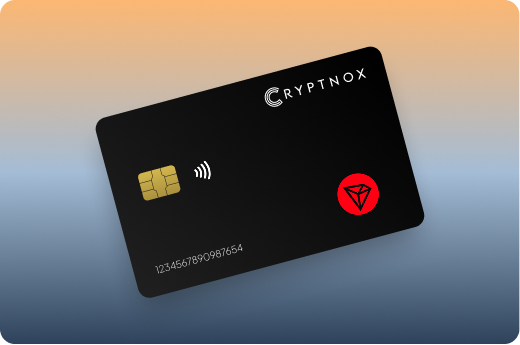
Cryptnox hardware wallets follow similar NFC principles with card-based offline signing. The format offers extreme portability, you can carry cold storage in your physical wallet without bulk. NFC communication happens only during active signing, lasting just seconds, which minimizes wireless exposure compared to constant Bluetooth connectivity.
Secure element chips provide hardware-level key protection regardless of form factor. These specialized processors prevent private key extraction even if someone gains physical access to your device. Ledger uses proprietary secure element chips across all models. Tangem leverages the same EAL6+ chips found in contactless payment cards. CoolWallet Pro incorporates EAL6+ certification with tamper-proof casing.
Open-source firmware benefits users who want verifiable security. BitBox02 publishes complete source code, letting independent researchers audit for backdoors or vulnerabilities. Keystone 3 Pro maintains open-source elements while protecting proprietary secure element implementations. Fully open systems enable reproducible builds, you can compile the firmware yourself and verify it matches what’s on your device.
Key sharding technology eliminates single points of failure entirely. Cypherock X1 splits your private key across multiple hardware devices and a cloud-encrypted backup. Reconstructing the key requires multiple shards, so losing one device doesn’t compromise your funds. Stealing one device gives attackers nothing useful. This approach suits users paranoid about physical theft or natural disasters destroying backup seed phrases.
Trade-offs exist across all models. Air-gapped wallets maximize security but slow transaction workflows. Bluetooth wallets optimize convenience while maintaining strong encryption. NFC cards offer portability with brief wireless exposure windows. Secure element chips protect against physical attacks but require trusting proprietary hardware.
For different Tron user types:
Initial setup begins with unboxing verification. Check for tamper-evident seals and ensure packaging appears unopened. Legitimate hardware wallets never come with pre-generated seed phrases, if you find a recovery phrase card already filled in, the device is compromised. Power on your wallet and follow on-device prompts to generate a new seed phrase.
Seed phrase backup represents your ultimate recovery mechanism. Write down the 12 or 24 words exactly as displayed, in order, using the recovery card included with your wallet. Never photograph your seed phrase or store it digitally. Consider metal backup solutions for fire and water resistance. Test your backup by recovering a small amount to a secondary device before loading your full TRX holdings.
Installing companion apps varies by manufacturer:
Download only from official sources. Fake wallet apps on app stores have stolen funds by capturing seed phrases during fake “recovery” processes. Verify app publishers match official manufacturer names.
Adding TRX and TRC20 tokens typically requires selecting Tron from the supported blockchain list within your wallet app. Ledger Live shows Tron automatically if you’ve installed the Tron app on your device. Other wallets may require manual addition by searching for “Tron” or “TRX” in asset lists.
Receiving TRX works identically to other cryptocurrencies. Open your Tron account in the wallet app, tap “Receive,” and verify the displayed address on your hardware wallet’s screen. The on-device verification step is critical, malware on your computer or phone might display a fake address, but the hardware wallet shows the real address. Send a small test amount first (10-20 TRX) to confirm everything works before transferring larger holdings.
Signing Tron transactions requires physical confirmation on your hardware device. When sending TRX, your wallet app displays transaction details (recipient address, amount, Energy/Bandwidth costs). Review carefully, then approve on your hardware wallet. Air-gapped wallets show the transaction as a QR code, scan it with your device, verify details, and scan back the signed transaction.
Staking TRX and voting for Super Representatives happens within wallet interfaces supporting Tron Stake 2.0. In Ledger Live or CoolWallet App:
Your staked TRX generates the selected resource type daily. Approximately 1 TRX staked produces about 2,000-3,000 Energy per day, though rates fluctuate based on total network staking.
Managing Energy and Bandwidth resources prevents expensive fees. Check your available resources before transactions. If you lack sufficient Energy for a USDT-TRC20 transfer, you have three options:
Interacting with Tron DeFi protocols safely involves connecting your hardware wallet via WalletConnect or native integrations. Ledger Live integrates directly with major Tron dApps. For other wallets, visit the dApp website, select “Connect Wallet,” choose WalletConnect, and scan the QR code with your wallet app. Always verify transaction details on your hardware device before signing smart contract interactions.
Sending USDT-TRC20 and other tokens requires sufficient Energy. A typical USDT transfer consumes 32,000 Energy. Without enough Energy, the transaction consumes TRX instead, sometimes 5-10 TRX per transfer during busy periods. Active users benefit from either staking TRX for Energy or using CoolWallet’s Energy rental feature.
Updating wallet firmware improves security and adds features. Ledger Live notifies you of firmware updates and guides you through the process. Never update firmware via unofficial sources. Updates typically take 5-10 minutes and don’t affect your funds, your seed phrase secures your assets, not the device itself.
Testing with small amounts prevents costly mistakes. Before sending large TRX holdings, transfer 10-20 TRX to verify addresses and transaction processes. This small expense protects against sending to wrong addresses, which is irreversible on blockchain transactions.
Emergency recovery procedures apply if your device breaks, gets lost, or stops working. Your seed phrase recovers funds to any compatible wallet. For Tron specifically:
Store recovery seed phrases in multiple secure physical locations. Consider splitting storage between a home safe and bank safety deposit box. Never store seeds and devices in the same location.
Budget-conscious beginners should consider Ledger Nano S Plus or SafePal S1. Ledger Nano S Plus provides reliable TRX support through Ledger Live at an entry-level price. The USB form factor feels familiar, and Ledger’s reputation spans over a decade in hardware wallet manufacturing. SafePal S1 costs even less while maintaining air-gapped security with its self-destruct mechanism. The QR code workflow takes some learning but provides strong protection for users holding TRX long-term without frequent transactions.
Mobile-first users need Bluetooth or NFC connectivity for smartphone signing. Ledger Nano X delivers the most polished mobile experience with Ledger Live’s full-featured Tron integration. You can stake TRX, swap tokens, and interact with dApps entirely from your phone. Tangem cards offer extreme portability, they fit in your physical wallet and tap to sign without batteries or charging. CoolWallet Pro combines Bluetooth card format with advanced Tron features including Energy rental.
Active stakers and DeFi users require real-time resource tracking and staking capabilities. OneKey Pro stands out by displaying Energy and Bandwidth resources directly in the app, helping you optimize transaction timing. CoolWallet Pro integrates Energy rental through partnerships with JustLend, reducing USDT-TRC20 transfer costs significantly. Ledger Nano X provides seamless staking through Ledger Live with support for Super Representative voting and reward tracking.
Maximum security seekers prioritize air-gapped isolation over convenience. ELLIPAL Titan offers completely offline operation with zero wireless connectivity, no Bluetooth, USB, or WiFi means no remote attack surface. NGRAVE ZERO achieves EAL7-level certification, the highest security rating available for consumer devices. Keystone 3 Pro combines air-gapped QR signing with fingerprint authentication and open-source firmware elements that enable independent security audits.
Long-term HODLers want devices designed for multi-year cold storage. ELLIPAL Titan’s waterproof and tamper-proof construction survives environmental challenges. SafePal S1’s self-destruct mechanism protects against physical attacks on stored devices. Cypherock X1 eliminates single points of failure through key sharding, you can lose one shard device without compromising your funds, ideal for disaster-proof storage across multiple locations.
Premium experience seekers will appreciate Ledger Stax’s curved E-Ink touchscreen and modern design. The large display makes address verification effortless, and the premium materials justify the higher cost. NGRAVE ZERO combines maximum security with premium build quality, the device feels more like a luxury smartphone than traditional hardware wallet.
Ultra-portable users need devices that travel easily. Tangem cards slip into any wallet slot with IP68+ waterproof rating, you can take them swimming without worry. Cryptnox NFC cards provide similar portability with Tron ecosystem compatibility. Card-format wallets eliminate bulk entirely, making them ideal for minimalist travelers who want cold storage without carrying dongles or large touchscreen devices.
Privacy-focused users value open-source verification and minimal data collection. Keystone 3 Pro publishes much of its firmware as open source, enabling community security audits. BitBox02 maintains fully open-source code with reproducible builds, you can verify the firmware matches published source code. These wallets typically avoid cloud services and account creation requirements that compromise anonymity.
Multi-chain investors holding assets beyond Tron need broad blockchain support. Ledger Nano X supports thousands of cryptocurrencies across dozens of blockchains. SafePal S1 claims compatibility with 200+ blockchains. OneKey offers strong multi-chain capabilities with native apps for major ecosystems.
Enterprise and institutional users require features like multi-signature support and audit trails. SecuX provides ruggedized metal construction suitable for office environments. NGRAVE ZERO targets high-net-worth individuals with its premium security certifications. These devices often integrate with custody solutions and compliance software.
When choosing between card versus dongle versus touchscreen formats:
Backup wallet recommendations suggest owning two compatible devices. Keep one as primary with small amounts for daily use, and store the second in a secure location with most holdings. Both devices recover from the same seed phrase, so losing one doesn’t affect access. This approach protects against device failure and gives you a backup option if traveling.
Protect your Tron assets with Cryptnox’s secure NFC hardware wallet offering offline signing and credit-card portability for TRX cold storage.
The Cryptnox solution is a high-security hardware wallet based on the latest smartcard technology available A seed is either generated or injected as part of the initialization process, which makes it compatible with the BIP32 and BIP39 standards When choosing the Dual Card Setup option, you can generate an identical seed in two cards in only seconds, and store the backup card in a safe place for recovery
A hardware wallet is a physical device designed to securely store private keys offline Keeping sensitive data disconnected from the internet, it significantly reduces exposure to hacking, malware, and phishing attacks
Unlike software wallets that operate on internet-connected devices, hardware wallets isolate private keys in a secure environment Transactions are signed internally, ensuring keys never leave the device or are exposed online
Yes! Hardware wallets are ideal for long-term asset protection Offline storage, durable hardware, and secure backup mechanisms make them well-suited for holding assets safely over extended periods
Access can be restored using a secure recovery process, typically based on a recovery phrase or backup solution created during setup This ensures assets remain accessible even if the physical device is no longer available
Modern hardware wallets are designed with user-friendly interfaces and guided setup processes
This makes them accessible to beginners while still meeting the security standards required by advanced users