
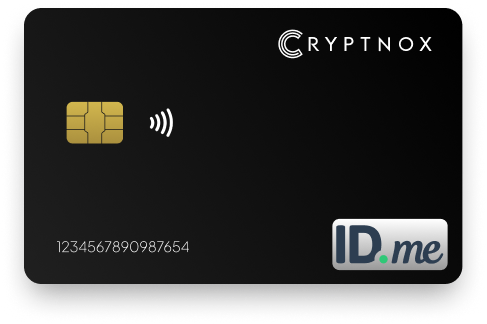
Streamline and safeguard your access to ID.me with advanced two-factor authentication.
Buy it from CRYPTNOX shop directly
Accepts:

Preferred shopping solution for US:

Also available on other Amazon shops:
DE, FR, IT, BE, SE, ES, PL, NL, CA, MX, AU
When it comes to protecting your ID.me account with the highest standards, a FIDO2 security key stands at the top of the list It’s trusted for government-level identity verification, high-risk accounts, and users who want the strongest defense Unlike SMS codes, which can be intercepted, redirected, or spoofed, a FIDO2 key resists these vulnerabilities completely
The Cryptnox card is a slim, durable device that works through both contact and contactless card readers, making it easy to use across laptops, desktops, and NFC-enabled phones
Even if someone has your ID.me password, they still won’t be able to sign in without your physical key Your ID.me account gains an extra layer of protection that makes unauthorized access extremely difficult with this Cryptnox Security key

Quick Setup:
The Cryptnox security key is FIDO2 Level 1 certified, ensuring strong cryptographic protection and seamless compatibility with ID.me’s supported security-key login methods
Skip verification codes entirely. With NFC or USB, you can authenticate quickly on supported browsers and devices, making the ID.me login process faster and more secure
Your ID.me account deserves more than basic protection. This security key is lightweight, sturdy, and built for everyday carry, keeping your verification method safe whether you’re at home or on the move
While it integrates smoothly with ID.me’s security-key MFA option, you can also use the same key across other FIDO2-compatible services like Google, Facebook, X, eBay, and more
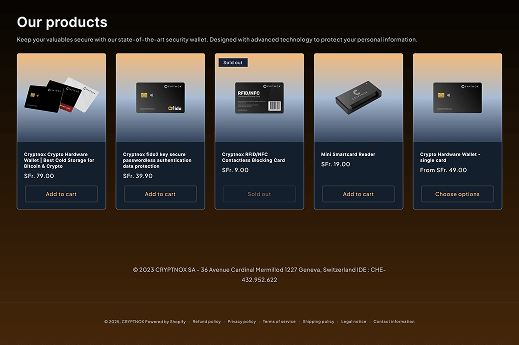
You can purchase the Cryptnox security key from our online store or Amazon. It is also available in respective Amazon stores in Germany, France, Italy, Belgium, Switzerland, Spain and other locations.
Setting up a security key for your ID.me account is simple, with only minor differences depending on whether you use a USB key or an NFC-enabled key:
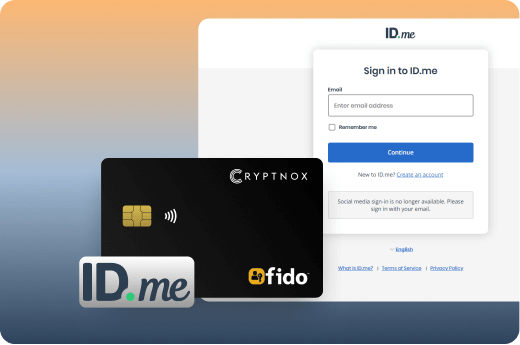
FIDO2 represents a major shift in how online accounts stay protected Instead of relying on codes sent through networks, FIDO2 uses public key cryptography that keeps your private authentication data locked inside the physical key When you sign in, your Cryptnox card creates a unique cryptographic signature that proves you own the device without ever sending sensitive information across the internet This means attackers monitoring your connection can’t capture anything useful, even if they intercept the data
The technology works by storing a private key on the secure chip inside your card and sharing only a corresponding public key with services like ID.me Each time you authenticate, the card uses its private key to sign a challenge from the website, but that private key never leaves the device This makes phishing attempts fail automatically because fake websites can’t generate valid challenges that your key will recognize If you want to understand how this differs from older authentication methods, check out FIDO2 vs older security standards
What makes FIDO2 particularly effective is its origin binding, the protocol cryptographically ties each credential to the specific website domain Your key will only respond to the legitimate ID.me site, not a lookalike phishing page, and you don’t need to manually verify URLs or spot suspicious details For users managing multiple secure accounts, this same key works across platforms with the same level of protection, making it practical to use FIDO2 for Google accounts, Microsoft services, and government portals
Traditional password-based security creates multiple points of failure that attackers exploit daily Weak passwords, password reuse across sites, and the human tendency to choose memorable rather than secure credentials all contribute to widespread breaches FIDO2 fundamentally changes this model by removing passwords from the equation entirely and replacing them with cryptographic key pairs that cannot be guessed, stolen through database breaches, or intercepted during transmission
The technology works by generating a unique key pair for every website you register with, one private key that stays locked on your device and one public key that the website stores When you authenticate, your device proves possession of the private key through a cryptographic signature without ever revealing the key itself This means even if a website’s database gets compromised, attackers only gain access to public keys that are mathematically useless without their corresponding private keys For users managing cryptocurrency alongside their secure logins, this same principle applies to hardware wallets that protect digital assets
Privacy protection represents another major advantage Unlike centralized authentication systems, FIDO2 creates different credentials for each service, preventing companies from tracking your activity across the web Your biometric data, if used, never leaves your device; the fingerprint or face scan simply unlocks your local key rather than being transmitted to servers This architecture makes FIDO2 particularly valuable for users concerned about data collection and surveillance
Organizations adopting FIDO2 see immediate operational benefits beyond security improvements Help desk teams spend significantly less time on password reset requests, IT departments eliminate the infrastructure costs of password management systems, and productivity increases as employees stop dealing with forgotten credentials For enterprises exploring authentication solutions, understanding FIDO2 versus older U2F standards helps clarify which protocols meet modern security
FIDO2 security keys achieve their versatility through open standards that work identically across Windows, macOS, Linux, Android, and iOS systems. The Client-to-Authenticator Protocol (CTAP2) handles communication between your key and any device through USB, NFC, or Bluetooth connections, meaning you can use the same physical key on your work laptop, home desktop, and smartphone without compatibility issues. This cross-platform functionality makes security keys practical for users who authenticate from multiple locations and devices throughout their day.
Modern browsers, including Chrome, Firefox, Safari, and Edge, all support the WebAuthn standard that enables FIDO2 authentication directly through web interfaces. When a website prompts for authentication, your browser communicates with your security key, which performs the cryptographic verification and sends the response back, all within seconds and without requiring any specialized software installation. The entire process happens faster than typing a password, and users consistently report that authentication with physical keys feels more convenient than managing passwords once they adjust to the workflow.
The cryptographic process behind each login creates unique challenges that prevent replay attacks. Even if someone intercepts the data transmitted during your authentication, they cannot reuse it to gain access because the challenge expires immediately. This protection extends to sophisticated man-in-the-middle attacks where hackers position themselves between you and the legitimate website. For users interested in how these cryptographic principles apply to blockchain transactions, exploring how hardware wallets integrate with dApps demonstrates similar security architectures.
Organizations deploying FIDO2 across their workforce benefit from scalability that traditional authentication methods can’t match because the standard is license-free and doesn’t require proprietary infrastructure, companies can roll out security keys to thousands of employees without ongoing licensing fees or vendor lock-in The same keys that protect corporate logins also work for personal accounts, letting employees use one device for both professional and private authentication needs For businesses evaluating FIDO2 implementation strategies, learning about enterprise security with FIDO2 provides deployment insights and best practices
Phishing attacks top the list of threats that hardware keys block completely Scammers send emails or messages with links to fake login pages that look identical to ID.me, hoping you’ll enter your password and any SMS code they request With a FIDO2 security key, these attacks fail because the key won’t respond to the fake site’s authentication request, regardless of how convincing the page appears Your key essentially acts as a built-in verification system that can’t be fooled by visual tricks
SIM swap attacks have become increasingly common, where attackers convince mobile carriers to transfer your phone number to a SIM card they control Once they have your number, they receive any SMS codes sent for account verification, giving them access even if they don’t know your password Security keys eliminate this vulnerability entirely since authentication depends on physical possession of the device, not a phone number that can be redirected This makes them particularly valuable for high-stakes accounts where identity theft could cause serious financial or legal problems
Other threats blocked by FIDO2 keys include man-in-the-middle attacks, where hackers intercept communications between you and ID.me, and credential replay attacks, where stolen login data gets reused Because each authentication creates a unique cryptographic signature tied to that specific login session, captured data becomes useless immediately after Users who store multiple credentials on their key can learn more about managing FIDO2 credentials to keep different accounts organized securely
For anyone concerned about the practical aspects of using hardware authentication daily, understanding how FIDO2 works helps clarify why it provides stronger protection than traditional methods The technology has proven its effectiveness; organizations that deployed security keys to their employees reported zero successful phishing attacks afterward
o A Cryptnox FIDO2 Security Key is a stronger hardware-based alternative to app-based authentication because the cryptographic keys stay inside the physical device and are far more resistant to phishing or software attacks than code-generating apps or text-based methods
Note for NFC users: ID.me sometimes connects NFC-key setup to its Authenticator app flow, which depends on specific devices and setups and is part of ID.me’s own guidance for NFC keys
Yes ID.me supports Security Keys as a very strong MFA method, and Cryptnox keys follow the FIDO2 standard that ID.me recognizes
For USB keys, ID.me confirms support and security strength
For NFC setups, ID.me provides a dedicated flow that also confirms NFC-based keys as a very strong option
Cryptnox keys are FIDO2 Level 1 certified and use modern standards-based authentication
The secure element inside the device is Common Criteria EAL6+ rated, providing high hardware security assurance designed to resist cloning, extraction, and advanced cyberattacks
Yes FIDO2 hardware keys are generally more secure than SMS codes or many email/app codes because authentication happens locally, nothing sensitive is transmitted over networks, and the cryptographic process prevents phishing and remote attacks
FIDO2 replaces or enhances passwords with cryptographic key pairs that block phishing attempts, prevent credential theft, and enable fast password-resistant sign-ins on services like ID.me
Yes Cryptnox keys use the FIDO2 protocol supported by modern browsers and operating systems through WebAuthn
ID.me confirms USB-key support across major browsers, while NFC keys have device-specific flows
Using up-to-date browsers is recommended
You won’t be locked out as long as you’ve enabled alternative recovery or MFA methods on ID.me
You can sign in using those methods, remove the lost key from your settings, and register a new one
It’s wise to keep at least one backup MFA option active