
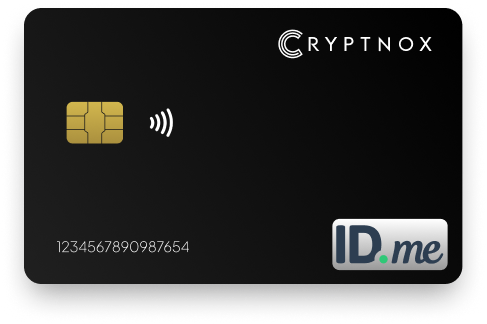
Streamline and safeguard your access to ID.me with advanced two-factor authentication.
Buy it from CRYPTNOX shop directly
Accepts:

Preferred shopping solution for US:

Also available on other Amazon shops:
DE, FR, IT, BE, SE, ES, PL, NL, CA, MX, AU
ID.me requires users to secure their accounts with strong authentication options
One of the most reliable ways to do this is by using a hardware-based method such as the Cryptnox FIDO2 Security Key, with this key, your ID.me account gains an extra layer of protection that makes unauthorized access extremely difficult
Unlike SMS codes, which can be intercepted,
redirected, or spoofed, a FIDO2 key resists these vulnerabilities completely
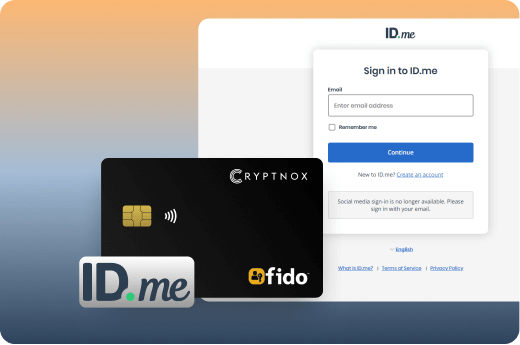
The Cryptnox card is a slim, durable device that works through both contact and contactless card readers, making it easy to use across laptops, desktops, and NFC-enabled phones
Even if someone has your ID.me password, they still won’t be able to sign in without your physical key.
A security key is a physical device that connects to your computer or smartphone to provide stronger verification when signing in to your ID.me account
It adds a powerful extra layer of protection beyond your password
A Cryptnox FIDO2 Security Key offers far greater security compared to SMS or app-based codes, which can be intercepted or phished Because the key follows the FIDO standards, it delivers a smooth, fast, and highly secure login experience across supported devices
One hardware key can be used on multiple platforms, allowing you to protect your entire ID.me profile with a single, reliable device

Stronger Protection:
Built on FIDO2 standards, a hardware key provides powerful defense against phishing, credential theft, and man-in-the-middle attacks
Simple and Fast:
No more dealing with SMS codes or app-based OTPs — a smooth, hassle-free sign-in experience
Trusted for High-Security Access:
It keeps your personal and government-related information safe without extra steps
Durable by Design:
The Cryptnox card is slim, sturdy, and made for daily use. It stays reliable whether you’re at home, at work, or on the move.
The Cryptnox security key is FIDO2 Level 1 certified, ensuring strong cryptographic protection and seamless compatibility with ID.me’s supported security-key login methods.
Skip verification codes entirely. With NFC or USB, you can authenticate quickly on supported browsers and devices, making the ID.me login process faster and more secure.
Your ID.me account deserves more than basic protection. This security key is lightweight, sturdy, and built for everyday carry, keeping your verification method safe whether you’re at home or on the move.
While it integrates smoothly with ID.me’s security-key MFA option, you can also use the same key across other FIDO2-compatible services like Google, Facebook, X, eBay, and more.
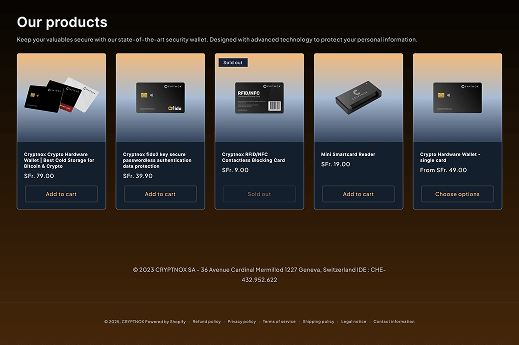
You can purchase the Cryptnox security key from our online store or Amazon. It is also available in respective Amazon stores in Germany, France, Italy, Belgium, Switzerland, Spain and other locations.
Setting up a security key for your ID.me account is simple, with only minor differences depending on whether you use a USB key or an NFC-enabled key:
FIDO2 represents a major upgrade from the older U2F (Universal 2nd Factor) standard that came before it U2F devices only work as a second factor, meaning you still need to enter a password first, then tap your key FIDO2 keys can do this too, but they also support passwordless authentication, where the key becomes your only credential You tap the key and enter a PIN directly on it, skipping passwords entirely
Both standards use the same public key cryptography that keeps your private keys locked inside the hardware The difference lies in what they can do and where they work U2F requires a password plus the key, while FIDO2 lets services choose between passwordless login, two-factor authentication, or both This flexibility makes FIDO2 more practical for businesses that want to eliminate password-related help desk tickets
Browser support has also improved significantly with FIDO2 Modern browsers implement WebAuthn, which works seamlessly across desktop and mobile devices. U2F had more limited compatibility and didn’t work well on smartphones FIDO2 keys connect via USB, NFC, or Bluetooth, giving you options whether you’re on a laptop, tablet, or phone Organizations switching from U2F to FIDO2 see faster login times and better user adoption because the experience feels smoother
The Cryptnox FIDO2 card works with both FIDO2 and legacy U2F services, providing backward compatibility while taking advantage of newer passwordless features Understanding FIDO2 vs FIDO U2F security keys helps you choose the right authentication strategy for your accounts As more platforms adopt FIDO2, passwordless options become the default rather than the exception
Register backup keys immediately after setting up your primary key Most platforms let you register 2-3 keys per account, and this simple step prevents lockouts if you lose or damage your main device Keep your backup key in a secure location at home, separate from your daily-use key Some users register one key on their keychain and another in a safe deposit box or locked drawer
Update your browsers regularly to maintain FIDO2 compatibility Older browser versions sometimes have trouble recognizing security keys or completing the WebAuthn registration process Chrome, Firefox, Edge, and Safari all support FIDO2, but features improve with each update If your key suddenly stops working on a specific website, check for browser updates first before assuming the key has failed
Test your keys periodically on important accounts to confirm they still work Log out of critical services like your email or ID.me account, then sign back in using your security key This quick test ensures everything functions properly before you actually need it in an urgent situation Testing also familiarizes you with the authentication flow, making it feel more natural during regular use
When setting up new accounts, choose “Security Key” or “Hardware Key” rather than SMS or app-based authentication if the platform offers it Some services hide this option under advanced settings or label it differently Look for terms like “FIDO2,” “WebAuthn,” “Passkey,” or “Hardware Token” in the security settings The FIDO2 tutorials provide step-by-step guides for popular platforms
Never share your security key or its PIN with anyone, including support staff Legitimate services never need physical access to your key. If someone asks for it, treat it as a potential scam The key’s security depends on it staying in your possession. Store it like you would a credit card or passport, something valuable that stays with you or in a secure place For additional security guidance, review how to manage credentials on your FIDO2 card and learn how to reset your FIDO2 card PIN if needed
Hardware security keys protect your ID.me account from several attack methods that regularly compromise password-based systems Phishing attacks fail against FIDO2 keys because the authentication process checks the website’s identity before allowing access When you tap your Cryptnox key, it verifies you’re on the real ID.me domain, not a fake lookalike site. If the domain doesn’t match, authentication simply won’t work
SIM swapping represents another threat that FIDO2 keys eliminate completely Attackers use social engineering to trick mobile carriers into transferring your phone number to a new SIM card they control Once they have your number, they can intercept SMS codes sent for account verification. This technique has drained bank accounts and hijacked sensitive government accounts Your Cryptnox key stays immune because it doesn’t rely on phone networks or text messages
Man-in-the-middle attacks also become useless against hardware keys These attacks happen when someone intercepts data between you and a website. With traditional passwords or SMS codes, attackers can capture and reuse this information FIDO2 keys generate a new cryptographic response for every login attempt The private key never leaves your device, and each authentication session uses unique data that can’t be replayed or stolen
Your physical key creates what’s called asymmetric cryptography, where a private key stays locked inside the device and a public key gets registered with ID.me Even if someone breaches ID.me’s servers and steals the public key, they still can’t access your account without the physical hardware you carry This makes FIDO2 authentication one of the strongest protections available for government service access, like Login.gov and identity verification platforms
SMS-based authentication seems convenient, but carriers have weak identity verification processes that attackers exploit regularly A fake ID, stolen personal information, or convincing phone call can convince support staff to transfer your number Once that happens, every text message you receive goes to the attacker’s phone instead Hardware keys eliminate this entire attack surface by removing phone networks from the authentication process. Learn more about how FIDO2 technology works to understand the cryptographic protection it provides
Your Cryptnox FIDO2 key works across dozens of platforms without requiring separate devices for each service Once you own one key, you can protect accounts on Google, Microsoft, Facebook, X (formerly Twitter), GitHub, and hundreds of other FIDO2-compatible services This cross-platform design saves money and simplifies your security setup
Financial platforms support hardware keys for account protection Services like Coinbase, Binance, and traditional platforms recognize FIDO2 as their strongest authentication option You tap the same key for banking, cryptocurrency exchanges, and payment processors Some users register their Cryptnox key on 10-20 different accounts, creating a unified security system across their digital life
E-commerce and business tools also integrate FIDO2 authentication Platforms like Shopify, eBay, and GoDaddy let you secure store admin panels and domain management with your key Cloud services, including Cloudflare and Dropbox, support hardware key authentication for team accounts and sensitive data storage
Most services let you register 2-3 security keys on a single account This backup strategy protects you if one key gets lost or damaged Register your primary Cryptnox key first, then add a second one you keep in a secure location at home ID.me and similar platforms encourage this approach for account recovery situations The FIDO2 startup guide explains proper key registration practices
Major browsers, including Chrome, Firefox, Edge, and Safari, all support WebAuthn, the technology behind FIDO2 Your key works on Windows, Mac, Linux, Android, and iOS devices You can authenticate on your laptop at work, then use the same key on your smartphone when traveling If you run into setup challenges, check the troubleshooting resources or review the complete guide on how to use your FIDO2 smartcard This flexibility makes one hardware key a practical solution for all your secure login needs
o A Cryptnox FIDO2 Security Key is a stronger hardware-based alternative to app-based authentication because the cryptographic keys stay inside the physical device and are far more resistant to phishing or software attacks than code-generating apps or text-based methods
Note for NFC users: ID.me sometimes connects NFC-key setup to its Authenticator app flow, which depends on specific devices and setups and is part of ID.me’s own guidance for NFC keys
Yes ID.me supports Security Keys as a very strong MFA method, and Cryptnox keys follow the FIDO2 standard that ID.me recognizes
For USB keys, ID.me confirms support and security strength
For NFC setups, ID.me provides a dedicated flow that also confirms NFC-based keys as a very strong option
Cryptnox keys are FIDO2 Level 1 certified and use modern standards-based authentication
The secure element inside the device is Common Criteria EAL6+ rated, providing high hardware security assurance designed to resist cloning, extraction, and advanced cyberattacks
Yes FIDO2 hardware keys are generally more secure than SMS codes or many email/app codes because authentication happens locally, nothing sensitive is transmitted over networks, and the cryptographic process prevents phishing and remote attacks
FIDO2 replaces or enhances passwords with cryptographic key pairs that block phishing attempts, prevent credential theft, and enable fast password-resistant sign-ins on services like ID.me
Yes Cryptnox keys use the FIDO2 protocol supported by modern browsers and operating systems through WebAuthn
ID.me confirms USB-key support across major browsers, while NFC keys have device-specific flows
Using up-to-date browsers is recommended
You won’t be locked out as long as you’ve enabled alternative recovery or MFA methods on ID.me
You can sign in using those methods, remove the lost key from your settings, and register a new one
It’s wise to keep at least one backup MFA option active