NFC Location: Where Is the NFC Antenna on Your Phone?
Note: CARD POSITIONING ON PHONES FOR NEAR FIELD COMMUNICATION(NFC) VARIES DEPENDING ON THE PHONE BRAND AND MODEL. It is important to place it in the corresponding NFC antenna location for optimal operation. When prompted by the application, the card must be held firmly without movement until the scanning process is complete. Refer to the list below to identify the correct NFC antenna location for your phone model, or look into the device’s user manual for detailed instructions.
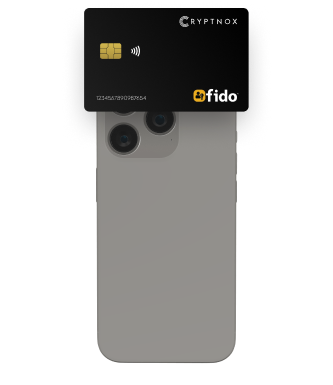
NFC area 1
Antennae can be found on the back-side of the phone, on the top area. Applicable to the following phones:
iPhone 14
iPhone 13
Samsung Galaxy Fold
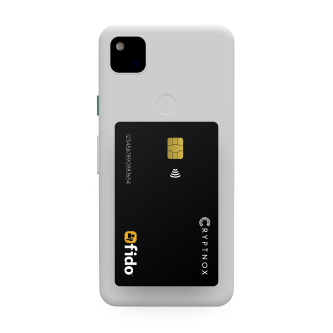
NFC area 2
Antennae can be found on the back-side of the phone, in the middle section. Applicable to the following phones:
Samsung galaxy S23
GooglePixel 6a
GooglePixel 7 pro.
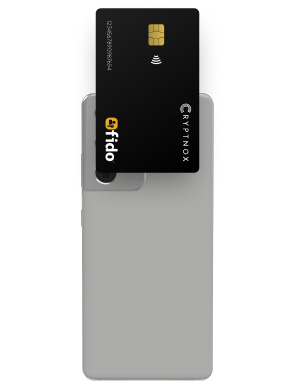
NFC area 3
Antennae can be found on the back-side of the phone, on the top area. Applicable to the following phones: