How to Use a SIM Card with the Cryptnox Click-to-Tap Reader
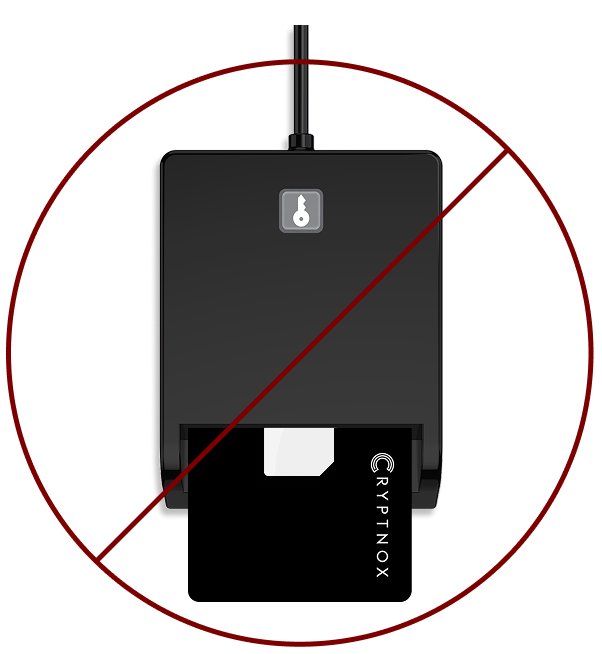
Important noticeThe Cryptnox Click-to-Tap reader can only read one card at a time. Never use the contact slot and the SIM slot simultaneously. If you accidentally insert both a smart card and a SIM card at the same time, gently remove both cards from the reader, then insert only the card you want to use.
Step by step tutorial
Description: This tutorial shows how to use the SIM card slot of the Cryptnox Click-to-Tap reader step by step.
Before proceeding, please read the important notice above.
How to position the SIM card
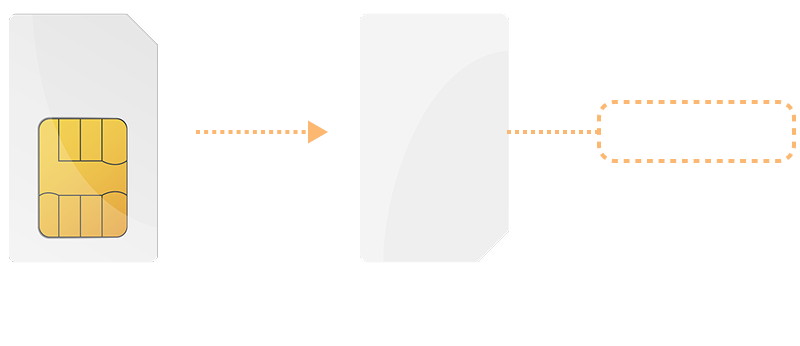
As shown in the instructions below, the SIM card must be positioned with the chip facing down (the back side of the SIM card facing up) before inserting it into the Cryptnox Click-to-Tap reader.
How to insert the SIM card
Step 1
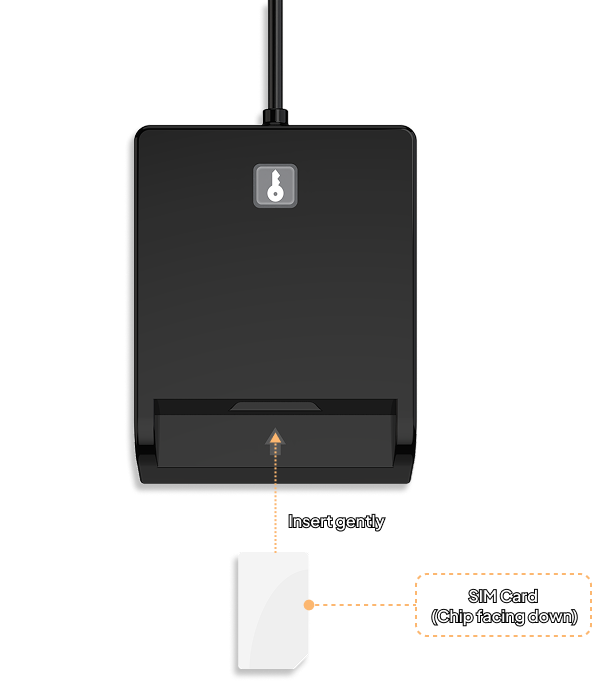
Make sure the SIM card is positioned with the chip facing down. Insert the SIM card into the SIM slot located above the smart card slot of the Cryptnox Click-to-Tap reader.
Step 2
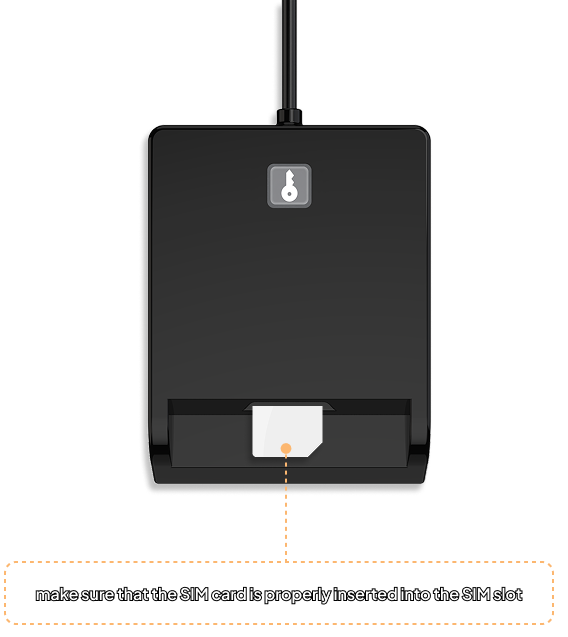
Gently insert the SIM card fully into the SIM slot until it is properly seated.
Step 3
Once the SIM card is properly seated in the SIM slot, it is ready to use. You are good to go!
Reminder: never use the contact slot and the SIM slot at the same time.