
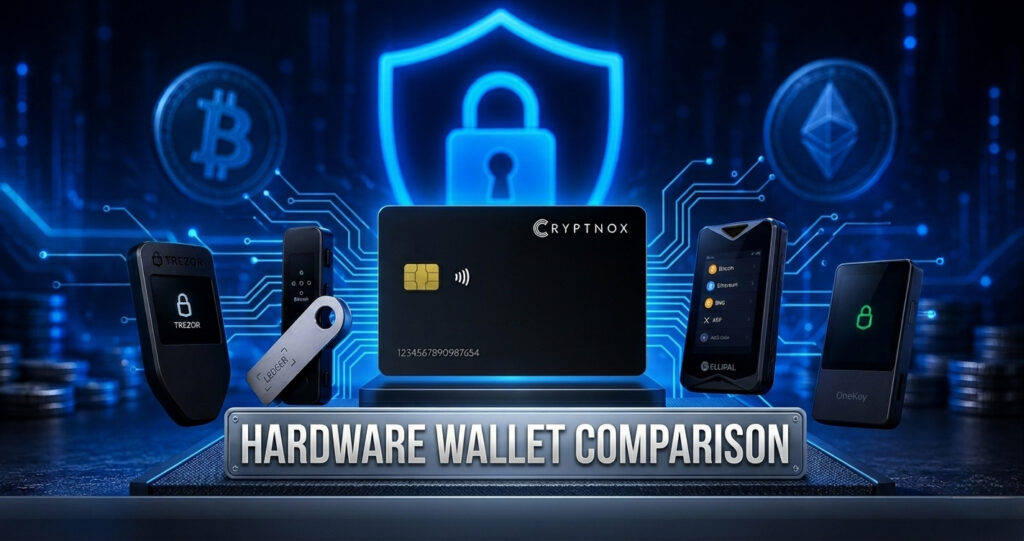
Hardware Wallet Comparison: Which Cold Wallet Fits You?
Choosing a hardware wallet is less about finding one universal winner and more about matching the device to how you actually use crypto: mobile or desktop, broad coin support or simple cold storage, seed phrase or card backup, budget or maximum isolation. Below, we compared the specs and practical trade-offs of Cryptnox, Ledger Nano X, Trezor Safe 3 and Keystone 3 Pro.
Disclosure: this guide is published by Cryptnox, the maker of the Cryptnox Crypto Hardware Wallet — Dual-Card Set, one of the wallets compared below.
Hardware wallet comparison
| Wallet | Type | Supported assets | Connectivity | Price |
|---|---|---|---|---|
| Cryptnox Crypto Hardware Wallet — Dual-Card Set | NFC smart-card wallet | Bitcoin, Ethereum, XRP, Tron (TRX/TRC-20), and 1,000+ EVM tokens; additional EVM networks and tokens can be added manually | NFC with the Cryptnox app on iOS and Android; WalletConnect; works with MetaMask | €49.90 |
| Ledger Nano X | USB hardware device | Very broad coin support, including 5,000+ assets | USB-C and Bluetooth; managed through Ledger Live | approx. €149 |
| Trezor Safe 3 | USB hardware device | Broad multi-asset support, depending on the asset and wallet software used | USB-C | approx. €79 |
| Keystone 3 Pro | Air-gapped hardware wallet | Multi-asset support, depending on the asset and compatible wallet software | QR code only; no USB or wireless connection for signing | approx. €149 |
Cryptnox Crypto Hardware Wallet — Dual-Card Set
Cryptnox is a Swiss-engineered, credit-card-sized NFC smart-card wallet for people who want pocket portability and phone-first signing. You tap the card to your phone, use the free Cryptnox app on iOS or Android, unlock with your phone’s biometrics through the app, and connect to dApps via WalletConnect or use it with MetaMask.
Its key security feature is an EAL6+ certified secure element: private keys are generated inside and never leave the secure element. The Dual-Card Set also avoids the default 24-word-paper-backup workflow: you initialize both cards yourself in the app, and the second card becomes a ready-made backup.
Buy the Cryptnox hardware wallet card
Ledger Nano X
Ledger Nano X is a strong fit if your priority is the widest asset coverage and an established app ecosystem. It supports 5,000+ assets, connects by USB-C or Bluetooth, and is managed through Ledger Live.
It is more expensive than entry-level options, but it remains a practical choice for users who hold many different coins and want broad compatibility.
Trezor Safe 3
Trezor Safe 3 suits buyers who want a USB hardware wallet with open-source firmware at a lower price than many premium devices. It is a good fit for desktop-oriented users who value transparency and a straightforward setup.
Asset support is broad, but as with any wallet, you should check your exact coins and tokens before buying.
Keystone 3 Pro
Keystone 3 Pro is aimed at users who want an air-gapped signing flow. It communicates by QR code only, with no USB or wireless connection used for transaction signing.
That makes it attractive for long-term cold storage and users who prefer maximum separation from connected devices, though the QR workflow may feel less convenient for frequent mobile transactions.
How to choose
1. Check your coins first. Ledger has the widest stated coin support in this comparison, with 5,000+ assets. Cryptnox covers Bitcoin, Ethereum, XRP, Tron (TRX/TRC-20), and 1,000+ EVM tokens, with additional EVM networks and tokens addable manually. Whatever you choose, confirm support for the specific assets you hold.
2. Decide whether you are phone-first or desktop-first. Cryptnox is designed around NFC and a smartphone app. Ledger Nano X works with USB-C and Bluetooth. Trezor Safe 3 is USB-C. Keystone 3 Pro uses QR codes for an air-gapped workflow.
3. Set your budget. Cryptnox is €49.90, Trezor Safe 3 is approx. €79, while Ledger Nano X and Keystone 3 Pro are approx. €149. Competitor prices can change, so treat them as approximate.
4. Think about portability. A card-sized NFC wallet is easy to carry in a pocket or card holder. A USB device or QR-signing device may be better if you prefer a larger screen, buttons, or a more traditional hardware wallet format.
5. Choose the backup style you will actually manage well. Many hardware wallets rely on a recovery seed phrase. Cryptnox’s Dual-Card Set uses a paired two-card setup by default, where the second card is the backup and there is no 24-word phrase to write down by default.
Frequently Asked Questions
What happens if I lose my hardware wallet?
It depends on the wallet and the backup model. With many hardware wallets, you recover access using a recovery seed phrase that you wrote down during setup. With the Cryptnox Crypto Hardware Wallet — Dual-Card Set, you set up both cards yourself in the Cryptnox app; the wallet seed is generated inside both secure elements, and the second card is the ready-made backup. There is no 24-word phrase to write down by default, so you should store the second card separately and securely.
Why not just keep crypto on an exchange?
An exchange can be convenient for trading, but you are relying on the exchange to hold and secure your assets. A hardware wallet is for self-custody: you control the private keys and approve transactions yourself. For more background, read our hardware vs software wallets guide.
Is a smart-card wallet as secure as a USB hardware wallet?
Security depends on the wallet design, not only the connector type. Cryptnox is an NFC smart-card wallet with an EAL6+ certified secure element; private keys are generated inside and never leave the secure element. USB, NFC and QR-based wallets can all be secure when implemented well, but they suit different usage styles.
Which hardware wallet should I choose if I am new to self-custody?
Start by listing the assets you need, how often you transact, and whether you prefer mobile, desktop or air-gapped signing. If you want a broader introduction before comparing devices, see our complete guide to crypto hardware wallets.
Which one is right for you?
If you need the widest asset support, Ledger Nano X is the most obvious comparison point. If you want open-source firmware and a lower-cost USB wallet, Trezor Safe 3 is worth considering. If you want an air-gapped QR workflow for cold storage, Keystone 3 Pro fits that use case. If you want a pocketable NFC smart-card wallet for everyday mobile use, with an EAL6+ secure element and a second card as the default backup, Cryptnox is designed for that.