
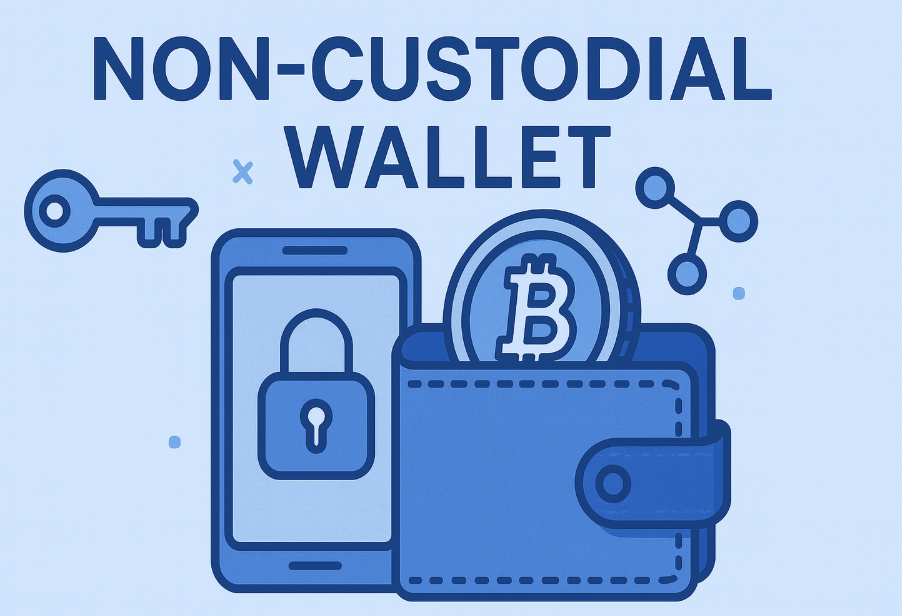
Best Non-Custodial Wallets Compared
Does the Cryptnox wallet work as a non-custodial wallet for Bitcoin, EVM, Tron and XRP Ledger?
Yes. Cryptnox works as a non-custodial smart-card wallet for native Bitcoin, EVM networks added through Add a Network, native TRX on Tron, and native XRP on the XRP Ledger. Private keys are generated inside the secure element and never leave it. The Dual-Card Set ships uninitialised, and the seed is generated inside both secure elements during setup, so the second card is the default backup rather than a recovery phrase written down by default.
What non-custodial means in the Cryptnox wallet workflow
In the Cryptnox Crypto Hardware Wallet – Dual-Card Set, non-custodial means the cards hold the signing authority. Private keys are generated inside the secure element and never leave it, so the transaction key is not held by an exchange account, a hosted wallet account, or the Cryptnox app.
The practical custody question is not whether the interface looks simple. It is whether a third party has the key needed to sign a transfer. With Cryptnox, the supported transaction is signed by the card. No third party can move funds by using your Cryptnox wallet keys, and no third party can freeze the wallet by taking custody of those keys.
What the app does, and what the card does
The free Cryptnox app on iOS and Android is the interface for setup and use. It helps you work with supported networks, add EVM networks, add supported tokens, and connect to Web3 through WalletConnect or MetaMask. The card remains the signing device, and the private keys remain inside the secure element.
That distinction matters when comparing a smart-card wallet with an exchange balance. An exchange balance depends on the exchange’s account system. A Cryptnox wallet depends on possession and use of the card set that contains the key material. If both Cryptnox cards are lost, the funds controlled by those keys are lost.
A dual-card smart-card model, not a phrase-first setup
The Dual-Card Set ships uninitialised. During setup, the seed is generated inside both secure elements. The second card is therefore the backup from the start, not a later copy made from a phrase written on paper by default.
This changes the buyer’s backup task. The normal starting point is to keep the two cards separated: one card for regular wallet use, and the other card stored as the backup. If the two cards are kept together and both are lost, the backup model has failed.
- Primary card: used for everyday signing with the Cryptnox app.
- Second card: created with the same seed inside its secure element during setup.
- Default recovery habit: protect the second physical card instead of writing down a recovery phrase during the standard setup path.
- Advanced option: users who deliberately choose it can import a BIP39 recovery phrase of 12 or 24 words.
- Hard limit: losing both cards means losing the funds controlled by those keys.
Card access and phone unlock
The Cryptnox card is a contact and NFC smart card. You can tap it to a phone, or insert it into a reader. Unlocking can use the phone’s fingerprint or face unlock through the Cryptnox app. The card itself has no fingerprint sensor and no face sensor.
The chip platform uses an EAL6+-certified chip. That certification describes the chip platform. The wallet product is a dual-interface smart-card wallet built around secure elements where private keys are generated and kept. The cards are Swiss-engineered.
Supported assets: the exact non-custodial signing scope
Cryptnox is a non-custodial wallet for a defined set of networks: Bitcoin, EVM networks, Tron, and the XRP Ledger. The important boundary is the signing path. If a chain is not Bitcoin, an EVM chain, Tron, or the XRP Ledger, it cannot be added in the Cryptnox app because the app has no key derivation or signing path for that chain.
- Bitcoin: native support for Legacy P2PKH addresses that start with 1 and SegWit bech32 addresses that start with bc1.
- EVM networks: any EVM network can be added through Add a Network; after that, the network’s native coin can be managed.
- ERC-20 tokens: tokens deployed on an added EVM chain can be added manually through Add a Token.
- Tron: native TRX is supported; TRC-20 tokens can be added manually through Add a Token.
- XRP Ledger: native XRP is supported; XRP Ledger Issued Currencies can be added manually through Add a Token.
- Out of scope: any chain outside Bitcoin, EVM, Tron, and the XRP Ledger.
For buyers comparing Cryptnox card products beyond crypto custody, the Cryptnox card security collection shows the broader card family, while this wallet uses the card format for non-custodial crypto signing.
Bitcoin support in a self-custody card
Bitcoin support is native in the Cryptnox wallet. The supported address formats are Legacy P2PKH addresses that start with 1 and SegWit bech32 addresses that start with bc1. When a Bitcoin transaction is approved, the private key used for signing is generated and kept inside the card’s secure element.
This is the Bitcoin-specific custody point: the card protects the key that can sign for the Bitcoin address type you use within the supported formats. The app provides the interaction route, but the signing authority is not transferred to the app.
Bitcoin buyer checks
- Use native Bitcoin: Cryptnox supports Bitcoin directly rather than through an EVM token representation.
- Match the address format: supported Bitcoin addresses include P2PKH starting with 1 and bech32 starting with bc1.
- Protect both cards: the second card is the backup created during setup.
- Understand the loss case: if both cards are lost, the Bitcoin controlled by those keys is lost.
The Bitcoin workflow is therefore simple but strict: keep the card used for signing under your control, store the second card separately, and do not treat the Cryptnox app as the holder of the Bitcoin private key.
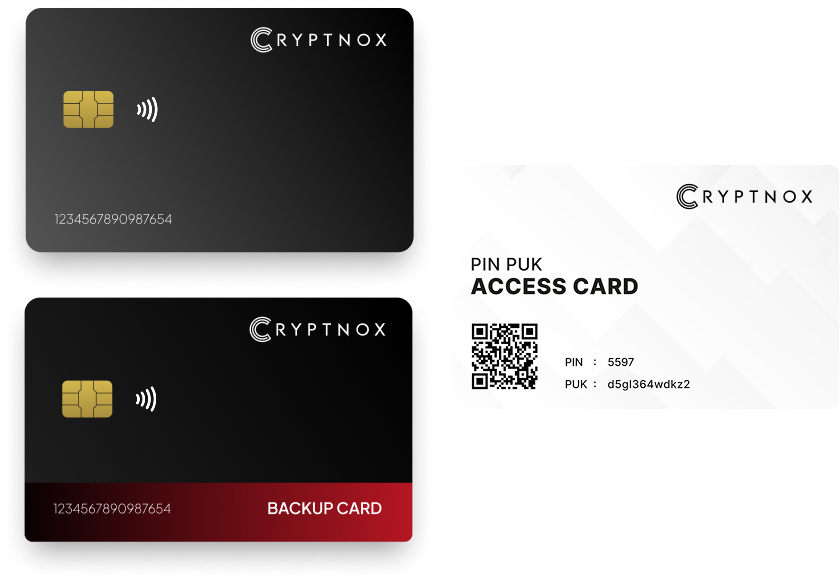
Cryptnox Crypto Hardware Wallet - Dual-Card Set
Private keys are generated inside the secure element and never leave the card. The set ships with a second card prepared during setup as the backup.
Buy from the Official CRYPTNOX Store

Prefer Amazon?
CRYPTNOX products are also available worldwide through our official Amazon stores.

EVM networks, WalletConnect and MetaMask
EVM support is handled through Add a Network. Any EVM network can be added through that route. Once an EVM network is added, its native coin can be managed in the Cryptnox app. ERC-20 tokens deployed on that chain can be added manually through Add a Token.
This makes the EVM route different from a fixed list of preloaded networks. The buyer adds the EVM network first, then adds ERC-20 tokens manually when needed. The network must be EVM; a chain outside the EVM category cannot be added just because it has a token name that looks familiar.
Web3 connection without handing over the key
The free Cryptnox app connects to Web3 through WalletConnect and works with MetaMask. For EVM users, this is the route for interacting with supported Web3 interfaces while keeping the private key inside the secure element. WalletConnect or MetaMask can be part of the interaction, but the Cryptnox card remains the device that signs.
If you use exchanges as well as self-custody, keep the two jobs separate. A Cryptnox wallet signs crypto transactions for supported assets; exchange account protection is a different workflow. Cryptnox publishes separate guidance for Binance account security and Bitfinex account security, while the Dual-Card Set product is for wallet custody.
Tron and XRP Ledger token routes
Tron support in Cryptnox starts with native TRX. TRC-20 tokens are not assumed automatically; they can be added manually through Add a Token. The custody model remains the same as with Bitcoin and EVM networks: the signing key is generated inside the secure element and never leaves it.
XRP Ledger support starts with native XRP. Tokens on the XRP Ledger, known as Issued Currencies, can be added manually through Add a Token. XRP Ledger support does not mean every chain with a similar asset label is supported; the chain must be the XRP Ledger for this route.
Manual token adding is part of the scope
For Tron and the XRP Ledger, the native coins and manually added token types are the supported paths. A buyer holding TRC-20 tokens or XRP Ledger Issued Currencies should expect to use Add a Token, not assume that every token appears automatically.
- Tron native coin: TRX.
- Tron token route: TRC-20 tokens added manually.
- XRP Ledger native coin: XRP.
- XRP Ledger token route: Issued Currencies added manually.
The backup responsibility in non-custodial ownership
The Cryptnox backup model is intentionally physical. The set has two cards, and the seed is generated inside both secure elements during setup. The second card is the backup because it is created with the same seed inside its own secure element.
That model avoids making a written recovery phrase the default setup step, but it also makes card storage critical. The second card should not be carried with the primary card if the goal is to preserve access when one card is lost.
There is no custodial recovery desk holding a duplicate Cryptnox wallet key. If both cards are gone, the funds controlled by those keys are gone. That is the trade-off a buyer accepts with self-custody: control over signing comes with responsibility for the card set that can sign.
For first-time card setup in the Cryptnox ecosystem, the Cryptnox startup guide is useful for understanding the card onboarding style used across Cryptnox products, while the crypto wallet setup uses the Dual-Card Set’s seed generation inside both secure elements.
When the Dual-Card Set fits a non-custodial wallet search
The Cryptnox Crypto Hardware Wallet – Dual-Card Set fits a buyer who wants a non-custodial smart-card wallet for Bitcoin, EVM networks, Tron, and the XRP Ledger, with a second physical card as the default backup. It is not a claim that every chain can be used, and it is not a claim that Cryptnox is the only self-custody option.
The fit is strongest when your holdings match the supported routes: native Bitcoin with supported address formats, EVM networks added through Add a Network, ERC-20 tokens added manually, native TRX and manually added TRC-20 tokens, and native XRP plus manually added XRP Ledger Issued Currencies.
If that scope matches your assets and you want the dual-interface smart-card workflow, the Cryptnox Crypto Hardware Wallet – Dual-Card Set is the product for this custody model. Buyers comparing wallet custody with account sign-in protection can also review Cryptnox guidance for Fastmail account security and the parent Cryptnox hardware security card hub to keep those two use cases separate.
Frequently asked questions
What makes the Cryptnox wallet non-custodial?
The Cryptnox wallet is non-custodial because the private keys are generated inside the secure element and never leave it. The card signs supported transactions, and the user controls the cards that can sign. No third party holds the Cryptnox wallet keys needed to move funds controlled by those keys.
What happens if I lose both cards in the Dual-Card Set?
If both cards are lost, the funds controlled by those keys are lost. The second card is the default backup because the seed is generated inside both secure elements during setup. The backup model only works if the second card is stored separately from the card used day to day.
Do I have to write down a recovery phrase during default setup?
No. The Dual-Card Set ships uninitialised, and the default setup generates the seed inside both secure elements. The second card is the backup. Importing a BIP39 recovery phrase of 12 or 24 words is available as an advanced option for users who deliberately choose that route.
Which Bitcoin address formats does Cryptnox support?
Cryptnox supports native Bitcoin with Legacy P2PKH addresses that start with 1 and SegWit bech32 addresses that start with bc1. Bitcoin transactions are signed using keys generated and kept inside the secure element, with the Cryptnox app providing the user interface.
How do EVM networks and ERC-20 tokens work?
Any EVM network can be added through Add a Network. Once the network is added, its native coin can be managed. ERC-20 tokens deployed on that EVM chain can be added manually through Add a Token. Chains that are not EVM chains do not use this route.
Does Cryptnox support Tron and the XRP Ledger?
Yes. Cryptnox supports native TRX on Tron, with TRC-20 tokens added manually through Add a Token. It also supports native XRP on the XRP Ledger, with XRP Ledger Issued Currencies added manually through Add a Token.
Does the Cryptnox card have a fingerprint or face sensor?
No. The card itself has no fingerprint sensor and no face sensor. Unlocking can use the phone’s fingerprint or face unlock through the Cryptnox app. The card remains the smart-card signing device that protects the private keys inside its secure element.
Does Cryptnox ship worldwide, and will I pay import duties?
Yes. Cryptnox ships worldwide from the official CRYPTNOX store. Orders to Switzerland, the European Union and the United States are dispatched from stock already held in each of those regions, so the parcel does not cross a customs border into your country and there are no import duties to pay. Orders to other destinations are shipped internationally, and any import duties or local taxes are set by the destination country and are the recipient’s responsibility. Current shipping rates are shown at checkout.