
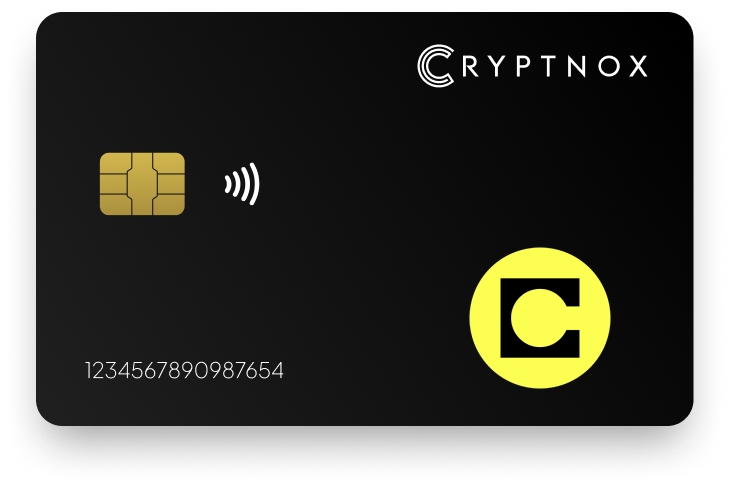
Secure Your Digital Assets with Confidence
Experience next-level protection for your digital assets with a premium hardware wallet built for security-first users
Designed around advanced encryption and a dedicated secure chip, it delivers robust offline storage while supporting a wide range of digital assets and ecosystems
The streamlined setup lets you get started in minutes, giving you access to true cold storage, reliable backup options, and full control over your assets
Engineered for performance and peace of mind, this hardware wallet is a trusted solution for anyone seeking long-term security beyond online threats
Buy it from CRYPTNOX shop directly
Accepts:

Preferred shopping solution for US:

Also available on other Amazon shops:
DE, FR, IT, BE, SE, ES, PL, NL, CA, MX, AU
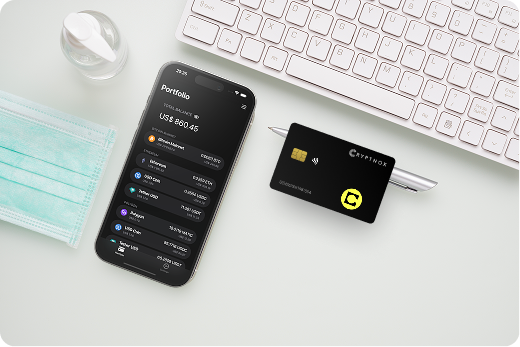
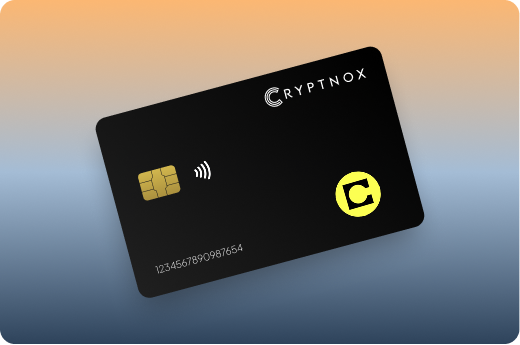
Keeps sensitive access data fully offline, protecting against online threats
Delivers a higher level of security compared to software-based solutions
Enables quick, secure actions while maintaining maximum protection
Introducing Cryptnox, the revolutionary hardware wallet designed to keep your digital assets safe, accessible, and fully under your control. Built on advanced smartcard technology, our wallets feature a secure dual-card backup system, biometric authentication, and seamless integration with MetaMask, WalletConnect, and Web3 apps. Whether you’re storing cryptocurrencies, swapping tokens, or diving into DeFi, Cryptnox delivers bank-level security without the complexity, empowering you to manage your portfolio with peace of mind.
Product Features
Product Specifications:
What It’s Built For:
Cryptnox hardware wallets are your go-to solution for:
Why Cryptnox Stands Out:
This isn’t just a wallet it’s a fortress for your digital future. With no access to your keys by Cryptnox (we never store or see them), audited firmware for top-tier reliability, and global availability, our hardware empowers beginners and experts alike. Backed by comprehensive tutorials, blogs, technical resources, and 24/7 support, Cryptnox ensures you stay ahead in the crypto world with unmatched security, simplicity, and innovation.
Cryptnox Hardware Wallets – Your Gateway to Secure, User-Friendly Crypto Management.
Ready to secure your assets? Buy a Cryptnox Hardware Wallet now and protect your crypto with ease.
Hardware Wallet | Description |
Ledger | Native Celo app in Ledger Live across Nano S Plus, Nano X, Flex, and Stax. Secure Element chip, Bluetooth on premium models, seamless CELO and ecosystem token management. Market leader with verified Celo support. |
Trezor | Fully open-source firmware supporting Celo via MetaMask or Rabby Wallet. Safe 3, Safe 5, and Safe 7 models offer transparency, Shamir backup options, and verifiable security for Celo users who value code auditing. |
OneKey | Native Celo support with EAL6+ secure chip across Pro and Classic models. Touchscreen interface, open-source elements, and strong DeFi/dApp integration for multi-chain Celo ecosystem users. |
SafePal | Affordable air-gapped S1, X1, and S1 Pro models with explicit Celo support. Self-destruct mechanism, QR code signing, and coverage for 100+ blockchains including Celo at accessible price points. |
Keystone | Air-gapped QR-code signing on 3 Pro model with large touchscreen. Explicit Celo support, open-source firmware, strong EVM/DeFi compatibility via MetaMask for advanced security-focused users. |
Ellipal | Fully air-gapped Titan 2.0 and Mini with camera/QR signing. Broad support for 10,000+ assets including EVM chains like Celo. Large color screen and robust build for offline-heavy mobile payment users. |
Tangem | Innovative NFC card wallet with confirmed Celo support via app. No battery or screen required. Extremely portable, easy backup with multiple cards, ideal for beginners or mobile-first Celo payments. |
BitBox02 | Swiss-made with open-source firmware and EAL6+ chip in Multi/Nova editions. Supports EVM chains including Celo via Rabby/MetaMask. Clean design, mobile/iOS support, and verifiable security emphasis. |
CoolWallet | Credit-card form factor with Bluetooth connectivity across Pro, Go, and S models. Explicit Celo support with custom EVM chain addition. Portable and stylish for on-the-go Celo stablecoin transactions. |
Cypherock X1 | Unique card-based system fragmenting seed across multiple cards with no single point of failure. Official Celo support announced. Highly secure backup solution for long-term CELO holders. |
NGRAVE | Premium fully air-gapped ZERO model with EAL7 secure element and large touchscreen. Broad multi-chain support including EVM/Celo via compatible software. Top-tier physical security for high-value portfolios. |
D’CENT | Biometric fingerprint authentication wallet supporting major EVM chains including Celo. Combines convenience with hardware security for users wanting quick mobile access without sacrificing cold storage. |
KeepKey | Established wallet with solid Ethereum/EVM support enabling Celo via MetaMask. Simple interface and ShapeShift ecosystem integration. Reliable classic option for users familiar with the brand. |
Cold storage principles apply directly to Celo despite its mobile-first design. Private keys stored offline on dedicated hardware devices remain protected from internet-based attacks targeting hot wallets. Hardware wallets isolate key material in secure environments that never expose sensitive data to connected computers or phones.
EVM compatibility means Celo shares security requirements with Ethereum and other EVM chains. Standard hierarchical deterministic wallet structures (BIP32/BIP39) work across networks, allowing one hardware device to secure multiple blockchain assets. This compatibility enables Ledger’s native Celo app and Trezor’s MetaMask connection to function with identical security models.
Secure Element chips provide tamper-resistant environments for storing private keys. These certified chips meet Common Criteria standards like EAL6+, meaning they’ve undergone rigorous testing against physical and logical attacks. The chip handles cryptographic operations internally, ensuring keys never leave the protected environment even during transaction signing.
Air-gapped wallets eliminate all electronic connectivity, using cameras and QR codes for transaction data transfer. This approach provides maximum security against remote attacks but may reduce convenience for frequent mobile payments. Connected wallets using Bluetooth or NFC offer easier smartphone integration while maintaining offline key storage.
Open-source firmware allows independent security researchers to audit wallet code for vulnerabilities. Trezor’s fully open approach lets users verify exactly how their device protects Celo assets. Closed-source firmware requires trusting the manufacturer’s security practices without independent verification.
Regular firmware updates patch discovered vulnerabilities and add support for new blockchain features. Hardware wallets should provide secure update mechanisms that prevent malicious firmware installation. Check that your chosen wallet actively maintains Celo compatibility as the network evolves.
Recovery phrase backups remain the standard method for regaining access if your hardware wallet fails or gets lost. These 12-24 word phrases must be stored securely offline, as anyone with access can recreate your wallet. Some wallets offer Shamir backup, splitting your recovery into multiple shares where a threshold is needed for restoration.
The Cryptnox dual-card setup creates identical seeds across two cards, providing instant backup without writing down recovery phrases. This approach suits users who want physical backup redundancy for their Celo holdings. Learn more about backing up your hardware wallet to protect your assets.
Ledger’s native Celo application provides the most streamlined hardware wallet experience. Install the Celo app through Ledger Live, connect your device, and manage CELO tokens directly within the interface. The app supports all Celo native features including stablecoin transactions and network-specific operations.
MetaMask configuration enables Celo support on hardware wallets without native apps. Add the Celo network to MetaMask using these parameters: Network Name “Celo”, RPC URL “https://forno.celo.org“, Chain ID 42220, Currency Symbol “CELO”, Block Explorer “https://explorer.celo.org“. Connect your hardware wallet to MetaMask, then switch to the Celo network.
Rabby Wallet offers an alternative interface with automatic network detection. Connect your Trezor or BitBox02, and Rabby recognizes Celo transactions without manual network addition. This simplifies multi-chain usage for hardware wallet owners managing diverse portfolios.
Mobile app integration varies by wallet design. Tangem cards use NFC to connect directly with smartphones, while CoolWallet employs Bluetooth for wireless transaction signing. These approaches maintain hardware security while providing the mobile convenience Celo emphasizes.
Hardware wallets display transaction details on their screens before signing. For Celo transfers, verify the recipient address, CELO or stablecoin amount, and estimated gas fees. Approve only after confirming all details match your intentions, protecting against address-substitution attacks.
Smart contract interactions show additional data including function calls and token approvals. DeFi transactions on Ubeswap or Mento may involve multiple steps requiring separate confirmations. Take time to review each signature request, as approving malicious contracts can grant unlimited access to your tokens.
Connection failures often result from outdated firmware or missing network configurations. Update your hardware wallet firmware first, then verify Celo network settings in MetaMask or your chosen interface. Some wallets require enabling “experimental features” or “custom networks” in their settings.
Transaction failures may indicate insufficient CELO for gas fees. Celo requires CELO tokens to pay transaction costs, even when transferring stablecoins like cUSD. Keep a small CELO balance for fees when using hardware wallets with Celo stablecoins.
Celo’s stablecoin ecosystem centers on cUSD, cEUR, and cREAL for real-world payments. Hardware wallets secure these assets identically to CELO tokens, as all exist as ERC-20-compatible contracts on Celo’s EVM chain. Your wallet must display custom tokens, allowing you to add stablecoin contracts manually if not automatically recognized.
DeFi protocol compatibility determines your ability to participate in Celo’s decentralized finance ecosystem. Ubeswap enables stablecoin swaps and liquidity provision, while Mento handles stablecoin minting and redemption. Hardware wallets interact with these protocols through Web3 connections, signing transactions while keeping keys offline.
Staking CELO for network security and governance rewards requires wallets that support validator connections. Ledger’s native Celo app includes staking features within Ledger Live. Wallets using MetaMask connect to Celo staking interfaces through browser extensions, maintaining hardware security during delegation.
Gas fee handling requires CELO token balances even for stablecoin transactions. Celo’s fee abstraction allows paying fees in cUSD in some applications, but hardware wallet transactions typically require CELO. Monitor your CELO balance to ensure successful transaction broadcasting.
DeFi protocols request token spending approvals during first-time interactions. These approvals grant smart contracts permission to access your tokens, creating ongoing risk if protocols are compromised. Hardware wallets display approval amounts, allowing you to limit permissions to specific transaction values rather than unlimited access.
Revoke old approvals periodically to minimize exposure. Tools like approval checkers show which Celo protocols can access your tokens. Disconnect permissions from unused DeFi platforms to reduce attack surface.
Providing liquidity to Celo DEXs involves depositing tokens into smart contracts that issue LP tokens representing your share. Hardware wallets secure the LP tokens just like regular tokens, but you must trust the underlying protocol’s security. Research protocol audits before committing significant value to Celo DeFi platforms.
Harvest rewards regularly to minimize funds at risk in DeFi contracts. Learn how to securely transfer cryptocurrency to your hardware wallet to protect earned tokens. Transfer rewards to your hardware wallet’s standard addresses rather than leaving them in farming contracts. This approach balances DeFi participation with hardware security.
Air-gapped wallets eliminate all electronic connections, using cameras to scan transaction QR codes. Keystone, SafePal, and Ellipal exemplify this approach, offering maximum protection against remote attacks. Transactions originate on connected devices, transfer to the hardware wallet via QR for signing, then return signed data for broadcasting.
Mobile connectivity through Bluetooth or NFC enables convenient smartphone interaction. CoolWallet and Tangem prioritize portable designs that pair easily with mobile devices. These wallets maintain key isolation while allowing quick transaction signing for Celo’s payment-focused use cases.
Security trade-offs exist between approaches. Air-gapped wallets prevent any network-based attacks but require multiple devices for operation. Connected wallets offer streamlined workflows but introduce potential attack vectors through wireless communication channels. Both approaches keep private keys offline, the core security requirement.
Celo’s mobile-first design makes connected hardware wallets particularly appealing. Native mobile payment scenarios benefit from NFC-enabled cards or Bluetooth wallets that sign transactions without physical connections. The Cryptnox hardware wallet supports mobile integration while maintaining professional-grade security for CELO and stablecoins.
Daily payment users benefit from mobile-connected wallets. Frequent cUSD or cEUR transactions for goods and services justify the convenience of quick smartphone signing. Keep payment wallet balances modest, storing larger holdings in separate hardware devices.
Long-term CELO storage suits cold wallet solutions with maximum security. Investors holding significant value prioritize attack resistance over transaction convenience. Air-gapped devices excel for infrequent high-value transfers and cold storage scenarios.
Multi-device strategies optimize both security and usability. Maintain air-gapped hardware for large holdings and connected hardware for active DeFi participation. This separation limits exposure while enabling full Celo ecosystem engagement.
Regular security reviews ensure your approach remains appropriate as holdings grow. Strategies suitable for modest Celo balances may prove inadequate for substantial portfolios. Upgrade to higher-security hardware wallets as your Celo assets increase in value. Consider implementing self-custody wallet practices for complete control.
The Cryptnox solution is a high-security hardware wallet based on the latest smartcard technology available A seed is either generated or injected as part of the initialization process, which makes it compatible with the BIP32 and BIP39 standards When choosing the Dual Card Setup option, you can generate an identical seed in two cards in only seconds, and store the backup card in a safe place for recovery
A hardware wallet is a physical device designed to securely store private keys offline Keeping sensitive data disconnected from the internet, it significantly reduces exposure to hacking, malware, and phishing attacks
Unlike software wallets that operate on internet-connected devices, hardware wallets isolate private keys in a secure environment Transactions are signed internally, ensuring keys never leave the device or are exposed online
Yes! Hardware wallets are ideal for long-term asset protection Offline storage, durable hardware, and secure backup mechanisms make them well-suited for holding assets safely over extended periods
Access can be restored using a secure recovery process, typically based on a recovery phrase or backup solution created during setup This ensures assets remain accessible even if the physical device is no longer available
Modern hardware wallets are designed with user-friendly interfaces and guided setup processes
This makes them accessible to beginners while still meeting the security standards required by advanced users