
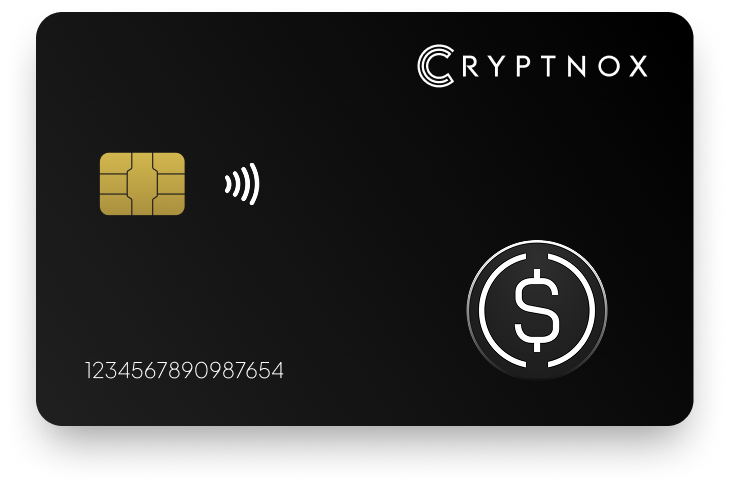
Secure Your Digital Assets with Confidence
Experience next-level protection for your digital assets with a premium hardware wallet built for security-first users
Designed around advanced encryption and a dedicated secure chip, it delivers robust offline storage while supporting a wide range of digital assets and ecosystems
The streamlined setup lets you get started in minutes, giving you access to true cold storage, reliable backup options, and full control over your assets
Engineered for performance and peace of mind, this hardware wallet is a trusted solution for anyone seeking long-term security beyond online threats
Buy it from CRYPTNOX shop directly
Accepts:

Preferred shopping solution for US:

Also available on other Amazon shops:
DE, FR, IT, BE, SE, ES, PL, NL, CA, MX, AU
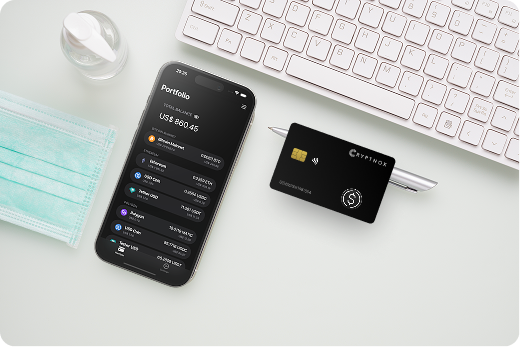
Keeps sensitive access data fully offline, protecting against online threats
Delivers a higher level of security compared to software-based solutions
Enables quick, secure actions while maintaining maximum protection
Introducing Cryptnox, the revolutionary hardware wallet designed to keep your digital assets safe, accessible, and fully under your control. Built on advanced smartcard technology, our wallets feature a secure dual-card backup system, biometric authentication, and seamless integration with MetaMask, WalletConnect, and Web3 apps. Whether you’re storing cryptocurrencies, swapping tokens, or diving into DeFi, Cryptnox delivers bank-level security without the complexity, empowering you to manage your portfolio with peace of mind.
Product Features
Product Specifications:
What It’s Built For:
Cryptnox hardware wallets are your go-to solution for:
Why Cryptnox Stands Out:
This isn’t just a wallet it’s a fortress for your digital future. With no access to your keys by Cryptnox (we never store or see them), audited firmware for top-tier reliability, and global availability, our hardware empowers beginners and experts alike. Backed by comprehensive tutorials, blogs, technical resources, and 24/7 support, Cryptnox ensures you stay ahead in the crypto world with unmatched security, simplicity, and innovation.
Cryptnox Hardware Wallets – Your Gateway to Secure, User-Friendly Crypto Management.
Ready to secure your assets? Buy a Cryptnox Hardware Wallet now and protect your crypto with ease.
Hardware Wallet | Description |
Ledger Nano X | Bluetooth-enabled flagship with CC EAL5+ chip supporting 5,500+ assets including USDe via Ledger Live/MetaMask. Excellent for mobile DeFi signing and transaction confirmation. |
Ledger Stax | Premium E-ink touchscreen model with curved display for easy transaction review. High security and stylish design ideal for frequent USDe management and portfolio tracking. |
Ledger Nano S Plus | Affordable, compact USB-C wallet with strong secure element protection. Great entry point for holding USDe long-term with broad ERC-20 support via MetaMask integration. |
Ledger Flex / Nano Flex | Modern flexible design with enhanced display and NFC/Bluetooth connectivity. Balances security and usability for Ethereum-based assets like USDe with quick mobile access. |
Trezor Safe 3 | Budget open-source option with secure element and reliable Ethereum ERC-20 support via Trezor Suite. Transparent firmware appeals to security-conscious USDe holders. |
Trezor Model T | Touchscreen model for intuitive transaction verification with fully open-source architecture and Shamir backup. Strong for signing USDe transactions in DeFi protocols. |
Trezor Safe 5 / Safe 7 | Advanced open-source models with improved chips and larger displays. Excellent transparency and Ethereum compatibility for secure stablecoin storage and yield farming. |
OneKey Pro | Air-gapped QR signing option with touchscreen, fingerprint, and multiple EAL6+ elements. Supports 30,000+ tokens including USDe; great for offline maximum security. |
ELLIPAL Titan | Fully air-gapped metal device using QR codes only with no Bluetooth/USB risks. Ideal for maximum security when holding large USDe amounts offline long-term. |
SafePal S1 | Low-cost air-gapped wallet with QR signing and self-destruct features. Supports hundreds of chains including Ethereum; solid budget choice for ERC-20 like USDe. |
BitBox02 | Open-source Swiss-made wallet with secure chip and clean interface. Reliable for Ethereum users prioritizing auditability, privacy, and multisig support for USDe. |
Tangem Wallet | Card-based tap-to-phone system with no battery or seed phrase entry on device. Convenient secure element protection for easy USDe access and quick DeFi interactions. |
NGRAVE ZERO | Ultra-secure air-gapped device with EAL7-rated screen and keyless recovery options. Premium choice for high-value stablecoin holdings requiring maximum isolation. |
Keystone (Pro/Essential) | Air-gapped QR code signing with large screen and multi-chain support including Ethereum. Good for verifiable, offline USDe transactions with open-source transparency. |
D’CENT Biometric | Fingerprint authentication for quick, secure access with Ethereum and ERC-20 support. User-friendly for regular DeFi interactions and frequent USDe transactions. |
SecuX V20 / W20 | Metal build with large color screen and broad multi-coin support including ERC-20. Durable option for long-term USDe storage with clear transaction displays. |
KeepKey | Simple, durable design integrated with ShapeShift supporting Ethereum via companion apps. Straightforward for basic secure holding without complex DeFi needs. |
CoolWallet Pro | Flexible card-like Bluetooth wallet that’s highly portable with strong encryption. Convenient for mobile users managing USDe on the go with smartphone integration. |
Cypherock X1 | Card-based multi-share recovery system with no single seed phrase, open-source elements, and EAL6+ security. Innovative for advanced USDe protection against loss. |
Ethena USDe maintains its dollar peg through delta-neutral hedging with crypto collateral rather than holding bank deposits. This synthetic stablecoin design means your USDe tokens are standard ERC-20 assets on Ethereum, subject to the same security requirements as any other token. The protocol itself manages stability through derivatives trading, but you’re responsible for securing your private keys that control your USDe balance.
Hardware wallets provide “cold storage” by keeping your private keys on an offline device that never touches the internet. When you want to send USDe or interact with Ethena protocol, your hardware wallet signs the transaction internally and only transmits the signed data, never your actual private key. This isolation protects against keyloggers, clipboard hijackers, and malware that target hot wallets and exchange accounts.
The secure element chip in quality hardware wallets is a certified tamper-resistant processor that physically protects your keys even if someone steals your device. Without your PIN or biometric authentication, the chip will lock or erase itself after too many failed attempts. This hardware-level security is fundamentally stronger than software-only wallets where malware could extract keys from computer memory.
USDe lives as a smart contract on Ethereum, and interacting with DeFi protocols means approving token permissions and signing complex transactions. Your hardware wallet’s display lets you review these operations before approval, but you must verify what you’re signing. Always check the contract address and token amount on your device screen, phishing attacks often trick users into approving unlimited token access to malicious contracts.
Hardware wallets can’t protect you from deliberately signing bad transactions, so treat your device screen as the ultimate source of truth. If a DeFi interface shows one thing but your hardware wallet displays different values, trust the wallet and cancel the transaction. Understanding what cryptodrainers are helps you recognize common attack patterns.
Hardware wallets make phishing attacks much harder because scammers can’t remotely access your private keys. Even if you accidentally connect to a fake Ethena website or malicious DApp, the attacker can only request transactions that you must physically approve on your device. This on-device confirmation gives you a chance to catch suspicious requests before they execute.
However, sophisticated phishing can still trick users into approving token permissions or sending funds to wrong addresses. Bookmark the official Ethena protocol URL and double-check URLs before connecting your wallet. Never approve unlimited token spending unless you understand exactly what protocol you’re authorizing.
Your seed phrase is a complete backup of your hardware wallet and can restore all your accounts on any compatible device. If someone finds your seed phrase, they can steal all your USDe without needing your physical wallet or PIN. Store your backup in a secure location, many users keep seed phrases in fireproof safes or safety deposit boxes, and advanced setups use metal backup plates that resist fire and water damage.
For extra protection with large holdings, consider Shamir backup or dual-card systems where your recovery is split across multiple physical locations. This prevents single-point failure if one backup is lost or stolen. Never photograph your seed phrase, store it in password managers, or type it into any computer or phone.
Ethena USDe exists as an ERC-20 token, so you access it through Ethereum-compatible interfaces that support hardware wallet connections. The most common method is connecting your hardware wallet to MetaMask, which acts as a bridge between your offline keys and web-based DeFi applications. When you connect this way, MetaMask sends transaction requests to your hardware wallet, you review and approve them on your device, and the signed transaction goes back through MetaMask to the blockchain.
To connect your hardware wallet to MetaMask, open the MetaMask browser extension and click the account dropdown menu, then select “Add account or hardware wallet” and choose “Add hardware wallet”. Select your wallet brand (Ledger, Trezor, or other supported devices), then unlock your physical wallet and open the Ethereum app if required. MetaMask will display your available Ethereum addresses, select the one containing your USDe and confirm.
After connection, MetaMask shows your USDe balance just like any ERC-20 token, but all transaction signing happens on your hardware wallet. When you interact with Ethena protocol or other DeFi platforms, you’ll see a prompt on your physical device asking you to review and approve each action. This two-device workflow adds a security layer but requires keeping your hardware wallet accessible when using DeFi.
WalletConnect is an alternative protocol that lets you connect hardware wallets directly to decentralized applications through QR codes or deep links. Many hardware wallet companion apps (like Ledger Live) include WalletConnect support, letting you access Ethena protocol from your phone or computer while signing transactions on your wallet. This method works particularly well with Bluetooth-enabled wallets that can sign transactions wirelessly.
Scan the WalletConnect QR code from your hardware wallet app, and the DApp will request permissions to view your addresses and send transaction requests. Always verify the DApp URL before connecting, WalletConnect itself is secure, but you need to ensure you’re connecting to the legitimate Ethena interface and not a phishing clone.
When sending or staking USDe, your hardware wallet display shows the recipient address, token amount, and gas fee. Carefully verify the USDe amount matches what you intended to send, malware can sometimes modify transaction details before they reach your wallet. If possible, verify the first few and last few characters of the recipient address against your source (never trust clipboard-copied addresses without verification)
For DeFi protocol interactions like minting or redeeming USDe, your hardware wallet may show contract function calls rather than simple token transfers. These transactions look more technical but should still display the key details, what token you’re approving, how many tokens you’re spending, and which contract address receives permission.
If MetaMask doesn’t detect your hardware wallet, ensure you’ve installed the wallet’s bridge software (Ledger Live or Trezor Suite) and that the Ethereum app is open on your device. Some wallets require specific browser permissions or USB driver installations. For Bluetooth wallets, check that Bluetooth is enabled on your computer and the wallet is in pairing mode. support.metamask
Sometimes browser extensions conflict with hardware wallet connections, try disabling other crypto extensions temporarily or using a fresh browser profile. If you see “wrong address” errors, verify you’re using the correct derivation path (usually m/44’/60’/0’/0 for Ethereum).
Ethena offers sUSDe, a staked version of USDe that earns yield from the protocol’s delta-neutral strategies. Using a hardware wallet for yield farming adds security steps but protects your stablecoin earnings from hot wallet risks. When you stake USDe to receive sUSDe or claim rewards, you’re interacting with Ethereum smart contracts that require signed transactions, your hardware wallet reviews each operation before execution
Hardware wallets work with all major DeFi protocols through MetaMask or WalletConnect integration, but the user experience varies. USB and Bluetooth wallets offer the smoothest experience because you can keep them connected while farming, just approve transactions on your device as needed. Air-gapped wallets require scanning QR codes for every operation, which adds friction to frequent yield farming activities like harvesting rewards or rebalancing positions
For active DeFi users who interact with Ethena protocol multiple times daily, a connected wallet with quick confirmation (like Ledger Nano X or Trezor Model T) balances security and convenience. If you’re only staking USDe long-term and checking occasionally, an air-gapped wallet provides maximum security for less frequent interactions.
When you deposit USDe into yield farming protocols, you typically make two transactions: first approving the protocol to spend your tokens, then depositing the approved amount. Your hardware wallet will ask you to confirm both operations. The approval transaction is particularly important to verify, check that you’re approving the correct protocol contract address and consider limiting approval amounts rather than granting unlimited access.
Claiming farming rewards also requires signed transactions that your hardware wallet must approve. These operations usually cost gas fees in ETH, so keep some Ethereum in the same account as your USDe for transaction fees. Your hardware wallet displays the gas price and total cost before you sign.
If you’re farming USDe across multiple protocols or providing liquidity in different pools, consider using multiple hardware wallet accounts for organization. Most hardware wallets generate multiple Ethereum addresses from one seed phrase, letting you separate yield farming positions from long-term holdings. This separation reduces risk if a DeFi protocol is compromised, only the interacting account is exposed, not your entire stablecoin portfolio.
Some advanced users keep one hardware wallet exclusively for DeFi interactions (with moderate balances) and another for cold storage of main USDe holdings. This “hot hardware wallet” and “cold hardware wallet” strategy provides hardware-level security for active farming while keeping the bulk of assets completely isolated.
Every USDe transaction costs gas fees in ETH, and these fees can be higher during network congestion. Hardware wallets let you adjust gas prices before signing, but setting fees too low may cause transactions to fail or sit pending for hours. For time-sensitive yield farming (like entering limited opportunities), keep your hardware wallet ready to sign quickly at appropriate gas prices.
Some hardware wallet companion apps include gas price estimates, but always verify the total fee displayed on your device screen matches reasonable expectations. Phishing attacks sometimes show low fees on computer screens while sending high-fee transactions to your wallet.
DeFi protocols occasionally face smart contract bugs, exploits, or liquidity crises requiring fast exits. Your hardware wallet protects your assets but can slow emergency withdrawals if you need to locate your device and go through security steps. Keep your hardware wallet accessible (not locked in a distant safe) if you have active yield farming positions that might need rapid management.
For institutional users or very large positions, consider setting up multi-signature wallets where multiple hardware devices must approve transactions but one device can be kept in a ready state for emergency actions.
Hardware wallets use different connection methods that affect security and convenience for USDe management. Air-gapped wallets never connect to computers or phones through wires or wireless signals, they transmit transaction data via QR codes or SD cards, keeping your device completely offline. Connected wallets use USB, Bluetooth, or NFC to communicate with computers and smartphones for faster transaction signing.
Air-gapped wallets like ELLIPAL Titan, NGRAVE ZERO, and Keystone eliminate all wireless attack vectors by never establishing USB, Bluetooth, or WiFi connections. To send USDe from an air-gapped wallet, you create an unsigned transaction on your computer, display it as a QR code, scan it with your hardware wallet camera, review and sign the transaction on the wallet, then scan the signed QR code back to your computer for broadcasting.
This QR code workflow provides 100% offline private key storage and protection against USB-based malware that could compromise connected devices. For holders of large USDe amounts (especially long-term storage without frequent transactions), air-gapped security offers the highest protection level. The trade-off is slower transaction processes, every operation requires multiple QR code scans rather than a single button press.
Air-gapped wallets also protect against supply chain attacks where malicious actors tamper with devices during shipping. Since the device never connects to anything, even compromised firmware would have limited ways to exfiltrate your keys.
Connected wallets streamline DeFi interactions by staying plugged in or paired while you use Ethereum applications. Ledger Nano X, Trezor Model T, and similar devices connect via USB or Bluetooth, letting you approve transactions with simple device confirmation rather than QR code scanning. This speed is valuable for active USDe yield farming where you might sign dozens of transactions weekly.
Bluetooth hardware wallets offer mobility advantages, you can sign transactions from your phone without needing cables. This convenience helps when managing USDe positions on the go or checking staking rewards from mobile devices. Modern Bluetooth implementations encrypt all data transmission and keep private keys isolated on the secure element chip, but they theoretically expose more attack surface than pure air-gapped designs.
USB connections avoid wireless transmission entirely while maintaining fast transaction flow. Your private keys never leave the hardware wallet even when plugged in, only signed transactions pass through the USB cable. However, malware could potentially exploit USB vulnerabilities in rare cases, which is why air-gapped advocates prefer complete isolation.
For long-term USDe holders who make occasional transfers or check balances infrequently, air-gapped wallets provide maximum peace of mind with minimal convenience cost. The extra 30 seconds to scan QR codes doesn’t matter when you only transact monthly. These wallets shine for cold storage of stablecoin reserves that you don’t actively trade or farm.
For active DeFi participants farming USDe yield, staking sUSDe, and frequently interacting with Ethereum protocols, connected wallets save significant time. Signing ten transactions weekly through QR codes becomes tedious, USB or Bluetooth connections let you approve operations quickly while maintaining hardware-level security far superior to hot wallets.
Some advanced users employ both wallet types: an air-gapped device holding the majority of USDe in deep cold storage, and a connected wallet managing active DeFi positions with smaller amounts. This “layered security” approach balances accessibility for regular operations with maximum protection for main holdings.
The security difference between quality air-gapped and connected hardware wallets is relatively small in practice when you follow proper operational security. Both approaches keep private keys on secure element chips isolated from internet-connected devices. The main risk with connected wallets comes from potential firmware vulnerabilities or sophisticated attacks targeting USB/Bluetooth stacks, these attacks are theoretically possible but rarely seen in real-world scenarios against major hardware wallet brands.
Your operational security habits matter more than the connection method in most cases. Using either wallet type with poor seed phrase backup, connecting to phishing sites, or approving suspicious transactions undermines the hardware security. Air-gapped or connected, always verify transaction details on your device screen and never share your seed phrase.
Secure your USDe stablecoin and DeFi yield with Cryptnox’s professional-grade hardware wallet designed for Ethereum assets.
The Cryptnox solution is a high-security hardware wallet based on the latest smartcard technology available A seed is either generated or injected as part of the initialization process, which makes it compatible with the BIP32 and BIP39 standards When choosing the Dual Card Setup option, you can generate an identical seed in two cards in only seconds, and store the backup card in a safe place for recovery
A hardware wallet is a physical device designed to securely store private keys offline Keeping sensitive data disconnected from the internet, it significantly reduces exposure to hacking, malware, and phishing attacks
Unlike software wallets that operate on internet-connected devices, hardware wallets isolate private keys in a secure environment Transactions are signed internally, ensuring keys never leave the device or are exposed online
Yes! Hardware wallets are ideal for long-term asset protection Offline storage, durable hardware, and secure backup mechanisms make them well-suited for holding assets safely over extended periods
Access can be restored using a secure recovery process, typically based on a recovery phrase or backup solution created during setup This ensures assets remain accessible even if the physical device is no longer available
Modern hardware wallets are designed with user-friendly interfaces and guided setup processes
This makes them accessible to beginners while still meeting the security standards required by advanced users