
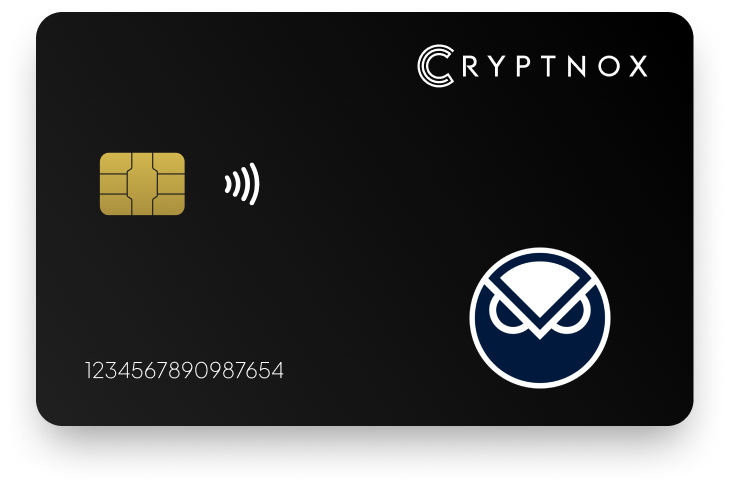
Secure Your Digital Assets with Confidence
Experience next-level protection for your digital assets with a premium hardware wallet built for security-first users
Designed around advanced encryption and a dedicated secure chip, it delivers robust offline storage while supporting a wide range of digital assets and ecosystems
The streamlined setup lets you get started in minutes, giving you access to true cold storage, reliable backup options, and full control over your assets
Engineered for performance and peace of mind, this hardware wallet is a trusted solution for anyone seeking long-term security beyond online threats
Buy it from CRYPTNOX shop directly
Accepts:

Preferred shopping solution for US:

Also available on other Amazon shops:
DE, FR, IT, BE, SE, ES, PL, NL, CA, MX, AU
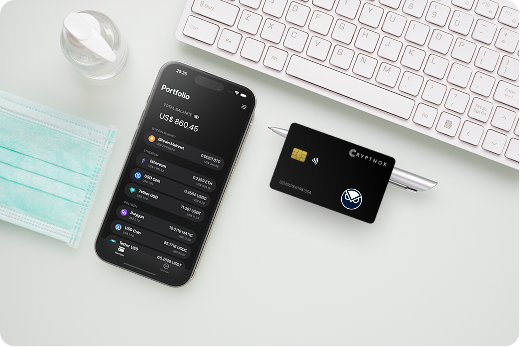
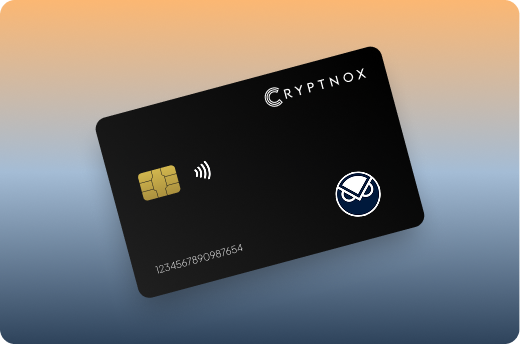
Keeps sensitive access data fully offline, protecting against online threats
Delivers a higher level of security compared to software-based solutions
Enables quick, secure actions while maintaining maximum protection
Introducing Cryptnox, the revolutionary hardware wallet designed to keep your digital assets safe, accessible, and fully under your control. Built on advanced smartcard technology, our wallets feature a secure dual-card backup system, biometric authentication, and seamless integration with MetaMask, WalletConnect, and Web3 apps. Whether you’re storing cryptocurrencies, swapping tokens, or diving into DeFi, Cryptnox delivers bank-level security without the complexity, empowering you to manage your portfolio with peace of mind.
Product Features
Product Specifications:
What It’s Built For:
Cryptnox hardware wallets are your go-to solution for:
Why Cryptnox Stands Out:
This isn’t just a wallet it’s a fortress for your digital future. With no access to your keys by Cryptnox (we never store or see them), audited firmware for top-tier reliability, and global availability, our hardware empowers beginners and experts alike. Backed by comprehensive tutorials, blogs, technical resources, and 24/7 support, Cryptnox ensures you stay ahead in the crypto world with unmatched security, simplicity, and innovation.
Cryptnox Hardware Wallets – Your Gateway to Secure, User-Friendly Crypto Management.
Ready to secure your assets? Buy a Cryptnox Hardware Wallet now and protect your crypto with ease.
Hardware Wallet | Description |
Ledger Nano X | Bluetooth-enabled flagship with native GNO support in Ledger Live and MetaMask for Gnosis Chain. Secure element chip, mobile-friendly, excellent for DeFi and wide token support including xDAI transactions. |
Ledger Nano S Plus | Affordable, high-memory model with strong Ethereum/EVM compatibility for Gnosis via MetaMask. Reliable offline signing for GNO transactions with secure element protection and straightforward Gnosis Chain setup. |
Ledger Stax | Premium touchscreen model supporting GNO in Ledger Live and third-party wallets. Stylish design with advanced display for clear transaction verification on Gnosis Chain operations and complex DeFi interactions. |
Trezor Model T | Touchscreen with open-source firmware offering seamless Gnosis support via Trezor Suite, MetaMask, or Rabby. Great for users prioritizing transparency and EVM chain compatibility with strong multisig capabilities. |
Trezor Safe 3 | Compact, secure entry-level Trezor with full support for Gnosis Chain and GNO through compatible interfaces. Excellent security track record and straightforward MetaMask integration for Gnosis operations. |
Trezor Safe 5 | Newer advanced model with strong parsing and verification for complex Gnosis transactions. Open-source ethos with solid EVM compatibility, ideal for DeFi participants and Gnosis Safe multisig coordinators. |
OneKey Pro | Fully open-source with air-gapped options and multi-chain support (100+). Native Gnosis Chain compatibility with advanced SignGuard features for safe GNO and DeFi use, excellent for complex transaction verification. |
OneKey Classic 1S | Slim, Bluetooth-enabled with broad token/chain support including Gnosis. User-friendly interface with strong security audits and multisig compatibility for Gnosis Safe operations and xDAI management. |
D’CENT Biometric | Biometric fingerprint authentication with explicit official support for Gnosis assets (GNO, xDAI). EAL5+ secure element, mobile app integration, and straightforward Gnosis Chain connectivity. |
Tangem Wallet | NFC card form factor with tap-to-phone functionality. Supports Gnosis Chain and GNO on both Ethereum and Gnosis networks. Highly portable, no battery required, strong security for on-the-go GNO management. |
BitBox02 (Multi) | Swiss-made, open-source with native support for Gnosis (GNO as ERC-20) and multiple EVM chains. MicroSD backup, clean interface for DeFi, and clear transaction verification for Gnosis operations. |
Ellipal Titan | Fully air-gapped using QR code signing with broad EVM support including Gnosis via MetaMask. Large touchscreen, durable metal casing for secure GNO storage with complete offline protection. |
SafePal S1 | Affordable air-gapped wallet using QR codes. Supports many blockchains and tokens, works with Gnosis via WalletConnect/MetaMask. Good entry point for beginners seeking secure GNO storage. |
Keystone 3 Pro | Air-gapped touchscreen with strong EVM/DeFi compatibility for Gnosis. Open-source elements, high-security focus with clear transaction display for complex Gnosis Chain operations and multisig signing. |
CoolWallet Pro/S | Flexible card-style with Bluetooth supporting Ethereum and custom EVM networks like Gnosis. Portable and app-driven for GNO management with secure element protection and mobile-first design. |
SecuX V20/W20 | Rugged design supporting ETH and ERC-20 tokens, compatible with MetaMask for Gnosis Chain. Good cross-platform and multi-coin features with straightforward Gnosis network configuration. |
KeepKey | Simple, durable wallet with Ethereum support extending to Gnosis via MetaMask. Straightforward for basic GNO holding with large screen for transaction verification and ShapeShift integration. |
imKey | Supports Gnosis Safe multisig setups with hardware integration for secure signing on Gnosis Chain. Emerging option for advanced users requiring multisig coordination and DeFi participation. |
NGRAVE ZERO | Ultra-secure air-gapped device with EVM/ETH support via interfaces for Gnosis. Premium build focused on maximum offline protection for high-value GNO holdings with biometric security options. |
Gnosis Chain operates as an EVM-compatible layer with its own consensus mechanism and validator network. Securing your GNO tokens and xDAI requires understanding how hardware wallets provide safe cold storage and protect private keys across different transaction types.
Hardware wallets keep your private keys completely offline, never exposing them to internet-connected devices during transaction signing. When you initiate a Gnosis Chain transaction through MetaMask or Ledger Live, the wallet receives transaction details, signs them internally with your stored keys, and returns only the signed transaction for broadcast. This cold wallet approach provides maximum protection against online threats.
Since Gnosis Chain uses the Ethereum Virtual Machine, most Ethereum-compatible hardware wallets can manage GNO and xDAI tokens. However, firmware-supported chains display clearer transaction details and network names during signing. Wallets with explicit Gnosis Chain parameters show “Gnosis” instead of generic “Custom Network” warnings, similar to support for Polygon or Avalanche.
Complex Gnosis operations like Safe multisig proposals and DeFi interactions require careful on-device verification. Your hardware wallet should display the recipient address, token amount, contract method, and gas details before you approve any signature. Touchscreen models and devices with clear displays help prevent blind signing of malicious transactions.
Gnosis DeFi users face phishing risks through fake governance proposals and malicious smart contracts. Hardware wallets protect you by requiring physical confirmation for every transaction, preventing malware from draining funds even if your computer is compromised. Understanding what cryptodrainers are helps you recognize these threats while your hardware wallet provides defense.
Setting up your hardware wallet for Gnosis Chain requires configuring compatible interfaces and adding the network to your wallet software. The process varies slightly depending on whether you’re using native app support or MetaMask integration. If you’re new to this process, check out how to use hardware wallets for foundational knowledge.
Ledger devices can manage GNO directly in Ledger Live through the Ethereum app. Install the latest Ethereum app on your device, add a Gnosis account in Ledger Live, and your GNO balance appears alongside other assets. This native integration simplifies portfolio tracking but has limited DeFi capabilities compared to MetaMask connections.
Most hardware wallets connect to Gnosis Chain via MetaMask using these steps:
MetaMask displays your xDAI balance and allows interaction with Gnosis DeFi protocols while your keys remain on the hardware wallet.
For mobile access or desktop dApp connections, WalletConnect links your hardware wallet to Gnosis Chain applications. Understanding WalletConnect and Cryptnox card security helps you safely connect to Gnosis dApps. Scan the QR code with your wallet’s companion app, and approve each transaction on your hardware device.
If your Gnosis transactions fail, verify you’re using the latest firmware and companion app versions. Check that Gnosis Chain is selected (not Ethereum mainnet) and you have sufficient xDAI for gas fees. Some wallets require installing specific EVM apps or enabling contract data signing in settings.
Gnosis Safe multisig wallets require multiple hardware wallet signatures for transaction approval, providing organizational security and shared custody arrangements. Integrating hardware wallets into Safe setups combines multisig protection with offline key storage, offering self-custody wallet benefits at the organizational level.
Creating a Gnosis Safe multisig with hardware wallet signers involves these steps:
Each signer maintains their own hardware wallet, and the Safe smart contract enforces the signature threshold on-chain.
When a Safe participant proposes a transaction, other signers review and approve using their hardware wallets. The Gnosis Safe interface displays transaction details including recipient, amount, contract interactions, and data payload. Each signer connects their hardware wallet, reviews the proposal on their device screen, and provides their signature.
Hardware wallet integration prevents insider threats and compromised computers from stealing multisig funds. Even if one signer’s laptop is hacked, the attacker cannot sign transactions without physical access to their hardware device. This makes professional hardware wallets essential for DAOs, treasuries, and corporate Gnosis Safe deployments.
Maintain geographic distribution of hardware wallet signers to prevent physical coercion or disasters. Use hardware wallets with clear transaction displays to verify every detail before signing. Document your multisig setup including signer identities, threshold requirements, and emergency recovery procedures. Consider implementing a combined backup and inheritance solution for organizational continuity.
Hardware wallets use different connection methods that affect security, convenience, and Gnosis Chain compatibility. Understanding these trade-offs helps you choose the right physical crypto wallet for your GNO management needs.
Air-gapped wallets like Ellipal Titan and Keystone 3 Pro never connect physically to computers or phones. They transmit transaction data through QR codes, eliminating USB and Bluetooth attack vectors. For Gnosis Chain, you scan transaction details from MetaMask into your air-gapped device, sign on the hardware screen, then scan the signed transaction back for broadcast.
USB and Bluetooth-enabled wallets offer faster transaction signing and real-time balance updates. Ledger Nano X and D’CENT Biometric support mobile Gnosis management through Bluetooth connections. This convenience works well for active DeFi users and frequent Gnosis Safe multisig signers who need responsive signing capabilities.
Complex Gnosis operations like DeFi interactions and Safe multisig proposals contain extensive data payloads. Connected wallets with companion apps can parse and display these details more clearly than air-gapped QR-based systems. However, advanced air-gapped wallets like Keystone 3 Pro handle complex transactions effectively with larger screens and improved QR capacity.
Choose air-gapped wallets for maximum-security GNO holdings and long-term storage where transaction frequency is low. Select connected wallets for active Gnosis Safe multisig participation, frequent DeFi interactions, and situations requiring mobile access. Many users maintain both types: air-gapped for large holdings and connected for operational amounts, similar to strategies for Bitcoin cold storage.
Bluetooth hardware wallets enable mobile Gnosis management through companion apps, ideal for on-the-go multisig signing and DeFi monitoring. Desktop-focused wallets provide larger screens for transaction verification but require computer access. Consider your workflow: Gnosis Safe coordinators benefit from desktop setups, while xDAI users might prefer mobile flexibility with external crypto wallets
Secure your GNO with Cryptnox’s professional hardware wallet optimized for the Gnosis Chain.
The Cryptnox solution is a high-security hardware wallet based on the latest smartcard technology available A seed is either generated or injected as part of the initialization process, which makes it compatible with the BIP32 and BIP39 standards When choosing the Dual Card Setup option, you can generate an identical seed in two cards in only seconds, and store the backup card in a safe place for recovery
A hardware wallet is a physical device designed to securely store private keys offline Keeping sensitive data disconnected from the internet, it significantly reduces exposure to hacking, malware, and phishing attacks
Unlike software wallets that operate on internet-connected devices, hardware wallets isolate private keys in a secure environment Transactions are signed internally, ensuring keys never leave the device or are exposed online
Yes! Hardware wallets are ideal for long-term asset protection Offline storage, durable hardware, and secure backup mechanisms make them well-suited for holding assets safely over extended periods
Access can be restored using a secure recovery process, typically based on a recovery phrase or backup solution created during setup This ensures assets remain accessible even if the physical device is no longer available
Modern hardware wallets are designed with user-friendly interfaces and guided setup processes
This makes them accessible to beginners while still meeting the security standards required by advanced users