
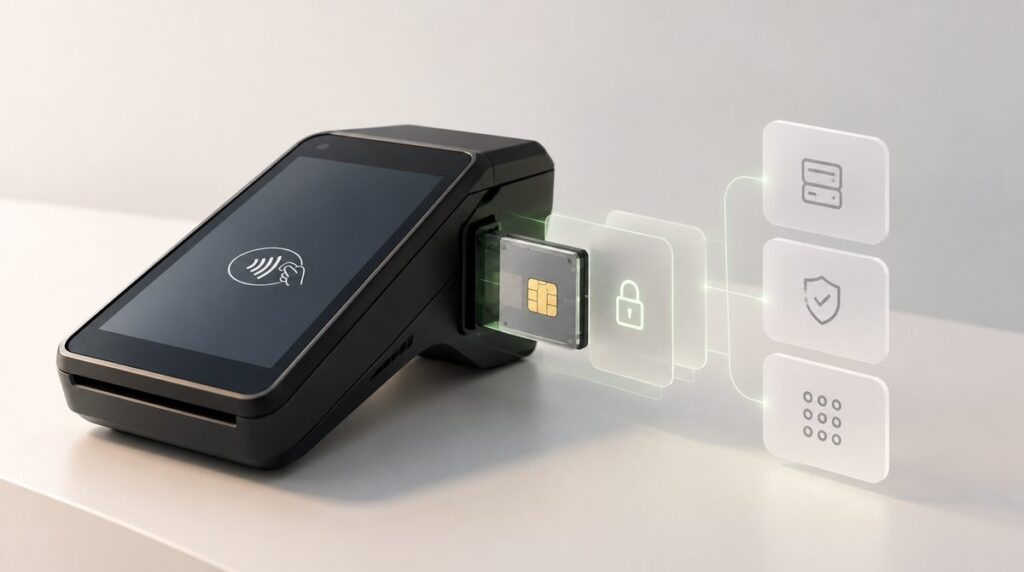
How the C-WaaS POS terminal works, from registration to the first tap
A card scheme is only as real as the places that accept its cards. For a card scheme running on C-WaaS, Cryptnox's blockchain-native card scheme infrastructure, acceptance runs through a point of sale terminal application built for standard payment hardware. This article walks through what the terminal is, how it gets an identity and is registered to a merchant, what happens during a sale, and what the merchant ends up with. It is written for merchants, scheme operators and integrators who want to know what they are putting on the counter.
What the terminal is, and what it is not
The C-WaaS terminal is a relay and an orchestrator. It reads the cardholder's card over NFC, talks to the scheme's issuer backend over TLS, shows the cardholder and the merchant what is happening, and prints a receipt. It does not hold any cardholder key, it does not sign payments, and it does not decide whether a payment is approved. The card signs, after the issuer has authorised. What the terminal does own is an identity of its own, kept in a Secure Access Module (SAM) inside the terminal, which we describe in a separate article.
That division of labour is why the terminal can run on ordinary hardware. There is no card data to protect on it and no payment key to extract from it.
Hardware the terminal runs on
| Class | Example in use at Cryptnox | Typical setting |
|---|---|---|
| Linux payment terminal | ACS ACR890: contactless and contact readers, keypad, 58 mm receipt printer, Wi-Fi and 3G, two SAM slots | Counter-top retail, hospitality |
| Android POS device | Cryptnox POS app for Android terminals | Handheld, table-side, mobile merchants |
| Compact NFC reader | ESP32-based reader with touch display and an embedded NXP SE051 secure element | Kiosks, vending, unattended, branch desks |
| PC and reader | Windows or Linux host with a USB NFC reader | Labs, pilots, back-office |
All of them run the same flow against the same backend. The terminal needs a network connection for every sale: Wi-Fi, Ethernet or cellular. Connections to the issuer are TLS, validated against a pinned certificate bundle.
Registration, step by step
A terminal goes from box to counter in four steps. The whole sequence takes a few minutes, most of it the merchant typing.
1. The merchant exists in the scheme
Before any terminal is touched, the merchant has an account with the scheme operator, opened under whatever onboarding rules the operator applies (business verification, sanctions screening, agreement to the scheme's terms). As part of that account the merchant declares the wallet that will receive payments and the assets it accepts, and the operator approves them. This is the equivalent of acquiring in a card scheme, except that there is no acquirer: the merchant is registered directly with the scheme.
2. The terminal gets an identity
On first boot the terminal generates a key pair inside its SAM. The private key never leaves the chip. The terminal then enrols with the issuer backend and receives a terminal certificate for that key. From this point on, every request the terminal makes to the issuer is signed by the SAM, and the backend can tell exactly which piece of hardware is talking. A terminal whose SAM is replaced notices that its identity has changed and re-enrols on its own.
3. The terminal is claimed by the merchant
The merchant signs in on the terminal with their scheme credentials. The terminal is then bound to that merchant: the approved payout wallet, the accepted asset, the step-up threshold above which the cardholder must give a second factor, and a per-transaction maximum. The claim happens once per terminal identity; repeating it is harmless. The backend returns a terminal number that appears on receipts and in the merchant's records.
The payout destination is part of the terminal's registration with the scheme, approved by the operator. It is not something a terminal sends along with each sale.
4. The terminal is configured and ready
The last step is local: which coin to display, limits, the confirmation mode for payments above the threshold (ask the cardholder, passcode on the pad, or phone), how long to wait for a cardholder's approval, and connectivity settings such as the cellular APN. Changes to the scheme-side settings (asset, threshold, maximum) are sent to the backend as a reconfiguration and are recorded against the terminal. A change of payout wallet is an operator-controlled operation, not a terminal setting.
The terminal's boot logic encodes these steps. No configuration: show setup. No certificate: show sign-in and register. No asset chosen: show the coin screen. Otherwise: ready.
See the C-WaaS card scheme or contact us.
A sale, step by step
Here is what happens from the moment the merchant keys in an amount to the moment the receipt prints.
- Amount. The merchant enters the amount in the display currency. The terminal shows the equivalent in the accepted asset and asks the merchant to confirm.
- Present card. The terminal waits for a card. When the cardholder taps, the terminal opens a secure session with the card and reads the card's identity.
- Processing. The terminal asks the issuer to authorise the payment. The issuer applies the scheme's rules (limits, allowed assets, screening, freezes), builds the on-chain transaction and returns an authorisation that only this card can use. The terminal passes it to the card; the card verifies it and signs. At that point the card session closes and the cardholder may take the card away. The card is presented once, whatever the amount.
- Approved, or held. Below the step-up threshold the issuer broadcasts the transaction immediately and the terminal shows "Approved". In Cryptnox's development environment this is two to three seconds from tap to approval on the ACR890, including the screens. Above the threshold the payment is held and the terminal asks for the second factor: the cardholder either types their POS passcode on the keypad, which the SAM encrypts for the issuer, or confirms in their app. Whichever arrives first releases the payment.
- Receipt. The terminal prints or displays a receipt carrying the terminal number, the amount in both currencies, the payment mode (tap, passcode or app) and the on-chain transaction reference. The sale is added to the terminal's history, with details available later.
- Incomplete. If the cardholder removes the card too early, the merchant cancels, the network drops or the passcode attempts are exhausted, the terminal shows "Incomplete" and tells the issuer to cancel the attempt. Nothing is broadcast.
"Approved" and "final"
The terminal's "Approved" means the issuer has accepted the payment and broadcast the signed transaction to the chain. Finality is the chain's business: under a second on Solana, a few seconds on Tron, and several minutes to full finality on Ethereum mainnet. A scheme operator decides what the merchant is promised at "Approved". The natural choice, and the one C-WaaS supports, is that approved payments below the threshold are guaranteed to the merchant by the issuer, exactly as a card authorisation is today, while the operator's backend watches each transaction to finality and reconciles daily. Merchants see settlement in their own wallet, per transaction, with no end-of-day batch and no acquirer statement.
Where the secrets live
The simplest way to understand the terminal's security is to list what is kept where.
| Asset | Where it lives | What the terminal has |
|---|---|---|
| Cardholder's blockchain key | The cardholder's card, in an EAL6+ certified secure element | Nothing |
| Issuer authorisation keys | The issuer's backend, in attested Nitro Enclaves with KMS-gated keys | Nothing |
| Terminal identity key | The terminal's SAM | A signing command, never the key |
| POS passcode | Typed on the pad, encrypted inside the SAM, verified by the issuer | Never a clear passcode or a key |
| Merchant payout wallet | The scheme operator's records, approved at registration | A display value |
| Payment history and receipts | The terminal's local log and the operator's records | Copies, no secrets |
A stolen terminal yields a revocable identity and a transaction log. It cannot be used to sign payments, to redirect them, or to read a card.
Lifecycle: lost terminals, replacements, updates
- Lost or stolen. The operator revokes the terminal's certificate. The issuer refuses its requests from that moment. Nothing on the device lets a thief move funds.
- Replacement. A new terminal enrols with its own SAM identity and is claimed by the same merchant. The old terminal number is retired.
- SAM swap or repair. The terminal detects the identity change and re-enrols; the operator re-approves the claim.
- Software updates. Terminal software is updated by the operator's deployment process. The terminal's identity and configuration survive updates; on the ACR890 the application also keeps a per-stage latency log for every sale, which is how the timings in this article were measured.
What a merchant gets
A merchant on a card scheme that runs on C-WaaS accepts the scheme's cards without an acquirer, a processor or a monthly terminal rental to a network. Payments arrive in the merchant's own wallet, in the stablecoin or asset the operator supports, one transaction at a time. The economics are set by the scheme operator, which means a different revenue and cost allocation from interchange, decided by the operator rather than imposed by a network. The terminal itself is standard payment hardware, and because it holds nothing worth stealing, it is also the least sensitive part of the whole system.