How to Send & Receive USDT Coins

How to Send & Receive USDT Coin image

Purpose

This tutorial explains how to send and receive USDT (Tether) using the Cryptnox Wallet on the Ethereum Mainnet.

USDT is a stablecoin pegged 1:1 to the U.S. dollar, making it ideal for secure transfers and everyday crypto payments.

Why This Is Useful 


  • Stable transfers: Avoid volatility — USDT maintains a stable value

  • Ethereum compatibility: USDT uses the ERC-20 standard, so it works on any Ethereum wallet or exchange

  • Hardware-secured: With Cryptnox, your private keys never leave the card, ensuring safe, offline signing for every transaction

What You Need

  • A Cryptnox hardware wallet card that is initialized and paired

  • The Cryptnox Wallet app installed on your device

  • Network set to Ethereum Mainnet

  • A small amount of ETH in your wallet to cover gas fees (required for sending ERC-20 tokens)

Sending USDT coins on Ethereum Network

Step 1

Open the Cryptnox Wallet app. Go to Networks and select Ethereum Mainnet

• Network Name: Ethereum:
• RPC URL: https://mainnet.infura.io/v3/
• Chain ID: 1
• Currency Symbol: ETH

Confirm and activate the network
Your wallet is now ready to manage Ethereum and ERC-20 tokens like USDT.

Open the Cryptnox Wallet app. Go to Networks and select Ethereum Mainnet

Step 2

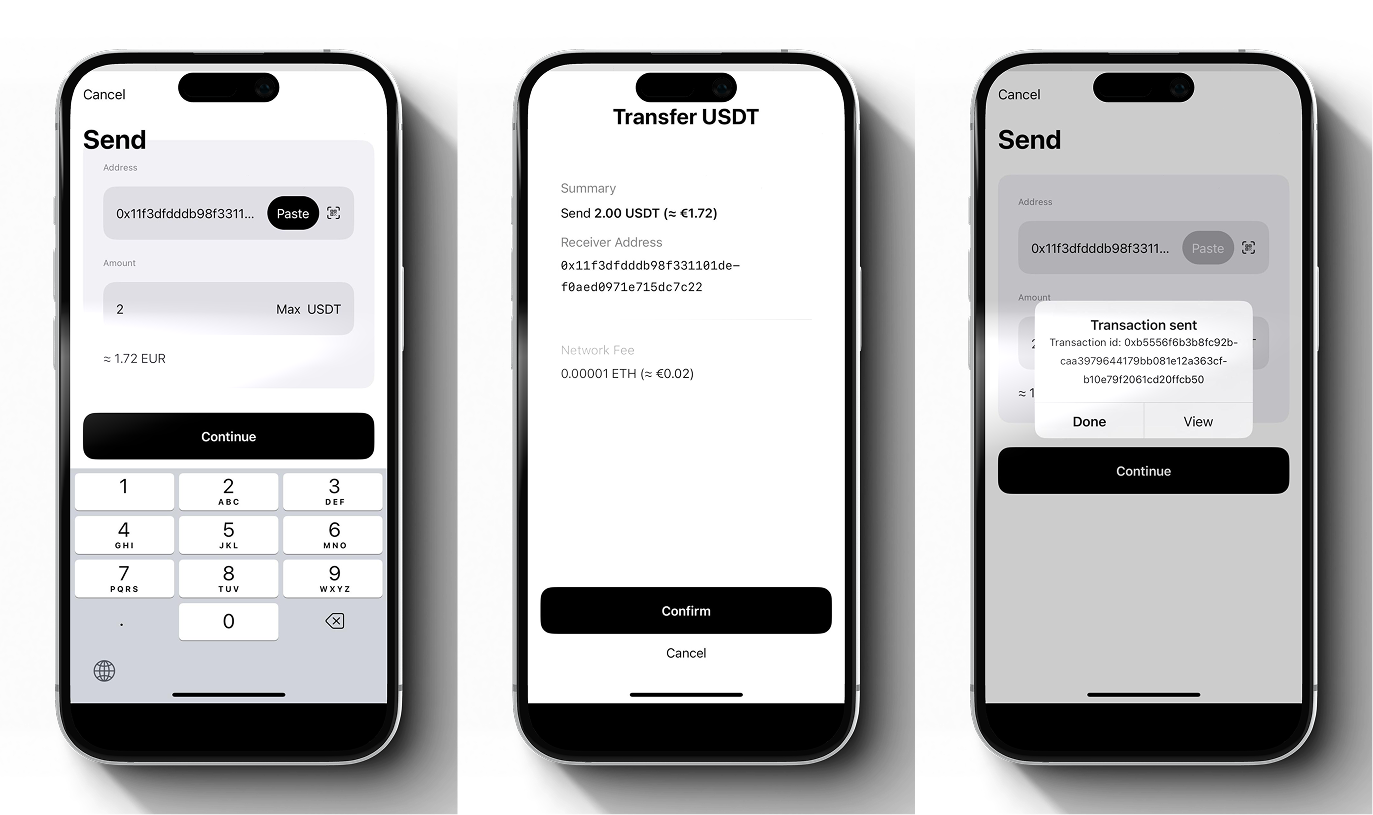
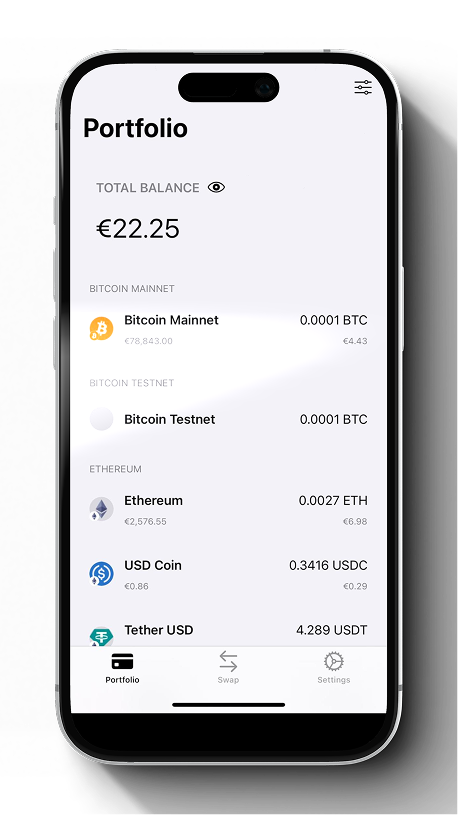
From the Cryptnox Wallet, select USDT (Tether)

Tap Send
Enter the recipient’s Ethereum address
Specify the amount of USDT you want to send
Then, review the network fee (gas fee) — a small amount of ETH is required for every ERC-20 transaction
Tap Continue and confirm the transaction using your Cryptnox Card when prompted

Step 3

After confirmation, your card will sign the transaction securely within the hardware,
and it will broadcast to the Ethereum network

Congratulations! Your wallet will update once the transaction is completed

You can also check it on Etherscan by searching your address or the transaction hash (TX ID)

Receiving USDT coins on Ethereum Network

Receiving USDT coins on Ethereum Network

Step 1

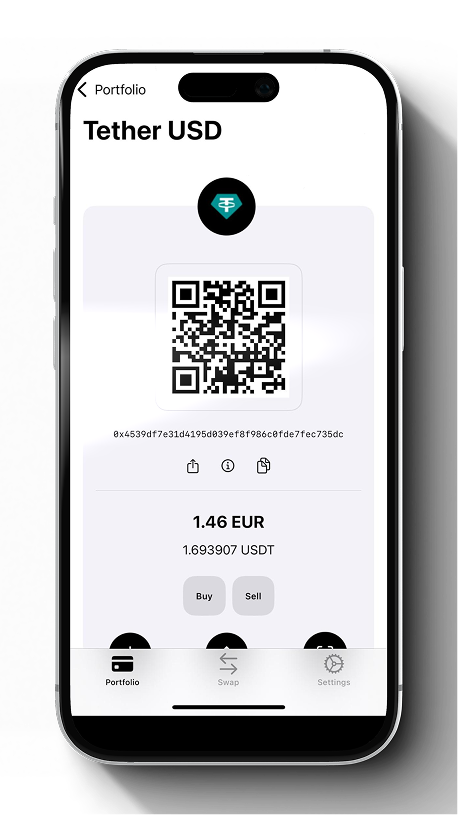
From your Ethereum account, tap Receive. Copy your Ethereum wallet address or share the QR code
Send this address to the sender or exchange you are withdrawing from
Once the sender initiates the transfer, the transaction will appear after a few network confirmations
You can track it on https://etherscan.io by pasting your address