Quick start: get test coins immediately and
experience send/receive with another
Cryptnox Wallet
Purpose
In this tutorial, you will learn how to request free test coins directly from your Cryptnox Wallet app
The built-in Cryptnox Faucet allows you to receive test ETH on the Ethereum Sepolia network and test BTC on the Bitcoin Testnet
These test coins are used for experimenting without real-world value but allow you to safely test blockchain operations
Why This Is Useful
No risk: Safely test transactions and wallet operations without using real funds
Developer-friendly: Ideal for experimenting with dApps, smart contracts, and blockchain transfers
Quick setup: The Cryptnox Faucet is integrated directly into the app — no external websites required
What You Need
Make sure you have the following ready:
Your Cryptnox hardware card properly initialized
The Cryptnox Wallet app is installed and paired with your card
Internet access.
Get Sepolia Test ETH Coins from the Cryptnox Wallet
Step 1
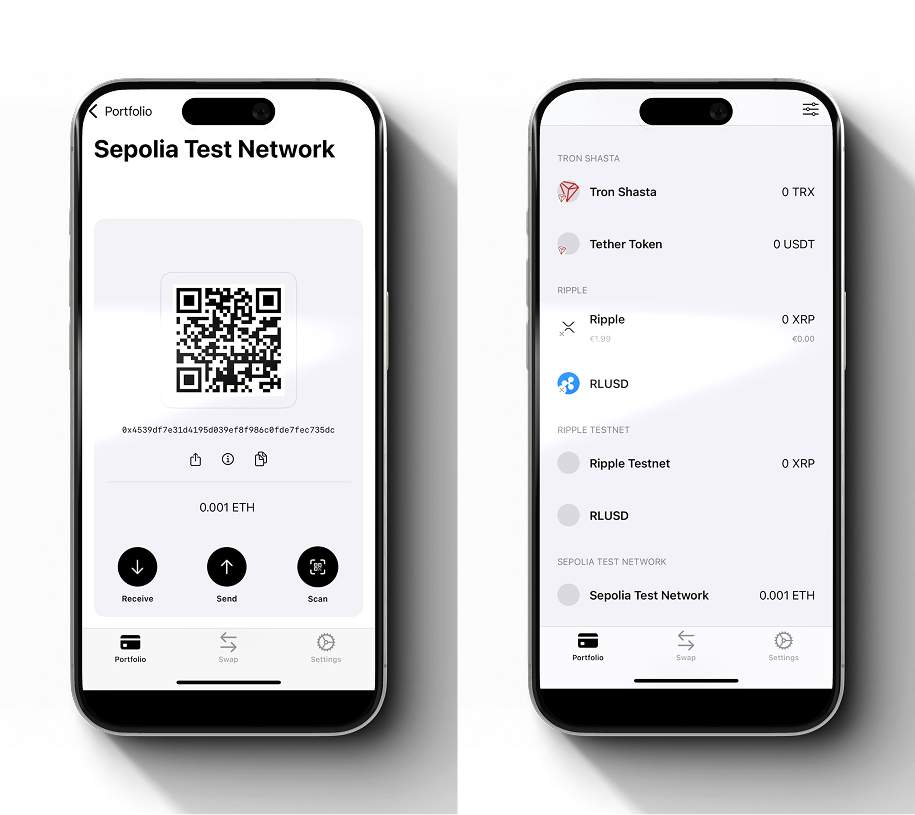
Open the Cryptnox Wallet app Go to the Networks section. Add or select the Sepolia Test Network
Network Name: Sepolia Test Network
Chain RPC URL: https://sepolia.infura.io/v3/
Chain ID: 11155111
Currency Symbol: ETH
Currency Decimal: 18
Chain explorer URL: https://sepolia.etherscan.io/
Submit and activate this network Once active, your wallet will display your Sepolia test address.
Step 2
In the Cryptnox Wallet, select your Sepolia account
Tap “Receive test coins” to receive your test coins You will receive two test coins per card
Confirm the request when prompted Wait for the transaction to complete — this usually takes a few seconds
Step 3
Once the transaction is processed, your Sepolia account balance will update automatically in the Cryptnox app
Congratulations! You have successfully received test coins on your Cryptnox Wallet! You can now:
Send and receive Sepolia test ETH between wallets
Deploy and interact with smart contracts.
Explore and test decentralized apps (dApps) safely without any financial risk
Get Bitcoin Testnet BTC from the Cryptnox Wallet
Step 1
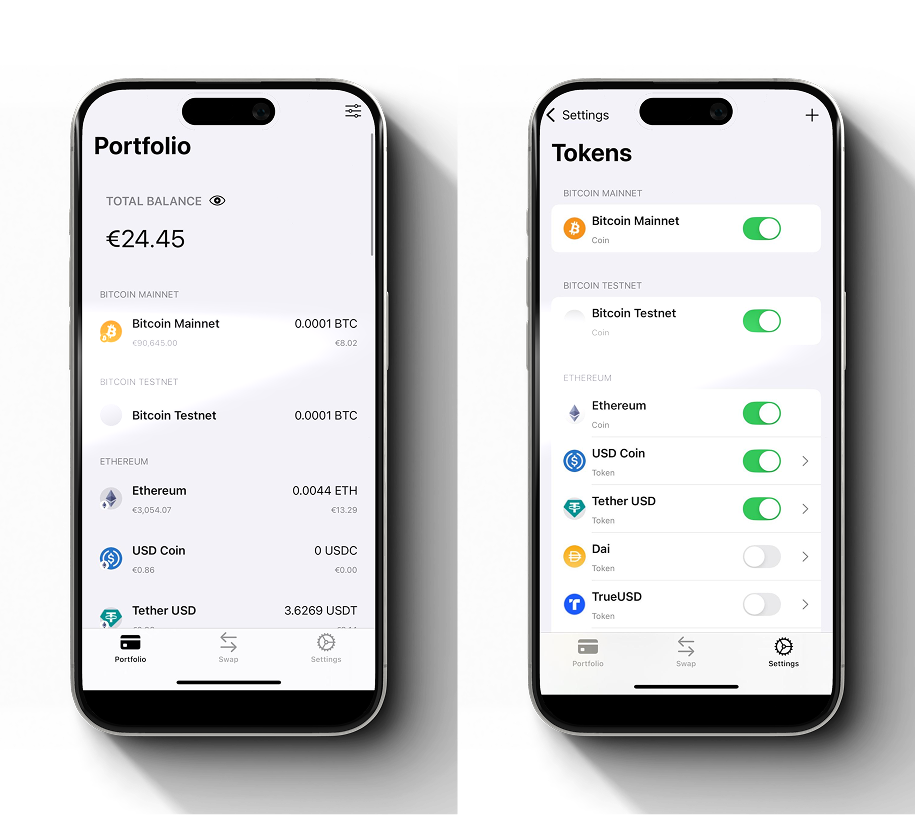
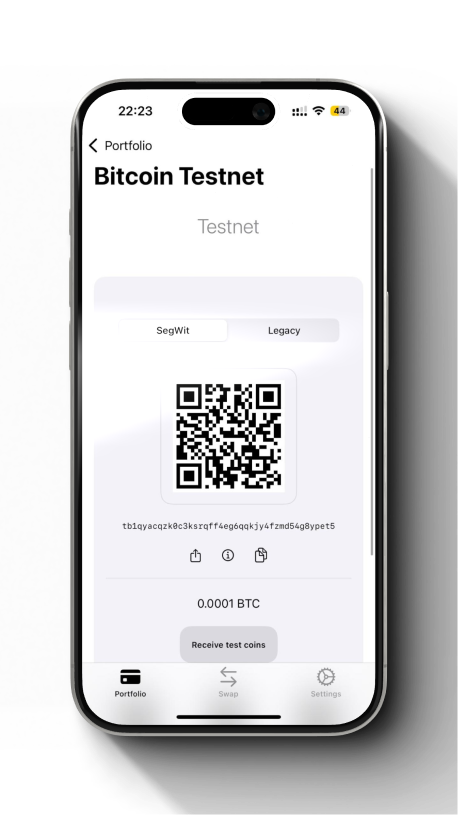
Open the Cryptnox Wallet app Go to Tokens under Settings Find and activate Bitcoin Testnet Once activated, your wallet will display your Bitcoin Testnet account automatically
Step 2
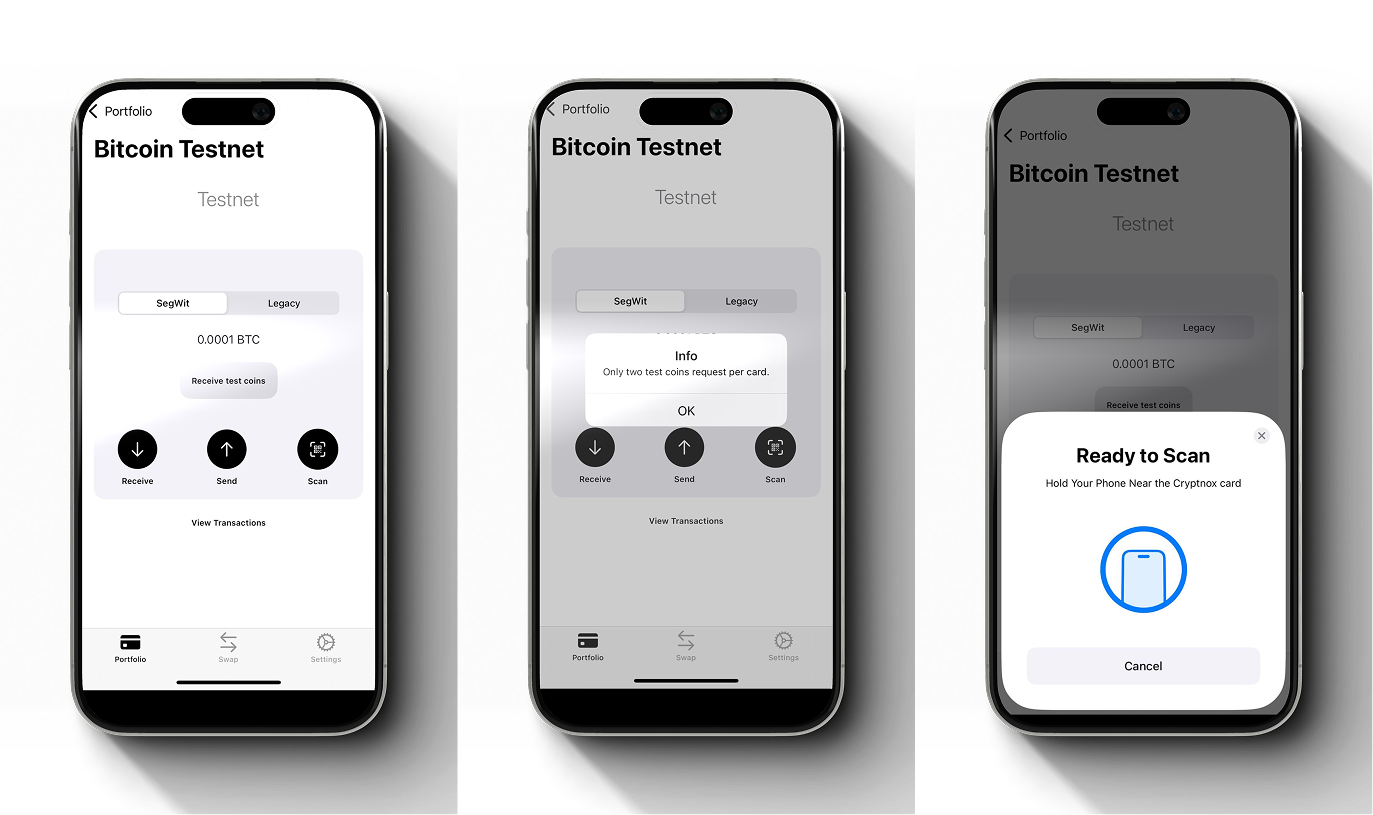
Select your Bitcoin Testnet account Tap “Receive test coins” Confirm the request when prompted Wait a few seconds for the transaction to process Each Cryptnox card can request test coins twice on the Bitcoin Testnet
Step 3
When the transaction is complete, your Bitcoin Testnet balance will update automatically in the Cryptnox app
Congratulations! You have successfully received Bitcoin Testnet BTC coins on your Cryptnox Wallet! You can now:
Send and receive Bitcoin test transactions
Explore testnet confirmations and transaction history