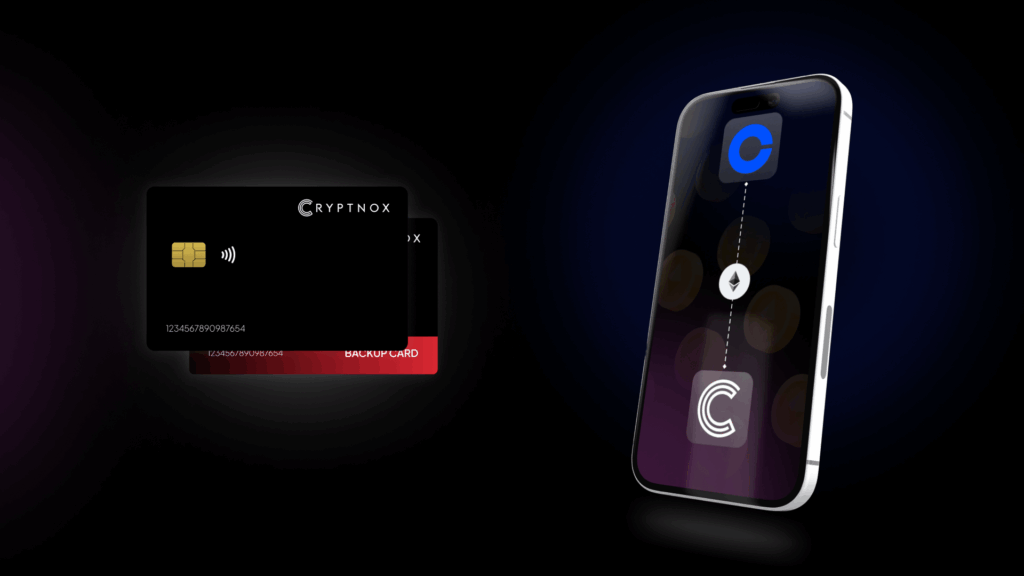
Coinbase Hardware Wallet for Self-Custody
Does the Cryptnox wallet support moving crypto off Coinbase?
Yes. Withdraw from Coinbase to a self-custody address generated in the Cryptnox app, using the same network on Coinbase as the address network shown in the app. There is no Coinbase integration to enable. Cryptnox supports native Bitcoin, EVM networks added through Add a Network, Tron, and the XRP Ledger. Private keys are generated inside the secure element and never leave it, and the second card in the Dual-Card Set is the backup.
What changes when you withdraw from Coinbase to Cryptnox
Moving crypto off Coinbase to the Cryptnox Crypto Hardware Wallet – Dual-Card Set is a withdrawal to self-custody. Coinbase is the sending account. Cryptnox is the receiving wallet that provides the destination address through the Cryptnox app. The important Coinbase-side decision is the withdrawal network, because the address must match the network selected for the withdrawal.
There is no Coinbase partnership, embedded Coinbase connection, or Coinbase-specific switch to turn on. You use a receive address from the Cryptnox app in the Coinbase withdrawal flow. The Cryptnox Crypto Hardware Wallet – Dual-Card Set is the product for this self-custody setup because the two cards are initialised together and the second card serves as the backup.
The Coinbase withdrawal handoff
- Coinbase sends: you choose the asset and the withdrawal network in Coinbase.
- Cryptnox receives: you use the receiving address generated in the Cryptnox app for that same network.
- The card protects the keys: private keys are generated inside the secure element and never leave it.
- The second card backs up the setup: the seed is generated inside both secure elements during initialisation.
This distinction matters most for assets that exist on more than one chain. The Cryptnox app can manage Bitcoin, EVM networks, Tron, and the XRP Ledger. A chain outside those signing paths cannot be added to the app for a Coinbase withdrawal.
Network matching before you confirm on Coinbase
The Coinbase withdrawal address must match the withdrawal network. For a Cryptnox buyer, this is the check that comes before every transfer from Coinbase. The receive address shown in the Cryptnox app belongs to a specific chain or network, and the Coinbase withdrawal must use that same route.
If Coinbase presents more than one withdrawal network for an asset, the token name alone is not enough. The route matters. An EVM token should be received on the EVM network added or selected in the Cryptnox app. TRX and TRC-20 tokens belong on Tron. Native XRP and XRP Ledger Issued Currencies belong on the XRP Ledger. Bitcoin should be withdrawn to a Bitcoin address generated by the app.
Address checks by network
- Bitcoin: use a Bitcoin address generated by the Cryptnox app. Cryptnox supports legacy Bitcoin addresses that start with 1 and SegWit bech32 addresses that start with bc1.
- EVM networks: add or select the EVM network in the Cryptnox app, then use the address for that network when withdrawing the native coin or an ERC-20 token deployed there.
- Tron: use the Tron address when withdrawing native TRX or a TRC-20 token that you will add manually in the app.
- XRP Ledger: use the XRP Ledger address in the app for native XRP or XRP Ledger Issued Currencies that can be added manually.
If the asset is on a chain that is not Bitcoin, an EVM chain, Tron, or the XRP Ledger, it is outside the Cryptnox app’s crypto signing scope. The app has no key derivation or signing path for those other chains, so they cannot be added for a Coinbase withdrawal.
If this is your first card setup before a Coinbase withdrawal, the Cryptnox startup guide gives a setup reference before you generate the receiving address in the app.
Bitcoin withdrawals from Coinbase to Cryptnox
For Bitcoin, Cryptnox support is native. A Coinbase Bitcoin withdrawal should go to a Bitcoin receiving address generated in the Cryptnox app. Cryptnox supports legacy Bitcoin addresses beginning with 1 and SegWit bech32 addresses beginning with bc1, so the Coinbase withdrawal should be made on the Bitcoin network to the Bitcoin address shown in the app.
Bitcoin is the simplest Coinbase-to-Cryptnox case because it does not require adding an EVM network or manually adding a token. The main checks are the address type and the withdrawal network. The address must be a Bitcoin address from the Cryptnox app, and the Coinbase withdrawal network must be Bitcoin.
Bitcoin checklist
- Open the Cryptnox app and use the Bitcoin account to get a receiving address.
- Confirm that the address format is a supported Bitcoin format: legacy starting with 1 or SegWit bech32 starting with bc1.
- Use the Bitcoin network for the Coinbase withdrawal.
- Do not treat a Bitcoin ticker on another chain as native Bitcoin support.
After Bitcoin reaches the Cryptnox-controlled address, the keys controlling that address remain protected by the secure element. The private keys are generated inside the secure element and never leave it. That is the security boundary that matters after the Coinbase withdrawal is complete: Coinbase has sent the asset, and the self-custody address is controlled by keys generated and retained inside the card’s secure element.
EVM withdrawals from Coinbase to Cryptnox
For EVM assets, the Coinbase withdrawal path depends on the specific EVM network. In the Cryptnox app, any EVM network can be added through Add a Network. Once that network is added, its native coin and any ERC-20 token deployed on that chain can be managed. ERC-20 tokens can be added manually through Add a Token.
This means the Coinbase withdrawal decision is not only the token name. The network selected on Coinbase must be the same EVM network you added or selected in the Cryptnox app. A token deployed on one EVM chain should be managed on that chain in the app, not treated as the same withdrawal route on every EVM network.
EVM setup for Coinbase withdrawals
- Add the network first: use Add a Network in the Cryptnox app for the EVM chain you intend to receive on.
- Use the network’s address: withdraw the native coin or ERC-20 token to the address for that EVM network.
- Add the token when needed: use Add a Token for ERC-20 tokens deployed on the selected chain.
- Keep the chain in scope: EVM networks are supported; non-EVM chains outside Bitcoin, Tron, and the XRP Ledger are not.
Cryptnox connects to Web3 through WalletConnect and works with MetaMask. For EVM users moving assets from Coinbase, that gives a route for ongoing EVM wallet workflows after the withdrawal, while private keys remain generated inside the secure element and never leave it.
For buyers checking the broader card family while planning an EVM move from Coinbase, the Cryptnox card hub is a related reference for card-based security products.
Tron and XRP Ledger withdrawals from Coinbase
Cryptnox supports Tron for native TRX, and TRC-20 tokens can be added manually through Add a Token. For a Coinbase withdrawal using Tron, the receiving address should be the Tron address shown in the Cryptnox app, and the asset should be native TRX or a TRC-20 token managed on Tron.
Cryptnox also supports the XRP Ledger for native XRP. Tokens on the XRP Ledger, known as Issued Currencies, can be added manually through Add a Token. For Coinbase withdrawals to Cryptnox on the XRP Ledger, use the XRP Ledger address shown in the app for XRP or supported Issued Currencies.
Do not substitute a similar-looking route
Tron, XRP Ledger, Bitcoin, and EVM networks are separate signing paths in the app. A Coinbase withdrawal for one of these routes should be sent to the matching address type for that route. If the desired chain is not Bitcoin, an EVM chain, Tron, or the XRP Ledger, it cannot be added to the Cryptnox app.
- TRX: receive native TRX on Tron.
- TRC-20: receive the token on Tron and add it manually through Add a Token when needed.
- XRP: receive native XRP on the XRP Ledger.
- XRP Ledger Issued Currencies: add the token manually through Add a Token when needed.
The same network-matching rule applies throughout the Coinbase withdrawal flow: the address in the Cryptnox app and the route selected on Coinbase must be the same route.
How the Dual-Card Set protects a Coinbase self-custody move
When a Coinbase withdrawal lands at a Cryptnox address, control of the asset is tied to the keys protected by the cards. The private keys are generated inside the secure element and never leave it. The card uses an EAL6+-certified chip; that certification applies to the chip platform, not to the finished card.
The Dual-Card Set ships uninitialised. During setup, the seed is generated inside both secure elements, so the second card is the backup from the start. For a Coinbase user, that means the backup is created as part of the same initialisation process used before receiving funds, rather than being a separate paper-first step by default.
Unlock approval uses the phone’s biometrics through the Cryptnox app. The card itself has no biometric sensor. The Cryptnox card is a contact and NFC smart card: tap it to a phone for mobile use, or insert it into a reader for a contact smart-card workflow.
Before moving a larger Coinbase balance
- Initialise both cards before relying on a Cryptnox receiving address.
- Keep the second card separate as the backup for the same self-custody setup.
- Confirm the Coinbase withdrawal network against the address network in the app.
- Use only Bitcoin, EVM networks, Tron, or the XRP Ledger in the Cryptnox app.
The cards are Swiss-engineered, and the free Cryptnox app is available on iOS and Android for setup, address viewing, network additions, and token additions. The Cryptnox security-key card collection is the parent hub for related card topics beyond this Coinbase self-custody flow.
When Coinbase self-custody should stay within Cryptnox scope
A Coinbase withdrawal to Cryptnox should stay inside the chains and token standards the app can manage: native Bitcoin, EVM networks, Tron, and the XRP Ledger. The app can add any EVM network through Add a Network, then manage that network’s native coin and ERC-20 tokens deployed on that chain. Tron supports native TRX and manually added TRC-20 tokens. The XRP Ledger supports native XRP and manually added Issued Currencies.
For supported routes, the receiving process is direct: generate or view the address in the Cryptnox app, verify the matching network in Coinbase, then withdraw to that address. For EVM networks, add the network before treating the address as ready for that chain. For ERC-20, TRC-20, and XRP Ledger tokens, add the token manually when needed.
If your comparison includes exchange-account access as a separate topic, the Binance security-key card page and the Bitfinex security-key card page address exchange sign-in use cases. For email-account protection in the same card family, the Fastmail security-key card page is the related service page. This Coinbase page is different: it is about withdrawing crypto to a self-custody address protected by the Cryptnox Dual-Card Set.
Frequently asked questions
Is there a direct Coinbase connection in the Cryptnox app?
No. Coinbase is used only as the sending account in this flow. Generate the receiving address in the Cryptnox app, then withdraw from Coinbase to that address. The Coinbase withdrawal network must match the address network shown in Cryptnox. There is no Coinbase partnership or embedded Coinbase setup to enable.
Which Coinbase withdrawals can go to Cryptnox?
Cryptnox can receive assets that are managed through native Bitcoin, EVM networks added in the app, Tron, or the XRP Ledger. Bitcoin is native. EVM native coins and ERC-20 tokens can be managed after the network is added. Tron supports TRX and TRC-20 tokens. The XRP Ledger supports XRP and Issued Currencies.
Can I withdraw Bitcoin from Coinbase to Cryptnox?
Yes. Bitcoin is supported natively in Cryptnox. Use a Bitcoin receiving address generated in the Cryptnox app, then choose the Bitcoin network for the Coinbase withdrawal. Cryptnox supports legacy Bitcoin addresses starting with 1 and SegWit bech32 addresses starting with bc1.
How do EVM tokens from Coinbase work with Cryptnox?
Add the relevant EVM network in the Cryptnox app through Add a Network. Once the network is added, its native coin and any ERC-20 token deployed on that chain can be managed. If the token is not already shown, add it manually through Add a Token before managing it in the app.
What is the backup if I move Coinbase assets to Cryptnox?
The second card is the backup. The Dual-Card Set ships uninitialised, and the seed is generated inside both secure elements during setup. By default, there is no recovery phrase to write down. Importing a BIP39 recovery phrase is an advanced option, not the default setup.
Does the Cryptnox card itself have a fingerprint or face sensor?
No. The card itself has no biometric sensor. Unlock approval uses the phone’s biometrics through the Cryptnox app. The card protects the key material in the secure element, while the phone and app handle the user unlock step.
Can I add a non-EVM chain from Coinbase to Cryptnox?
Only if it is Bitcoin, Tron, or the XRP Ledger. Any chain that is neither Bitcoin, an EVM chain, Tron, nor the XRP Ledger is outside the Cryptnox app’s crypto signing scope. It cannot be added because the app has no key derivation or signing path for it.
Does Cryptnox ship worldwide, and will I pay import duties?
Yes. Cryptnox ships worldwide from the official CRYPTNOX store. Orders to Switzerland, the European Union and the United States are dispatched from stock already held in each of those regions, so the parcel does not cross a customs border into your country and there are no import duties to pay. Orders to other destinations are shipped internationally, and any import duties or local taxes are set by the destination country and are the recipient’s responsibility. Current shipping rates are shown at checkout.
Buy from the Official CRYPTNOX Store

Prefer Amazon?
CRYPTNOX products are also available worldwide through our official Amazon stores.