
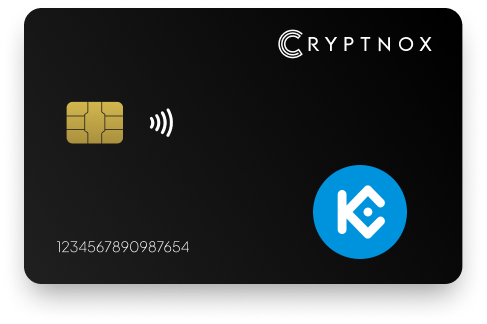
Yes. The Cryptnox Crypto Hardware Wallet – Dual-Card Set can hold native KCS on KCC after you manually add the KCC EVM network in the Cryptnox app. KCS on KCC uses an 0x-prefixed 20-byte EVM address. The card is not shipped with KCC enabled; add the network once through the app, then use the smart card to sign KCS transactions for that KCC account.

CRYPTNOX products are also available worldwide through our official Amazon stores.

KCS is held with Cryptnox as native KCS on KCC, the KuCoin Community Chain. KCC is an EVM layer 1 chain, and native KCS on KCC uses an 0x-prefixed 20-byte EVM address. The address format can look familiar to anyone who has used other EVM networks, but the chain selection is what makes the account a KCS account on KCC.
The Cryptnox Crypto Hardware Wallet – Dual-Card Set is not shipped with KCC already configured. A KCS buyer adds the KCC EVM network once through the Cryptnox app, then receives native KCS to the KCC account address shown in the app. The broader Cryptnox coin and blockchain support page is useful when comparing networks, but native KCS still follows the manual KCC network-add route.
KCC describes itself as the KuCoin Community Chain on the official KCC website. For Cryptnox setup, the practical point is simple: native KCS is not a token entry first; it is used after the KCC EVM network has been added.
Native KCS becomes usable in the Cryptnox flow after KCC is added as an EVM network. Use the app’s Add a Network flow once, then select KCC when receiving or signing for native KCS. The receiving address is the 0x-prefixed EVM address shown for that KCC account.
This setup step matters because the Dual-Card Set ships uninitialised and is not a KCC-only card. A new KCS holder should configure the network before sending native KCS to the wallet address. General product setup guidance is available through the Cryptnox hardware wallet tutorials, while the KCC-specific part is the manual EVM network addition inside the app.
The same smart card product can be used across supported networks in the Cryptnox hardware wallet collection, but KCS on KCC always requires the KCC network to be added before use.
Native KCS and wrapped KCS are not added the same way. Native KCS is handled by adding the KCC EVM network. Wrapped KCS or another KCC token is handled through Add a Token, using that token’s own details. Both routes can involve an EVM account, but they are different setup actions inside the wallet interface.
For native KCS, the KCC network is the essential setting. Once KCC is added, the wallet can use the 0x-prefixed EVM address for KCS on that chain. For wrapped KCS or another KCC token entry, use the token-add flow and verify the token details. KCC documentation on KCS token details is the official reference when a token entry needs contract information.
Adding a KCC token entry does not change the private key protecting the EVM account. It changes which token the app can show for the account. The private key for the KCC account is created inside the secure element during wallet setup and stays there when KCS transactions are signed.
The Cryptnox Crypto Hardware Wallet – Dual-Card Set gives KCS holders a contact and NFC smart card for KCC use. Tap the card to a phone when using the Cryptnox app, or insert it into a reader. The card is dual-interface, so KCS signing is not limited to a single contact method.
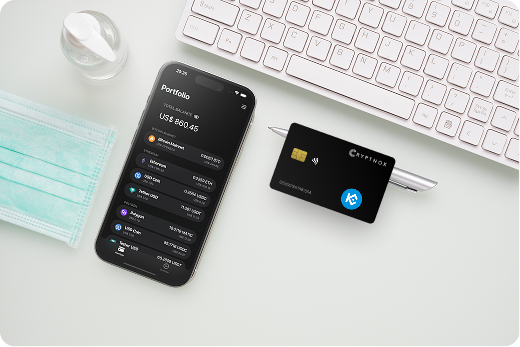
For mobile KCS use, the free Cryptnox app is available on iOS and Android. The app is where the KCC EVM network is added, where the KCC account address is viewed, and where Web3 connection routes are used. The card remains the device that signs for the KCC account key stored in the secure element.
For buyers who want the exact two-card product for native KCS, the Cryptnox Crypto Hardware Wallet – Dual-Card Set shop page is the product listing for the contact and NFC smart card set. The two-card design matters for KCS storage because the backup card is created during the same wallet initialisation process as the primary card.
The smart card itself has no fingerprint reader or face sensor. Unlocking in the Cryptnox app can use the phone’s own face or fingerprint unlock. For KCS on KCC, the phone provides the app unlock experience, while the card provides the secure element used for the KCC account key and transaction signing.
The Dual-Card Set ships uninitialised. During setup for a new KCS wallet, the seed is generated inside both secure elements, so both cards correspond to the same KCC account from the start. The second card is the backup card for the same 0x-prefixed KCC address.
This backup model avoids a default recovery phrase writing step during standard setup. For a new KCS wallet, initialise both cards together, add the KCC EVM network in the Cryptnox app, then receive native KCS only after checking that KCC is selected. Store the second card separately from the card used for routine signing.
Importing a BIP39 recovery phrase is an advanced option rather than the default Dual-Card Set setup. A buyer starting a fresh KCS wallet can use the standard two-card initialisation process instead: the seed is generated inside both secure elements, and the second card serves as the backup without exporting the private key from the card.
When the Dual-Card Set is initialised for a KCS wallet, the private keys are generated inside the secure element and never leave it. The KCC account key is not exported to the phone during KCS use. The card signs for the EVM account whose address begins with 0x.
Each card uses an EAL6+-certified chip. That certification statement applies to the chip platform. For a KCS holder, the important product behavior is that the private key for the KCC account is created inside the secure element and remains there when native KCS transactions are signed.
This security model is the same whether the KCC account is used only for native KCS or also shows KCC token entries. Adding a token changes what the app can show for the account; it does not create a new private key for that token.
The free Cryptnox app connects to Web3 through WalletConnect and works with MetaMask. For KCS on KCC, add the KCC EVM network first, then keep KCC selected when using the 0x-prefixed account. The address format alone is not enough, because native KCS belongs on KCC.
Before signing a KCS transaction, confirm that the wallet interface is using KCC and that the asset is native KCS rather than a KCC token entry. This check is important because an EVM address can look the same across several networks, while native KCS is tied to the KCC chain.
If you also hold assets on other EVM networks, compare the KCS setup with the separate Polygon hardware wallet workflow. If your portfolio includes non-EVM assets, the Bitcoin hardware wallet page covers a different address and transaction model. TRON is also separate from KCC, with its own TRON hardware wallet guidance.
Choose the Cryptnox Crypto Hardware Wallet – Dual-Card Set for KCS if you want native KCS on KCC protected by a smart card where the private key is generated inside the secure element and never leaves it. It fits a buyer who is comfortable adding the KCC EVM network manually rather than expecting KCS to be enabled before the card arrives.
The Dual-Card Set is also relevant when the KCS backup model matters. Both cards are uninitialised before setup. The seed is generated inside both secure elements during initialisation, so the second card backs up the same KCC account from the beginning.
The contact and NFC form factor fits KCC use through the iOS or Android app: tap the card to a phone, or insert it into a reader. WalletConnect and MetaMask support give KCS holders a Web3 connection route after KCC is added. For another network comparison, the Cryptnox Ronin hardware wallet page shows how a different asset is handled outside the KCS-on-KCC setup path.
For a new native KCS wallet, the practical order is simple: get the Dual-Card Set, initialise both cards together, add the KCC EVM network in the Cryptnox app, then receive native KCS to the 0x-prefixed KCC account address.
No. KCS on KCC is not pre-programmed on the Cryptnox card. Add the KCC EVM network manually in the Cryptnox app. After KCC has been added, the wallet can use the 0x-prefixed EVM address for native KCS on that network.
KCS on KCC uses an 0x-prefixed 20-byte EVM address. That address style is also seen on other EVM networks, so the selected chain matters. For native KCS, use the address shown for the KCC network after KCC has been added in the app.
Native KCS is handled by adding the KCC EVM network. Add a Token is used for wrapped KCS or another KCC token entry. The network-add step is the route for holding native KCS on KCC with the Cryptnox Dual-Card Set.
The private keys are generated inside the secure element and never leave it. For KCS on KCC, the card signs for the 0x-prefixed EVM account while the private key remains inside the secure element during use.
The Dual-Card Set ships with two uninitialised cards. During setup, the seed is generated inside both secure elements, so both cards correspond to the same KCC account. Store the second card separately as the backup for the same KCS wallet.
No. The card itself has no fingerprint reader or face sensor. Unlocking in the Cryptnox app can use the phone’s own face or fingerprint unlock, while the smart card remains the signing device that keeps the KCC private key inside the secure element.
Yes. The free Cryptnox app is available on iOS and Android, connects to Web3 through WalletConnect, and works with MetaMask. For KCS, add and select the KCC EVM network before signing for the 0x-prefixed account.
No, and on this network that is not a limitation. The Cryptnox wallet uses one address per chain. HD address rotation comes from Bitcoin’s UTXO model and the BIP32/BIP44/BIP49/BIP84 derivation scheme; on account-model networks each account is a single fixed address by design, so the question does not apply in the same way. Cryptnox’s single-address-per-chain behaviour matches how these networks work.
At the cryptography layer the card derives keys along BIP32 and SLIP-10 paths, one path per supported chain, though that is not exposed in the app as multi-address management.