
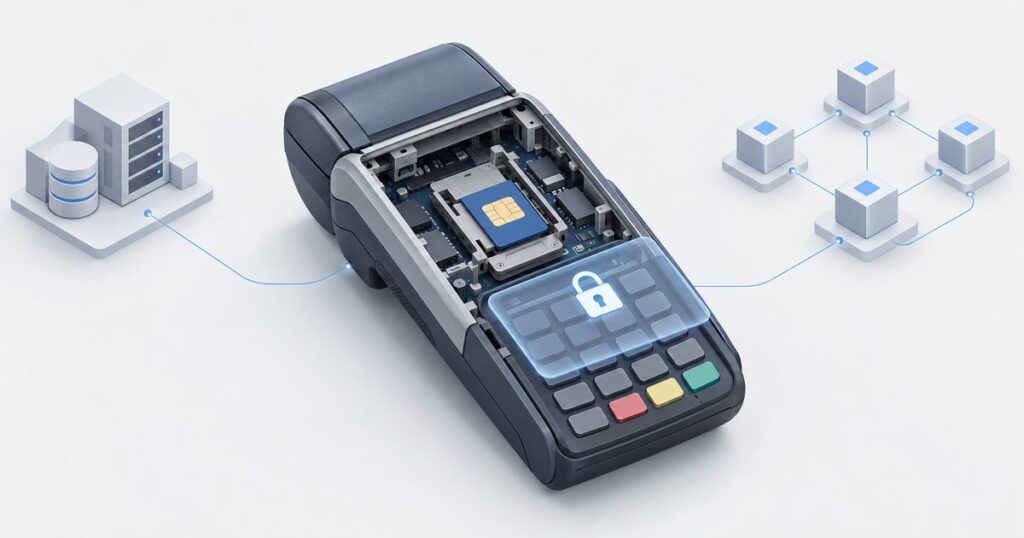
Building a Secure Access Module for a blockchain POS terminal
Payment terminals have carried Secure Access Modules for thirty years. Transit gates, electronic purses and PIN pads all rely on a small smart card hidden inside the terminal that holds keys the terminal software must never see. When we built the point-of-sale application for C-WaaS, Cryptnox's blockchain-native card scheme infrastructure, we reached the same conclusion the EMV world reached long ago: a terminal that talks to an issuer and collects a passcode needs a hardware root of trust. This is the story of how we built one, on a terminal that did not make it easy.
What a Secure Access Module is
A Secure Access Module (SAM) is a secure element in smart-card form, usually a SIM-sized plug-in, that sits in a dedicated slot inside a payment terminal. It is a tamper-resistant chip with its own operating system, running small programs called applets. The terminal's application sends it commands; the SAM performs the cryptography and returns results. Keys generated inside a SAM never leave it, so even an attacker who copies the terminal's firmware and storage gets nothing that lets them impersonate the terminal.
In legacy card payments, SAMs authenticate terminals to transit or e-purse schemes, derive per-card session keys, and protect the keys used to encrypt a cardholder's PIN. The same reasoning applies to a blockchain card scheme, with one difference that makes life easier: in C-WaaS the terminal never signs a payment. The cardholder's card signs, after the issuer has authorised. The terminal is a relay and an orchestrator. What it does need is an identity of its own, and a way to protect anything a cardholder types on it. How that terminal is registered to a merchant and runs a sale is covered in how the C-WaaS POS terminal works, from registration to the first tap.
Why a blockchain POS needs one
Three jobs fell to the SAM.
- Terminal identity. The issuer backend must know which registered terminal, belonging to which merchant, is asking it to authorise a payment. In our first build the terminal's identity key was a software file on the terminal's Linux filesystem. Anyone with a root shell could copy it and run a second terminal under the same identity. The identity key had to move into hardware.
- Protecting the POS passcode. Above a configurable amount, a cardholder may release a payment by typing a passcode on the terminal. That passcode must be formed into a PIN block and encrypted to the issuer before it exists anywhere the terminal application could read it. Software encryption on the terminal is only as good as the terminal.
- Resistance to cloned or rogue terminals. A terminal that can prove possession of a hardware key at enrolment, and on every later request, is a terminal the issuer can revoke individually and that cannot be duplicated by copying files.
The hardware, and what it refused to do
Our first production-shaped terminal is a widely deployed Linux-based mobile payment terminal with a contactless reader, a contact reader, a keypad, a receipt printer, Wi-Fi, 3G, and two SAM slots. It runs a 2013-era Linux kernel. It is, in other words, exactly the kind of fielded hardware a scheme operator inherits rather than chooses.
The SAM slots accept a standard JavaCard. We used a development JavaCard and set out to load an applet onto it through the terminal's own slot, using standard GlobalPlatform card management. Four constraints appeared immediately.
- Load size. The slot aborts a GlobalPlatform LOAD whose final link step takes too long for the reader's wait time. In practice, about 1.4 KB of load data is the ceiling. A typical wallet applet is a hundred times that.
- Command size. The slot accepts command APDUs of roughly 110 bytes. Anything larger has to be split across several commands and reassembled in the applet.
- Missing primitives. The card available to us exposes no authenticated-encryption mode such as AES-GCM through its API, and the SAM-slot reader is slow on the T=1 protocol.
- Fragility. A JavaCard that throws an exception in that slot can go silent until it is power-cycled, and a SIM-form slot may then report that no card is present at all.
None of this is unusual for terminal work. It is why custom secure element development is a discipline rather than a download.
What we built: two very small applets
Rather than fight the load ceiling with one applet, we split the job in two, each small enough to load through the slot and each doing exactly one thing.
The identity applet
The identity applet generates a P-256 key pair inside the SAM on first use. The private key is never exported; the applet exposes only the public key and a signing command that returns a standard ECDSA signature over a message hash. The terminal application uses it twice: once when the terminal enrols with the issuer and proves it holds the key, and then on every later request to the issuer, which the terminal signs so the backend can verify the request came from that specific hardware.
Because the slot is unforgiving, the applet builds its cryptographic objects lazily and reports which stage failed if the platform refuses something, so installation never fails silently.
The passcode applet
The passcode applet does the one thing that must not happen in software: it takes the digits typed on the keypad and turns them into an encrypted PIN block for the issuer. Inside the SAM it forms an ISO 9564 format PIN block, performs an ephemeral elliptic-curve key agreement with the issuer's public key, derives an AES-256 key, and encrypts the block. The shared secret, the derived key and the clear PIN block never leave the chip.
The card's missing AES-GCM support forced one piece of engineering we are quietly proud of. The applet returns the ciphertext plus two keyed values that let the terminal finish the authentication tag of the GCM construction without ever learning the key. The issuer receives a standard AES-GCM envelope; the terminal never sees the AES key or the clear PIN block. The full on-card variant exists for factory personalisation through a normal reader, where the size limit does not apply.
Terminal integration
On the terminal, a small keystore layer prefers the SAM when one is present and falls back to a software key only in development. If the SAM's key changes, the terminal notices that its identity has changed, drops its old terminal certificate and re-enrols on its own, so a replaced or rotated SAM heals itself. On any transport error the slot is cold-reset and the applet re-selected, which deals with the silent-card problem.
Personalising the SAM
Loading the applets is a one-time, offline operation. We wrote a small APDU bridge that runs on the terminal and gives our personalisation tool access to the SAM slot, and a GlobalPlatform tool on the engineer's machine that authenticates to the card, loads the CAP files in 96-byte blocks, installs both applets and runs a self-test. The applets are built with the same ant-javacard pipeline we use for our card applets. The process takes a few minutes per terminal and, in production, belongs in the terminal's commissioning step rather than in the field.
What it proved
With the SAM in place the terminal re-enrolled under its hardware-held identity and settled a series of contactless payments on chain in our development environment. The decisive test was an above-threshold payment released by a passcode typed on the keypad: both the terminal's proof of identity and the passcode protection ran on the SAM, and the payment settled on chain. The software key file that had been the terminal's identity is gone.
Production hardening still ahead
A hardware root of trust is a start, not a finish. On our list for production terminals:
- Key rotation and factory keys. Replace default GlobalPlatform keys with scheme-owned keys at commissioning, and rotate the terminal identity on a schedule.
- Firmware binding. Signed firmware and secure boot, so the SAM is only reachable from the application the operator shipped. On our own terminal design the same role is played by a dedicated secure element over an SCP03-encrypted bus, with secure boot and flash encryption already enabled.
- Certificate lifecycle. Revocation of a lost terminal, expiry, and re-enrolment flows run from the operator's side.
- Pad certification. The POS passcode is not the card's PIN and never unlocks the card, which lowers the stakes. For a regulated programme, a PCI PTS certified entry device remains the right answer for anything a cardholder types.
Why this is custom development
Nothing in this project could be bought. The constraint set was specific to one terminal, one slot and one card, and the solution had to fit inside it: two applets small enough for a load ceiling of about 1.4 KB, commands of about 110 bytes, a GCM tag finished outside the chip without leaking the key, and a terminal keystore that survives a flaky slot. This is the kind of work Cryptnox does for clients who have a secure element and a problem: applet design under hard constraints, GlobalPlatform tooling, host integration and on-chain proof that it works. The same team built the on-card EVM transaction filtering applet and the card applet behind C-WaaS.