Step 1
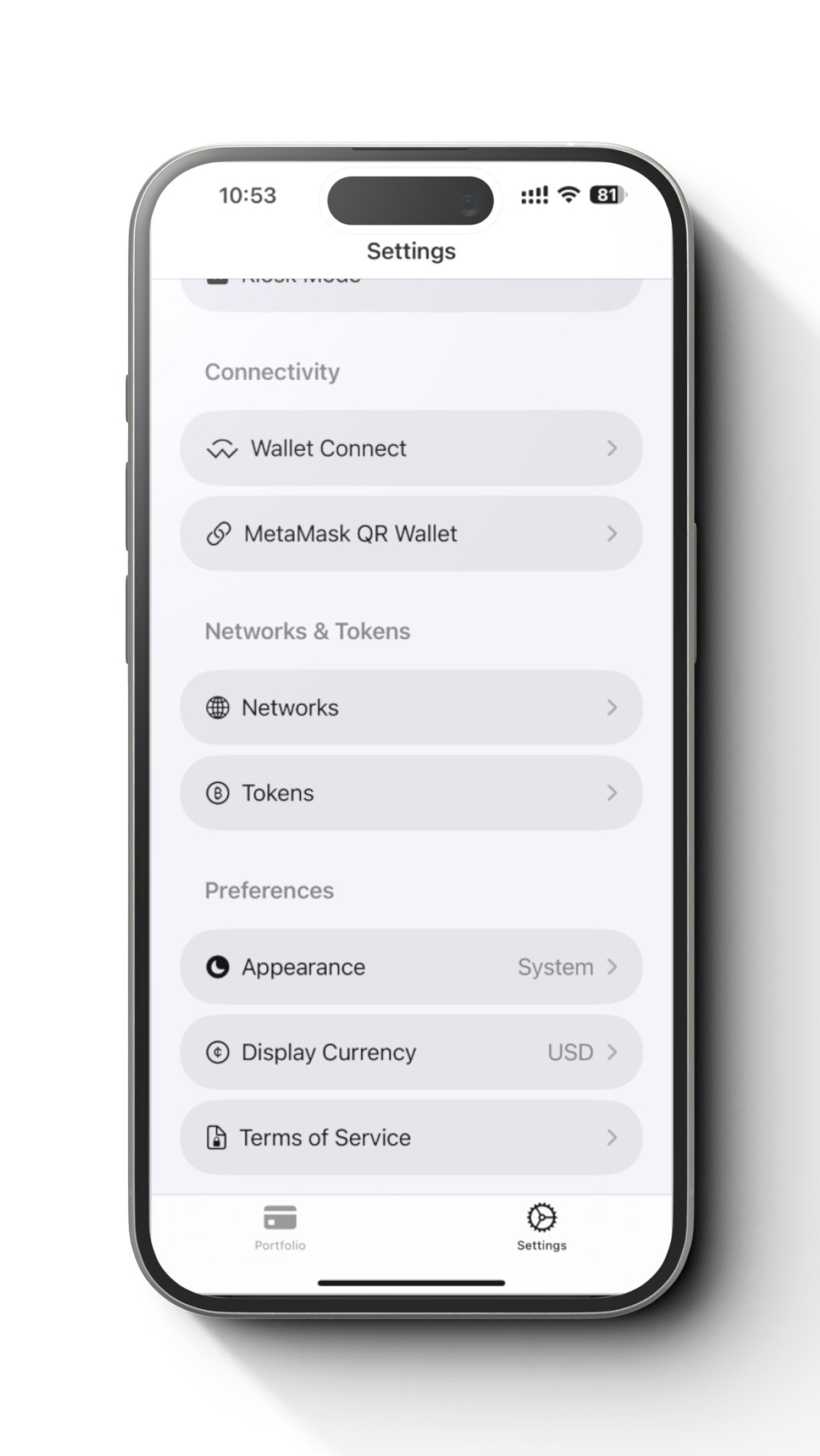
Go to setting tab -> Network
Step 2
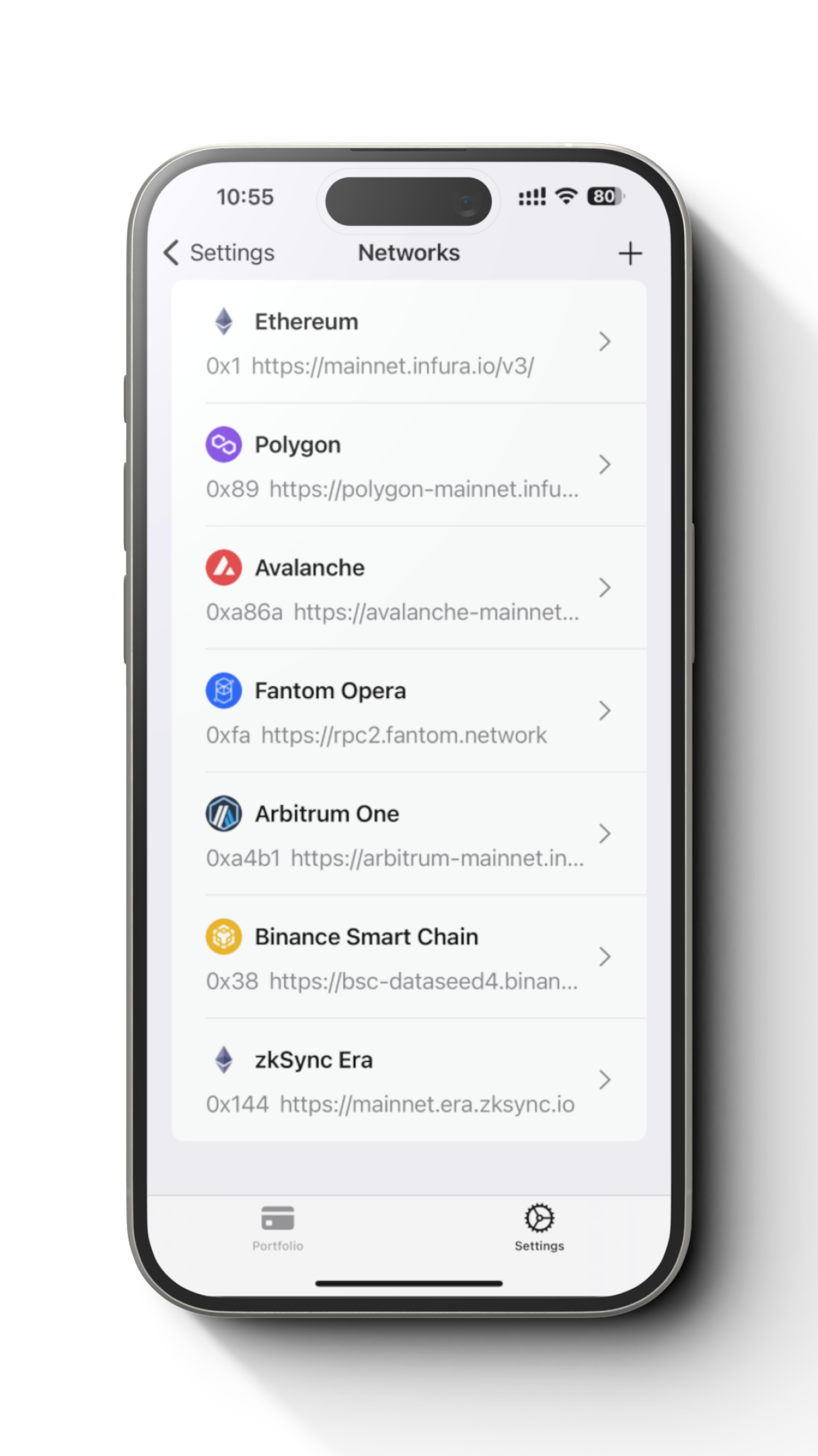
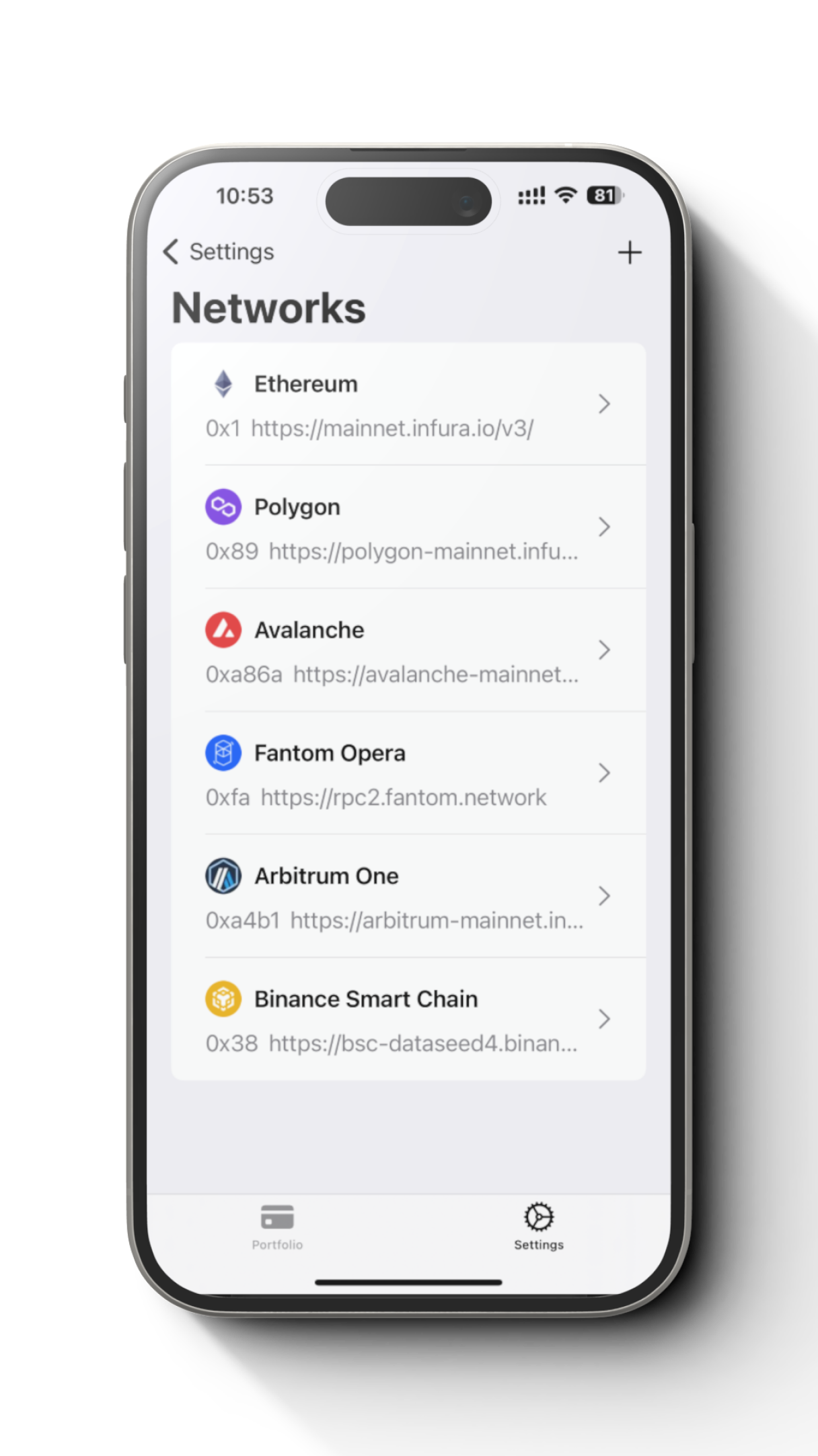
Tap + button at the top right of the screen
Step 3
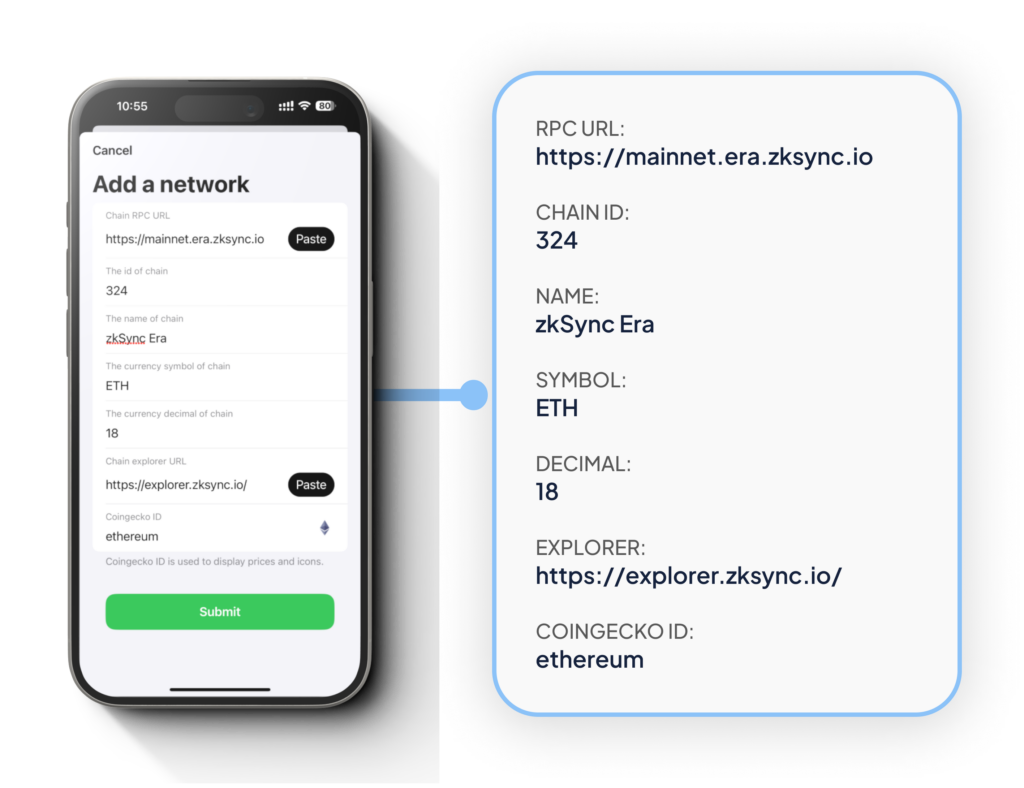
Fill network details and tap “Submit”
Step 4
We should see “zkSync” is added in the networks list.
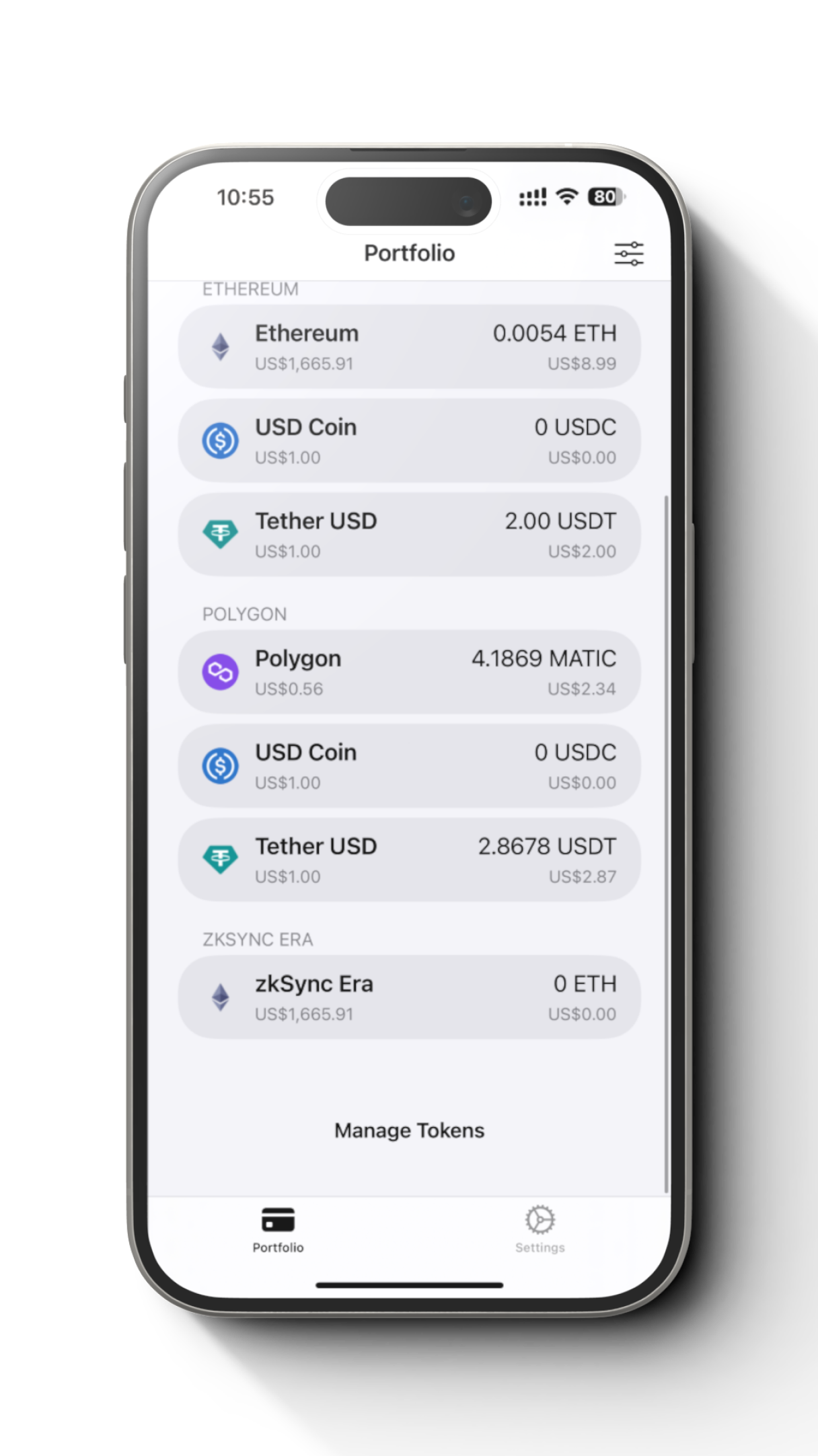
Step 5
“zkSync” should also be appeared at the Portfolio screen.
Learn more about how to use WalletConnect with your newly added network.