Cryptocurrency ownership means freedom — but it also requires safe management between trading platforms and secure self-custody
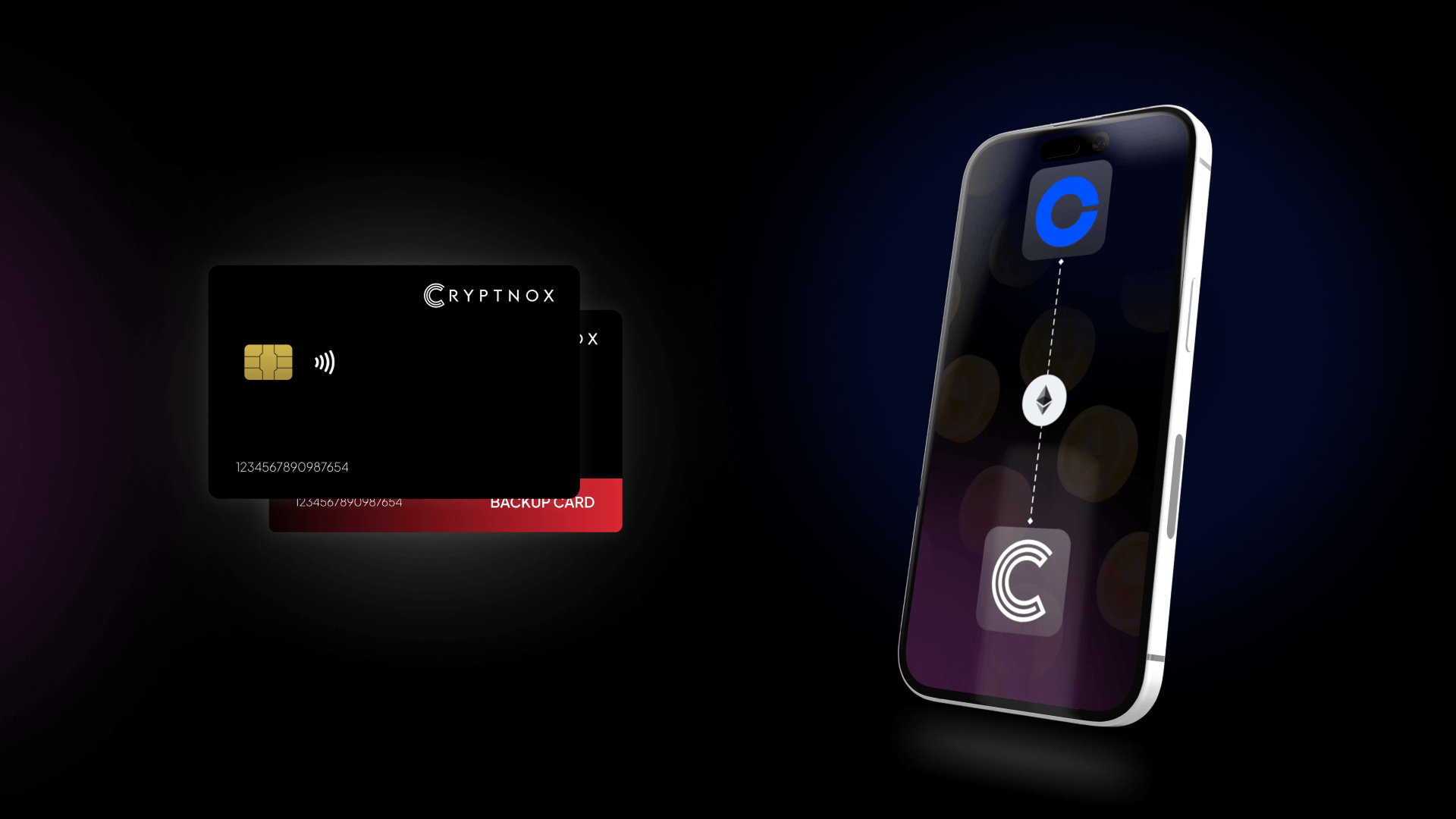
By connecting your Cryptnox Wallet with your Coinbase account, you can move your coins securely between exchange storage and your hardware wallet
This setup gives you the best of both worlds: Coinbase’s exchange liquidity and fiat access, and Cryptnox’s hardware-level key protection
Why This Is Useful
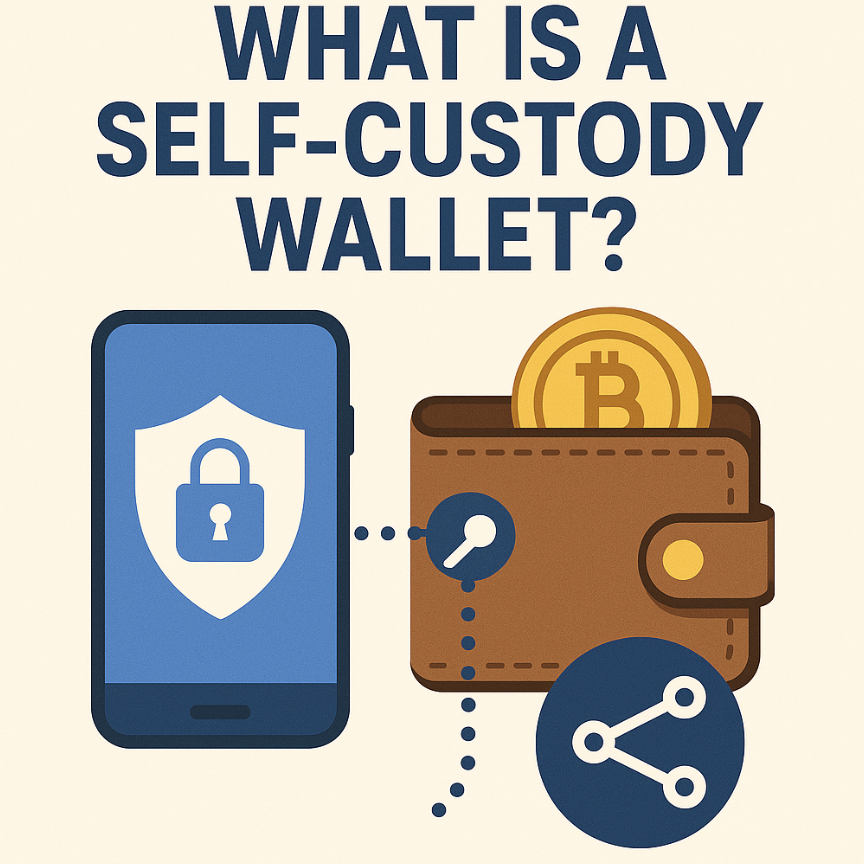
- Full control and security: Your Cryptnox Wallet gives you complete ownership of your private keys. Moving funds from Coinbase to your Cryptnox card takes your crypto off the exchange, into true self-custody
- Flexibility and liquidity: You can easily send crypto back from Cryptnox to Coinbase when you want to sell, trade, or convert to fiat. It’s an efficient bridge between long-term storage and active trading
- Low friction transfers: Coinbase supports standard blockchain withdrawals and deposits for major tokens like BTC, ETH, and USDT, making transfers to or from Cryptnox straightforward when network settings match
Before you start
Make sure you have the following ready:
- Cryptnox Wallet App installed and paired with your Cryptnox card
- Coinbase app or website access with verified account and crypto enabled
- Coins (e.g., BTC, ETH, or USDT) available in either your Coinbase or Cryptnox wallet
- Correct blockchain network selected — Coinbase supports ERC-20 (Ethereum) and native chains for most assets
- Internet connection and NFC access for signing transactions on your Cryptnox card
How to send ETH from Coinbase to Cryptnox Wallet

Step1
Open Your Cryptnox Wallet
1) Open the Cryptnox App on your phone
2) Choose the coin you wish to receive (e.g., BTC, ETH, or USDT)
3) Copy your wallet’s receiving address and confirm the correct blockchain network (e.g., Ethereum ERC-20)
Step2
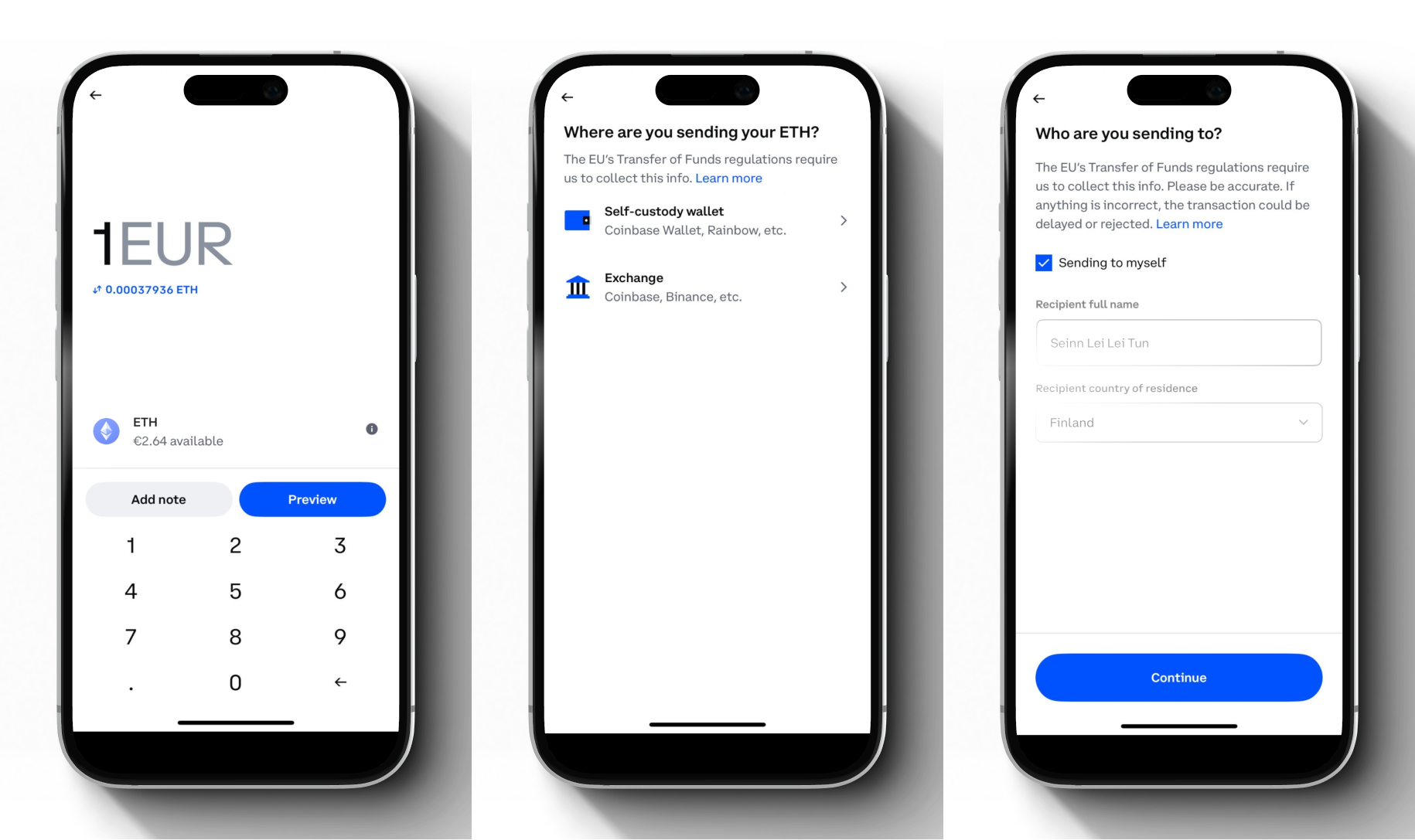
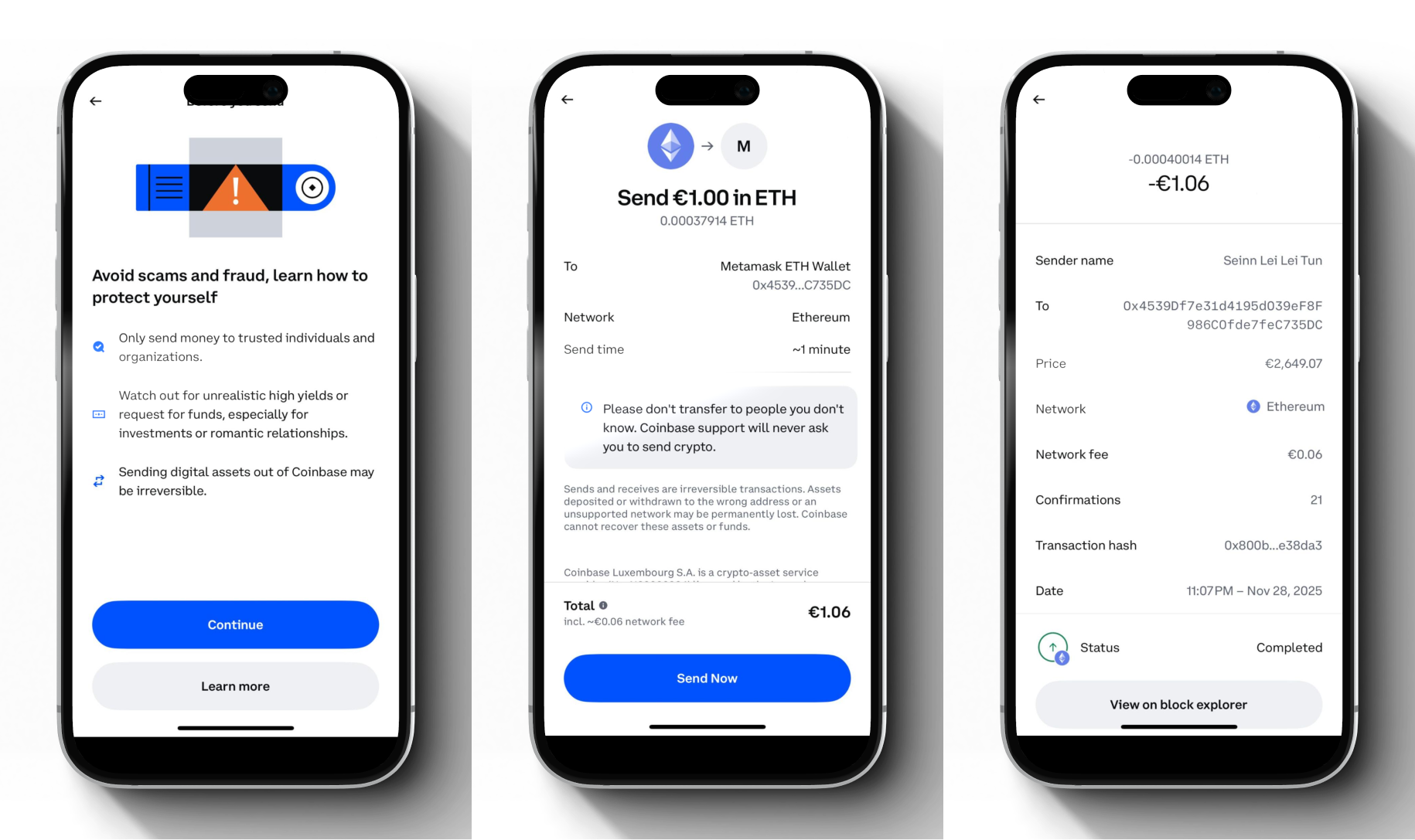
Withdraw from Coinbase
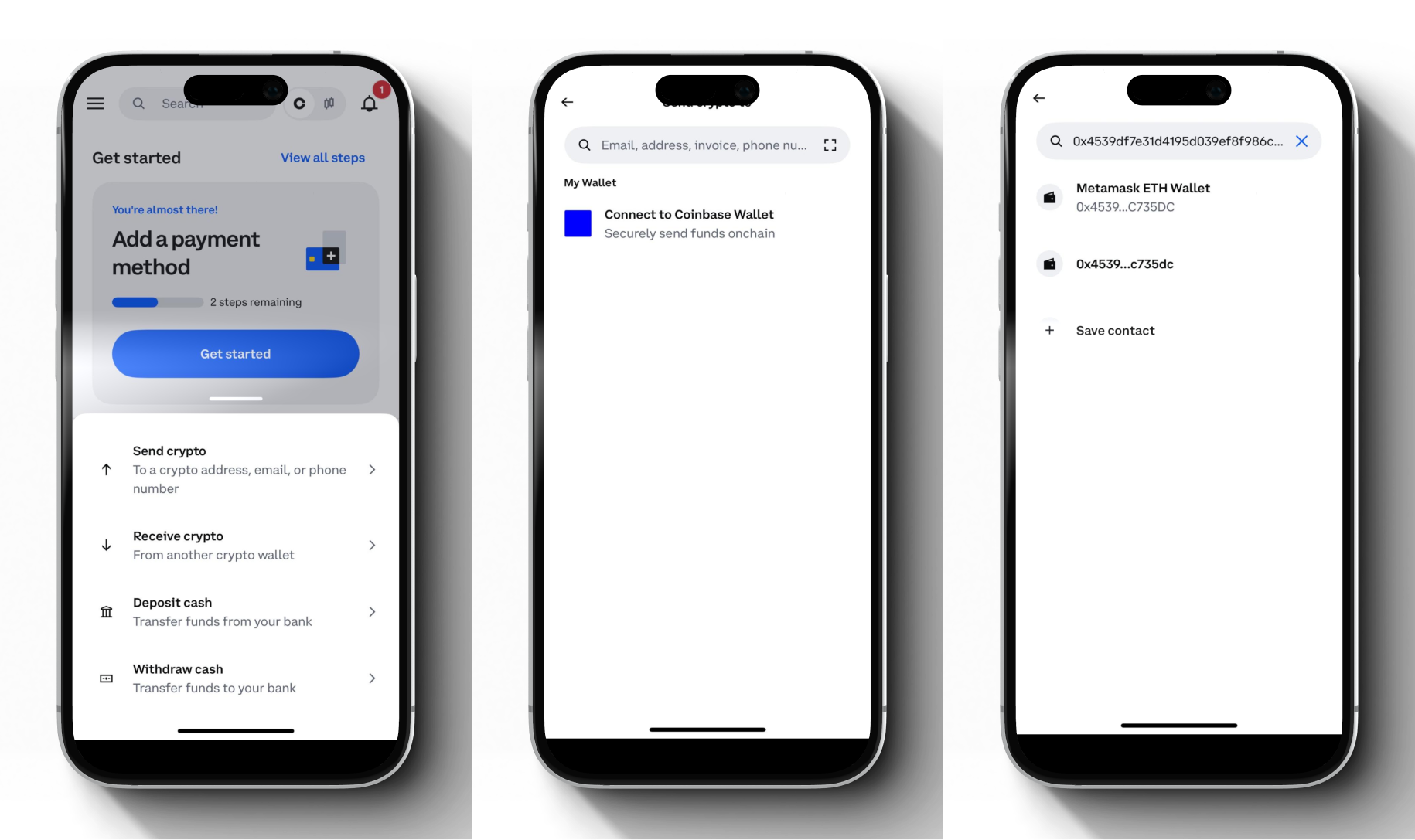
1) In Coinbase, open your Assets tab and select Send Crypto from the Transfer section
2) Select the same coin (e.g., Ethereum)
3) Then, paste the receiving address from your Cryptnox wallet
4) Choose the correct network (very important — ERC-20 vs. native chain must match)
5) Enter the amount to transfer, review the network fee, and confirm
Step 3
Monitor on your Cryptnox Wallet
1) Return to the Cryptnox App and watch for incoming transaction
2) The Cryptnox card will show the updated balance once the transaction is confirmed
How to send ETH from Cryptnox Wallet to Coinbase
Step1
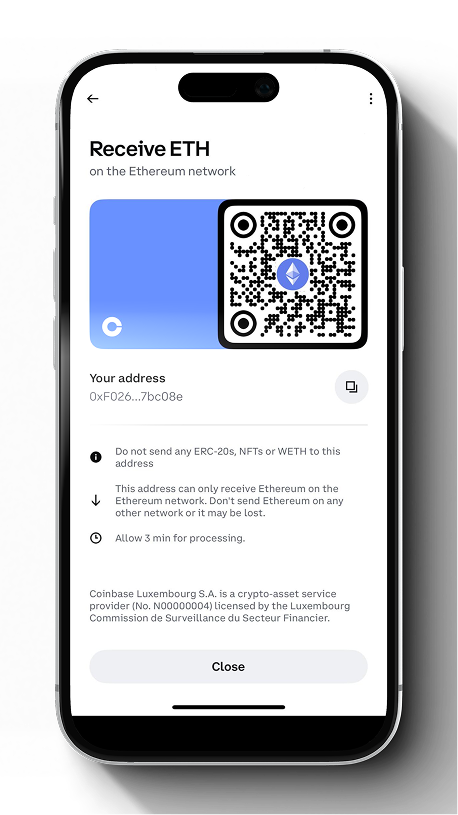
Get your Coinbase Deposit Address
1) Open Coinbase, then navigate to Assets, and select Receive Crypto from the Transfer section
2) Select the same coin and network you plan to send
3) Make sure you copy the correct deposit address (and the correct network/chain) for Ethereum (e.g., ERC-20)

Step2
Initiate send in Cryptnox Wallet
1) Open the Cryptnox App and navigate to Ethereum in the selected network
2) Tap Send, paste the Coinbase Ethereum deposit address, enter the amount, confirm network/fee
3) Tap Confirm, then verify by scanning your Cryptnox card (NFC) and approving the transaction
Step 3
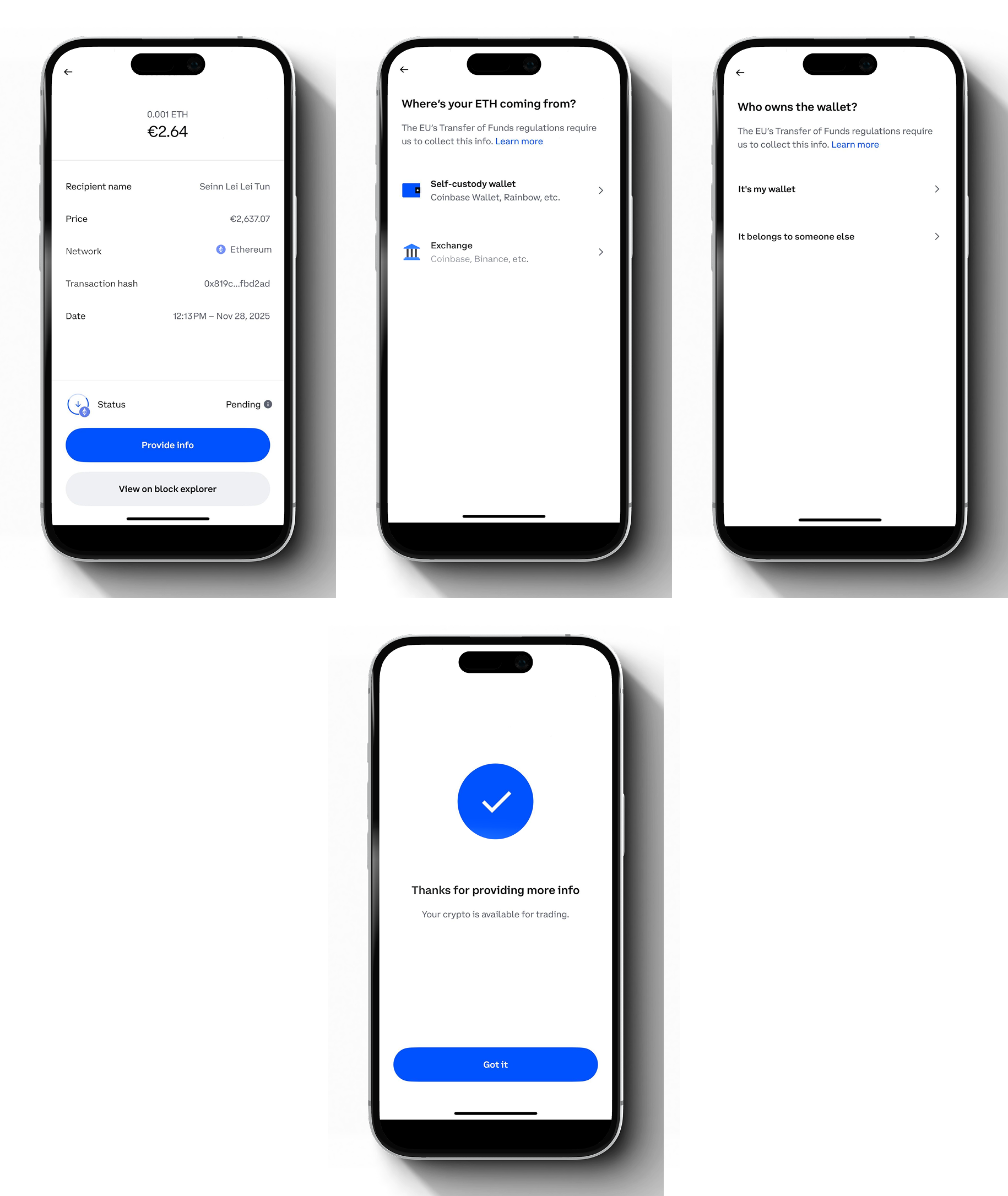
Confirm arrival in Coinbase
1) In Coinbase, refresh your portfolio or the transaction list
2) Deposits appear after the required network confirmations (varies by token and chain)
3) Once credited, you can hold, trade, or convert the crypto within Coinbase
Important Considerations & Safety Tips
- Match the network: Sending on the wrong chain (e.g., TRC-20 to ERC-20) may permanently lose funds
- Minimum limits: Check Coinbase’s minimum withdrawal and deposit thresholds before sending
- Confirmations: Each blockchain requires a different number of confirmations; large transfers may take longer
- Custody difference: Coins on Coinbase are exchange-custodied; coins in Cryptnox are fully self-custodied under your control
- Fees: Coinbase applies a withdrawal fee based on network congestion
- Security: Always verify addresses manually and avoid copy-paste from unknown sources
- Backup: Keep your Cryptnox backup card and PIN/PUK securely stored to recover access if needed
Supported Coins
The process works identically for all supported assets on both platforms, including BTC, ETH, USDT, USDC, and other major tokens
Simply ensure that the same blockchain (Ethereum, Bitcoin, etc.) is selected on both Coinbase and Cryptnox Wallet before transferring
Bringing It All Together
Combining Coinbase and Cryptnox Wallet gives you a secure, flexible workflow for your digital assets
You can hold your long-term funds safely in your hardware card and move coins to Coinbase whenever you need liquidity or fiat conversion
Whether you are protecting your holdings or preparing to trade, this connection keeps your crypto under your control — safely, efficiently, and with full transparency