
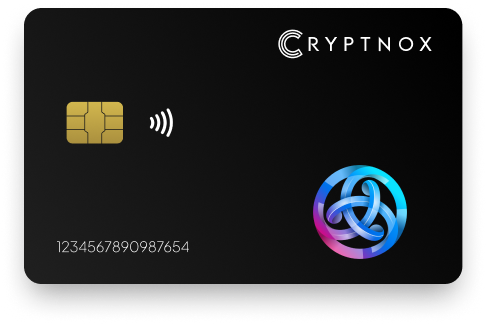
Secure Your Digital Assets with Confidence
Experience next-level protection for your digital assets with a premium hardware wallet built for security-first users
Designed around advanced encryption and a dedicated secure chip, it delivers robust offline storage while supporting a wide range of digital assets and ecosystems
The streamlined setup lets you get started in minutes, giving you access to true cold storage, reliable backup options, and full control over your assets
Engineered for performance and peace of mind, this hardware wallet is a trusted solution for anyone seeking long-term security beyond online threats
Buy it from CRYPTNOX shop directly
Accepts:

Preferred shopping solution for US:

Also available on other Amazon shops:
DE, FR, IT, BE, SE, ES, PL, NL, CA, MX, AU
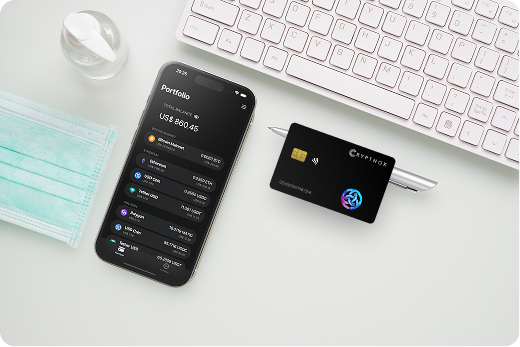
Keeps sensitive access data fully offline, protecting against online threats
Delivers a higher level of security compared to software-based solutions
Enables quick, secure actions while maintaining maximum protection
Introducing Cryptnox, the revolutionary hardware wallet designed to keep your digital assets safe, accessible, and fully under your control. Built on advanced smartcard technology, our wallets feature a secure dual-card backup system, biometric authentication, and seamless integration with MetaMask, WalletConnect, and Web3 apps. Whether you’re storing cryptocurrencies, swapping tokens, or diving into DeFi, Cryptnox delivers bank-level security without the complexity, empowering you to manage your portfolio with peace of mind.
Product Features
Product Specifications:
What It’s Built For:
Cryptnox hardware wallets are your go-to solution for:
Why Cryptnox Stands Out:
This isn’t just a wallet it’s a fortress for your digital future. With no access to your keys by Cryptnox (we never store or see them), audited firmware for top-tier reliability, and global availability, our hardware empowers beginners and experts alike. Backed by comprehensive tutorials, blogs, technical resources, and 24/7 support, Cryptnox ensures you stay ahead in the crypto world with unmatched security, simplicity, and innovation.
Cryptnox Hardware Wallets – Your Gateway to Secure, User-Friendly Crypto Management.
Ready to secure your assets? Buy a Cryptnox Hardware Wallet now and protect your crypto with ease.
Rank | Wallet Name | Description |
2 | Ledger Nano X | Ledger’s Bluetooth-enabled flagship provides native Astar support through dedicated Polkadot and Ethereum apps within Ledger Live. The wireless connectivity shines for mobile users managing dApp staking operations on Astar Portal, eliminating cable requirements when claiming rewards or adjusting stake allocations. The large app storage capacity accommodates multiple blockchain apps simultaneously, preventing constant reinstallation cycles. EAL5+ secure element certification provides robust security for ASTR holdings. |
3 | Ledger Stax | The premium E-ink curved touchscreen model brings style and functionality to Astar asset management. The large display provides exceptional visibility for reviewing dApp staking transactions and complex smart contract interactions across both EVM and WASM environments. Wireless charging and Bluetooth connectivity create a cable-free experience when managing ASTR holdings. The customizable display lets you monitor balances without unlocking. Ledger Stax supports blind-signing-free transactions through clear contract display capabilities. |
4 | Ledger Flex | The foldable design strikes balance between portability and screen size for Astar users. CC EAL6+ chip certification provides enhanced security over earlier Ledger models, while Bluetooth connectivity enables convenient dApp staking interactions without cables. The touchscreen interface simplifies navigation through Astar Portal operations, and Ledger Live’s staking integration streamlines reward management. The device folds closed to protect the screen during transport. |
5 | Ledger Nano S Plus | The budget-friendly USB wallet provides solid Astar compatibility without wireless features. Large app storage accommodates Polkadot generic app supporting both native and EVM operations on Astar, eliminating constant app management. The proven Ledger security architecture and established firmware make Nano S Plus reliable for long-term cold storage of ASTR tokens. While lacking Bluetooth, the USB-C connection provides stable performance for desktop-based dApp staking management. |
6 | Trezor Safe 5 | Open-source transparency meets premium hardware in Trezor’s flagship supporting Astar and Polkadot through Trezor Suite. The color touchscreen provides clear transaction verification, while haptic feedback confirms inputs without visual reference. EAL6+ secure element certification addresses previous Trezor criticism about security architecture, while maintaining the verifiable firmware approach valued by security-conscious users. Full Substrate support enables comprehensive Astar native asset management alongside EVM operations. |
7 | Trezor Safe 3 | The compact open-source wallet combines affordability with Trezor’s transparency principles. Haptic feedback provides secure confirmation for dApp staking transactions even without looking at the screen, useful during mobile interactions with Astar Portal. The Secure Element chip addresses earlier security concerns while maintaining open-source firmware benefits. USB-C connectivity ensures compatibility with modern devices, and the straightforward interface suits newcomers to hardware wallet management of ASTR holdings. |
8 | Trezor Model T | The touchscreen classic provides full Substrate support for Astar native assets and operations. Pairing with MetaMask or Rabby wallet enables smooth EVM interactions, while native Polkadot support handles WASM contracts and dApp staking operations. The color display improves transaction verification compared to earlier Trezor models, and comprehensive Polkadot parachain compatibility ensures access to Astar’s full feature set. Open-source firmware lets security experts audit the code protecting your ASTR holdings. |
9 | OneKey Pro | Air-gapped capabilities and EAL6+ chip certification make OneKey Pro excellent for high-value ASTR holders. Native Astar and Polkadot support through touchscreen interface enables comprehensive multi-VM environment management. The ability to operate fully air-gapped via QR codes provides maximum security for cold storage, while Bluetooth and USB modes enable convenient dApp staking participation when needed. This flexibility suits users balancing security and usability for different transaction types. |
10 | OneKey Classic 1S | Entry-level Bluetooth model combines affordability with full Astar compatibility. Open-source firmware provides transparency, while physical confirmation buttons ensure deliberate transaction approval for dApp staking operations. The compact design fits easily in pockets or bags, making it suitable for mobile ASTR management. Reliable multi-chain support handles Polkadot ecosystem assets alongside other cryptocurrencies, providing good value for users managing diverse portfolios. |
11 | D’CENT Biometric | Fingerprint-secured wallet provides direct Astar Portal integration for cold staking across both EVM and WASM environments. The biometric authentication adds security layers while speeding up frequent dApp staking interactions and reward claims. Wireless connectivity works well with mobile devices for on-the-go ASTR management, and the mobile-friendly interface suits active DeFi participants. The fingerprint requirement prevents unauthorized access even if the physical device is lost or stolen. |
12 | Tangem Wallet | NFC card-based wallet eliminates batteries and seed phrases through EAL6+ certified chip architecture. Simple tap-to-phone operation makes ASTR management intuitive, while waterproof construction ensures durability for everyday carry. The multiple card backup system provides redundancy without complexity, and complete offline operation maximizes security for long-term holdings. No charging requirements mean the cards remain functional indefinitely, ideal for cold storage with occasional access. |
13 | KleverSafe | Multi-chain hardware wallet from Klever provides native ASTR support with cold and hot switching capability. Waterproof construction suits active users, while app-integrated interface streamlines staking and swap operations. The design specifically targets Klever ecosystem users, offering seamless integration with Klever Wallet for Astar asset management. The ability to toggle between cold storage and hot wallet modes balances security with convenience for different use cases. |
14 | SafePal S1 | Air-gapped QR-code wallet supports Polkadot and Substrate networks including Astar via extensions. The affordable price and user-friendly interface make it accessible for beginners entering hardware wallet security. The self-destruct mechanism triggers on tampering attempts, protecting ASTR holdings from physical attacks. Complete offline isolation via QR codes provides strong security for cold storage, while the built-in camera handles transaction signing without connections. |
15 | D’CENT Card Wallet | Compact biometric card alternative provides seamless Astar dApp and staking via companion app. The slim form factor fits standard wallets, making it portable for on-the-go ASTR management without bulk. Fingerprint authentication secures access while enabling quick approvals for dApp staking transactions. Wireless connectivity works with mobile devices for convenient Astar Portal interactions when managing rewards or adjusting stake allocations. |
Initial configuration determines your long-term security and usability when managing ASTR holdings. Following proper setup procedures prevents common issues and ensures smooth dApp staking participation.
Begin by verifying your hardware wallet’s authenticity through official channels. Counterfeit devices represent serious security risks, so purchase directly from manufacturers or authorized resellers. Check for tamper-evident packaging and validate any security seals before powering on the device.
During initialization:
Test recovery procedures before depositing significant ASTR holdings. Practice restoring your wallet using the seed phrase on a secondary device or through recovery simulation features. This verification ensures your backup works before you depend on it.
Keep hardware wallet firmware current to receive security patches and Astar network updates. Major blockchain upgrades occasionally require wallet firmware updates to maintain compatibility with new transaction formats or network features.
Check for updates through:
Always verify update authenticity through official channels. Fake update prompts represent common attack vectors. Download firmware only from manufacturer websites or verified app stores, never from email links or third-party sites.
Add Astar network to your hardware wallet through supported interfaces. Depending on your device, this might involve:
For EVM operations, you’ll typically configure Astar as custom network in MetaMask or similar wallets using:
Native Substrate operations may require different configuration through Polkadot.js extension or dedicated Polkadot wallets. Verify you’re connecting to Astar mainnet rather than test networks to avoid confusion with real ASTR balances.
Astar’s unique dApp staking mechanism lets ASTR holders earn rewards while supporting projects, but maximizing returns requires strategic approach combined with hardware security.
Distribute ASTR across multiple dApps to optimize reward rates and reduce concentration risk. Different dApps offer varying APY based on total value locked and project popularity. Your hardware wallet enables secure management of stake positions across numerous projects simultaneously.
Monitor staking performance through Astar Portal dashboards while maintaining cold storage security. Hardware wallets let you review balances and accumulated rewards without exposing private keys, making regular portfolio assessment safe.
Consider factors when allocating stakes:
Rebalancing stake positions requires transaction signing on your hardware wallet. Plan reallocation during lower network activity periods to minimize gas fees in ASTR.
Staking rewards accumulate but require claiming to become spendable. The optimal claiming frequency balances convenience against gas costs. Too frequent claims waste ASTR on transaction fees, while delayed claiming misses compound opportunities.
Hardware wallet security enables safe reward claiming without rushing. Take time to verify transaction details on device screen before approving claim operations. Malicious interfaces might attempt to redirect claimed rewards to attacker addresses.
Consider claim timing based on:
Some users prefer automatic claiming through protocol features, though this introduces minimal additional risk compared to manual claiming with full transaction review on hardware devices.
Hardware wallets protect against software vulnerabilities, but smart contract risks remain when participating in dApp staking. Projects may contain bugs or face exploitation attempts affecting staked ASTR.
Mitigate staking risks through:
Your physical crypto wallet secures the transaction signing process, but cannot prevent losses from compromised smart contracts. Combine cold storage security with due diligence on staking targets for comprehensive risk management.
Technical challenges occasionally arise when connecting hardware wallets to Astar ecosystem. Understanding common issues enables quick troubleshooting without compromising security.
Browser extension compatibility issues frequently affect Astar Portal connections. When your hardware wallet won’t connect:
Some hardware wallets require specific connection sequences. Unlock the device before initiating connection from browser, or connect to Astar Portal first, then prompt hardware wallet connection. Manufacturer documentation typically specifies the correct order.
Astar’s dual address system creates confusion between native Substrate addresses and EVM addresses. Sending ASTR to wrong address formats may result in lost funds or require complex recovery procedures.
Always verify:
Most hardware wallets show address formats clearly during transaction signing. Cross-reference displayed addresses with Astar Portal expectations before approving transfers.
Failed transactions waste gas fees and delay operations. Common causes include:
Review transaction parameters carefully on hardware device screen. Ensure sufficient ASTR covers both transfer amount and gas costs. During network congestion, consider increasing gas price or waiting for lower activity periods.
Hardware wallet timeouts require reinitiating transactions from beginning. Keep devices connected and responsive during multi-step operations like complex smart contract interactions or dApp staking setup. Understanding how to securely transfer cryptocurrency helps prevent these issues.
Secure your ASTR holdings today with Cryptnox’s purpose-built hardware wallet designed specifically for Astar’s multi-VM environment.
The Cryptnox solution is a high-security hardware wallet based on the latest smartcard technology available A seed is either generated or injected as part of the initialization process, which makes it compatible with the BIP32 and BIP39 standards When choosing the Dual Card Setup option, you can generate an identical seed in two cards in only seconds, and store the backup card in a safe place for recovery
A hardware wallet is a physical device designed to securely store private keys offline Keeping sensitive data disconnected from the internet, it significantly reduces exposure to hacking, malware, and phishing attacks
Unlike software wallets that operate on internet-connected devices, hardware wallets isolate private keys in a secure environment Transactions are signed internally, ensuring keys never leave the device or are exposed online
Yes! Hardware wallets are ideal for long-term asset protection Offline storage, durable hardware, and secure backup mechanisms make them well-suited for holding assets safely over extended periods
Access can be restored using a secure recovery process, typically based on a recovery phrase or backup solution created during setup This ensures assets remain accessible even if the physical device is no longer available
Modern hardware wallets are designed with user-friendly interfaces and guided setup processes
This makes them accessible to beginners while still meeting the security standards required by advanced users
Yes, hardware wallets work excellently for Astar dApp staking while maintaining cold storage security. You connect your hardware wallet to Astar Portal through browser extensions or native apps, review staking transactions on the device screen, and physically confirm operations. Your private keys never leave the secure element, protecting your ASTR even during active staking participation. Most modern hardware wallets support both native Substrate staking and EVM-based operations on Astar, enabling full ecosystem access without compromising security.
Connection typically involves browser extension integration with supported wallets like MetaMask or Polkadot.js. First, install your hardware wallet’s companion app and enable browser connection permissions. Then open Astar Portal, select the hardware wallet connection option, and follow prompts to link your device. For EVM operations, configure Astar as custom network with chain ID 592. Native operations may require Polkadot generic app on your hardware device. Always verify you’re connecting to official Astar Portal domains to prevent phishing attacks targeting your hardware wallet.
Cryptnox provides purpose-built support for Astar’s multi-VM architecture with native EVM and WASM compatibility. Ledger devices handle both through separate Polkadot and Ethereum apps in Ledger Live. Trezor wallets support multi-VM operations via Trezor Suite and third-party wallet integrations. OneKey Pro offers comprehensive native support for both virtual machines. Most modern hardware wallets can manage Astar’s dual environment, though setup complexity varies. Check your specific device’s documentation for configuration requirements and verify both address types display correctly before transferring significant ASTR amounts.