
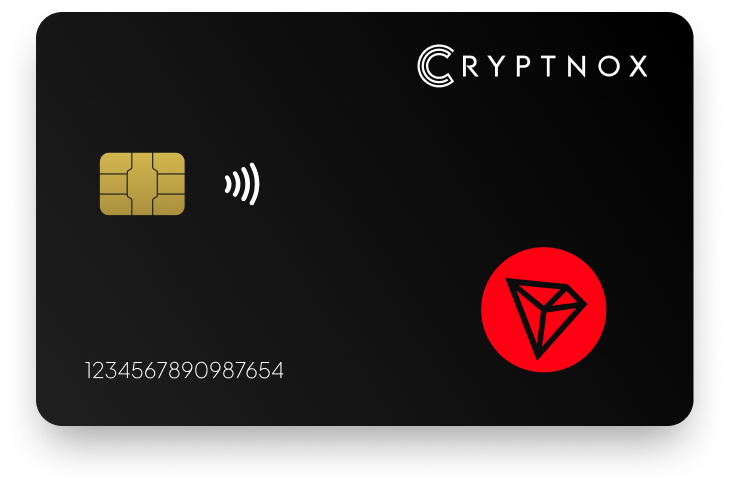
Yes — Tron is supported as a native chain in the Cryptnox app, so native TRX is available without adding a custom network. TRC-20 tokens are added manually through Add a Token. With the Cryptnox Crypto Hardware Wallet – Dual-Card Set, Tron keys are generated inside secure elements on two uninitialised smart cards during setup, and the second card is the backup. The free Cryptnox app is available on iOS and Android.

CRYPTNOX products are also available worldwide through our official Amazon stores.

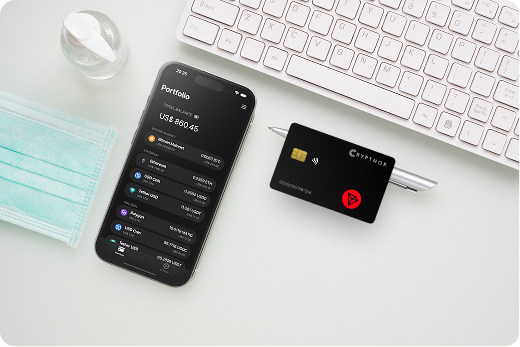
Cryptnox supports Tron as a native chain in the Cryptnox app. For a buyer choosing a hardware wallet for Tron, that means native TRX is available through the app’s Tron route instead of being created as a custom network by the user.
TRC-20 tokens are handled differently from native TRX. Native TRX is reached through Tron chain support in the app, while TRC-20 token entries are added manually through Add a Token. That distinction is important when you are buying for a Tron account that may hold both TRX and TRC-20 assets.
If your Tron wallet will sit beside assets on other networks, review the Cryptnox coin and blockchain support page before ordering so you can compare the broader supported-assets overview with the Tron route described here.
Tron support is not only a question of whether the app recognises the network name. The practical question is how native TRX and TRC-20 tokens are reached after the two cards are initialised. Cryptnox separates those routes: native TRX uses the Tron chain already present in the app, and TRC-20 tokens are added one by one through Add a Token.
That structure gives a clear buying decision. If you mainly want to manage native TRX, the Tron chain route is already available in the Cryptnox app. If your Tron use also includes TRC-20 assets, plan to add each required token entry manually after setup.
When you are ready to initialise the two-card wallet before using the Tron route, follow the Cryptnox startup guide for the first setup steps.
For native TRX and manually added TRC-20 tokens, private keys are generated inside the secure element and never leave it. The Cryptnox app gives you the Tron interface, while the card keeps the signing key inside the secure element for Tron transactions.
Cryptnox uses an EAL6+-certified chip. That certification applies to the chip platform. For a Tron buyer, the security point is direct: sensitive key material for the Tron account is not generated in the phone app and is not exported from the secure element.
The unlock flow also stays tied to the phone app. When the Cryptnox app asks for a face or fingerprint check on the phone, that check happens on the phone. The card itself has no fingerprint reader and no face sensor.
This same key-protection model applies whether you are working with native TRX or a TRC-20 token entry that you added later in the Cryptnox app.
The Cryptnox Crypto Hardware Wallet – Dual-Card Set arrives uninitialised. During setup, the seed is generated inside both secure elements, so the second smart card becomes the backup for the same Tron wallet from the beginning.
That default backup model is different from starting with a written recovery phrase. In the standard Dual-Card Set setup, there is no recovery phrase to write down by default because the backup is the second card. Importing a 12- or 24-word BIP39 recovery phrase is available as an advanced option, not the normal path for a new Dual-Card Set.
The product page for the Cryptnox Crypto Hardware Wallet – Dual-Card Set is the ordering page for the two-card package used in this Tron wallet setup.
Cryptnox is a contact and NFC smart card for Tron use. You can tap the card to a phone by NFC or insert it into a contact reader. On mobile, the free Cryptnox app on iOS and Android provides the native TRX route and the Add a Token flow for TRC-20 assets.
The card format matters for a Tron buyer because the app is the interface and the card is the signing component. For a native TRX action or a TRC-20 token action in the app, the Tron key remains inside the secure element while the phone is used to review the app flow.
Cryptnox also connects to Web3 through WalletConnect and works with MetaMask. If your Tron wallet is part of a broader multi-network setup, the Cryptnox hardware wallet hub gives the wider smart-card context for buyers comparing supported networks and assets.
Tron Shasta is the Tron testnet entry in Cryptnox support. Native TRX support is separate: Tron is a native chain in the Cryptnox app, and TRX is available through that native-chain route.
Do not treat the Shasta entry as the only Tron route. For ordinary Tron asset management in the Cryptnox app, native TRX is available through the app’s Tron support. For TRC-20 tokens, use Add a Token. For Tron testnet work, use the Tron Shasta entry.
If you are comparing Tron with other asset routes, the hardware wallet for Polygon page and the hardware wallet for Bitcoin page show how separate network pages are presented for buyers with mixed holdings.
A Tron hardware wallet decision often sits inside a wider asset plan. With Cryptnox, the Tron route remains specific: native TRX is available in the app, TRC-20 tokens are added manually, and Tron Shasta is the testnet entry.
The same Dual-Card Set can be evaluated alongside other Cryptnox asset pages when your holdings are not limited to Tron. For tokenised dollar holdings, compare the Tron route with the hardware wallet for USD Coin page. For Ronin exposure, compare it with the hardware wallet for Ronin page.
Those comparisons help you separate native-chain access, manually added token entries, and the card’s role in keeping private keys inside the secure element for each supported asset route.
The product for a Tron buyer is the Cryptnox Crypto Hardware Wallet – Dual-Card Set. It is sold as two uninitialised smart cards, with the seed generated inside both secure elements during setup and the second card serving as the backup.
After setup, use the Cryptnox app on iOS or Android for native TRX. Add TRC-20 tokens manually with Add a Token. When the app needs the card, present the smart card by NFC on a phone or through a contact reader.
Before ordering, check the supported coins and blockchains if your Tron wallet will also be used with other supported assets. When you are ready to buy, order the Cryptnox Crypto Hardware Wallet – Dual-Card Set from the Cryptnox shop.
For Tron, the buying summary is simple: native TRX is supported in the Cryptnox app, TRC-20 tokens are added manually, Tron keys are generated inside the secure element, and the backup is the second card in the Dual-Card Set.
Yes. Tron is supported as a native chain in the Cryptnox app, so native TRX is available without adding a custom network. The Tron private key is generated inside the secure element and remains there, while the app provides the native TRX interface.
TRC-20 tokens are added manually in the Cryptnox app through Add a Token. Native TRX is already available through the app’s Tron chain support, but individual TRC-20 token entries are created by the user when needed.
No. Tron Shasta is the Tron testnet entry. Native TRX support is available through the Cryptnox app’s Tron native-chain route, and TRC-20 tokens are added manually through Add a Token.
The Dual-Card Set ships uninitialised. During setup, the seed is generated inside both secure elements, so the second card is the backup for the same wallet. The default setup does not require writing down a recovery phrase.
For the Tron account used with native TRX and manually added TRC-20 tokens, private keys are generated inside the secure element and never leave it. Cryptnox uses an EAL6+-certified chip, and that certification applies to the chip platform.
No. The card has no fingerprint reader and no face sensor. Unlock uses the phone’s face or fingerprint check through the Cryptnox app, while the Tron signing key remains inside the card’s secure element.
Yes. The Cryptnox app is free on iOS and Android. For Tron, it provides native TRX support and the Add a Token route for TRC-20 tokens. The smart card can be presented to a phone by NFC.
No, and on this network that is not a limitation. The Cryptnox wallet uses one address per chain. HD address rotation comes from Bitcoin’s UTXO model and the BIP32/BIP44/BIP49/BIP84 derivation scheme; on account-model networks each account is a single fixed address by design, so the question does not apply in the same way. Cryptnox’s single-address-per-chain behaviour matches how these networks work.
At the cryptography layer the card derives keys along BIP32 and SLIP-10 paths, one path per supported chain, though that is not exposed in the app as multi-address management.