
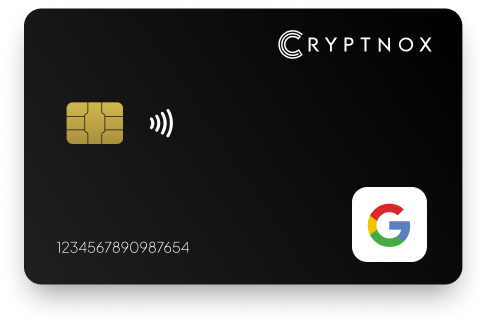
Yes. Cryptnox can be enrolled with Google from Google Account > Security > How you sign in to Google > Passkeys and security keys or 2-Step Verification. Google supports WebAuthn/FIDO2 hardware security keys for passkeys and passwordless sign-in, and FIDO1/U2F or FIDO2 security keys as a 2-Step Verification factor. Cryptnox is a contact and NFC smart card: tap it to a phone, or insert it into a reader.

CRYPTNOX products are also available worldwide through our official Amazon stores.

Faster FIDO2 sign-in on Windows: Click-to-Tap
When a service asks you to “tap your security key”, press the Click-to-Tap virtual button on the reader instead of pulling the card out and reinserting it. The card stays in the slot and the sign-in finishes in seconds.
The virtual button works on Windows with Cryptnox FIDO2 cards. On macOS and Linux the same reader operates as a standard PC/SC contact reader for any ISO 7816 card.
Enjoy highly secure 2FA authentication with our FIDO2 Security Key (physical Passkey) based by FIDO2 standards. This makes your account even harder to phish, hack or access.
By using this Security Key on your Google account, you can authenticate seamlessly. You can use our FIDO2 card as it is via NFC on most mobile phones, or you can use it with a contact or contactless Card Reader if you prefer to go via USB. Say goodbye to the annoying 2FAs each time you want to log in.
Cryptnox fits Google through Google’s security-key enrolment flow, not through a separate Google-specific account type. The route is inside the Google Account security area: Security, then How you sign in to Google, then Passkeys and security keys or 2-Step Verification. Google’s security-key help places security keys under 2-Step Verification settings and links into Google Account management for adding them: Google Account security key help.
For a buyer, the important point is that Google supports two hardware-key roles. First, Google supports WebAuthn/FIDO2 hardware security keys for passkeys and passwordless sign-in. Second, Google supports FIDO1/U2F or FIDO2 security keys as a second factor in 2-Step Verification. Cryptnox should be planned MFA-first for Google unless your account flow, device mix, and browser path have been tested for passwordless use.
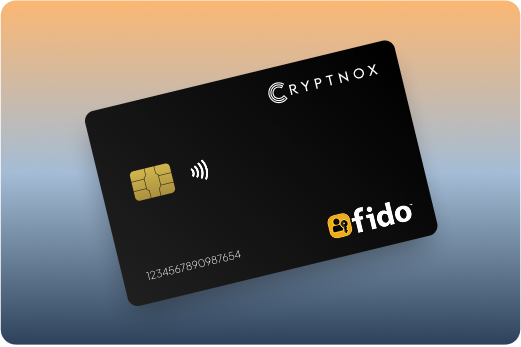
When Google asks for a registered security key, the Cryptnox card is presented as the hardware possession factor. On a supported phone flow, you tap the contact and NFC smart card. In a reader-based desktop flow, you insert the same dual-interface card into a reader. Google requires a compatible browser and a current operating system and browser, so the device used during enrolment should match the device you expect to use for sign-in.
The broader Cryptnox FIDO2 security key card hub is useful when Google is one account in a wider hardware-key rollout across services that also support security keys.
Start from the Google Account that you want to protect. Open Security, then the How you sign in to Google area. Depending on the account layout and enabled sign-in methods, the security-key route appears under Passkeys and security keys or under 2-Step Verification. Google manages security keys in the 2-Step Verification settings area, so that is the expected place to add, view, or manage a registered key.
Prepare the Cryptnox card before using it in Google. The Cryptnox FIDO2 card startup guide covers first setup for the card, while Google Account security handles the Google registration step. Keep the phone, browser, or reader you will actually use for future Google sign-ins available during enrolment.
Google does not document a security-key limit for this account path. Treat the enrolment screen as the place to confirm what the account currently accepts, then test the exact sign-in route before relying on it for access.
Google security-key support depends on the device path used at sign-in. Google requires a compatible browser and a current operating system and browser. That matters because the same Cryptnox card may be presented by NFC on a phone or through a reader in a desktop workflow, while Google’s acceptance depends on the sign-in environment.
For NFC sign-in on Android, Google says to use a Google app or a compatible browser such as Chrome with NFC enabled. Google also documents that newly registered keys no longer work on Android 8.0 and lower. For Cryptnox specifically, Android is CTAP1/U2F only, so do not plan a Google Android deployment around CTAP2-only behavior.
If a security key does not work on a device or browser, Google may offer another sign-in method unless Advanced Protection or an account policy restricts alternatives. Test the Google security-key flow before tightening policies that limit fallback sign-in routes.
Cryptnox is a contact and NFC smart card, which is useful for Google because Google Account sign-in can happen on phones and on reader-equipped computers. The card is not a one-path accessory. The same physical card can be tapped to a phone in an NFC flow or inserted into a reader for a contact smart-card flow.
That dual-interface form factor affects purchase planning. A phone-heavy Google user should check NFC availability and Google’s Android caveats. A desktop-heavy user should confirm the reader path in the browser and operating system that will be used for Google Account access. A Linux user should plan for the Cryptnox app. A Windows user can also consider the Windows-only tap-button experience.
Choose the Cryptnox card for Google when the physical card format is part of the requirement: wallet-sized storage, NFC presentation to a phone, and reader-based contact use on computers that support the chosen sign-in workflow. Google’s standard is not private to Cryptnox; Google accepts supported FIDO security keys. The Cryptnox difference is the contact and NFC smart-card format combined with the product’s wallet security model.
For buyers comparing service-by-service use, the Fastmail security key card guide shows a different account-enrolment context, while Google’s route remains tied to Google Account security settings and 2-Step Verification management.
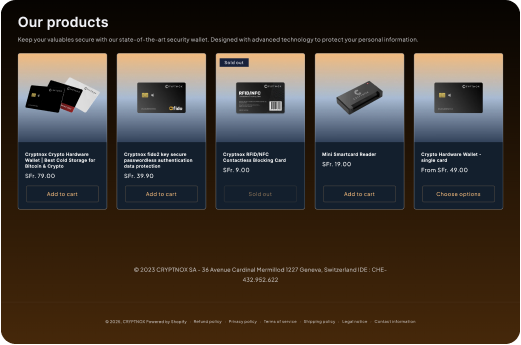
The same product sold as the Cryptnox Crypto Hardware Wallet – Dual-Card Set can be used for Google security-key enrolment and for crypto wallet use. For wallet functions, private keys are generated inside the secure element and never leave it. The chip platform uses an EAL6+-certified chip.
The Google security-key role and the wallet role should be understood separately. Google enrols the card as a security key from Google Account security settings. Wallet setup uses the Dual-Card Set security model. The set ships uninitialised; during setup, the seed is generated inside both secure elements, so the second card is the backup for the wallet. There is no recovery phrase to write down by default. Importing a 12-word or 24-word BIP39 phrase is an advanced option, not the default path.
When wallet functions are unlocked through the Cryptnox app, the phone’s fingerprint or face unlock can be used, depending on the phone. The card itself has no fingerprint or face sensor. For a Google buyer, that distinction matters because Google security-key prompts are handled through Google’s sign-in flow, while wallet unlocking is handled through the Cryptnox app and the phone.
The free Cryptnox app is available on iOS and Android. When the Dual-Card Set is used as a wallet outside Google sign-in, the app connects to Web3 through WalletConnect and works with MetaMask.
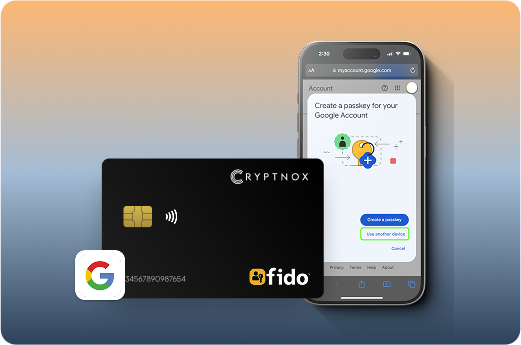
Google does not require a Cryptnox-only standard. Google supports WebAuthn/FIDO2 hardware security keys for passkeys and passwordless sign-in, and it supports FIDO1/U2F or FIDO2 security keys for 2-Step Verification. That means the comparison should start with the Google job: which device path will be used, which Google sign-in mode is enabled, and whether Android, Linux, or Windows caveats affect the buyer.
A basic FIDO security key may be enough when the only requirement is a Google possession factor on a tested device path. Cryptnox is the stronger fit to evaluate when the buyer wants a smart-card form factor for Google and also wants the Dual-Card Set wallet model: secure-element key generation, a second secure element created as the wallet backup, NFC phone presentation, and contact reader use.
If exchange access is also part of the security plan, compare Google enrolment with the Binance security key card guide and the Bitfinex security key card guide. Each service has its own enrolment area even when the buyer wants hardware-backed sign-in across accounts.
Buy Cryptnox for Google when you want a Google-enrollable security key in a contact and NFC smart-card form factor, with the added wallet function of the Dual-Card Set. The card is Swiss-engineered. For wallet use, private keys are generated inside the secure element and never leave it, and the chip platform uses an EAL6+-certified chip.
Before purchase, map the Google sign-in devices. Use a current browser and current operating system, enable NFC where Google’s Android NFC flow requires it, and have a reader available where you expect contact smart-card use. On Android, account for Cryptnox CTAP1/U2F behavior. On Linux, plan to use the Cryptnox app. On Windows, the tap-button experience is the Windows-only Cryptnox path.
For a wider shortlist of supported services, use the parent FIDO2 security key card collection. Finance-account buyers can also compare Google’s account-security route with the Bank of America security key card guide, where the service context is different from Google Account sign-in.
Google supports WebAuthn/FIDO2 hardware security keys for passkeys and passwordless sign-in. Add the card from Google Account Security under How you sign in to Google, then Passkeys and security keys or 2-Step Verification. Test the exact device, browser, and operating system before treating the card as the primary Google sign-in route.
Yes. Google supports FIDO1/U2F or FIDO2 security keys as a 2-Step Verification second factor. Google manages security keys under 2-Step Verification settings. Enrol the Cryptnox card from the Google Account security area and test the sign-in flow on the device you will use day to day.
Cryptnox is a contact and NFC smart card. In a supported phone flow, you tap the card by NFC. In a reader-based workflow, you insert the card into a reader. For NFC sign-in on Android, Google says to use a Google app or a compatible browser such as Chrome with NFC enabled.
Yes. Google documents that newly registered keys no longer work on Android 8.0 and lower. For Cryptnox, Android is CTAP1/U2F only, so do not plan Android use around CTAP2-only behavior. Use Google’s supported NFC route with a Google app or compatible browser such as Chrome.
No. The card itself has no fingerprint or face sensor. When wallet functions are unlocked through the Cryptnox app, the phone’s fingerprint or face unlock can be used, depending on the phone. Google security-key use remains part of Google’s sign-in flow.
The second card is the wallet backup created during Dual-Card Set setup. The set ships uninitialised, and the seed is generated inside both secure elements. Google security-key enrolment is managed separately inside Google Account security settings, so test the Google sign-in route you intend to use.
A basic supported FIDO key may be enough for a Google possession factor. Choose Cryptnox when you want Google security-key enrolment in a contact and NFC smart-card format, plus the Dual-Card Set wallet model with secure-element key generation and a second secure element created as the wallet backup.
Yes. Cryptnox ships worldwide from the official CRYPTNOX store. Orders to Switzerland, the European Union and the United States are dispatched from stock already held in each of those regions, so the parcel does not cross a customs border into your country and there are no import duties to pay. Orders to other destinations are shipped internationally, and any import duties or local taxes are set by the destination country and are the recipient’s responsibility. Current shipping rates are shown at checkout.