
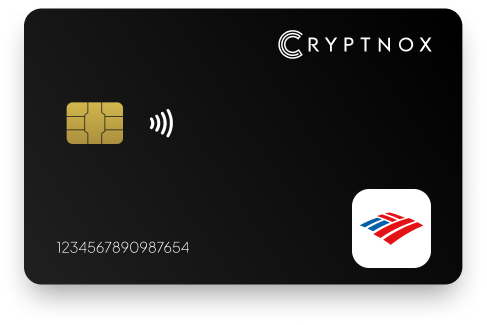
Yes. Cryptnox can be enrolled with Bank of America as a FIDO2/WebAuthn security key for Online Banking’s extra-factor sign-in flow. Bank of America allows up to two security keys and documents use in supported browsers. The Cryptnox Crypto Hardware Wallet – Dual-Card Set gives you two contact and NFC smart cards, so one card can be used day to day and the second can be kept as the backup.

CRYPTNOX products are also available worldwide through our official Amazon stores.

Faster FIDO2 sign-in on Windows: Click-to-Tap
When a service asks you to “tap your security key”, press the Click-to-Tap virtual button on the reader instead of pulling the card out and reinserting it. The card stays in the slot and the sign-in finishes in seconds.
The virtual button works on Windows with Cryptnox FIDO2 cards. On macOS and Linux the same reader operates as a standard PC/SC contact reader for any ISO 7816 card.
Now that bank fraudsters are becoming more sophisticated with their methods, securing your Bank of America is more important than ever.
With our FIDO2 Security Key, you have an additional layer of protection against phishing attacks, identity theft and unauthorised access to your account. Keep your Bank of America account safer with our innovative solutions and enjoy a more secured authentication.

Bank of America uses FIDO2/WebAuthn security keys as an additional factor for Online Banking. For a buyer, that distinction matters: you are adding a hardware-backed prompt to the Bank of America sign-in flow, not replacing the entire account login with a passwordless workflow. Passwordless use is the primary route for services such as Microsoft Entra, Google, and login.gov, but Bank of America is an MFA-first case.
Bank of America also offers passkeys as a separate sign-in feature. Do not treat passkey setup and hardware security-key enrollment as the same purchase decision. If your goal is to add a Cryptnox card to Bank of America, the relevant path is the FIDO2/WebAuthn security-key path in Online Banking.
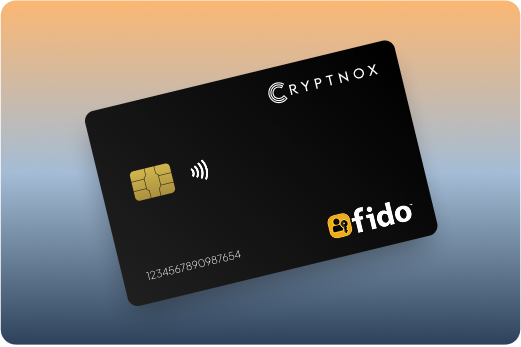
Bank of America says to choose a FIDO-2 or FIDO-certified key for this feature, and the FIDO Alliance lists Bank of America as using security keys for web authentication. The Cryptnox Crypto Hardware Wallet – Dual-Card Set is a contact and NFC smart-card wallet that can serve that Bank of America extra-factor role while also supporting crypto wallet use through the Cryptnox app.
The practical Bank of America question is not whether every Cryptnox feature is involved in every sign-in. It is whether the card can be registered for the bank’s documented security-key flow. The answer is yes: use Online Banking, follow the security-key enrollment route, and plan around the browser and maintenance rules Bank of America applies to registered keys.
Bank of America places security-key registration inside Online Banking’s Security Center. The route is Security Center, then Additional Security Features, then the option to add a security key. Bank of America may require debit-card verification before registration, so have the required account verification ready before you start.
The bank’s own help flow is framed around Online Banking in a supported browser and a key connected to a computer. For Cryptnox, that means you should prepare a reader for the contact smart-card interface when enrolling with Bank of America. The cards are also NFC-capable, but the bank’s documented hardware-key route should be treated as the browser-based computer flow.
For first-time Cryptnox preparation before service enrollment, use the Cryptnox FIDO2 card startup guide. For the bank’s own wording on where the feature sits in Online Banking, see Bank of America’s Security Center instructions.
Bank of America allows up to two security keys. That limit is unusually important for this product because the Cryptnox Dual-Card Set arrives as two uninitialised smart cards. During setup, the seed is generated inside both secure elements, so the second card is not an afterthought; it is the backup card from the beginning.
For a Bank of America account, there are two sensible ways to use that pair. You can enroll only the everyday card with the bank and keep the second card ready as the Cryptnox wallet backup. Or you can enroll both cards with Bank of America, filling the two security-key slots the bank allows. The second approach reduces dependence on one physical card for Online Banking prompts.
There is no recovery phrase to write down by default in the normal Dual-Card Set setup. Importing a 12- or 24-word BIP39 recovery phrase is an advanced option, not the standard path for a buyer setting up the two Cryptnox cards as a paired backup system.
Bank of America documents security-key use in Online Banking with Chrome, Edge, Safari, or Firefox. Internet Explorer is not supported. If you are buying Cryptnox mainly for Bank of America, choose the computer and browser you will use for enrollment before you start the bank flow.
For the documented Bank of America route, use one of the supported browsers and insert the Cryptnox card into a smart-card reader when the bank prompts for the security key. On Linux, the Cryptnox app is needed. The tap-button shortcut is a Windows-only feature, so do not build a macOS or Linux enrollment plan around that shortcut.
The Cryptnox cards can be tapped to a phone for use with the Cryptnox app, and the free app is available on iOS and Android. Bank of America’s security-key help text, however, is framed around Online Banking and does not document hardware-key login support in the mobile app. For this bank, the safest operating habit is to treat the supported browser flow as the security-key route.
Cryptnox support on Android is CTAP1/U2F only. That matters if you use Android for other services, because you should not assume CTAP2 behavior there. For Bank of America, the key purchase decision remains tied to the bank’s browser-based FIDO2/WebAuthn enrollment and sign-in prompts.

Bank of America enrollment uses the card as a FIDO2/WebAuthn extra factor. Crypto wallet use is separate, but the reason many buyers consider Cryptnox is that the same physical cards also operate as a hardware wallet through the Cryptnox app. The app is free on iOS and Android, connects to Web3 via WalletConnect, and works with MetaMask.
For the Bank of America use case, the important hardware detail is that the FIDO credential and wallet keys are handled inside the card’s secure element rather than being exposed as files on the computer used for Online Banking. Each card uses an EAL6+-certified chip, and private keys are generated inside the secure element and never leave it.
The card is a dual-interface smart card: tap it to a phone for Cryptnox app interactions, or insert it into a reader when a computer-based flow such as Bank of America Online Banking asks for a security key. That form factor is especially relevant here because Bank of America’s help text is written for a computer flow, while the crypto wallet side of the purchase can still use phone tapping.
The card itself has no fingerprint or face sensor. When the Cryptnox app is unlocked with a face or fingerprint check, that check is performed by the phone. For Bank of America, expect the bank’s own account sign-in and security-key prompt to control the login experience.
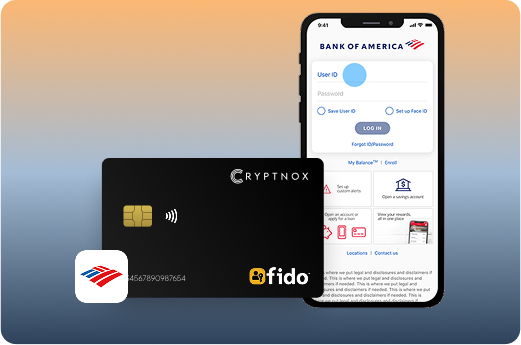
Bank of America’s requirement leaves room for more than one product type because the bank asks for a FIDO-2 or FIDO-certified key. A single-purpose FIDO authenticator can be enough if your only goal is to satisfy Bank of America’s extra-factor prompt. Cryptnox is the better fit when you want that Bank of America security-key route and also want a two-card smart-card wallet system.
A buyer choosing a single-purpose FIDO key should focus on Bank of America’s two-key limit and maintenance rules. If the first key is lost or inactive, account access planning depends on having another registered key or using whatever recovery steps Bank of America makes available in the account flow.
With Cryptnox, the purchase starts with two cards rather than one. That maps neatly to Bank of America’s maximum of two registered security keys. The same cards can then be used with the Cryptnox wallet app, WalletConnect, and MetaMask, which is the reason the product is more than a Bank of America login accessory.
If you are still comparing form factors across services, the FIDO2 security key card hub is a useful starting point. For exchange-focused account protection, compare the Bank of America flow with the Binance FIDO2 security key card guide and the Bitfinex FIDO2 security key card guide.
Bank of America security-key enrollment is not a one-time task you can forget indefinitely. The bank says keys that are not used for six months are removed, and all security keys must be renewed every three years. Those rules should shape how you use the first and second Cryptnox cards after registration.
If you enroll one card, make sure it is the card you will actually use for Online Banking prompts. If you enroll both cards, use both within the bank’s activity window so the backup does not silently fall out of the registered-key list. A two-card plan only helps if both cards remain recognized by Bank of America.
For buyers comparing Bank of America with other service-specific FIDO flows, the parent best FIDO2 security key cards guide gathers the card-format pages in one place. You can also compare workplace-style access in the Cloudflare FIDO2 security key card guide or email account protection in the Fastmail FIDO2 security key card guide.
Yes. Cryptnox can be enrolled with Bank of America through the FIDO2/WebAuthn security-key route in Online Banking. Bank of America uses hardware security keys as an additional sign-in factor for this service, so plan for the card to strengthen the account login rather than replace the whole Bank of America sign-in flow.
Bank of America allows up to two security keys. The Cryptnox Dual-Card Set gives you two smart cards, so you can register one card and keep the second as your Cryptnox backup, or register both cards if you want to fill both Bank of America security-key slots.
Enrollment is inside Online Banking. Sign in, open Security Center, go to Additional Security Features, and choose the option to add a security key. Bank of America may require debit-card verification before registration, so complete that step if the bank asks for it during the setup flow.
Bank of America documents security-key use with Chrome, Edge, Safari, and Firefox. Internet Explorer is not supported. For Cryptnox enrollment and later prompts, use a supported browser and be ready to insert the smart card into a reader when the bank asks for the registered key.
Yes. Cryptnox ships worldwide from the official CRYPTNOX store. Orders to Switzerland, the European Union and the United States are dispatched from stock already held in each of those regions, so the parcel does not cross a customs border into your country and there are no import duties to pay. Orders to other destinations are shipped internationally, and any import duties or local taxes are set by the destination country and are the recipient’s responsibility. Current shipping rates are shown at checkout.
Cryptnox cards can be tapped to a phone for use with the Cryptnox app, but Bank of America’s hardware security-key help text is framed around Online Banking in supported browsers. For Bank of America, plan around the documented browser route rather than assuming mobile-app hardware-key login.
Bank of America says security keys that are not used for six months are removed, and all security keys must be renewed every three years. If you register both Cryptnox cards, use and renew both within those timelines so the backup remains available in the bank’s registered-key list.
No. The Cryptnox card itself has no fingerprint or face sensor. When you use the Cryptnox app, unlock can rely on the phone’s face or fingerprint check. The card remains the hardware device used for the security-key or wallet operation.
Yes. The Dual-Card Set ships uninitialised, and the seed is generated inside both secure elements during setup. The second card is the backup by design. In the normal setup path, there is no recovery phrase to write down by default.