
Yes. Coinbase can use the Cryptnox card as a WebAuthn/FIDO2 security key for 2-step verification after you enter your Coinbase password. Coinbase also refers to U2F security keys, so Android use is CTAP1/U2F rather than CTAP2. Enrol it from Coinbase security settings on the web, use a supported browser, and remember that Coinbase allows a maximum of five security keys.

CRYPTNOX products are also available worldwide through our official Amazon stores.

Faster FIDO2 sign-in on Windows: Click-to-Tap
When a service asks you to “tap your security key”, press the Click-to-Tap virtual button on the reader instead of pulling the card out and reinserting it. The card stays in the slot and the sign-in finishes in seconds.
The virtual button works on Windows with Cryptnox FIDO2 cards. On macOS and Linux the same reader operates as a standard PC/SC contact reader for any ISO 7816 card.
As fraudsters become more sophisticated, securing your Coinbase account has never been more critical.
Enhance your protection with our FIDO2 Security Key, offering an extra layer of defense against phishing, identity theft, and unauthorized access. Safeguard your account with our cutting-edge solutions and experience more secure authentication.

Coinbase uses security keys as a 2-step verification method, so the Cryptnox card is used after the Coinbase password rather than as a Coinbase password replacement. For a buyer, the practical value is that Coinbase sign-in requires a physical card action instead of relying only on a code-based second step.
The Cryptnox card is a contact and NFC smart card. On a phone, you tap the card. On a computer, you insert it into a reader. That dual-interface format matters for Coinbase because Coinbase setup and troubleshooting can depend on browser and device type.
Coinbase supports WebAuthn/FIDO2 security keys for 2-step verification, and Coinbase documentation also refers to Universal Second Factor security keys. Coinbase describes security keys in its 2-step verification guidance, including the need for a supported browser such as a current Chrome, Safari, Edge, or Firefox.
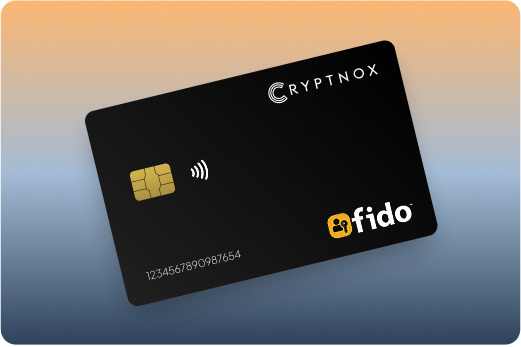
If Coinbase is one account in a wider hardware-key plan, the Cryptnox FIDO2 security key card hub explains the smart-card category before you decide which services to enrol first.
To add the card, sign in to Coinbase and open the 2-step verification settings page. Coinbase also presents the route as Settings > Security, then Available methods or 2-Step Verification. Choose Set up or Security Key and follow the Coinbase prompts for the physical key action.
Use the web settings route when you are setting up a Coinbase security key. Coinbase mobile-app 2-step options may be more limited than the web settings, so the browser route gives you the clearest path to the security-key option.
For the card side of the process, use the Cryptnox FIDO2 Card startup guide before beginning Coinbase enrolment. That preparation helps ensure the card is ready when Coinbase asks for the security key during setup.
Coinbase troubleshooting guidance says to use the same device type used when the key was initially set up. If you enrol on a desktop browser, test Coinbase sign-in on that same class of device before you rely on the key for routine account access.
Coinbase security-key use is not only a question of whether a card supports the right standard. The device, browser and Coinbase entry point also matter. Coinbase requires a supported browser such as a recent Chrome, Safari, Edge, or Firefox, and its mobile-app 2-step options may be more limited than web settings.
For Cryptnox buyers, the platform detail to notice is Android. On Android, the Cryptnox card is CTAP1/U2F only. That matches Coinbase’s reference to U2F security keys, but it should not be treated as a CTAP2 route on Android.
The safest Coinbase routine is to enrol the card in a supported browser, test the sign-in flow on the same device type, and only then make it part of your normal access plan. That keeps Coinbase’s own device guidance aligned with the way you actually intend to use the Cryptnox card.
The product sold for this use case is the Cryptnox Crypto Hardware Wallet – Dual-Card Set. For Coinbase, it can be enrolled as a security key for 2-step verification. For wallet custody, it uses secure elements where private keys are generated and from which those private keys never leave.
The chip platform uses an EAL6+-certified chip. That property belongs to the chip platform, and it is relevant when you are evaluating the secure-element design behind the card used for wallet custody and Coinbase sign-in approval.

The Dual-Card Set ships uninitialised. During setup, the seed is generated inside both secure elements, so the second card is the backup for the wallet setup. By default, there is no recovery phrase to write down for the dual-card setup. Importing a BIP39 seed of 12 or 24 words is an advanced option, not the default path.
Coinbase allows up to five security keys, so a Coinbase account can have more than one enrolled key. If you want the second Cryptnox card to approve Coinbase sign-ins, enrol that card in Coinbase settings as another security key. The wallet backup model and the Coinbase enrolment list are separate systems, so each card you want to use for Coinbase must be added in Coinbase.
Unlock in the Cryptnox app uses the phone’s biometrics. The card itself has no biometric sensor. For a Coinbase buyer, that separation clarifies the workflow: the phone handles local app unlock, and the smart card handles the physical security-key action or wallet key operation.
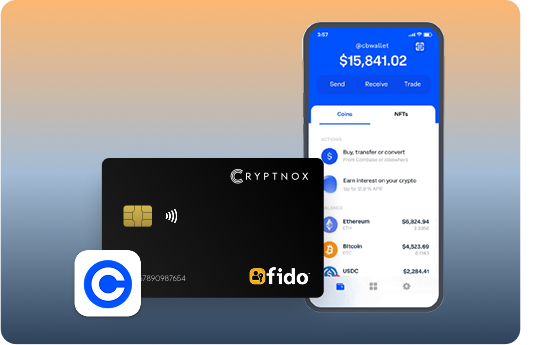
Coinbase security-key enrolment and Cryptnox wallet custody solve different problems. Coinbase enrolment protects access to the Coinbase account through 2-step verification. Cryptnox wallet use keeps private keys generated inside the secure element and prevents those private keys from leaving it.
The free Cryptnox app on iOS and Android is relevant when a Coinbase buyer also wants to manage crypto outside the Coinbase account. The app connects to Web3 through WalletConnect and works with MetaMask, so the card set can support a wallet workflow alongside Coinbase account protection.
For buyers comparing Coinbase with other exchanges, the enrolment details change by service. The Binance security key card guide and the Bitfinex security key card guide cover similar hardware-key decisions for those platforms.
A fair Coinbase comparison should start with Coinbase’s rules, not with a ranked list of brands. Coinbase uses security keys for 2-step verification, requires a supported browser, advises using the same device type used at setup, and allows a maximum of five security keys. Any option on your shortlist has to work inside those constraints.
Common Coinbase security-key shortlists often include Cryptnox, YubiKey, SoloKey and other hardware-key options. The useful comparison is not which name appears first; it is whether the option matches your Coinbase device path, backup plan and wallet needs.
The Cryptnox difference for a Coinbase buyer is the combination of a contact and NFC smart-card format with crypto wallet custody. If you only want a single-purpose sign-in key, compare that against your Coinbase setup device and backup requirement. If you want Coinbase 2-step verification plus a wallet workflow where private keys are generated inside secure elements, the Dual-Card Set answers a different buying need.
If you are also protecting email or banking access, do not assume Coinbase rules apply elsewhere. The Fastmail security key card guide and the Bank of America security key card guide show why each service needs its own enrolment check.
The Cryptnox Crypto Hardware Wallet – Dual-Card Set is the better Coinbase choice when you want a physical security key for Coinbase 2-step verification and you also want card-based wallet custody. It is less about adding another sign-in method and more about choosing one card format for Coinbase approval, wallet key storage and backup planning.
The cards are made in Switzerland. For a Coinbase buyer, the origin detail sits alongside more practical setup checks: enrol through Coinbase security settings, test the same device type you plan to use, and keep within Coinbase’s five-key limit if you add more than one card.
The product page for this configuration is the official Cryptnox Crypto Hardware Wallet – Dual-Card Set. If you are still deciding which services to protect first, the main FIDO2 card collection is the parent guide for comparing Coinbase with other account types.
Yes. Coinbase supports WebAuthn/FIDO2 security keys for 2-step verification, and Coinbase also refers to U2F security keys. Use the Cryptnox card as the physical second step after your Coinbase password, then enrol it from Coinbase security settings in a supported browser.
No. For Coinbase, the card is used for 2-step verification after the Coinbase password. Treat it as an MFA-first method for Coinbase sign-in approval, not as a replacement for the Coinbase account password.
Coinbase allows a maximum of five security keys on an account. If you want both cards in the Dual-Card Set to approve Coinbase sign-ins, enrol each card separately in Coinbase security settings while staying within that limit.
Yes. Cryptnox ships worldwide from the official CRYPTNOX store. Orders to Switzerland, the European Union and the United States are dispatched from stock already held in each of those regions, so the parcel does not cross a customs border into your country and there are no import duties to pay. Orders to other destinations are shipped internationally, and any import duties or local taxes are set by the destination country and are the recipient’s responsibility. Current shipping rates are shown at checkout.
Not always. Coinbase mobile-app 2-step options may be more limited than web settings. For security-key enrolment, use Coinbase security settings in a supported browser such as the latest Chrome, Safari, Edge, or Firefox, then test the sign-in route you plan to use.
On Android, the Cryptnox card is CTAP1/U2F only. Coinbase also refers to U2F security keys, but Android should not be treated as a CTAP2 route for this card. Test the Coinbase sign-in flow on the same device type used during setup.
The Dual-Card Set ships uninitialised. During setup, the seed is generated inside both secure elements, so the second card is the backup for the wallet setup. By default, there is no recovery phrase to write down. Importing a BIP39 seed of 12 or 24 words is an advanced option.
No. The card has no biometric sensor. Unlock uses the phone’s biometrics through the Cryptnox app. The phone handles local app unlock, while the card remains the contact and NFC smart card used for the security-key action and wallet key operations.