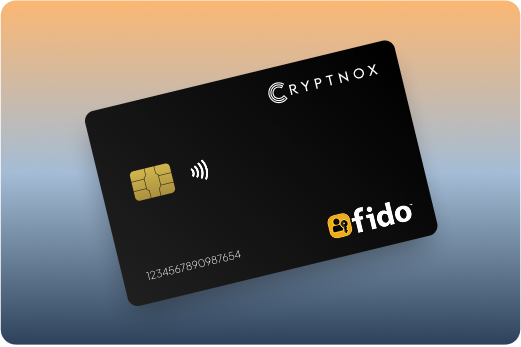
Cryptnox fido card

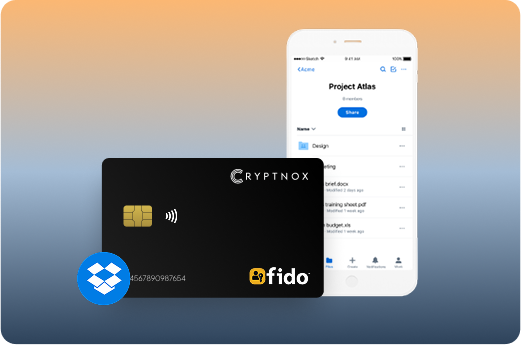
FIDO2 Security Key for Dropbox

Level Up your Microsoft Account Security across services such as Microsoft 365, OneDrive, Xbox Live, Bing and more.

Buy it from CRYPTNOX shop directly

Accepts:

payment-we-accept

Preferred shopping solution for US:

Also available on other Amazon shops:
DE, FR, IT, BE, SE, ES, PL, NL, CA, MX, AU

Cryptnox fido card

The Importance of Dropbox Security

As cyber threats evolve, securing your Dropbox account is more essential than ever.

Strengthen your protection with our FIDO2 Security Key, delivering advanced defense against phishing, identity theft, and unauthorized access. Ensure your account’s safety with our state-of-the-art security solutions and enjoy a more secure authentication experience.

Key Features

Best Hardware Ripple Wallet: How to Secure Your XRP in Cold Storage

What is a Security Key for Dropbox account?

Supported by the FIDO (Fast IDentity Online) Alliance, the Security Key Card secures your Dropbox account with advanced cryptographic technology, offering a more reliable authentication method.

Unlike traditional password-based systems, the Security Key Card is resistant to tampering and exposure, providing robust protection for your account.

CRYPTNOX smart security card with chip

Why You Need FIDO2 Security Key

Nobody wants to fall victim to account takeovers or financial fraud.

Passwords can leave you exposed, as they are vulnerable to hacking and phishing. In fact, research shows that over 61% of data breaches are caused by compromised credentials.

Our FIDO Security Key offers a stronger, more secure alternative to passwords, ensuring seamless access to your Dropbox account. Simply sign in using your Security Key—no need for a username or password.

Benefits of Cryptnox Security Keys

Unmatched Security


Secure your Dropbox account with our FIDO2 Security Key, providing an additional layer of protection against phishing, brute force attacks, and other cyber threats. Rest easy knowing your transactions are highly secure.


Effortless Convenience


Setting up your Security Key is quick and easy. It also offers a more convenient alternative to SMS-based one-time passwords, especially if your device cannot receive SMS or if you’re located outside supported regions.


Seamless Compatibility


Whether you’re using a smartphone or a personal computer, our FIDO2 Security Key integrates seamlessly across devices, browsers, and applications. Trust this innovative solution to keep you secure wherever you go.

Cryptnox fido card
Best Bitcoin Hardware Wallet in 2025

A More Secure Means of Authentication

Our FIDO Security Keys are designed to resist phishing and safeguard your Dropbox account from cybercrime. Minimize your reliance on passwords with this highly secure authentication method, ensuring your account remains protected at all times.

Dropbox1

How to Set Up Your Dropbox Security Key

Dropbox Security Key Setup


Setting up your FIDO2 Security Key for your Dropbox account is quick and straightforward. Follow these simple steps to secure your account:


  1. Purchase your FIDO2 Key: Buy your FIDO2 certified security key here or from our store.
  2. Log In to Your Account: Access your Dropbox account using your credentials.
  3. Navigate to Security Settings: Turn-on Two steps authentication.
  4. Add Your Security Key: Follow the on-screen instructions to add your FIDO2 Security Key. You may need to connect the key via USB or tap it on a compatible device.
  5. Complete the Setup: Follow the on-screen instructions to add your FIDO2 Security Key. You may need to connect the key via USB or tap it on a compatible device.

Best FIDO2 Security Key Cards for Dropbox: Complete Comparison

1. Cryptnox – Best FIDO2 Security Key Cards for Dropbox in 2026

Introducing Cryptnox FIDO2 Security Key, the cutting-edge hardware authenticator designed to eliminate passwords and protect your digital accounts with bank-level security. Built on advanced smartcard technology with NFC-enabled connectivity, our FIDO2 Level 1 certified card delivers seamless passwordless authentication for platforms like Microsoft 365, Apple ID, and Google Workspace. With no software installation required and plug-and-play functionality, Cryptnox FIDO2 works effortlessly with mobile phones, computers, and smartcard readers, empowering businesses and individuals with phishing-resistant, two-factor authentication that’s both secure and convenient.

Product Features

  • No Software Installation Required: Plug-and-play functionality allows immediate use without any software setup, start authenticating right away.
  • NFC-Enabled Connectivity: Convenient NFC support for easy, contactless authentication with mobile devices and compatible readers.
  • FIDO2 Level 1 Certified: Meets industry standards for compatibility with a wide range of services, platforms, and devices worldwide. Learn more about what FIDO2 is and how it works.
  • Multi-Functionality: Equipped with MIFARE DESFire EV2 technology for additional uses beyond authentication, including access control and secure transactions.
  • Advanced Security Standards: Certified EAL6+ and FIPS 140-2 Level 3 compliant, providing robust protection against advanced threats and attacks.
  • Passwordless Authentication: Completely eliminates the need for usernames and passwords, reducing phishing and credential theft risks. Protect yourself from crypto drainers.
  • Public-Key Cryptography: Uses advanced cryptographic methods to protect against phishing, session hijacking, and man-in-the-middle attacks.

Product Specifications:

  • Security: FIDO2 Level 1 certified; EAL6+ and FIPS 140-2 Level 3 compliant; no personally identifiable data stored; prevents phishing and unauthorized access.
  • Integration: Works seamlessly with Microsoft 365, Apple ID, Google Workspace, Windows Hello, and major browsers (Chrome, Firefox, Safari); supports iOS and Android via Cryptnox FIDO2 Card Manager app.
  • Delivery: Fast shipping worldwide; available directly from Cryptnox Shop or Amazon in DE, FR, IT, BE, SE, ES, PL, NL, CA, MX, AU.
  • Performance: NFC-enabled for contactless authentication; plug-and-play with no software installation; compatible with mobile phones, computers, and smartcard readers.

What It’s Built For:

Cryptnox FIDO2 Security Keys are your ultimate solution for:

  • Passwordless Login: Access your accounts without traditional passwords, secure, fast, and phishing-resistant.
  • Enterprise Security: Protect business accounts across Microsoft 365, Google Workspace, and other corporate platforms with hardware-based authentication for remote workforces.
  • Two-Factor Authentication: Add an unbreakable second layer of security to any compatible service or platform, including Coinbase, Binance, Bank of America, Dropbox, and more.
  • Multi-Platform Access: Authenticate seamlessly across Windows, macOS, Linux, iOS, and Android devices.
  • Access Control: Leverage MIFARE DESFire EV2 technology for physical access control and secure transactions beyond digital authentication.
  • PIN Management: Use the FIDO2 Card Manager app to set, change, verify PINs, reset cards, and track multiple security keys efficiently.

Platform Compatibility:

Cryptnox FIDO2 Security Keys work seamlessly with major platforms:

Why Cryptnox Stands Out:

This isn’t just a security key, it’s your shield against modern cyber threats. With FIDO2 Level 1 certification and EAL6+ compliance, Cryptnox delivers military-grade protection that’s accessible to everyone. Unlike password-based systems, our hardware authenticator keeps your private keys secure on the device itself, never exposing them to servers or networks. The plug-and-play design means no technical expertise required, just tap or insert and authenticate. Backed by comprehensive tutorials on how to use your FIDO2 smartcard, global availability across major marketplaces, and multi-functionality through MIFARE DESFire EV2 technology, Cryptnox ensures you stay ahead of cyber criminals with unmatched security, convenience, and reliability.

The Rise of FIDO2 in Enterprise Security:

Organizations worldwide are adopting FIDO2 cards for enterprise security, recognizing the need for passwordless authentication in remote workforces. Understanding the differences between FIDO2 vs FIDO U2F helps you make informed decisions about your security infrastructure.

Cryptnox Hardware Wallet Integration:

Looking for complete crypto security? Combine your FIDO2 security key with our hardware wallets for cryptocurrency. Learn about what hardware wallets are, how to use hardware wallets, and explore our introduction to crypto hardware wallets.

Additional Security Resources:


Cryptnox FIDO2 Security Key – Your Gateway to Passwordless, Phishing-Resistant Authentication.

Ready to eliminate passwords forever? Buy a Cryptnox FIDO2 Security Key now and secure your accounts with cutting-edge authentication technology. Need guidance?

Security Key

Description

Yubico Security Key C NFC

Affordable FIDO2 key with USB-C and NFC support, recognized as an Editors’ Choice option. Excellent beginner-friendly option with reliable tap authentication and broad Dropbox passkey support across web and mobile platforms. Compact flat design for keychain carry.

Yubico YubiKey 5C NFC

Premium multi-protocol key supporting FIDO2, PIV, OpenPGP, and OTP with USB-C and NFC interfaces. Highly versatile with advanced credential management features for power users managing multiple Dropbox accounts (personal and business). Top upgrade pick for comprehensive authentication needs.

Thetis Pro FIDO2

Multi-interface key with USB-A, USB-C, and NFC support. Strong passkey implementation with good performance testing results. Seamless Dropbox two-factor authentication and passkey use across all device types. Value-oriented pricing for multi-protocol functionality.

Token2 T2F2-NFC-Card

Credit-card-sized NFC smartcard supporting FIDO2.1 with PIN protection and open-source firmware. Additional TOTP capability for legacy services. Budget-friendly privacy-focused card measuring 85×53×1mm for wallet carry. Ideal for users prioritizing transparency and Dropbox access.

HID Crescendo C2300

Enterprise smartcard combining FIDO2 with PKI and PIV protocols for converged physical and logical access. Integrates building entry badges with Dropbox login credentials. Ideal for organizations requiring high-assurance authentication and unified identity management across access control systems.

Google Titan Security Key

Simple, reliable FIDO2 key available in USB and NFC variants. Strong Google ecosystem integration but works seamlessly with Dropbox authentication. Good basic option for users seeking straightforward setup and Google account protection alongside cloud storage security.

Nitrokey 3 NFC

Open-source hardware and firmware FIDO2 key with NFC support. Transparent security architecture with multi-protocol capabilities including OpenPGP and PIV. Solid privacy-focused alternative for Dropbox users who value auditable security implementations.

SoloKeys Solo 2

Fully open-source FIDO2 key with community-driven development and publicly auditable firmware. Good option for users prioritizing transparency and verifiable security for Dropbox authentication. USB-based form factor with strong cryptographic implementation.

Feitian ePass / BioPass FIDO2

Reliable FIDO2 key family including biometric fingerprint models and smartcard options. Broad compatibility with FIDO certifications and strong Dropbox performance. BioPass fingerprint cards offer touch authentication convenience without PIN entry.

Identiv uTrust FIDO2

Smartcard and NFC FIDO2 models with multi-protocol support including PIV and OTP. Enterprise-friendly design with FIPS 140-2 options available. Good card-form choice for secure Dropbox access with backup OTP seed capabilities for IAM integration.

Kensington VeriMark

Biometric FIDO2 authenticator using fingerprint scanning technology. Convenient touch authentication without requiring PIN entry for passwordless Dropbox login. Reliable fingerprint matching for quick access across multiple services.

TrustKey T110 / T120

Affordable FIDO2 keys with NFC support at budget-friendly pricing. Solid performance in authentication testing with good compatibility. Easy Dropbox setup process for users seeking cost-effective phishing-resistant protection without premium features.

OnlyKey

Unique FIDO2 key with integrated PIN pad and onboard credential storage. Self-contained design allowing password management alongside hardware authentication. Strong option for advanced users requiring comprehensive security for Dropbox and other services in single device.

Understanding FIDO2 Security for Cloud Storage


FIDO2 provides phishing-resistant authentication through cryptographic protocols that verify website identity before responding to login challenges. Unlike SMS codes or authenticator app numbers that can be intercepted or tricked through fake login pages, hardware keys create domain-specific credentials that only work on legitimate Dropbox domains. 


Cloud storage accounts are prime phishing targets because they contain sensitive documents, financial records, photos, and business data worth stealing. Account takeover gives attackers access to everything you’ve stored and shared, including collaborative workspaces and team folders. Traditional two-factor authentication methods fall victim to sophisticated phishing kits, with MFA phishing tools appearing in 15% of credential-harvesting cases. 


How Public Key Cryptography Protects Your Files


During registration, your security key generates a unique key pair for your Dropbox account. The public key gets stored with Dropbox while the private key stays locked inside your card’s secure element and never leaves the hardware. When logging in, Dropbox sends a challenge that your card signs using its private key after you tap or insert it. 


Dropbox verifies the signed response using your stored public key, confirming you possess the physical card. Hardware key advantages over software authenticators include tamper-resistant secure elements that prevent private key extraction, physical possession requirements that block remote attacks, and domain binding that stops credential reuse on fake websites. beyondidentity

Ransomware attacks increasingly target cloud storage to encrypt synchronized files across all devices. Strong hardware authentication prevents attackers from logging into your Dropbox account even after stealing your password through malware or data breaches. Understanding passkeys and FIDO2 helps you leverage passwordless authentication for enhanced shared folder security, because collaborators can’t accidentally expose access credentials through phishing. 


Setting Up Your FIDO2 Card with Dropbox


Dropbox security key registration takes just a few minutes and works on both free and paid plans. You must enable two-step verification before adding security keys, establishing a backup authentication method in case your card becomes unavailable. 


Registration Steps

  1. Sign in to Dropbox.com and click your profile picture in the top-right corner
  2. Select Settings from the dropdown menu
  3. Click the Security tab to access authentication options
  4. Enable Two-step verification if not already active by clicking “Turn on” and following setup for SMS or authenticator app backup
  5. Under Security Keys section, click Add next to the security key option
  6. Enter your Dropbox password when prompted
  7. Insert your card into a smartcard reader or prepare for NFC tap, then click “Begin setup”
  8. Tap or activate your card when prompted (cards with buttons require pressing the button; contactless cards need NFC tap)
  9. Name your security key for easy identification (example: “Wallet Card” or “Primary Key”)
  10. Click Finish to complete registration


Browser compatibility requires Chrome, Safari, Firefox, or Edge with WebAuthn support enabled. NFC tap setup for mobile apps works identically, open Dropbox app security settings, add security key, and tap your card to the phone when prompted. For detailed guidance, see how to use Cryptnox FIDO2 smartcard for step-by-step instructions. 

Testing your security key before relying on it prevents access issues. Log out of Dropbox completely, then log back in using your card to verify the authentication flow works correctly. Registering backup cards is critical, add at least one additional security key and store it in a separate secure location from your primary card. 

Troubleshooting common issues involves checking that your browser supports WebAuthn, your card reader is properly connected for contact cards, and NFC is enabled on mobile devices. If Dropbox doesn’t detect your card, try refreshing the page and reinserting or retapping the card. 


Using Security Key Cards with Dropbox Services


Your FIDO2 smartcard protects every Dropbox access point once registered. Dropbox web interface authentication at dropbox.com requires card tap or insertion after entering your password, blocking unauthorized access even with stolen credentials. 


Mobile app login protection works identically on iOS and Android Dropbox applications. When you tap your NFC card to your phone, it authenticates through contactless communication without requiring USB connections or adapters. Desktop sync client authentication protects the Dropbox folder on your computer, ensuring synchronized files remain secure if someone gains physical access to your device.


Protecting Collaboration Features


Dropbox Paper document access requires security key authentication when opening shared documents, protecting collaborative content from account takeover. File sharing and collaboration features remain secure because attackers can’t access shared folders or modify permissions without your physical card. 


Shared folder access control benefits from phishing-resistant authentication, collaborators with security keys prevent the entire shared space from compromise through individual account breaches. Team admin dashboard security for Dropbox Business protects sensitive administrative functions like user management, billing access, and team-wide security settings.

Third-party app integration security ensures connected applications can’t bypass your hardware authentication when accessing Dropbox API resources. FIDO2 security keys for remote workforces provide essential protection when teams access shared Dropbox folders from distributed locations. Dropbox Transfer file delivery protection requires your security key when creating transfer links, preventing unauthorized file distribution.

Emergency access considerations require maintaining backup security keys with trusted contacts or secure storage locations. If you lose your primary card without a backup registered, account recovery involves contacting Dropbox support and verifying identity through alternative methods, which can delay file access during critical situations. 


Card-Style vs USB Security Keys for Dropbox Users


Credit-card form factor provides wallet portability that eliminates the key-fob problem of traditional USB security keys. Cards slide into standard wallet slots alongside credit cards and ID badges, ensuring you always have authentication available when accessing files. 


NFC tap convenience surpasses USB connections for mobile authentication, simply hold your card near your phone rather than finding cables or adapters. True card options like Cryptnox FIDO2 Smartcard, Token2 T2F2-NFC-Card, HID Crescendo C2300, and Identiv uTrust models measure standard credit-card dimensions (85×53mm) with minimal thickness for comfortable carry. 


Form Factor Comparison


Compact flat keys like Yubico Security Key C NFC offer USB-C connections with NFC capabilities in smaller keychain-sized designs that aren’t true cards but remain more portable than traditional dongles. Biometric card options such as Feitian BioPass and Kensington VeriMark fingerprint models add touch authentication that replaces PIN entry, though at higher cost points. 


Enterprise cards with PKI integration like HID Crescendo C2300 combine building access badges with Dropbox login credentials, creating converged credentials that simplify carrying multiple cards. Understanding the rise of FIDO2 cards in enterprise security helps organizations evaluate converged credential strategies for physical and digital access.

Budget-friendly options including Token2 T2F2-NFC-Card and TrustKey models provide card-sized or compact authentication at accessible price points for individual users and small teams. Open-source alternatives like Nitrokey 3 NFC and SoloKeys Solo 2 prioritize transparent security through auditable firmware, though most come in USB form factors rather than true card designs. 


Multi-protocol cards such as Token2’s card with TOTP support and Identiv uTrust models offer backup authentication methods beyond FIDO2 for legacy services. When comparing FIDO2 vs FIDO U2F security keys, FIDO2 cards provide passwordless capabilities and resident credentials that older U2F-only devices cannot support. 


When choosing between card and USB form factors, consider your primary Dropbox access patterns. Mobile-heavy users benefit most from NFC card convenience, while desktop-focused users may prefer USB keys with tactile buttons. Backup card storage recommendations include keeping a second registered card in a home safe or secure location separate from your daily-carry primary card, ensuring file access continuity if your wallet is lost or stolen.


Carry phishing-resistant authentication in your wallet with Cryptnox’s FIDO2 security key card for Dropbox and beyond.

FAQs

The Cryptnox security key is a hardware-based authenticator that offers an extra layer of security for your Dropbox account. It is backed by the FIDO2 open authentication standard.

Our security key protects your Dropbox account from fraudsters and cybercriminals attempting malicious activities like identity theft, phishing, data breaches, or fraud. It provides a superior level of security compared to push notifications and SMS-based authentication.

The security key has a Level 1 certification, and the secure chip used features a Common Criteria EAL6+ certification. This implies it conforms to the highest-security standards and offers lasting security against all type of online threats.

FIDO2 is usually seen as a more secure alternative to traditional two-factor authentication methods such as SMS or email codes since it utilizes localized data storage and encryption, lowering the risk of remote attacks.

With a security key, you can enjoy improved online security through the use of password-free authentication. This lowers the risk of phishing and identity theft. It utilises cryptographic keys to better secure your login.

Our security key is highly compatible with major browsers and operating systems that support FIDO2 protocol. This includes recent versions of Chrome, Firefox, Edge, and Safari on platforms like Windows and MacOS.

The security key offers an additional layer of security to your Coinbase password, not to replace it.

You can still access your account and remove the misplaced security key from your account.

Setting up your Security key for your Coinbase account is very simple. The steps below will guide you in securing your account :

  • Purchase your FIDO2 Key
  • Log In to Your Account
  • Navigate to Security Settings
  • Add Your Security Key
  • Complete the Setup