Best Hardware Wallet for Ethereum

Best Hardware Wallet for ETH (Linea)

Secure Your Digital Assets with Confidence

Experience next-level protection for your digital assets with a premium hardware wallet built for security-first users

Designed around advanced encryption and a dedicated secure chip, it delivers robust offline storage while supporting a wide range of digital assets and ecosystems

The streamlined setup lets you get started in minutes, giving you access to true cold storage, reliable backup options, and full control over your assets

Engineered for performance and peace of mind, this hardware wallet is a trusted solution for anyone seeking long-term security beyond online threats

Buy it from CRYPTNOX shop directly

Accepts:

payment-we-accept

Preferred shopping solution for US:

Also available on other Amazon shops:
DE, FR, IT, BE, SE, ES, PL, NL, CA, MX, AU

Best Hardware Wallet for Ethereum

Key Features

Security Ethereum

Security

  • Advanced Asset Protection Leverage: 
next-generation encryption combined with a dedicated secure chip to keep your digital assets fully protected and completely offline

  • Streamlined Setup: Get started in minutes with an intuitive setup process designed for simplicity, allowing you to secure your assets quickly and confidently from day one

  • Unified Asset Management: Manage multiple digital assets from a single secure device, offering flexibility and control without compromising on security

  • Robust Backup & Recovery: Safeguard your assets with advanced backup solutions and a secure recovery system, ensuring full access even in unexpected situations

  • Optimized Transaction Performance: Enjoy fast, reliable transactions built for efficiency and security, delivering a smooth experience while maintaining full asset protection
Getting Started Ethereum

Getting Started

  • Purchase: Get your hardware wallet from our store
  • Setup: Follow the step-by-step instructions to initialize your device securely
  • Backup: Safeguard your recovery information to ensure long-term access to your assets
  • Transfer: Move your assets to the hardware wallet and keep them protected offline

Why Choose Our Hardware Wallet?

Offline Storage

Keeps sensitive access data fully offline, protecting against online threats

Enhanced Protection

Delivers a higher level of security compared to software-based solutions

Fast & Reliable Operations

Enables quick, secure actions while maintaining maximum protection

Best Hardware Wallet for Ethereum

Best Hardware Wallets for ETH (Linea): Complete Comparison

1. Cryptnox – Best Hardware Wallet for ETH (Linea) in 2026

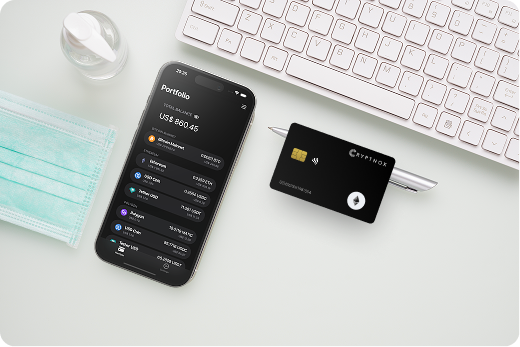
Introducing Cryptnox, the revolutionary hardware wallet designed to keep your digital assets safe, accessible, and fully under your control. Built on advanced smartcard technology, our wallets feature a secure dual-card backup system, biometric authentication, and seamless integration with MetaMask, WalletConnect, and Web3 apps. Whether you’re storing cryptocurrencies, swapping tokens, or diving into DeFi, Cryptnox delivers bank-level security without the complexity, empowering you to manage your portfolio with peace of mind.

Product Features

  • Dual-Card Backup System: Never lose access to your keys with our innovative dual-card setup, allowing secure initialization and recovery using any pair of Cryptnox cards.
  • Biometric Authentication: Add an extra layer of protection with built-in biometrics, ensuring only you can access your wallet.
  • FIDO2 Functionality: Now included with every card, enabling secure logins, consent adjustments, and more across compatible platforms.
  • Multi-Blockchain Support: Access a wide range of networks, including popular ones for DeFi and Web3 applications.
  • PIN/PUK Security: Robust credentials to prevent unauthorized access, with reset options available without compromising your seed.
  • BIP39 Compatibility: Easily import existing seeds or generate new ones for ultimate flexibility.

Product Specifications:

  • Security: Firmware audited by external cybersecurity firms; no personally identifiable data stored; prevents unauthorized access.
  • Integration: Works seamlessly with DeFi apps, Web3 platforms, MetaMask, and WalletConnect; supports iOS and Android apps via Apple Store and Google Play.
  • Delivery: Fast shipping worldwide; available directly from Cryptnox Shop or Amazon in DE, FR, IT, BE, SE, ES, PL, NL, CA, MX, AU.
  • Performance: High-security smartcard tech with quick response times and reliable connectivity. 

What It’s Built For:

Cryptnox hardware wallets are your go-to solution for:

  • Secure Storage: Safeguard your cryptocurrencies with hardware-level protection against hacks and theft.
  • DeFi and Web3 Access: Use your card for decentralized finance, NFTs, and other blockchain applications without exposing your keys.
  • Backup and Recovery: Perform dual-card setups for redundancy, or reset credentials if needed, all while maintaining control.
  • Multi-Account Management: Handle multiple wallets and seeds, including BIP39 imports, for diverse crypto portfolios.
  • Everyday Security: Leverage FIDO2 for secure logins, social sharing, and more in a user-friendly package
  • Specialized Tasks: From token swaps to analytics tracking, Cryptnox adapts to your crypto needs.

Why Cryptnox Stands Out:

This isn’t just a wallet it’s a fortress for your digital future. With no access to your keys by Cryptnox (we never store or see them), audited firmware for top-tier reliability, and global availability, our hardware empowers beginners and experts alike. Backed by comprehensive tutorials, blogs, technical resources, and 24/7 support, Cryptnox ensures you stay ahead in the crypto world with unmatched security, simplicity, and innovation.

Cryptnox Hardware Wallets – Your Gateway to Secure, User-Friendly Crypto Management.

Ready to secure your assets? Buy a Cryptnox Hardware Wallet now and protect your crypto with ease.

Hardware Wallet

Description

Ledger Nano X

Bluetooth flagship with EAL5+ chip supporting 5,500+ assets including ETH/ERC-20/NFTs. Excellent MetaMask integration for Linea dApps with mobile and desktop support via Ledger Live for seamless Layer 2 operations.

Ledger Nano S Plus

Affordable USB option with strong ETH storage and NFT support. Pairs with Ledger Live and MetaMask for Linea network access; supports 100+ apps making it ideal for budget-conscious Layer 2 users.

Ledger Flex

Premium touchscreen with NFC/Bluetooth and modern design for easy ETH/L2 transaction verification. High usability for frequent Linea/DeFi users requiring clear display for zkEVM operations.

Trezor Safe 5

Fully open-source with touchscreen and haptic feedback; reliable ETH support via Trezor Suite or MetaMask. Strong security focus with MicroSD backup; ideal for open-source advocates using Linea.

Trezor Model One

Budget-friendly open-source classic with solid ETH/EVM compatibility. Simple and secure for long-term cold storage of ETH and Linea assets without complex features.

OneKey Pro

Fully open-source premium model with fingerprint, Bluetooth/NFC, and EAL6+ chips. Supports 30,000+ assets with excellent multi-EVM signing including Linea and air-gapped options for maximum security.

OneKey Classic 1S

Affordable open-source wallet with great value for ETH and L2 users. Bluetooth/USB connectivity, multichain support, and verifiable builds for transparent Linea Layer 2 operations.

Tangem Wallet

NFC card-based with no battery or charging required; backup cards for redundancy. Simple tap-to-phone ETH support ideal for minimalist, long-term cold storage of Linea assets.

SafePal S1

Very affordable air-gapped wallet using QR codes; supports many chains including ETH. Self-destruct chip for tamper protection making it good for beginners on a budget exploring Linea.

ELLIPAL Titan (2.0)

Large-screen fully air-gapped wallet robust for ETH, NFTs, and staking. High security with manual updates suitable for multi-chain Linea interactions requiring complete offline protection.

Keystone 3 Pro

Open-source air-gapped QR code wallet and official MetaMask partner. Supports multisig, ETH multi-chain, and clear transaction decoding; strong for advanced DeFi on Linea zkEVM.

BitBox02

Swiss-made open-source wallet with secure element and native ETH + EVM chain support via Rabby/MetaMask. Clean interface and privacy-focused design for straightforward Linea usage.

CoolWallet Pro

Bluetooth-enabled card-style wallet with explicit Linea support confirmed. Mobile-first with air-gapped signing options; convenient for on-the-go ETH/L2 use with native Linea integration.

D’Cent Biometric Wallet

Fingerprint biometric authentication with ETH and broad token support. User-friendly with good mobile integration for Linea transactions requiring quick biometric approval.

NGRAVE ZERO

Premium fully air-gapped wallet using QR codes; high-end build with strong ETH/ERC-20 support. Excellent for maximum security and offline peace of mind with Linea Layer 2 assets.

KeepKey

Simple, durable USB wallet with ShapeShift integration and reliable ETH support. Straightforward for basic cold storage of ETH and Linea assets without advanced features.

SecuX V20

Bluetooth wallet with large color screen supporting ETH and broad multi-crypto. Good balance of usability and security for hardware signing on Linea network.

BC Vault

Unique multi-key/shard security model with wide coin support including ETH. Strong against single-point failures for serious ETH holders managing Linea Layer 2 positions.

GridPlus Lattice1

High-end desktop-focused wallet with superior transaction decoding for complex ETH/DeFi/Linea smart contracts. Ideal for power users needing detailed verification of zkEVM operations.


What to Look for in a Hardware Wallet for Linea Layer 2

Choosing a hardware wallet for Linea requires understanding both zkEVM compatibility and Layer 2-specific security features. Linea Network reached over $1 billion in total value locked in September 2025, making secure storage increasingly critical for DeFi participants. 

zkEVM and EVM Compatibility

Your hardware wallet must support custom network configuration to add Linea’s RPC endpoints. All modern hardware wallets work with Linea through MetaMask, but the integration quality varies significantly. Look for wallets that seamlessly connect to MetaMask’s native Linea network support without requiring complex manual setup.

The wallet should handle EVM-compatible transactions smoothly since Linea uses Type 2 zkEVM technology that maintains full Ethereum compatibility. This means your hardware wallet signs transactions identically to Ethereum mainnet, but you need clear on-device verification to confirm you’re interacting with Linea network addresses. 

Transaction Verification Features

Hardware wallets with superior displays help you verify zkEVM transaction details before signing. Zero-knowledge rollup transactions bundle multiple operations, making clear on-device confirmation essential for security. The wallet should show the destination address, amount, and network clearly to prevent phishing attacks targeting Layer 2 users. 

Look for these verification capabilities:

  • Clear display of Linea network identification
  • Smart contract address confirmation for DeFi protocols
  • Gas fee display in ETH (showing Linea’s lower costs)
  • Token contract verification for ERC-20 transfers
  • NFT transfer confirmation with collection details

MetaMask and WalletConnect Integration

MetaMask integration is essential since Linea is included in MetaMask by default. Your hardware wallet for Linea should connect seamlessly through MetaMask’s hardware wallet support, allowing you to interact with Linea dApps while keeping private keys secured offline. 

WalletConnect support expands your access to the Linea ecosystem, including DeFi protocols like SyncSwap, Velocore, and other platforms. The wallet should handle WalletConnect sessions securely, requiring on-device confirmation for each dApp connection and transaction signature. 

Secure Element and Certification

Hardware wallets with EAL5+ or EAL6+ certified secure elements provide bank-grade security for your Linea assets. These chips protect your private keys even if someone gains physical access to the device. The secure element ensures that zkEVM transaction signing happens in an isolated, tamper-resistant environment. 

Biometric authentication adds another security layer, especially for frequent Linea DeFi users who need quick but secure access to their wallets. Dual-card backup systems provide redundancy if your primary wallet is lost or damaged.

Bridge Security Considerations

Linea’s native bridge requires careful transaction verification when moving assets between Ethereum mainnet and Layer 2. Your hardware wallet must clearly display bridge transactions, showing both source and destination networks. This prevents attacks where malicious dApps try to trick users into bridging to wrong addresses or networks. 

Look for wallets that support:

  • Clear “from network” and “to network” display
  • Bridge contract address verification
  • Token approval amount confirmation
  • Estimated bridge completion time awareness

Understanding Linea zkEVM Security Requirements

Linea uses zero-knowledge rollup technology to bundle transactions off-chain and post validity proofs to Ethereum mainnet. This architecture creates specific security considerations that differ from both Ethereum mainnet and optimistic rollup Layer 2 networks. 

Zero-Knowledge Proof Security Model

ZK-rollups like Linea use cryptographic proofs (SNARKs) to validate transactions without revealing transaction details. Your hardware wallet protects the signing process, ensuring that even though transactions are batched off-chain, your private keys never leave the secure element. This means cold storage principles remain fully effective on Linea Layer 2. 

The lattice-powered prover technology used by Linea creates validity proofs that are quickly verified on Ethereum mainnet. Hardware wallets play a crucial role by ensuring that the transaction you sign matches what actually gets included in the rollup batch. Always verify transaction details on your wallet’s physical display before confirming. 

Private Key Protection for Layer 2

Your private keys work identically across Ethereum mainnet and Linea, which means one seed phrase secures assets on both networks. Hardware wallets with BIP32/BIP39 compatibility ensure your Linea addresses derive from the same hierarchical deterministic wallet structure as your Ethereum addresses. This simplifies backup while maintaining security.

Never enter your seed phrase into any software wallet or browser extension. Use your hardware wallet’s secure element for all transaction signing, whether you’re interacting with Ethereum mainnet or Linea Layer 2. The Cryptnox dual-card backup system provides additional security by distributing your backup across multiple physical cards.

Transaction Finality on Linea

Linea transactions achieve faster finality than Ethereum mainnet because the zkEVM prover generates validity proofs quickly. However, final settlement still occurs on Ethereum Layer 1, typically taking a few hours for complete security guarantees. Hardware wallets can’t speed up finality, but they ensure every transaction you sign is legitimate. 

Understanding finality matters when:

  • Bridging large amounts between networks
  • Accepting high-value NFT transfers
  • Participating in time-sensitive DeFi operations
  • Withdrawing assets from Linea to Ethereum mainnet

Smart Contract Interaction Risks

Linea’s EVM equivalence means you can interact with smart contracts just like on Ethereum mainnet. However, Layer 2 networks often have newer protocols with less battle-tested code. Your hardware wallet provides the critical function of requiring manual approval for every smart contract interaction, giving you time to verify the dApp’s legitimacy. 

Hardware wallets with advanced transaction decoding show you what a smart contract will actually do before you approve it. This feature is particularly valuable on Linea where DeFi protocols are rapidly launching and evolving. 

Backup Strategies for Layer 2

Your hardware wallet backup (seed phrase) secures both Ethereum and Linea assets since they use the same address space. Store your seed phrase offline using: docs.linea

  • Metal backup plates resistant to fire and water
  • Multiple geographic locations for redundancy
  • Encrypted digital backups (only if you understand the risks)
  • Dual-card systems that split backup responsibility

Never photograph your seed phrase or store it in cloud services. If you lose access to your hardware wallet, you can recover all Linea and Ethereum assets using just the seed phrase in a new compatible wallet.

Connecting Hardware Wallets to Linea Network

Setting up your hardware wallet for Linea involves adding the network to MetaMask and configuring secure signing for Layer 2 transactions. The process takes just a few minutes and works with all major hardware wallets that support custom EVM networks.

Adding Linea Network to MetaMask

Linea Mainnet comes pre-configured in MetaMask browser extension and mobile app. Simply open MetaMask’s network switcher and select Linea from the available networks. Your hardware wallet will automatically work with this network once connected to MetaMask. 

For manual configuration or troubleshooting, you can add Linea using these network details:

  • Network Name: Linea Mainnet
  • RPC URL: Available on Linea documentation
  • Chain ID: Linea’s specific identifier
  • Currency Symbol: ETH
  • Block Explorer: Linea’s native explorer

ChainList provides an automated method to add Linea. Visit ChainList, search for “Linea Network,” and click “Connect Wallet” to add the network configuration automatically to MetaMask. Your hardware wallet will handle signing through MetaMask’s hardware wallet interface. 

Hardware Wallet Transaction Signing

When you initiate a transaction on Linea through MetaMask with a connected hardware wallet, the signing request gets sent to your physical device. You’ll see transaction details on the wallet’s screen including the recipient address, amount, and estimated gas fee (which will be significantly lower than Ethereum mainnet). 

Always verify these details carefully:

  • Confirm the address matches your intended recipient
  • Check that the network is Linea (not Ethereum mainnet)
  • Verify the token contract for ERC-20 transfers
  • Review gas fees to ensure they’re reasonable for Layer 2

Your professional hardware wallet provides AES256 encrypted communication between the device and your computer, preventing man-in-the-middle attacks during the signing process.


Interacting with Linea DeFi Protocols

Linea hosts numerous DeFi protocols including lending platforms, decentralized exchanges, and liquidity management tools. Protocols like Aave, Etherex, and other platforms have deployed on Linea, taking advantage of the network’s 15x lower transaction costs compared to Ethereum mainnet. 

To interact with DeFi using your hardware wallet:

  1. Connect MetaMask to the Linea dApp
  2. Ensure your hardware wallet is connected to MetaMask
  3. Review the smart contract interaction on your wallet’s display
  4. Confirm token approvals carefully (limit amounts when possible)
  5. Sign the transaction after verifying all details

NFT Marketplace Integration

Linea supports NFT minting, trading, and collecting through platforms integrated with the ecosystem. Your hardware wallet secures NFT transfers by requiring on-device confirmation for each transaction. When minting or purchasing NFTs on Linea, you’ll benefit from significantly lower gas fees while maintaining Ethereum-grade security. 

CoolWallet users can mint NFTs on platforms like Bilinear using the Web3 browser. The process works similarly with other hardware wallets through MetaMask’s WalletConnect integration. Always verify the NFT collection address on your hardware wallet’s display to avoid counterfeit collections. 

Bridge Operations with Hardware Security

The Linea native bridge (https://bridge.linea.build) allows you to move assets between Ethereum and Linea. Hardware wallet security is especially critical during bridge operations since these transactions involve approving smart contracts to handle your assets. 

When bridging with a hardware wallet:

  • Verify the bridge contract address matches official documentation
  • Check token approval amounts (approve only what you’re bridging)
  • Confirm both source and destination addresses
  • Understand that bridges may take several minutes to hours
  • Keep transaction records for tracking cross-chain transfers

LayerZero and other cross-chain protocols also support Linea, providing additional bridging options that work with hardware wallet signatures. 

Hardware Wallets for Linea DeFi and NFTs

Linea’s DeFi ecosystem has grown substantially, with the network reaching over $1 billion in total value locked by September 2025. This growth reflects increasing adoption of Linea-based protocols for trading, lending, and yield generation, all of which require secure hardware wallet protection

Linea DeFi Protocol Compatibility

Hardware wallets work seamlessly with major Linea DeFi protocols through MetaMask integration. Platforms like Aave, Etherex, and Renzo operate on Linea, offering lending, borrowing, and liquid staking services. Your hardware wallet signs each protocol interaction, ensuring that even if your computer is compromised, attackers cannot access your assets. 

DEX platforms like SyncSwap and XY Finance enable token swaps with hardware wallet security. When swapping tokens on Linea: 

  • Verify the DEX contract address on your device
  • Check the input and output token amounts
  • Review slippage tolerance settings
  • Confirm gas fees (typically 15-20x lower than Ethereum)
  • Approve token spending limits carefully

Yield Farming with Hardware Protection

Yield farming on Linea involves depositing assets into liquidity pools or lending protocols to earn rewards. The Linea Ignition program distributed 1 billion LINEA tokens to incentivize liquidity providers on platforms like Aave and Etherex. Hardware wallets allow you to participate in these programs while keeping your private keys offline. 

For yield farming security:

  • Review LP token contract addresses before depositing
  • Understand the protocol’s smart contract risks
  • Use hardware wallet approval for all deposit/withdrawal operations
  • Monitor your positions regularly
  • Keep detailed records of farming positions and rewards

NFT Minting and Trading Security

Linea’s lower gas fees make NFT activities more affordable while maintaining Ethereum’s security. Hardware wallets protect NFT collectors by requiring physical confirmation for each mint or purchase. This prevents malicious websites from draining NFTs or tricking users into signing unauthorized transfers. 

When trading NFTs on Linea:

  • Verify the marketplace contract address
  • Confirm NFT collection authenticity on your device screen
  • Check that you’re minting the correct quantity
  • Review marketplace fees and royalties
  • Be cautious of NFTs with suspicious smart contract permissions

Managing Multiple Linea dApps

The Linea ecosystem includes gaming, social applications, and other dApp categories beyond DeFi. Your hardware wallet manages access to all these dApps through MetaMask or WalletConnect, providing a single secure signing device for your entire Linea activity. 

Best practices for multi-dApp management:

  • Disconnect hardware wallet when not actively using dApps
  • Review active connections in MetaMask regularly
  • Use separate hardware wallet accounts for different activity levels
  • Consider using multiple wallets for high-value vs. experimental dApps
  • Keep firmware updated for latest security features

Emergency Procedures for Linea Assets

If you suspect your wallet has been compromised, act quickly to protect your Linea assets. Hardware wallets provide security even if your computer is infected, but you should still take precautions:

  • Immediately move assets to a new hardware wallet address
  • Revoke token approvals for suspicious contracts
  • Check recent transactions on Linea block explorer
  • Never enter your seed phrase into any website or application
  • Contact hardware wallet support if you suspect device tampering

Transaction Verification and zkEVM Operations

Transaction verification on Linea differs from Ethereum mainnet because zkEVM networks bundle operations into zero-knowledge proofs before submitting to Layer 1. Hardware wallets play a critical role by ensuring you understand and approve each transaction before it enters the rollup batch. 

Importance of Display Quality

Hardware wallets with clear, large displays significantly improve security for zkEVM transactions. The wallet screen shows the destination address, amount, token type, and network before you approve. Touchscreen models like Ledger Flex and Trezor Safe 5 make reviewing complex transaction details easier, especially for DeFi operations involving multiple tokens. 

Small or low-resolution screens can make it difficult to verify full addresses, increasing phishing risk. Premium wallets like GridPlus Lattice1 offer desktop-sized screens with detailed transaction decoding that shows exactly what smart contracts will do with your assets.

Smart Contract Interaction Visibility

Basic hardware wallets may only show raw transaction data, while advanced models provide human-readable transaction decoding. This feature is particularly valuable on Linea where you might interact with newer DeFi protocols whose contracts are less familiar. 

Transaction decoding shows:

  • Protocol name and function being called
  • Token amounts being deposited or withdrawn
  • Approval limits for token spending
  • Recipient addresses in clear text
  • Estimated transaction outcomes

GridPlus Lattice1 specializes in detailed smart contract verification, making it ideal for power users managing complex DeFi positions on Linea.

Verifying Linea dApp Permissions

When connecting to Linea dApps, you’ll encounter permission requests for token approvals and wallet connections. Hardware wallets force you to review these permissions before granting access. Always use limited approvals rather than infinite approval amounts when possible. 

Permission types to verify:

  • View account addresses (relatively safe)
  • Sign messages (review message content carefully)
  • Approve token spending (limit amounts)
  • Execute contract functions (understand what they do)
  • Access NFT collections (verify marketplace legitimacy)

Understanding Zero-Knowledge Proof Transactions

Zero-knowledge proofs allow Linea to validate transactions without revealing all details publicly. From a hardware wallet perspective, you’re still signing standard Ethereum transactions, but understanding the zkEVM architecture helps you appreciate the security model. 

Key zkEVM concepts:

  • Transactions are bundled off-chain into batches
  • Validity proofs prove correct execution without replaying every transaction
  • Final settlement occurs on Ethereum Layer 1
  • Hardware wallets secure the initial transaction signature
  • Your assets remain under your exclusive control throughout

Security Checklist for zkEVM Operations

Before signing any Linea transaction on your hardware wallet, complete this security checklist:

  • Verify you’re connected to Linea network (not a phishing copy)
  • Confirm the recipient address matches your intended destination
  • Check token contract addresses for ERC-20 transfers
  • Review gas fees to ensure they’re reasonable for Layer 2
  • Understand what smart contract functions you’re approving
  • Verify dApp URLs match official documentation
  • Check for HTTPS and valid security certificates
  • Review token approval amounts (use limited approvals)
  • Confirm transaction details on hardware wallet display
  • Trust your instincts, if something seems wrong, cancel the transaction

Your hardware wallet provides the final security layer with on-device transaction verification, protecting against compromised browsers, infected computers, and phishing websites targeting Linea users.


Secure your ETH on Linea with confidence, compare the top hardware wallets now to find the safest option for your Layer 2 assets, DeFi activity, and NFTs.

FAQs

The Cryptnox solution is a high-security hardware wallet based on the latest smartcard technology available
 A seed is either generated or injected as part of the initialization process, which makes it compatible with the BIP32 and BIP39 standards
When choosing the Dual Card Setup option, you can generate an identical seed in two cards in only seconds, and store the backup card in a safe place for recovery

A hardware wallet is a physical device designed to securely store private keys offline
Keeping sensitive data disconnected from the internet, it significantly reduces exposure to hacking, malware, and phishing attacks

Unlike software wallets that operate on internet-connected devices, hardware wallets isolate private keys in a secure environment
Transactions are signed internally, ensuring keys never leave the device or are exposed online

Yes! Hardware wallets are ideal for long-term asset protection
 Offline storage, durable hardware, and secure backup mechanisms make them well-suited for holding assets safely over extended periods

Access can be restored using a secure recovery process, typically based on a recovery phrase or backup solution created during setup
This ensures assets remain accessible even if the physical device is no longer available

Modern hardware wallets are designed with user-friendly interfaces and guided setup processes
This makes them accessible to beginners while still meeting the security standards required by advanced users