
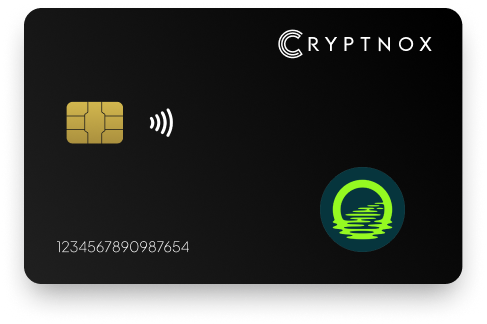
Cryptnox supports MOVR as the Base ERC-20 token at contract 0x43fEB74608334DDa8c1a6500D185cFC3Ea962B83. This is the EVM/Base representation of MOVR, not legacy or native Moonriver/Polkadot MOVR. MOVR is not pre-programmed on the card; add it once through Add a Network or Add a Token. The receiving address uses the 0x-prefixed 20-byte EVM format, and the private keys are generated inside the secure element.

CRYPTNOX products are also available worldwide through our official Amazon stores.

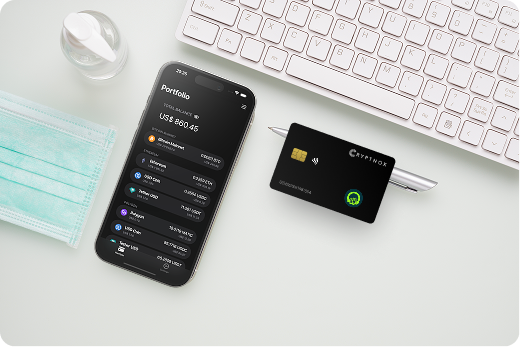
For Cryptnox MOVR support, the asset to add is Base ERC-20 MOVR at contract 0x43fEB74608334DDa8c1a6500D185cFC3Ea962B83. The chain is Base, the standard is ERC-20 on Base, and the receiving address is a 0x-prefixed 20-byte EVM address.
This route matters because MOVR can still appear with Moonriver or Polkadot-related wording in other places. The MOVR representation holdable with Cryptnox is not legacy Moonriver MOVR and not native Polkadot MOVR. If a platform shows only the MOVR ticker without the Base ERC-20 route, verify the network before receiving to the Cryptnox address.
The Moonbeam Foundation announced MOVR migration to Base, so the network label is part of the asset identity for this setup. A MOVR ticker alone does not identify the route. On Cryptnox, MOVR is added by the user rather than arriving as a ready-made token entry.
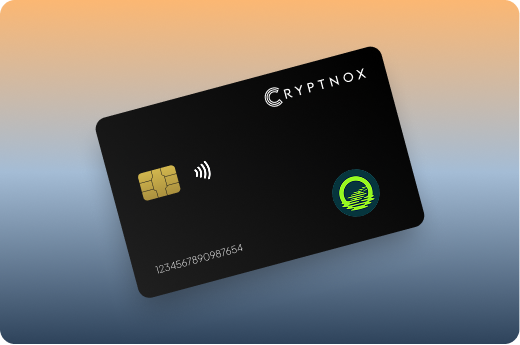
The Cryptnox card does not arrive with MOVR already enabled. Add MOVR once through Add a Network or Add a Token, then verify the Base ERC-20 contract before using the 0x address. That first setup step is important because a generic MOVR name can point to the wrong route.
For buyers checking several assets before ordering, the Cryptnox coin and blockchain support page helps with broader asset planning, while MOVR requires the Base ERC-20 details listed here. If your purpose is specifically a Moonriver wallet, the contract address should be treated as the deciding identifier.
When adding the token, match the data exactly. Use Base as the chain, ERC-20 on Base as the standard, and 0x43fEB74608334DDa8c1a6500D185cFC3Ea962B83 as the MOVR contract. The receiving address begins with 0x because the holdable MOVR representation uses the EVM address format.
If a withdrawal or transfer screen separates networks by route, choose the route that corresponds to Base ERC-20 MOVR. If the screen offers a Moonriver-native or Polkadot-native MOVR route, that is not the token representation described for Cryptnox. Kraken also notes MOVR migration handling in its MOVR migration support article, which reinforces why network labels need to be read before moving funds.
Base ERC-20 MOVR uses a 0x-prefixed 20-byte EVM address. That address format is necessary for this route, but it is not enough by itself. The network and contract must also match Base ERC-20 MOVR. A 0x address can appear in more than one EVM-style workflow, so the MOVR contract is the practical safeguard against choosing the wrong representation.
Before receiving MOVR to Cryptnox, check the following details in the same screen or workflow. If any item differs, correct the asset entry before using the address.
This checklist is especially important for MOVR because the asset name can still be associated with older Moonriver infrastructure. The Cryptnox setup is built around the Base token contract, not around a legacy Moonriver address path. A buyer searching for a Moonriver wallet should treat Base, ERC-20, and the contract address as the actual support route.
For Base ERC-20 MOVR, the 0x receiving address is backed by private keys generated inside the Cryptnox secure element. Those private keys never leave the secure element. The visible MOVR address can be used in the Base ERC-20 workflow, while the key material tied to that address remains inside the card.
The card platform uses an EAL6+-certified chip. That chip property sits underneath the MOVR setup: the card can hold the keys for the EVM address used with the Base MOVR contract, without exporting those private keys. The result is a smart-card approach to holding the Base token representation rather than a software-only MOVR address.
Unlocking the Cryptnox app can use the phone’s face or fingerprint unlock when the phone supports it. The card itself has no face or fingerprint sensor. For MOVR holders, that separation is useful: the phone provides the app unlock experience, while the card holds the private keys for the Base ERC-20 MOVR address.
The card is a contact and NFC smart card. You can tap it to a phone for the mobile workflow or insert it into a reader. For MOVR, both interfaces lead back to the same requirement: add the Base ERC-20 token details and keep the private keys for the 0x address inside the secure element.
The Cryptnox Crypto Hardware Wallet – Dual-Card Set ships uninitialised. During setup, the seed is generated inside both secure elements, so the second card is the backup for the same wallet that can later hold Base ERC-20 MOVR. The backup model is tied to the two-card setup rather than to writing down a phrase by default.
For a MOVR buyer, that means the backup card protects access to the wallet address used for the Base token contract 0x43fEB74608334DDa8c1a6500D185cFC3Ea962B83. The second card is not a later manual copy of the MOVR token entry. It is part of wallet initialisation, while the MOVR token details are added once as the Base ERC-20 representation.
The default Dual-Card Set setup does not require writing down a recovery phrase. Importing an existing BIP39 recovery phrase is available as an advanced option, but the default path for a new MOVR holder is to initialise both cards together and use the second card as the backup. After that, add MOVR by matching Base, ERC-20, the 0x address format, and the contract.
The Cryptnox app is free on iOS and Android. It connects to Web3 through WalletConnect and works with MetaMask. For MOVR, the app workflow should be matched to the Base ERC-20 token route, because Cryptnox holds the EVM/Base representation and not native Moonriver/Polkadot MOVR.
When MetaMask is part of the workflow, add or verify the MOVR token as Base ERC-20 MOVR with contract 0x43fEB74608334DDa8c1a6500D185cFC3Ea962B83. The 0x address format may look familiar, but the contract and network are what identify this MOVR representation. Do not rely on the ticker alone.
The Cryptnox hardware wallet tutorials can guide the card and app setup, while the MOVR-specific part is the token route. Install the app, initialise the Dual-Card Set, add the Base network or MOVR token details, and confirm the contract before receiving. Those steps keep the setup aligned with the MOVR representation that Cryptnox can hold.
MOVR is an EVM/Base token entry in the Cryptnox setup, so it belongs in the same wallet planning conversation as other assets whose networks and address formats need to be checked before receiving. The Cryptnox hardware wallet collection is useful when choosing the Dual-Card Set for more than one asset, but MOVR still depends on the Base ERC-20 contract shown here.
If you also hold assets on Polygon, the Polygon hardware wallet page is a relevant comparison because both workflows can involve EVM-style addresses, while the network and token details differ. That comparison helps avoid treating every 0x address as interchangeable with Base MOVR.
If you also use Tron, the Tron hardware wallet page shows why address format and network wording must be checked asset by asset. MOVR uses the Base ERC-20 route and a 0x-prefixed 20-byte EVM address; Tron does not use the same route.
For buyers splitting holdings across multiple chains, the Bitcoin hardware wallet page is another contrast: Bitcoin is not added as a Base ERC-20 token, while MOVR on Cryptnox is. Add each asset by its own network, standard, address model, and contract details.
The product used for this MOVR setup is the Cryptnox Crypto Hardware Wallet – Dual-Card Set. It is a Swiss-engineered contact and NFC smart-card wallet. After initialisation, the second card serves as the backup for the wallet that can hold Base ERC-20 MOVR.
Before receiving MOVR, prepare the exact token entry rather than searching only by name. Use Base as the chain, ERC-20 as the standard, the 0x-prefixed EVM address format, and contract 0x43fEB74608334DDa8c1a6500D185cFC3Ea962B83. That is the setup path for MOVR on Cryptnox.
For a buyer who wants a Moonriver wallet, the key decision is not whether the MOVR name appears somewhere in a list. The key decision is whether the wallet setup matches the Base ERC-20 MOVR contract and keeps the private keys for that 0x address inside the secure element. That is the Cryptnox MOVR route.
Cryptnox can hold MOVR as the Base ERC-20 token at contract 0x43fEB74608334DDa8c1a6500D185cFC3Ea962B83. This is the EVM/Base representation of MOVR. It is not legacy Moonriver MOVR and not native Polkadot MOVR, so the network and contract must be checked before receiving.
No. MOVR is not pre-programmed on the Cryptnox card. Add it once through Add a Network or Add a Token. Use Base as the chain, ERC-20 as the standard, and 0x43fEB74608334DDa8c1a6500D185cFC3Ea962B83 as the MOVR contract.
Base ERC-20 MOVR uses a 0x-prefixed 20-byte EVM address. The address format should be checked together with the Base network and the MOVR contract. A 0x address by itself does not prove that the token route is correct.
Yes. The free Cryptnox app connects to Web3 through WalletConnect and works with MetaMask. For MOVR, add or verify the Base ERC-20 token details in the workflow, including contract 0x43fEB74608334DDa8c1a6500D185cFC3Ea962B83, before receiving.
The Dual-Card Set ships uninitialised. During setup, the seed is generated inside both secure elements, so the second card is the backup for the wallet that can hold Base ERC-20 MOVR. The default setup does not require writing down a recovery phrase.
No. The card has no face or fingerprint sensor. Unlocking in the Cryptnox app can use the phone’s face or fingerprint unlock when the phone supports it. The MOVR private keys remain inside the card’s secure element.
The Cryptnox card platform uses an EAL6+-certified chip. For Base ERC-20 MOVR, the private keys for the 0x EVM address are generated inside the secure element and never leave it. MOVR is still added by the user as a Base token.
No, and on this network that is not a limitation. The Cryptnox wallet uses one address per chain. HD address rotation comes from Bitcoin’s UTXO model and the BIP32/BIP44/BIP49/BIP84 derivation scheme; on account-model networks each account is a single fixed address by design, so the question does not apply in the same way. Cryptnox’s single-address-per-chain behaviour matches how these networks work.
At the cryptography layer the card derives keys along BIP32 and SLIP-10 paths, one path per supported chain, though that is not exposed in the app as multi-address management.