OKB

Best Hardware Wallet for OKB (OKB)

Secure Your Digital Assets with Confidence

Experience next-level protection for your digital assets with a premium hardware wallet built for security-first users

Designed around advanced encryption and a dedicated secure chip, it delivers robust offline storage while supporting a wide range of digital assets and ecosystems

The streamlined setup lets you get started in minutes, giving you access to true cold storage, reliable backup options, and full control over your assets

Engineered for performance and peace of mind, this hardware wallet is a trusted solution for anyone seeking long-term security beyond online threats

Buy it from CRYPTNOX shop directly

Accepts:

payment-we-accept

Preferred shopping solution for US:

Also available on other Amazon shops:
DE, FR, IT, BE, SE, ES, PL, NL, CA, MX, AU

OKB

Key Features

Security OKB

Security

  • Advanced Asset Protection Leverage: 
next-generation encryption combined with a dedicated secure chip to keep your digital assets fully protected and completely offline

  • Streamlined Setup: Get started in minutes with an intuitive setup process designed for simplicity, allowing you to secure your assets quickly and confidently from day one

  • Unified Asset Management: Manage multiple digital assets from a single secure device, offering flexibility and control without compromising on security

  • Robust Backup & Recovery: Safeguard your assets with advanced backup solutions and a secure recovery system, ensuring full access even in unexpected situations

  • Optimized Transaction Performance: Enjoy fast, reliable transactions built for efficiency and security, delivering a smooth experience while maintaining full asset protection
Getting Started OKB

Getting Started

  • Purchase: Get your hardware wallet from our store
  • Setup: Follow the step-by-step instructions to initialize your device securely
  • Backup: Safeguard your recovery information to ensure long-term access to your assets
  • Transfer: Move your assets to the hardware wallet and keep them protected offline

Why Choose Our Hardware Wallet?

Offline Storage

Keeps sensitive access data fully offline, protecting against online threats

Enhanced Protection

Delivers a higher level of security compared to software-based solutions

Fast & Reliable Operations

Enables quick, secure actions while maintaining maximum protection

OKB

Best Hardware Wallets for OKB (OKB)

1. Cryptnox – Best Hardware Wallets for OKB (OKB) in 2026

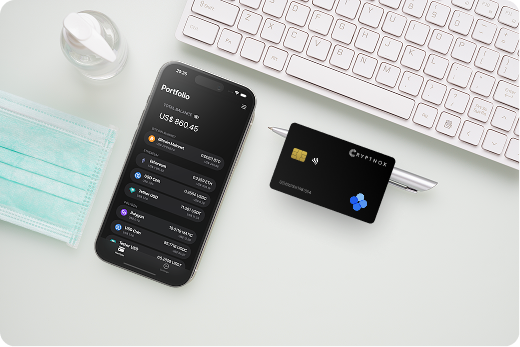
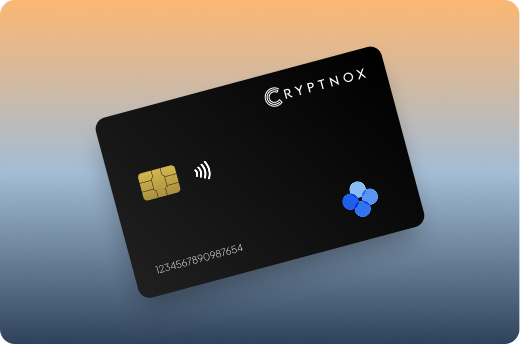
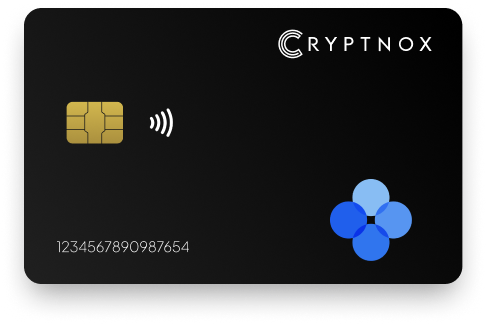
Introducing Cryptnox, the revolutionary hardware wallet designed to keep your digital assets safe, accessible, and fully under your control. Built on advanced smartcard technology, our wallets feature a secure dual-card backup system, biometric authentication, and seamless integration with MetaMask, WalletConnect, and Web3 apps. Whether you’re storing cryptocurrencies, swapping tokens, or diving into DeFi, Cryptnox delivers bank-level security without the complexity, empowering you to manage your portfolio with peace of mind.

Product Features

  • Dual-Card Backup System: Never lose access to your keys with our innovative dual-card setup, allowing secure initialization and recovery using any pair of Cryptnox cards.
  • Biometric Authentication: Add an extra layer of protection with built-in biometrics, ensuring only you can access your wallet.
  • FIDO2 Functionality: Now included with every card, enabling secure logins, consent adjustments, and more across compatible platforms.
  • Multi-Blockchain Support: Access a wide range of networks, including popular ones for DeFi and Web3 applications.
  • PIN/PUK Security: Robust credentials to prevent unauthorized access, with reset options available without compromising your seed.
  • BIP39 Compatibility: Easily import existing seeds or generate new ones for ultimate flexibility.

Product Specifications:

  • Security: Firmware audited by external cybersecurity firms; no personally identifiable data stored; prevents unauthorized access.
  • Integration: Works seamlessly with DeFi apps, Web3 platforms, MetaMask, and WalletConnect; supports iOS and Android apps via Apple Store and Google Play.
  • Delivery: Fast shipping worldwide; available directly from Cryptnox Shop or Amazon in DE, FR, IT, BE, SE, ES, PL, NL, CA, MX, AU.
  • Performance: High-security smartcard tech with quick response times and reliable connectivity. 

What It’s Built For:

Cryptnox hardware wallets are your go-to solution for:

  • Secure Storage: Safeguard your cryptocurrencies with hardware-level protection against hacks and theft.
  • DeFi and Web3 Access: Use your card for decentralized finance, NFTs, and other blockchain applications without exposing your keys.
  • Backup and Recovery: Perform dual-card setups for redundancy, or reset credentials if needed, all while maintaining control.
  • Multi-Account Management: Handle multiple wallets and seeds, including BIP39 imports, for diverse crypto portfolios.
  • Everyday Security: Leverage FIDO2 for secure logins, social sharing, and more in a user-friendly package
  • Specialized Tasks: From token swaps to analytics tracking, Cryptnox adapts to your crypto needs.

Why Cryptnox Stands Out:

This isn’t just a wallet it’s a fortress for your digital future. With no access to your keys by Cryptnox (we never store or see them), audited firmware for top-tier reliability, and global availability, our hardware empowers beginners and experts alike. Backed by comprehensive tutorials, blogs, technical resources, and 24/7 support, Cryptnox ensures you stay ahead in the crypto world with unmatched security, simplicity, and innovation.

Cryptnox Hardware Wallets – Your Gateway to Secure, User-Friendly Crypto Management.

Ready to secure your assets? Buy a Cryptnox Hardware Wallet now and protect your crypto with ease.

Rank

Wallet Name

Description

2

Ledger Nano X

Bluetooth-enabled flagship model supporting over 5,500 digital assets with direct OKB support in Ledger Live application. The wireless connectivity enables mobile-friendly management for on-the-go OKB transactions across Ethereum, OKT Chain, and X Layer. EAL5+ certified secure element provides proven protection with battery-powered convenience for untethered operations.

3

Ledger Stax

Premium E-Ink curved touchscreen model representing Ledger’s highest-end security and design innovation. Full native OKB support across Ethereum and all EVM-compatible chains including X Layer. Wireless charging eliminates cable dependency while customizable display shows portfolio balances and transaction details. Advanced security features match Nano X with enhanced user experience.

4

Trezor Safe 5

Latest generation open-source Trezor with excellent transparency supporting OKB across three networks. Ethereum, OKT Chain, and X Layer compatibility through Trezor Suite or MetaMask integration. Color touchscreen with haptic feedback enhances usability while EAL6+ secure element adds hardware-level protection to Trezor’s proven open-source architecture.

5

OneKey Pro

Air-gapped wallet featuring fingerprint biometrics with strong multi-chain support across OKX ecosystem networks. Touchscreen interface combines with Bluetooth and USB connectivity options for flexible hardware wallet operations. EAL6+ secure element chip provides comprehensive security for OKB holdings across Ethereum, OKT Chain, and X Layer deployments.

6

Ledger Nano S Plus

Budget-friendly Ledger model with expanded app storage capacity and reliable OKB handling through Ethereum app. USB-C connectivity brings modern convenience to Ledger’s proven security architecture. Supports 100+ blockchain applications including MetaMask integration for full OKB functionality across multiple networks. Great entry-level choice for new hardware wallet users.

7

Tangem Wallet

NFC card-based wallet eliminating batteries and screens for ultra-portable secure design. Dedicated OKB wallet support with easy mobile app integration enables tap-to-sign convenience. Waterproof IP68 construction provides durability while three-card backup system ensures recovery redundancy. Perfect for OKX users seeking minimal hardware.

8

Trezor Model T

Color touchscreen classic representing Trezor’s original premium model with proven reliability. Enables OKB transactions via Trezor Suite or third-party wallet integrations including MetaMask. Open-source firmware provides complete transparency with comprehensive transaction verification on-screen. Long-standing reputation in hardware wallet security community.

9

SafePal S1

Affordable air-gapped QR code wallet supporting thousands of tokens including OKB across multiple networks. Built-in camera enables fully offline operation while self-destruct mechanism protects against physical tampering. Complete isolation from internet threats combined with easy mobile app integration makes it popular among beginners.

10

Ellipal Titan 2.0

Rugged fully air-gapped device with large screen enabling easy verification for OKB transactions. Strong EVM and ERC-20 support covers all OKB network deployments. Metal construction with anti-tamper seals provides physical security while QR-only communication ensures complete isolation from internet-connected devices and malware threats.

11

Keystone Pro

Open-source air-gapped wallet featuring large color screen as official MetaMask hardware partner. Seamless integration for OKB operations on X Layer and other EVM networks. Triple secure element architecture with optional fingerprint sensor provides layered protection. Comprehensive PSBT support enables advanced Bitcoin operations alongside EVM chain compatibility.

12

BitBox02

Compact Swiss-made open-source wallet with secure ERC-20 handling for OKB through MyEtherWallet or Rabby integration. Minimalist design features touch sensors for navigation with microSD backup capability. Secure element chip combined with transparent open-source design appeals to privacy-focused users seeking Swiss security standards.

13

SecuX V20

Durable metal construction with Bluetooth connectivity offering broad cryptocurrency support including OKB. Color touchscreen interface with optional biometric authentication provides secure everyday storage. Rugged design ensures reliable long-term asset management for active traders and holders.

14

NGRAVE ZERO

Completely offline wallet eliminating all USB and Bluetooth connections for ultimate air-gapped security. Perfect for long-term large OKB holdings requiring maximum protection. EAL7 certification represents highest security standard available. Biometric authentication with graphene backup plates provides industrial-grade protection for substantial portfolios.

15

CoolWallet Pro

Thin Bluetooth card form factor supporting DeFi and ERC-20 tokens including OKB across multiple networks. Wireless charging eliminates cable dependency while flexible design enables comfortable wallet storage. Mobile-first approach with intuitive app interface makes portable OKB transactions convenient for on-the-go management.

Setting Up Your Hardware Wallet for OKB Multi-Chain Storage

Properly configuring hardware wallets for multi-chain OKB management requires network-specific setup steps. Begin by initializing your device and securely recording your recovery seed phrase using proper backup procedures. This seed phrase enables recovery across all supported networks if your hardware wallet fails or gets lost. 

MetaMask configuration forms the foundation for OKB multi-chain access. Install the browser extension and connect your hardware wallet for Ethereum operations first. Ethereum mainnet comes preconfigured, allowing immediate OKB ERC-20 token visibility after adding the token contract address.

Adding OKT Chain and X Layer Networks

Custom network addition requires specific parameters for each OKB deployment:

  1. Open MetaMask network selector and choose “Add Network”
  2. Input OKT Chain mainnet RPC URL, chain ID, currency symbol, and block explorer
  3. Repeat process for X Layer using OKX-provided network parameters
  4. Add OKB token contract addresses for each network separately

Understanding what hardware wallets are helps clarify why each network requires separate configuration despite using the same device. Different blockchain networks maintain independent ledgers even when handling the same token across multiple deployments.

Initial Token Transfer

Securely transferring cryptocurrency to hardware wallets begins with small test transactions. Send minimal OKB amounts first to verify address accuracy and network configuration. Hardware wallet addresses remain consistent across sessions, but confirming each network’s receive address prevents costly cross-chain errors.

Native OKB transfers on each network require different gas tokens. Ethereum operations need ETH for gas. OKT Chain uses OKT. X Layer consumes ETH but at significantly reduced rates due to Layer 2 scaling. Ensure you hold sufficient gas tokens on each network before initiating OKB transfers.

Using Hardware Wallets with OKX Trading Platform

OKX Web3 wallet integration enables hardware wallet users to access trading fee discounts without compromising security. Connect your external crypto wallet to OKX’s decentralized interface for spot trading, perpetual contracts, and options trading with hardware-secured signatures. 

The difference between crypto exchanges and crypto wallets becomes apparent when using hardware devices with trading platforms. Exchange wallets provide custodial convenience at the cost of security. Hardware wallets maintain self-custody while enabling platform access through Web3 connections.

Transaction Signing Workflow

Each trade or platform interaction triggers hardware wallet signature requests:

  1. Initiate trade or transaction on OKX Web3 platform
  2. MetaMask displays transaction details and requests hardware wallet approval
  3. Verify transaction parameters on hardware device screen
  4. Approve signature using device button press, biometric, or PIN
  5. Transaction broadcasts to appropriate blockchain network

This workflow applies to OKB trading fee payment, staking operations, and DeFi protocol interactions through OKX aggregators. Hardware confirmation prevents unauthorized transactions even if your browser or computer gets compromised by malware.

Trading Fee Discount Application

OKB holdings in hardware wallets qualify for OKX trading fee discounts when connected through Web3 interface. The platform reads your OKB balance across connected addresses without requiring token deposits to exchange wallets. This enables fee benefits while maintaining cold storage security standards. 

Tiered discount structures reward larger OKB holdings with progressively reduced trading fees. Hardware wallet users access all tier benefits by maintaining sufficient balances across Ethereum, OKT Chain, or X Layer networks. The platform aggregates balances from connected hardware addresses for total tier calculation.

Security Best Practices for OKB Asset Management

Multi-chain OKB management introduces specific security considerations beyond single-network token storage. Non-custodial wallet security depends entirely on proper key management and operational security practices. Hardware wallets provide the foundation, but user behavior determines overall security effectiveness.

Seed phrase protection represents your primary security responsibility. Never photograph, digitally store, or share recovery phrases through electronic means. Combined backup and inheritance solutions provide secure redundancy while enabling authorized recovery if needed.

Avoiding Common Security Threats

Phishing attacks targeting hardware wallet users focus on fake transaction approval screens and malicious dApp connections. Always verify transaction details on your hardware device screen, never relying solely on computer display information. Understanding crypto drainers helps recognize approval requests that grant unlimited token spending.

Network configuration mistakes can send OKB to incorrect chains where recovery becomes difficult or impossible. Double-check selected networks in MetaMask before confirming hardware wallet transactions. X Layer and Ethereum mainnet use similar addresses but represent completely separate networks requiring bridge operations for token movement.

Transaction Verification Standards

Every hardware wallet transaction requires careful on-device verification:

  • Recipient address: Confirm full address matches intended destination, not truncated display
  • Token amount: Verify exact OKB quantity being transferred or approved
  • Network selection: Ensure transaction executes on correct blockchain (Ethereum/OKT/X Layer)
  • Gas fees: Check reasonableness of network fees before approval

Ledger vs Trezor comparisons highlight different verification approaches, but all quality hardware wallets require manual transaction confirmation preventing automated draining.

Common Issues When Managing OKB Across Multiple Chains

Network switching errors represent frequent problems for multi-chain OKB users. MetaMask displays currently selected network, but hardware wallet transactions execute on that network regardless of token origin. Sending X Layer OKB while Ethereum mainnet remains selected results in transaction failure and wasted gas fees.

Bridge operations require special attention when moving OKB between networks. Official OKX bridges provide secure cross-chain transfers, but each bridge transaction needs individual hardware wallet approval. The process involves locking tokens on source network and minting equivalent amounts on destination network through smart contract operations.

Troubleshooting Connection Problems

Hardware wallet connection issues typically stem from browser permissions, outdated firmware, or driver problems. MetaMask hardware wallet support requires browser USB/NFC permissions granted during initial connection. Denied permissions prevent transaction signing even when hardware devices function properly.

NFC card readers for crypto authentication need proper smartphone or computer positioning for reliable connections. Card-based hardware wallets require direct contact or very close proximity to NFC readers. Connection failures often resolve by adjusting device positioning or cleaning card contacts.

Gas Fee Management

Each OKB network operates different gas fee structures:

  • Ethereum mainnet: Highest fees during network congestion, variable gas prices
  • OKT Chain: Fixed low fees paid in OKT tokens
  • X Layer: Minimal Layer 2 fees paid in ETH, typically under $0.10

Maintaining small gas token balances on each network enables OKB operations without large upfront costs. Hardware wallets securing multiple chains require corresponding gas token holdings for transaction execution.

Staking OKB Safely with Hardware Wallet Protection

OKB staking programs offer rewards for token holders participating in network security and platform governance. Hardware wallet integration maintains security during staking operations by requiring device approval for stake deposits, reward claims, and unstaking transactions. This prevents unauthorized staking modifications even if computers or browsers get compromised. 

Staking smart contracts request specific token allowances before accepting deposits. Integrating hardware wallets with dApps requires approving these allowances through on-device confirmation. Set precise allowance amounts matching intended stake quantities rather than granting unlimited approvals that enable complete wallet draining.

Staking Workflow with Hardware Wallets

The complete staking process involves multiple hardware wallet approvals:

  1. Approve token allowance: Grant staking contract permission to access specific OKB amount
  2. Deposit stake: Transfer approved OKB tokens into staking contract
  3. Claim rewards: Periodically harvest accumulated staking rewards
  4. Unstake tokens: Withdraw original stake plus unclaimed rewards after lock period

Each step triggers hardware device signature requests displaying transaction parameters for manual verification. This granular approval process maintains security while enabling full staking participation across OKX ecosystem platforms.

Lock Period Considerations

OKB staking contracts often impose time-lock periods preventing immediate withdrawals. Hardware wallet security extends through these lock periods, but users must understand that staked tokens remain in smart contracts until lock expiration. Your hardware wallet controls the private key authorizing unstaking after lock periods complete, but cannot bypass smart contract time restrictions.

Longer lock periods typically offer higher staking yields, creating trade-offs between liquidity and returns. Best Bitcoin hardware wallets and multi-asset devices enable diversified staking strategies across different tokens and lock periods without compromising security.

Don’t leave your OKB vulnerable to hot wallet risks – upgrade to Cryptnox hardware security and take full control of your assets.

FAQs

The Cryptnox solution is a high-security hardware wallet based on the latest smartcard technology available
 A seed is either generated or injected as part of the initialization process, which makes it compatible with the BIP32 and BIP39 standards
When choosing the Dual Card Setup option, you can generate an identical seed in two cards in only seconds, and store the backup card in a safe place for recovery

A hardware wallet is a physical device designed to securely store private keys offline
Keeping sensitive data disconnected from the internet, it significantly reduces exposure to hacking, malware, and phishing attacks

Unlike software wallets that operate on internet-connected devices, hardware wallets isolate private keys in a secure environment
Transactions are signed internally, ensuring keys never leave the device or are exposed online

Yes! Hardware wallets are ideal for long-term asset protection
 Offline storage, durable hardware, and secure backup mechanisms make them well-suited for holding assets safely over extended periods

Access can be restored using a secure recovery process, typically based on a recovery phrase or backup solution created during setup
This ensures assets remain accessible even if the physical device is no longer available

Modern hardware wallets are designed with user-friendly interfaces and guided setup processes
This makes them accessible to beginners while still meeting the security standards required by advanced users