
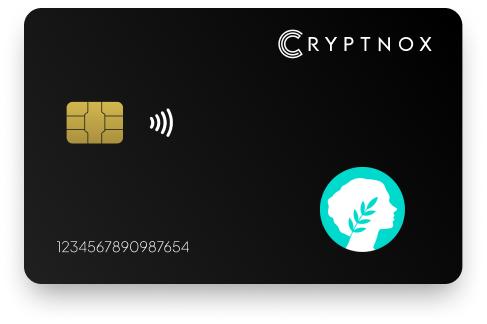
Yes. The Cryptnox Crypto Hardware Wallet – Dual-Card Set can hold native METIS after you add Metis Andromeda as an EVM Layer 2 network, and it can hold ERC-20 METIS on Ethereum after you import the token. METIS is not pre-programmed on the card. Both routes use a 0x-prefixed 20-byte EVM address, with the private key generated inside the secure element and kept there.

CRYPTNOX products are also available worldwide through our official Amazon stores.

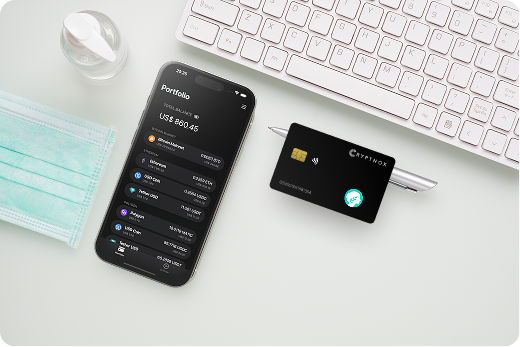
METIS has two supported routes on the Cryptnox Crypto Hardware Wallet – Dual-Card Set. The native coin route is METIS on Metis Andromeda, an EVM Layer 2 chain described in the official Metis Andromeda documentation. The token route is ERC-20 METIS on Ethereum, which is added as an imported token rather than as the native Metis network.
The card does not arrive with METIS already enabled. A buyer adds the needed route once in the Cryptnox app: Add a Network for native METIS on Metis Andromeda, or Add a Token for ERC-20 METIS on Ethereum. Both routes use a 0x-prefixed 20-byte EVM address, so the address style alone is not enough to identify which METIS route is being used.
The Metis Andromeda route and the Ethereum token route are separate choices in the app. Native METIS belongs on the Metis Andromeda network. ERC-20 METIS belongs under the Ethereum token view after import. The Cryptnox card protects the EVM private key for the address, but the buyer still selects the asset route that matches the METIS being received.
Native METIS is held through the Metis Andromeda network route. In the Cryptnox app, the correct setup path is Add a Network. That makes the Metis Andromeda EVM Layer 2 route available for the card-backed account, instead of showing METIS as an Ethereum token.
The free Cryptnox app is available on iOS and Android, and it is the place where this METIS route is added. The card remains the signing device for the 0x-prefixed EVM address, while the app provides the route selection and wallet interface. If you want setup guidance before adding Metis Andromeda, the Cryptnox hardware wallet tutorials are the practical starting point for the app-and-card workflow.
Adding Metis Andromeda is not the same as importing the ERC-20 token on Ethereum. It is the route for native METIS on the Metis chain. Metis also provides developer information at metis.io/developers, which is useful context for buyers who are choosing the native EVM Layer 2 route rather than the Ethereum token route.
Some METIS is held as an ERC-20 token on Ethereum. For that route, the correct setup path is Add a Token, not Add a Network. This keeps the buyer from mixing the native Metis Andromeda coin route with the Ethereum token route.
The address still follows the 0x-prefixed 20-byte EVM format, but the route label matters because ERC-20 METIS is viewed as an Ethereum token after import. The Cryptnox card protects the private key for the EVM address, while the app displays the token route that the buyer has added.
For Metis Andromeda or Ethereum token activity, the Cryptnox app can connect to Web3 through WalletConnect and works with MetaMask. That matters for METIS because both the native Metis route and the ERC-20 route use EVM-style accounts, while the card-backed key remains tied to the secure element rather than becoming only a software-wallet key.
Buyers planning several assets can review the Cryptnox coin and blockchain support page before deciding which routes to add first. For METIS specifically, the decision is simple: Add a Network for native METIS on Metis Andromeda, or Add a Token for ERC-20 METIS on Ethereum.
For a METIS route on Cryptnox, the private key behind the 0x-prefixed EVM address is generated inside the card’s secure element and is not exported from that secure element. That is the key security distinction between a card-backed METIS account and an account where the EVM key exists only in software.
The METIS signing route uses a card with an EAL6+-certified chip. The EAL6+ property applies to the chip platform, so the secure element is the component to evaluate when considering how the Metis Andromeda or ERC-20 METIS route is protected.
When the Cryptnox app asks for an unlock, it can use the phone’s biometrics. The card itself has no biometric sensor. For METIS, that means the phone helps with the app unlock flow, while the card performs the key-holding and signing role for the EVM address.
This separation is especially relevant for an EVM asset that may be used through WalletConnect or MetaMask. The Web3 interface can request an action for the Metis Andromeda route or the Ethereum token route, but the approval still depends on the card-backed private key held in the secure element.
The Dual-Card Set is sold uninitialised. During setup, the seed for the METIS-capable EVM account is generated inside both secure elements, so the second card becomes the backup card for the same wallet. The default setup does not require writing down a recovery phrase before the METIS route can be used.
This backup model fits the way METIS is added on Cryptnox. First, the wallet is initialised across the two cards. Then the buyer adds Metis Andromeda for native METIS or imports ERC-20 METIS on Ethereum. The backup card is tied to the wallet seed, while the METIS route is the network or token view added in the app.
Importing a BIP39 recovery phrase is available as an advanced option. For a new Dual-Card Set used for METIS, the default path is different: the seed is created inside both secure elements during initialisation. The second card is therefore the backup without making a written recovery phrase the normal first step.
The Cryptnox Crypto Hardware Wallet – Dual-Card Set is a contact and NFC smart card set. For METIS, that gives two ways to present the card when the app or wallet flow asks for the signing device: tap the card to a phone, or insert the card into a reader.
This dual-interface format is useful for a METIS holder because the same card-backed EVM address can be used after adding the correct route in the app. The buyer does not choose between a native-only Metis device and an Ethereum-token-only device; the distinction is made in software by adding Metis Andromeda as a network or importing ERC-20 METIS as a token.
The product is a pair of Swiss-engineered smart cards used with the free Cryptnox app on iOS and Android. The cards are sold uninitialised, and the second card becomes the backup during setup. Buyers comparing the product with the broader Cryptnox range can use the hardware wallet collection hub to see where the Dual-Card Set sits before choosing it for METIS.
Metis is an EVM Layer 2 route with a native METIS coin on Metis Andromeda and an ERC-20 METIS token route on Ethereum. That makes it different from assets where there is only one obvious route to add. The buyer’s main decision is whether the METIS being received is native on Metis Andromeda or imported as an Ethereum token.
If you also hold other EVM assets, the Cryptnox Polygon hardware wallet page is a useful comparison because Polygon also uses EVM-style routing. The Ronin hardware wallet page is another comparison point for buyers who want to see how a separate network route is handled.
Metis also contrasts with non-EVM routes. The TRON hardware wallet page helps show why address format and network selection are asset-specific, while the Bitcoin hardware wallet page is a separate reference for buyers comparing METIS with a non-EVM asset in the same hardware wallet plan.
No. METIS is not pre-programmed on the Cryptnox Crypto Hardware Wallet – Dual-Card Set. Native METIS is added by using Add a Network for Metis Andromeda. ERC-20 METIS is added by using Add a Token on Ethereum. Choose the route that matches the METIS being received.
Yes. Native METIS can be held after Metis Andromeda is added as an EVM Layer 2 network in the Cryptnox app. The route uses a 0x-prefixed 20-byte EVM address, and the private key for that address is generated inside the secure element.
Yes. ERC-20 METIS on Ethereum can be held after the token is imported through Add a Token. This is separate from the native Metis Andromeda route. The address format is still EVM-style, but the token route belongs under Ethereum rather than the Metis Andromeda network route.
METIS uses a 0x-prefixed 20-byte EVM address for the routes described here. Native METIS on Metis Andromeda and ERC-20 METIS on Ethereum both use that address style. The route still matters because the native coin route and the Ethereum token route are added differently.
The Dual-Card Set ships uninitialised. During setup, the seed is generated inside both secure elements, so the second card is the backup card for the same wallet. After that setup, the buyer can add Metis Andromeda or import ERC-20 METIS without making a written recovery phrase the default step.
No. The card has no biometric sensor. When the Cryptnox app uses an unlock flow, it uses the phone's biometrics. For METIS, the card's role is to hold and use the private key inside the secure element for the selected EVM route.
Yes. The free Cryptnox app connects to Web3 through WalletConnect and works with MetaMask. For METIS, add the correct route first: Metis Andromeda through Add a Network for native METIS, or ERC-20 METIS through Add a Token on Ethereum.
No, and on this network that is not a limitation. The Cryptnox wallet uses one address per chain. HD address rotation comes from Bitcoin’s UTXO model and the BIP32/BIP44/BIP49/BIP84 derivation scheme; on account-model networks each account is a single fixed address by design, so the question does not apply in the same way. Cryptnox’s single-address-per-chain behaviour matches how these networks work.
At the cryptography layer the card derives keys along BIP32 and SLIP-10 paths, one path per supported chain, though that is not exposed in the app as multi-address management.
Yes. Cryptnox ships worldwide from the official CRYPTNOX store. Orders to Switzerland, the European Union and the United States are dispatched from stock already held in each of those regions, so the parcel does not cross a customs border into your country and there are no import duties to pay. Orders to other destinations are shipped internationally, and any import duties or local taxes are set by the destination country and are the recipient’s responsibility. Current shipping rates are shown at checkout.