
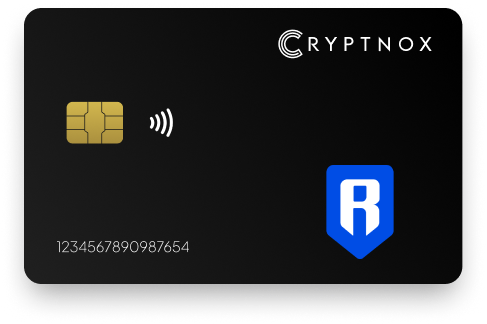
The Cryptnox Crypto Hardware Wallet – Dual-Card Set can hold native RON on Ronin Network after you manually add Ronin Mainnet as an EVM custom network. RON is not pre-programmed on the card. You add Ronin once through an Add a Network or Add a Token flow, then use the 0x-prefixed EVM address format expected on Ronin. Private keys are generated inside the secure element and never leave it, and the second card is the backup.

CRYPTNOX products are also available worldwide through our official Amazon stores.

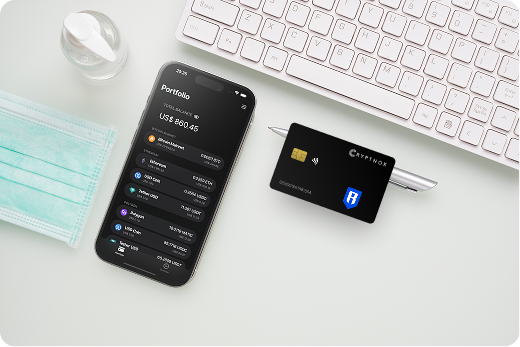
Native RON is supported on the Cryptnox Crypto Hardware Wallet – Dual-Card Set through a manual Ronin Mainnet setup, not as a network that ships already enabled on the card. Ronin Network is an EVM L1, and RON is its native coin. Once Ronin Mainnet has been added as an EVM custom network, the wallet uses a 0x-prefixed 20-byte EVM address for Ronin activity.
That support route matters because a RON holder is not simply choosing a wallet name; the key question is where the private key for the Ronin address is created and kept. With Cryptnox, private keys are generated inside the secure element and never leave it. The network configuration sits in the wallet interface, while the signing key remains inside the smart card secure element.
The Cryptnox Crypto Hardware Wallet – Dual-Card Set is the product to choose when you want the two-card setup for a manually added Ronin Mainnet wallet. The broader Cryptnox crypto hardware wallet hub is useful if you are deciding whether the same card-based model should also cover assets beyond native RON.
Ronin’s own RON page identifies RON as the token of Ronin Network, and it is a useful reference when you are checking the role of the asset before adding the network to an EVM wallet interface: Ronin Network RON.
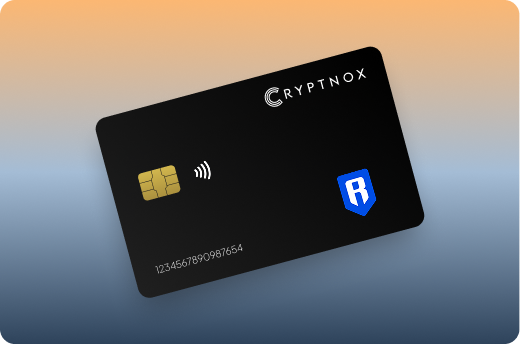
The Ronin setup begins with a manual network step. The card does not arrive with RON already configured. To hold native RON, you add Ronin Mainnet once as an EVM custom network through an Add a Network or Add a Token flow in the wallet interface used with Cryptnox.
Ronin’s help material for using Ronin Network with MetaMask and other wallets supports the practical point for a Cryptnox buyer: Ronin can be added to an EVM wallet environment, and that is the route used here before the card signs for the Ronin address.
After that one-time Ronin Mainnet addition, the Ronin-specific part of the workflow is the network selection and address format. The Cryptnox-specific part is the private-key model: the key for the 0x-prefixed Ronin address is generated inside the secure element and stays there.
If you already use MetaMask for EVM networks, Ronin is still not treated as preloaded on the Cryptnox card. Add Ronin Mainnet first, confirm that the wallet interface is using the intended 0x-prefixed address, and then use the card when a Ronin action needs the private key.
Ronin uses a 0x-prefixed 20-byte EVM address format with Cryptnox. That is the address form you should expect after adding Ronin Mainnet as an EVM custom network. The Ronin network setup and the 0x address are visible in the wallet interface, but the private key that controls the address is generated inside the card secure element and never leaves it.
This separation is the reason the product is useful for RON holders. The wallet interface can handle the Ronin Mainnet configuration, and the Cryptnox card can remain the private-key holder. For native RON, the signing device is the card; the manually added network is the route that tells the wallet interface which chain and address format to use.
Ronin has also published an update on 0x-prefixed Ronin addresses, which supports the address style a buyer should expect when setting up Ronin through an EVM wallet flow. Cryptnox follows the Ronin support route by using the EVM custom-network setup and the 0x-prefixed 20-byte address format.
For a RON wallet, do not treat the network addition as the same thing as key protection. Adding Ronin Mainnet makes the chain available in the wallet interface. Initialising and using the Cryptnox card set is what creates and protects the private key for the Ronin address.
The Dual-Card Set ships uninitialised. During setup, the seed is generated inside both secure elements, so the second card is the backup for the same wallet. For native RON, this means the backup is another Cryptnox card holding the same newly generated wallet seed, not a default written recovery phrase step.
This is especially important with Ronin because the chain configuration and the key material are different things. Ronin Mainnet can be added again as an EVM custom network in a wallet interface. The critical wallet material is the seed and the private keys derived for the 0x-prefixed Ronin address, and those are created inside the secure elements during initialisation.
A practical RON setup sequence is simple: initialise the two cards first, then add Ronin Mainnet in the EVM wallet interface, then use the resulting 0x-prefixed Ronin address with the card set. If you later need the backup card, the Ronin network configuration can be repeated, while the backup card already belongs to the same wallet seed created at initialisation.
The free Cryptnox app is available on iOS and Android, and Ronin holders use it with the card when operating the wallet. Unlocking uses the phone’s face or fingerprint unlock through the Cryptnox app; the card itself has no sensor for that. The private key for the Ronin 0x address is still generated inside the secure element and never leaves it.
The Cryptnox app connects to Web3 through WalletConnect and works with MetaMask. That matters for native RON because the asset is reached by manually adding Ronin Mainnet as an EVM custom network. MetaMask can be part of the Ronin network workflow, while the Cryptnox card remains the device that protects and uses the private key.
Before adding Ronin Mainnet, a new owner should learn the app and card flow from the Cryptnox hardware wallet tutorials. After the card set is initialised, the Cryptnox coin and blockchain support page helps buyers check how RON and other assets are approached across Cryptnox products.
For Ronin specifically, the sequence is not app first and network later by accident; it is a custody sequence. Initialise the dual-card wallet so the seed exists inside both secure elements, connect through the app and supported Web3 workflow, then add Ronin Mainnet so native RON activity uses the intended 0x-prefixed address.
The Cryptnox card is a contact and NFC smart card. A RON holder can tap the card to a phone or insert it into a reader. Both routes are ways to present the same hardware wallet during the Ronin workflow; neither changes the underlying key model. The private key for the Ronin address is generated inside the secure element and never leaves it.
For Ronin, the dual-interface form factor fits the way the asset is added. The network is configured as Ronin Mainnet in an EVM wallet interface, and the 0x-prefixed address follows that EVM format. When the wallet interface needs the Ronin private key, the card is the signing device, whether it is tapped to a phone or inserted into a reader.
Each card uses an EAL6+-certified chip. That chip-level property is separate from the Ronin network setup, but it is central to how the Cryptnox wallet protects the key for native RON. The app, WalletConnect and MetaMask help with access to the Web3 workflow; the secure element is where the private key is created and kept.
The cards are Swiss-engineered. For a buyer choosing a Ronin wallet, the important practical result is a compact smart-card workflow: initialise the two-card set, add Ronin Mainnet manually, use the 0x-prefixed address, and present the card when the Ronin action needs signing.
RON should be planned as native RON on Ronin Network, not as a preloaded asset on the card. If you hold multiple assets, the Ronin setup should be documented separately in your own wallet plan: Ronin Mainnet is manually added as an EVM custom network, and the address format is 0x-prefixed and 20 bytes.
That makes Ronin closer in setup logic to other EVM-style network additions than to non-EVM assets. A buyer comparing Ronin with Polygon can use the Polygon hardware wallet page to separate EVM-style network handling from the Ronin-specific requirement to add Ronin Mainnet for native RON. A buyer comparing Ronin with Bitcoin should use the Bitcoin hardware wallet page because Bitcoin does not use the Ronin 0x EVM address route.
If your holdings also include account-based or token assets, compare the Ronin route before assuming one setup pattern covers everything. The Tron hardware wallet page gives a separate account-based comparison point, while the USD Coin hardware wallet page is useful when you want to distinguish a token plan from native RON on Ronin Network.
The common Cryptnox element across those holdings is the dual-card security model, but the Ronin-specific step remains mandatory: add Ronin Mainnet manually as an EVM custom network before treating the 0x-prefixed address as your native RON wallet address.
No. RON is not pre-programmed on the card. To hold native RON, you manually add Ronin Mainnet as an EVM custom network through an Add a Network or Add a Token flow. After that, use the 0x-prefixed Ronin address with the Cryptnox card as the signing device.
Ronin uses a 0x-prefixed 20-byte EVM address format. That is the format to expect after adding Ronin Mainnet as an EVM custom network. The wallet interface handles the Ronin network setting, while the private key for that address is generated inside the Cryptnox secure element and never leaves it.
The Dual-Card Set ships uninitialised. During setup, the seed is generated inside both secure elements, so the second card is the backup for the same wallet. There is no recovery phrase to write down by default. Importing an existing BIP39 phrase of 12 or 24 words is an advanced option.
No. The card itself has no fingerprint or face sensor. Unlocking uses the phone’s face or fingerprint unlock through the Cryptnox app. That unlock step is separate from Ronin key storage: the private keys are generated inside the secure element and never leave it.
Yes. The free Cryptnox app connects to Web3 through WalletConnect and works with MetaMask. For Ronin, manually add Ronin Mainnet as an EVM custom network, then use the Cryptnox card to protect and use the private key associated with the 0x-prefixed Ronin address.
No. In the default Dual-Card Set setup, the seed is generated inside both secure elements, and the second card is the backup. Ronin Mainnet still needs to be added manually in the wallet interface, but the backup for the wallet seed is the second card.
No, and on this network that is not a limitation. The Cryptnox wallet uses one address per chain. HD address rotation comes from Bitcoin’s UTXO model and the BIP32/BIP44/BIP49/BIP84 derivation scheme; on account-model networks each account is a single fixed address by design, so the question does not apply in the same way. Cryptnox’s single-address-per-chain behaviour matches how these networks work.
At the cryptography layer the card derives keys along BIP32 and SLIP-10 paths, one path per supported chain, though that is not exposed in the app as multi-address management.
Yes. Cryptnox ships worldwide from the official CRYPTNOX store. Orders to Switzerland, the European Union and the United States are dispatched from stock already held in each of those regions, so the parcel does not cross a customs border into your country and there are no import duties to pay. Orders to other destinations are shipped internationally, and any import duties or local taxes are set by the destination country and are the recipient’s responsibility. Current shipping rates are shown at checkout.