
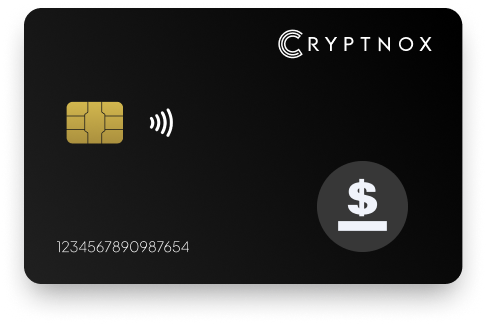
Yes. mStable USD (MUSD) is supported after you add it once as a token on Ethereum or Polygon; it is not pre-programmed on the cards. Use Ethereum contract 0xe2f2a5C287993345a840Db3B0845fbC70f5935a5 for ERC-20 MUSD, or Polygon contract 0xE840B73E5287865EEc17d250bFb1536704B43B21 for Polygon MUSD. The Cryptnox Crypto Hardware Wallet – Dual-Card Set protects the private keys for the 0x-prefixed EVM address used with either route.

CRYPTNOX products are also available worldwide through our official Amazon stores.

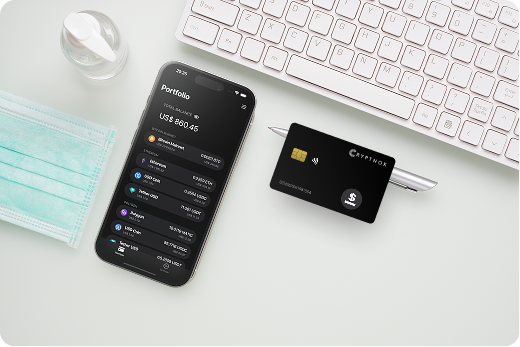
mStable USD (MUSD) is managed with Cryptnox as a token that the user adds once, not as a token profile that arrives enabled on the cards. The same asset name can refer to two different token entries: MUSD on Ethereum, or MUSD on Polygon. The Ethereum route uses the ERC-20 standard. The Polygon route uses an ERC-20-equivalent token on Polygon. Both routes use a 0x-prefixed 20-byte EVM address.
The mStable deployed-address documentation lists separate MUSD contract addresses for Ethereum and Polygon. That distinction matters before receiving, viewing, or adding MUSD, because the Ethereum and Polygon entries are not the same contract even though the token name is the same.
Before setting up MUSD, buyers can review the broader asset and network coverage on the Cryptnox coin and blockchain support page. If the MUSD balance is on Polygon, the Cryptnox hardware wallet page for Polygon gives the relevant chain context for that route.
MUSD on Ethereum and MUSD on Polygon should not be entered interchangeably. A wallet view needs the network first, then the matching token contract for that network. Adding the Ethereum contract under a Polygon view, or the Polygon contract under an Ethereum view, creates the wrong token route for the MUSD balance you are trying to manage.
Use 0xe2f2a5C287993345a840Db3B0845fbC70f5935a5 when the MUSD you want to manage is on Ethereum. This is the ERC-20 route. The receiving address shown for this route is an EVM address beginning with 0x and containing 20 bytes. The Cryptnox card protects the private key for that EVM address; the token balance is associated with the address on Ethereum.
Use 0xE840B73E5287865EEc17d250bFb1536704B43B21 when the MUSD you want to manage is on Polygon. This route uses the same 0x-prefixed EVM address format, but it is not the Ethereum contract. The token entry must be added on Polygon so the wallet view is tied to the correct chain.
CoinGecko’s mStable USD record identifies MUSD as mStable USD. For a Cryptnox buyer, the key setup decision is not the ticker alone; it is whether the MUSD position is on Ethereum or Polygon, followed by entering the matching contract for that route.
The free Cryptnox app is available on iOS and Android. For MUSD, the app route is important because the token is not enabled on the cards before setup. The user adds the relevant network or adds the MUSD token once, then manages the 0x-prefixed EVM address through the Cryptnox setup and connected wallet route.
If Ethereum is already visible in the wallet view, add the Ethereum MUSD token contract 0xe2f2a5C287993345a840Db3B0845fbC70f5935a5. That keeps the token entry tied to Ethereum, where the MUSD route uses the ERC-20 standard. The address shown for receiving remains an EVM address, and the private key for that address is protected by the Cryptnox secure element.
If Polygon is the route for the MUSD balance and the network is not visible, add Polygon first. Then add the Polygon MUSD contract 0xE840B73E5287865EEc17d250bFb1536704B43B21. That keeps the Polygon MUSD entry separate from Ethereum MUSD even though the address format begins with 0x in both cases.
The Cryptnox app connects to Web3 through WalletConnect and works with MetaMask. The Cryptnox hardware wallet tutorials are useful before entering a MUSD contract because the correct chain and token entry must be chosen once during setup.
The Cryptnox Crypto Hardware Wallet – Dual-Card Set protects the private keys for the EVM address that holds MUSD on Ethereum or Polygon. Private keys are generated inside the secure element and never leave it. That key model applies whether the added MUSD token entry is the Ethereum ERC-20 contract or the Polygon token contract.
Each card uses an EAL6+-certified chip. EAL6+ describes the chip platform. The MUSD token itself is not stored inside the card; the card protects the private key used with the 0x-prefixed address associated with the MUSD balance on Ethereum or Polygon.
The Cryptnox card has no fingerprint or face sensor. Unlock uses the phone’s fingerprint or face unlock through the Cryptnox app. The product is a contact and NFC smart card, so the card can be tapped to a phone or inserted into a reader. That dual-interface card form factor is the hardware route used when managing MUSD through the app and connected wallet flow.
The Cryptnox Crypto Hardware Wallet – Dual-Card Set is the product sold for this smart-card setup. The cards are Swiss-engineered and designed around secure-element key generation rather than a MUSD token profile that ships preloaded.
The Dual-Card Set ships uninitialised. During setup, the seed is generated inside both secure elements, so the second card is the backup. For MUSD, that means the backup card protects the same key route used for the 0x-prefixed EVM address associated with the Ethereum or Polygon token entry.
There is no recovery phrase to write down by default. Importing a 12 or 24 word BIP39 recovery phrase is an advanced option for users who intentionally choose that path. In the default Dual-Card Set setup, the second smart card is the backup method from the beginning.
Buyers comparing smart-card storage for MUSD with other hardware wallet routes can review the Cryptnox best crypto hardware wallet hub. For MUSD specifically, the Dual-Card Set matters because the second card is part of the default backup design for the EVM address used on Ethereum or Polygon.
Before receiving or viewing MUSD through Cryptnox, confirm which chain the token is on. The Ethereum contract and Polygon contract are different entries. The address format is EVM in both cases, but the network field and token contract must match the MUSD route being used.
MUSD setup is different from a native-coin purchase path because the decisive information is the token contract on Ethereum or Polygon. If a buyer also holds assets on other networks, the Cryptnox hardware wallet page for Tron and the Cryptnox hardware wallet page for Bitcoin explain separate asset routes. For MUSD itself, choose Ethereum or Polygon, add the matching contract, and use the Dual-Card Set to protect the EVM private keys.
A MUSD buyer may be adding only one token, but the setup still depends on the same route decisions that apply across an EVM wallet view: choose the chain, add the correct contract, and use the 0x-prefixed address for that network. With Cryptnox, the important MUSD-specific difference is that the asset is added by the user instead of arriving already enabled on the cards.
For Ethereum MUSD, the contract is 0xe2f2a5C287993345a840Db3B0845fbC70f5935a5. For Polygon MUSD, the contract is 0xE840B73E5287865EEc17d250bFb1536704B43B21. Both use an EVM address format, but the token contract has to match the chain where the MUSD balance exists. The Cryptnox card protects the private key for the address used with that route; the visible token entry depends on adding the correct network and token.
If the same buyer is comparing MUSD with other chain-specific pages, the Cryptnox hardware wallet page for Ronin provides another network example outside the MUSD route. MUSD remains an Ethereum or Polygon token setup, so the purchase decision should focus on secure-element key generation, the second-card backup, and the contact plus NFC smart-card form factor used by the Dual-Card Set.
No. MUSD is not pre-programmed on the cards. Add it once as a token on Ethereum or Polygon. Use the Ethereum ERC-20 contract for Ethereum MUSD, or the Polygon contract for MUSD on Polygon. The cards protect the private keys for the EVM address used with that token route.
For Ethereum MUSD, use contract 0xe2f2a5C287993345a840Db3B0845fbC70f5935a5. This is the ERC-20 MUSD route. The address format is a 0x-prefixed 20-byte EVM address, and the Cryptnox secure element protects the private key associated with that address.
For Polygon MUSD, use contract 0xE840B73E5287865EEc17d250bFb1536704B43B21. Add Polygon first if the network is not already visible, then add MUSD as the token on that network. Do not use the Ethereum MUSD contract for the Polygon route.
The Dual-Card Set ships uninitialised. During setup, the seed is generated inside both secure elements, so the second card is the backup. There is no recovery phrase to write down by default. Importing a BIP39 recovery phrase of 12 or 24 words is an advanced option.
No. The card itself has no fingerprint or face sensor. Unlock uses the phone’s fingerprint or face unlock through the Cryptnox app. The card remains a contact and NFC smart card: tap it to a phone, or insert it into a reader.
Yes. The free Cryptnox app on iOS and Android connects to Web3 through WalletConnect and works with MetaMask. For MUSD, add the correct Ethereum or Polygon token contract so the wallet view uses the right chain and token entry.
MUSD uses a 0x-prefixed 20-byte EVM address format on both Ethereum and Polygon. The address format looks the same across the two routes, but the token contracts are different. Add the Ethereum MUSD contract only on Ethereum, and add the Polygon MUSD contract only on Polygon.
No, and on this network that is not a limitation. The Cryptnox wallet uses one address per chain. HD address rotation comes from Bitcoin’s UTXO model and the BIP32/BIP44/BIP49/BIP84 derivation scheme; on account-model networks each account is a single fixed address by design, so the question does not apply in the same way. Cryptnox’s single-address-per-chain behaviour matches how these networks work.
At the cryptography layer the card derives keys along BIP32 and SLIP-10 paths, one path per supported chain, though that is not exposed in the app as multi-address management.