
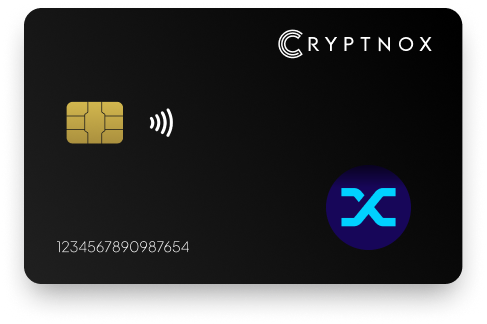
Yes. Cryptnox holds Synthetix Network Token as SNX ERC-20 on Ethereum, using a 0x-prefixed 20-byte EVM address. SNX is not pre-programmed on the Cryptnox Crypto Hardware Wallet – Dual-Card Set, so you add the token when needed. Optimism, Base, or other EVM-chain representations can be held only after you manually add the relevant network and token contract through Add a Network or Add a Token.

CRYPTNOX products are also available worldwide through our official Amazon stores.

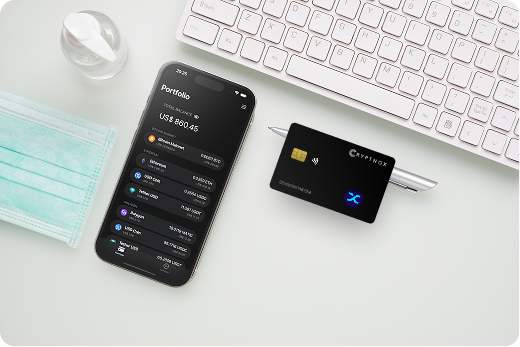
Synthetix Network Token is held on Cryptnox through its Ethereum ERC-20 form. The receiving account is a 0x-prefixed 20-byte EVM address, so the key custody question for SNX is the same key custody question used for Ethereum token accounts: who controls the private key for that 0x address.
With the Cryptnox Crypto Hardware Wallet – Dual-Card Set, the private key for the EVM address is generated inside the secure element and never leaves it. SNX can then be added as a token view for that Ethereum address instead of being treated as a separate native-chain account.
The Synthetix user documentation describes user activity around SNX, so custody should start by making sure the token route and receiving address match the Ethereum ERC-20 path you intend to use.
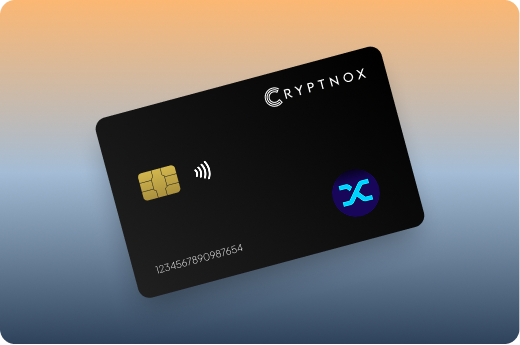
SNX is not loaded on the card before setup. A buyer should expect to add the token once in the Cryptnox app when SNX is needed. That distinction matters because the card protects the EVM private key, while the app determines which token balances and token actions are visible for the selected network.
For Ethereum SNX, the practical path is to use the Ethereum network and add Synthetix Network Token as an ERC-20 token if it is not already shown in the app view. The address remains the 0x-prefixed EVM address controlled by the card’s secure element.
The Cryptnox coin and blockchain support page is useful when SNX is one holding among several EVM assets, because it helps you check the wider asset and chain coverage before you configure tokens in the app.
For SNX, the card’s security role is specific: it protects the private key that controls the Ethereum address holding the ERC-20 token. That private key is generated inside the secure element and never leaves it, so SNX transfers and Web3 approvals are signed without exporting the key to the phone.
The card uses an EAL6+-certified chip. For an SNX holder, that chip-level assurance sits under a simple operating model: the Ethereum key is created in the secure element, the app prepares the SNX transaction request, and the card signs for the 0x address that holds the token.
The Cryptnox card is a contact and NFC smart card. You can tap it to a phone when using the Cryptnox app, or insert it into a reader. That dual-interface format fits ERC-20 use because SNX is not tied to a separate device connection type; it is controlled by the EVM address protected by the card.
Unlock uses the phone’s face or fingerprint check through the Cryptnox app. The card itself has no fingerprint reader or face sensor, so the phone handles app access while the secure element remains responsible for the SNX address key and signing operation.
The main SNX route for Cryptnox is ERC-20 on Ethereum. The Synthetix deployment information includes Ethereum mainnet contract context, which is relevant when you need to distinguish Ethereum SNX from a token representation on another EVM network.
When you receive SNX on Ethereum, the address should be the 0x-prefixed EVM address controlled by your Cryptnox card. If an exchange, wallet, or Web3 app asks for a receiving address for Ethereum SNX, the address format should match that EVM route.
The difference between custody and display is important for SNX. Custody belongs to the private key generated inside the card’s secure element. Display belongs to the app’s token list and selected network. If SNX is not displayed, adding the token does not create a new private key; it makes the ERC-20 token visible for the existing 0x address.
For contract and deployment context, Synthetix publishes Ethereum mainnet deployment information. Use that kind of network-specific context before sending SNX, because the selected network and token contract determine which token representation you are handling.
SNX-related activity may involve EVM-chain representations such as Optimism or Base. Those routes do not ship enabled on the Cryptnox card. They can be held as EVM tokens only after the relevant network and token contract are added manually.
The setup order matters. Add the EVM network first if it is not already present, then add the SNX token contract for that network. The visible balance and the transaction request depend on that selected network and contract, even though the account format remains a 0x-prefixed EVM address.
This is the main caution for a buyer who wants SNX beyond Ethereum mainnet: Cryptnox can protect the EVM private key, but the network and token contract are user-added for those representations. The card does not automatically make every SNX representation visible.
If your portfolio also includes other EVM-focused assets, the Polygon hardware wallet guide is a useful comparison for network selection habits, while SNX still requires its own correct token contract on the network you choose.
The Dual-Card Set ships uninitialised. During setup, the seed is generated inside both secure elements, so the second card is the backup for the same wallet material. For SNX, that means the backup is another card for the same EVM address that can hold the ERC-20 token.
The normal setup path does not require writing down a recovery phrase. Importing an existing 12- or 24-word BIP39 recovery phrase is an advanced option, not the default setup path for the Dual-Card Set.
This backup model fits SNX because the token is controlled by the Ethereum private key for the 0x address. If that address is used to hold SNX, approve an SNX transaction through WalletConnect, or work with MetaMask, the second card is tied to the same wallet material created during setup.
For buyers holding SNX alongside other major assets, the Cryptnox hardware wallet collection can help you move between asset-specific custody guides while keeping the SNX decision centered on ERC-20 Ethereum handling and manually added EVM representations.
The Cryptnox app is free on iOS and Android. For SNX, the app is where you add the ERC-20 token, select the relevant EVM network, and review the signing request that will be approved with the card.
Cryptnox connects to Web3 through WalletConnect and works with MetaMask. For an SNX holder, that means the app can connect to Web3 flows while the private key for the 0x address remains generated inside the secure element and never leaves it.
SNX approvals should be checked against the network shown in the app. Ethereum ERC-20 SNX, an Optimism representation, and a Base representation are not the same token route just because they use EVM-style addresses. The selected network and token contract are the practical difference.
The Cryptnox hardware wallet tutorials are the right companion when you are setting up the app, adding a token, or learning the card approval flow before sending or approving SNX.
A buyer choosing Cryptnox for SNX should decide first whether the intended holding is Ethereum ERC-20 SNX or an EVM-chain representation. Ethereum SNX uses the main ERC-20 route described here. Optimism, Base, and other EVM representations require the network and token contract to be added manually before use.
That decision is different from assets with non-Ethereum account models. A Tron hardware wallet setup centers on Tron-specific handling, while SNX custody centers on an EVM address and an ERC-20 token route. A Bitcoin hardware wallet setup is different again because Bitcoin is not an ERC-20 token on Ethereum.
The same separation helps when comparing SNX with other chain-specific holdings. The Ronin hardware wallet guide addresses a different asset route, while SNX remains an Ethereum ERC-20 token unless you intentionally add another EVM network and SNX token contract.
For SNX, the buying case is straightforward: use the Dual-Card Set to generate and protect the EVM private key inside secure elements, add SNX for the Ethereum ERC-20 route, and manually add any other EVM-chain representation only when you need that exact route.
No. SNX is not pre-programmed on the card. The supported route is Synthetix Network Token as an ERC-20 token on Ethereum, and you add the token when needed. Optimism, Base, or other EVM-chain representations require manual network and token-contract setup before use.
SNX on Ethereum uses a 0x-prefixed 20-byte EVM address. That address is controlled by the private key generated inside the Cryptnox secure element. If SNX is not visible in the app, add the token view without changing the underlying EVM address.
Yes, but only as manually added EVM tokens. Add the relevant EVM network first, then add the SNX token contract for that network. Those representations do not ship enabled, and they should be kept separate from SNX ERC-20 on Ethereum.
The Dual-Card Set ships uninitialised, and setup generates the seed inside both secure elements. The second card is the backup for the same EVM wallet material that controls the SNX address. The normal setup path does not require writing down a recovery phrase.
No. The card has no fingerprint reader or face sensor. Unlock uses the phone’s face or fingerprint check through the Cryptnox app. The card’s role for SNX is to keep the EVM private key inside the secure element and sign without exporting it.
Yes. The free Cryptnox app on iOS and Android connects to Web3 through WalletConnect and works with MetaMask. For SNX, confirm that the app is using the intended route: ERC-20 on Ethereum, or a manually added EVM-chain representation.
No, and on this network that is not a limitation. The Cryptnox wallet uses one address per chain. HD address rotation comes from Bitcoin’s UTXO model and the BIP32/BIP44/BIP49/BIP84 derivation scheme; on account-model networks each account is a single fixed address by design, so the question does not apply in the same way. Cryptnox’s single-address-per-chain behaviour matches how these networks work.
At the cryptography layer the card derives keys along BIP32 and SLIP-10 paths, one path per supported chain, though that is not exposed in the app as multi-address management.