
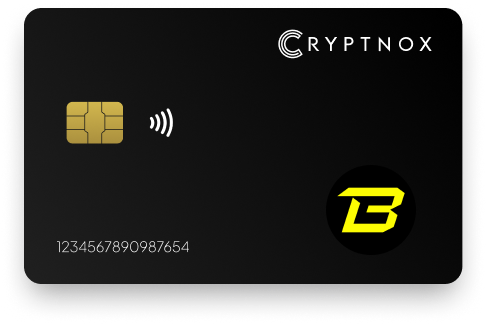
Yes. The Cryptnox Crypto Hardware Wallet – Dual-Card Set can hold BLAST as an ERC-20 token on Blast Mainnet after you manually add the Blast Mainnet EVM network and the BLAST token contract. BLAST is not pre-programmed on the card. The token uses a 0x-prefixed 20-byte EVM address, and the private key for that account is generated inside the secure element and never leaves it.

CRYPTNOX products are also available worldwide through our official Amazon stores.

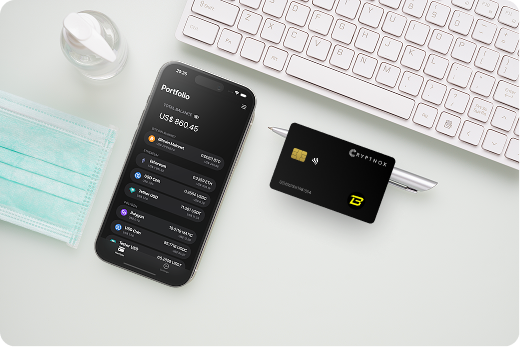
BLAST support on Cryptnox is a manual EVM setup. The asset is held as the BLAST ERC-20 token on Blast Mainnet at contract 0xb1a5700fA2358173Fe465e6eA4Ff52E36e88E2ad. It does not ship as a pre-programmed token setting on the card, so the buyer should expect to add the network once and add the token once through an Add a Network or Add a Token flow.
The receiving account uses a 0x-prefixed 20-byte EVM address. That address format matters, but the network matters just as much. A BLAST transfer belongs on Blast Mainnet, not merely on any interface that accepts a 0x address. The support route is BLAST as an ERC-20 token on Blast EVM L2, controlled by a card-held EVM account key.
The Cryptnox coin and blockchain support page is useful when you want to review the wider support context before placing assets under a card-controlled address. For this page, the BLAST route is narrower and specific: manual Blast Mainnet network addition, then the BLAST ERC-20 contract on that network.
The product used for this BLAST setup is the Cryptnox Crypto Hardware Wallet – Dual-Card Set. It is a contact and NFC smart card set, so you can tap a card to a phone or insert it into a reader while the BLAST account key remains inside the secure element.
BLAST is not ready for this route until the wallet interface is using Blast Mainnet. Add the Blast Mainnet EVM network first, then add the BLAST ERC-20 token contract if the token is not already visible. This order keeps the token contract tied to the correct chain context.
Blast publishes Blast Mainnet network information for users who want to confirm the chain details before using an Add a Network flow. After the network is in place, the BLAST token should be added in that Blast Mainnet context with the contract address above.
The Cryptnox hardware wallet tutorials are the right place to review product setup before configuring Blast Mainnet. Once the Dual-Card Set is initialised, the BLAST-specific work is the manual EVM network addition and the manual token contract addition.
The BLAST contract for this Cryptnox route is 0xb1a5700fA2358173Fe465e6eA4Ff52E36e88E2ad. Blast’s own contract documentation lists the BLAST contract address, which is the address to compare against when adding the token manually.
A 0x address alone does not prove that the transfer is set up for BLAST on Blast Mainnet. The chain, token standard, contract, and destination address need to match together. For BLAST, the token should be received as an ERC-20 token on Blast EVM L2 at the card-controlled 0x address.
This checklist is more specific than checking the receiving address shape. BLAST should be treated as its own Blast Mainnet token route, even though the address begins with the same 0x prefix used by other EVM networks.
For a BLAST transaction, the card protects the private key for the EVM account used on Blast Mainnet. The BLAST balance is associated with the 0x address on Blast Mainnet, and the card-controlled account provides the signature when you approve a transaction from that address.
The private key is generated inside the secure element and never leaves it. When you send BLAST or approve a Blast Mainnet transaction, the card provides the signature without exporting the private key to the phone app, the WalletConnect session, or the MetaMask interface.
The signing key for the Blast Mainnet EVM account is separated from the interface used to prepare the transaction. The interface can show the BLAST token, the Blast Mainnet network, the destination, and the transaction action, while the private key remains inside the secure element.
The chip used for this signing environment is an EAL6+-certified chip. For a BLAST holder, the practical point is that the card controls the EVM account key while the app or connected EVM wallet interface is used to prepare the Blast Mainnet action.
The Dual-Card Set ships uninitialised. During setup, the seed is generated inside both secure elements, so the second card is the backup for the same account. For BLAST, that means the backup card protects access to the same 0x Blast Mainnet address created during the paired setup.
No recovery phrase has to be written down by default for this paired backup model. The second smart card is the default backup. Importing a 12 or 24 word BIP39 seed is available as an advanced option, but it is not the default way the Dual-Card Set creates its BLAST-capable account.
This matters because account backup and token display are separate tasks. The paired cards protect the account key, while the app or connected EVM wallet interface must still be configured to show BLAST on Blast Mainnet.
The free Cryptnox app is available on iOS and Android. For BLAST, the app is the card access point, while WalletConnect and MetaMask provide a Web3 route for an EVM interface that can add Blast Mainnet and the BLAST token contract.
The Cryptnox app connects to Web3 through WalletConnect and works with MetaMask. In a BLAST workflow, that lets you use an EVM wallet interface while keeping the Blast Mainnet account controlled by the card. The BLAST token still needs to be added manually if it is not visible after Blast Mainnet is selected.
Unlock uses the phone’s face or fingerprint unlock through the Cryptnox app. The card itself has no biometric sensor. For BLAST use, the phone unlock controls app access, and the card remains the signing device for the Blast Mainnet EVM account.
The physical card is dual-interface: contact and NFC. You can tap it to a phone during mobile BLAST use, or insert it into a reader in a reader-based workflow. In either case, the BLAST setup remains the same: Blast Mainnet first, then the BLAST ERC-20 contract.
BLAST uses a 0x-prefixed 20-byte EVM address on Blast Mainnet. That can look familiar if you already use other EVM networks, but the network context is different. A BLAST deposit should be checked as BLAST on Blast Mainnet, not only as a transfer to a 0x address.
If you also hold assets on Polygon, compare this BLAST route with the Cryptnox Polygon hardware wallet page. Both pages involve EVM-style address handling, but BLAST belongs on Blast Mainnet with the BLAST contract listed here. If your portfolio includes TRON, the Cryptnox TRON hardware wallet page is a useful contrast because its address rules are not the same as a Blast Mainnet 0x address.
Buyers comparing BLAST with non-EVM holdings can also review the Cryptnox Bitcoin hardware wallet page or the Cryptnox Ronin hardware wallet page. The practical takeaway for this asset is specific: BLAST is handled as an ERC-20 token on Blast Mainnet through a manually added network and token contract.
Choose the Dual-Card Set if you want a smart card hardware wallet for BLAST on Blast Mainnet, with manual EVM network setup, manual BLAST token addition, and a second card serving as the backup for the same account. The product is Swiss-engineered and uses a secure element model for the 0x account key that controls the BLAST address.
The Cryptnox crypto hardware wallet hub gives broader context for buyers comparing hardware wallet form factors. For the exact product described on this BLAST page, use the Cryptnox Crypto Hardware Wallet – Dual-Card Set product page.
The buying decision should be based on how BLAST is used with Cryptnox: a manually added ERC-20 token on Blast Mainnet, controlled by a card-held EVM account key, with a second card acting as the paired backup.
No. BLAST is not pre-programmed on the card. Add Blast Mainnet manually as an EVM network, then add the BLAST ERC-20 token contract if the token is not already displayed. The supported route is BLAST on Blast Mainnet at contract 0xb1a5700fA2358173Fe465e6eA4Ff52E36e88E2ad.
Add BLAST on Blast Mainnet using contract 0xb1a5700fA2358173Fe465e6eA4Ff52E36e88E2ad. Check the network and contract together before receiving funds. The correct route is the BLAST ERC-20 token on Blast EVM L2, received at a card-controlled 0x-prefixed 20-byte EVM address.
BLAST uses a 0x-prefixed 20-byte EVM address because it is held as an ERC-20 token on Blast Mainnet. The 0x prefix confirms the EVM-style address format, but it does not confirm the network. The sender still needs to select Blast Mainnet for a BLAST transfer.
The Dual-Card Set arrives uninitialised. During setup, the seed is generated inside both secure elements, so the second card is the backup for the same Blast Mainnet EVM account. By default, you do not write down a recovery phrase. Importing a BIP39 seed is an advanced option.
Yes. The free Cryptnox app on iOS and Android connects to Web3 through WalletConnect and works with MetaMask. For BLAST, you still need to add Blast Mainnet and the BLAST token contract manually so the EVM wallet interface is using the correct network and token.
No. Unlock uses the phone’s face or fingerprint unlock through the Cryptnox app. The card itself has no biometric sensor. For BLAST use, the phone unlock controls app access, while the card signs for the Blast Mainnet account without exporting the private key.
The private key for the BLAST 0x account is generated inside the secure element and never leaves it. When you approve or send BLAST on Blast Mainnet, the card provides the transaction signature for that EVM account without exporting the key to the app or connected wallet interface.
No, and on this network that is not a limitation. The Cryptnox wallet uses one address per chain. HD address rotation comes from Bitcoin’s UTXO model and the BIP32/BIP44/BIP49/BIP84 derivation scheme; on account-model networks each account is a single fixed address by design, so the question does not apply in the same way. Cryptnox’s single-address-per-chain behaviour matches how these networks work.
At the cryptography layer the card derives keys along BIP32 and SLIP-10 paths, one path per supported chain, though that is not exposed in the app as multi-address management.
Yes. Cryptnox ships worldwide from the official CRYPTNOX store. Orders to Switzerland, the European Union and the United States are dispatched from stock already held in each of those regions, so the parcel does not cross a customs border into your country and there are no import duties to pay. Orders to other destinations are shipped internationally, and any import duties or local taxes are set by the destination country and are the recipient’s responsibility. Current shipping rates are shown at checkout.