
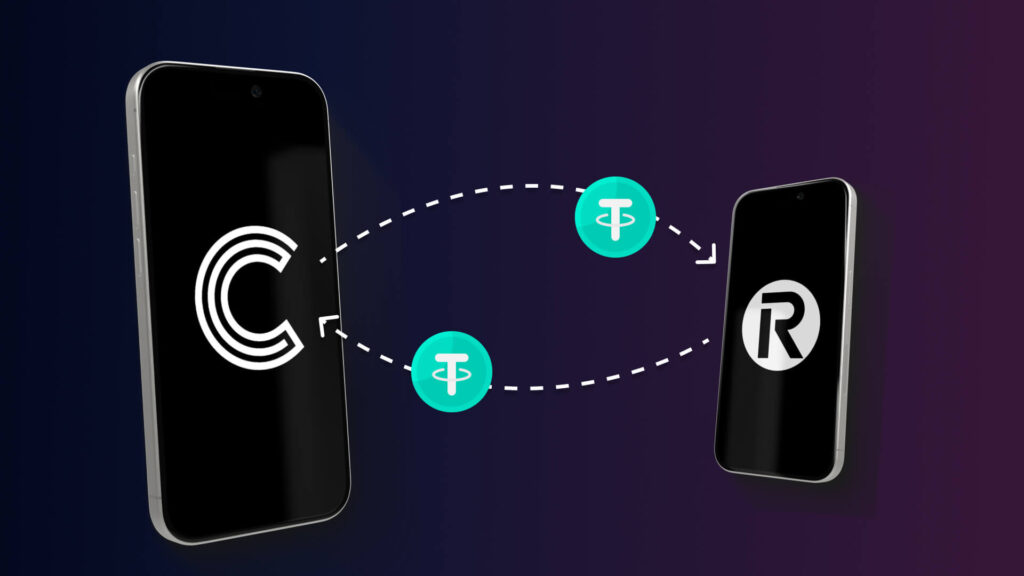
Revolut Crypto Wallet to Cryptnox Self-Custody
Does the Cryptnox wallet support moving crypto out of Revolut?
Yes, when Revolut allows an on-chain withdrawal for the asset and network, you can send it to a receiving address generated in the Cryptnox app. There is no Revolut integration, partnership route, or special transfer button. The Cryptnox Crypto Hardware Wallet – Dual-Card Set can receive supported assets on Bitcoin, EVM networks, Tron, and the XRP Ledger, with some networks and tokens added manually before withdrawal.
Moving a Revolut crypto balance to self-custody
A Revolut crypto balance moves to Cryptnox only when Revolut makes an on-chain withdrawal available for that asset and network. The destination is not a connected Revolut account or a broker-to-wallet integration. It is a blockchain receiving address generated in the free Cryptnox app on iOS or Android.
This distinction matters before you send value out of Revolut. Revolut may restrict withdrawals or may not support withdrawals for some assets. When withdrawal is available, the network selected in Revolut must be one that Cryptnox can sign for: Bitcoin, an EVM network, Tron, or the XRP Ledger.
The Revolut decision point
The most important field in Revolut is the withdrawal network. If the asset can leave Revolut on Bitcoin, an EVM chain, Tron, or the XRP Ledger, you can prepare the matching receiving route in Cryptnox. If Revolut only offers the asset on another chain, the Cryptnox app cannot add that chain because it has no key derivation or signing path for it.
The Cryptnox card collection hub is useful when you want to compare the broader card family, while this Revolut page focuses on the crypto hardware wallet destination for supported withdrawals. The product for this self-custody route is the Cryptnox Crypto Hardware Wallet – Dual-Card Set.
Preparing Cryptnox before a Revolut withdrawal
Prepare the Cryptnox side before you start a Revolut send. The Dual-Card Set ships uninitialised, so setup comes before receiving funds. During setup, the seed is generated inside both secure elements, making the second card the backup from the start. The default setup does not require writing down a recovery phrase.
After setup, open the Cryptnox app and prepare the receiving route that matches the Revolut withdrawal network. Bitcoin uses a Bitcoin receiving address. An EVM withdrawal needs the relevant EVM network added in the app. Tron uses the Tron route, and XRP uses the XRP Ledger route. Tokens may also need to be added manually before they are easy to manage in the app.
Revolut-to-Cryptnox pre-send checks
- Confirm withdrawal availability in Revolut: the asset must be withdrawable from Revolut on an on-chain network.
- Read the network name in Revolut: the network must match Bitcoin, an EVM network, Tron, or the XRP Ledger.
- Prepare the same route in Cryptnox: add the EVM network or token first when the asset requires it.
- Use the Cryptnox address as the destination: paste or scan the address generated by the Cryptnox app.
- Store the second card separately: the second card is the backup created during the Dual-Card Set setup.
If you are setting up the cards for the first time, the Cryptnox card startup guide helps with the card-startup flow before you create a receiving address for a Revolut withdrawal.
Bitcoin withdrawals from Revolut
Bitcoin is supported natively in the Cryptnox app. For a Revolut Bitcoin withdrawal, generate the receiving address in the Cryptnox app as a Bitcoin address and use the Bitcoin withdrawal route in Revolut when Revolut makes that route available. Cryptnox supports Legacy Bitcoin addresses beginning with 1 and SegWit bech32 addresses beginning with bc1.
Do not treat a Bitcoin-labelled balance as ready to send until the Revolut withdrawal screen shows that an on-chain Bitcoin withdrawal is available. Revolut may restrict or not support withdrawals for some assets. When Bitcoin withdrawal is available, the address format shown by Cryptnox gives you the destination for the transfer.
Bitcoin address formats supported by Cryptnox
- Legacy Bitcoin: P2PKH addresses beginning with 1.
- SegWit Bitcoin: bech32 addresses beginning with bc1.
After Bitcoin arrives, future outgoing transactions are approved with the Cryptnox card and app. Private keys are generated inside the secure element and never leave it, so the Bitcoin account is not controlled by a private key exported into the phone app.
EVM withdrawals and ERC-20 tokens from Revolut
For EVM assets, the network matters more than the asset label shown in Revolut. Any EVM network can be added in the Cryptnox app through Add a Network. Once that network is added, its native coin and any ERC-20 token deployed on that chain can be managed. ERC-20 tokens can be added manually through Add a Token.
This is the route for a Revolut withdrawal that leaves on an EVM chain. Prepare the same EVM chain in Cryptnox first, then add the ERC-20 token if the asset is a token rather than the native coin of that chain. The address you give Revolut must belong to the same EVM network you intend to manage in Cryptnox.
How the EVM route works
- Native EVM coin: add the EVM network, then manage the native coin for that chain.
- ERC-20 token: add the EVM network, then add the token manually through Add a Token.
- Unsupported chain: do not send if the Revolut withdrawal route is not Bitcoin, an EVM chain, Tron, or the XRP Ledger.
Cryptnox connects to Web3 through WalletConnect and works with MetaMask. For assets withdrawn from Revolut onto an EVM network, that gives you a way to use the card-and-app setup beyond holding, provided the network has been added in the Cryptnox app.
Tron and XRP Ledger withdrawals from Revolut
Tron is supported for native TRX, and TRC-20 tokens can be added manually in the Cryptnox app through Add a Token. If Revolut offers a withdrawal on Tron, prepare the Tron route in Cryptnox and add the TRC-20 token manually when the withdrawn asset is a token rather than native TRX.
The XRP Ledger is supported for native XRP. Tokens on the XRP Ledger, also known as Issued Currencies, can be added manually through Add a Token. If Revolut offers an XRP Ledger withdrawal, the Cryptnox receiving route must be the XRP Ledger route, not another chain carrying a similarly named asset.
Tron and XRP Ledger handling
- Tron: native TRX is supported, and TRC-20 tokens are added manually.
- XRP Ledger: native XRP is supported, and Issued Currencies are added manually.
- Network match: the Revolut withdrawal network and the Cryptnox receiving route must describe the same chain.
A token displayed in Revolut may be withdrawable on one route, several routes, or no route. The Cryptnox decision is precise: Bitcoin, EVM networks, Tron, and the XRP Ledger are supported; another chain cannot be added manually in the app.
Security model after the Revolut withdrawal
After assets arrive at a Cryptnox address, transactions are signed through the Cryptnox card and app. Private keys are generated inside the secure element and never leave it. The card uses an EAL6+-certified chip, and the finished product is a contact and NFC smart card.
The card has no fingerprint or face sensor. Unlocking uses the phone’s face or fingerprint check through the Cryptnox app. The phone helps with the unlock flow, while the private keys remain generated inside the secure element and stay there.
Dual-interface smart-card use
The Cryptnox card can be tapped to a phone by NFC or inserted into a reader. That dual-interface form factor matters for a buyer moving crypto out of Revolut because the wallet remains a physical signing device while staying card-sized.
The security model is separate from Revolut. Revolut’s role is limited to sending an allowed withdrawal to the blockchain address you provide. Once the transfer reaches the Cryptnox address, holding and future signing depend on the secure element, the Cryptnox app, and the backup card created during the Dual-Card Set setup.
Backup model for Revolut self-custody
The Dual-Card Set is designed so the second card is the backup. The cards ship uninitialised. During setup, the seed is generated inside both secure elements, so the backup is created as part of the same setup process rather than as a separate handwritten default step.
For a Revolut withdrawal, this changes the preparation sequence. Do not generate a receiving address before the card pair is ready. Initialise the two cards, keep the backup card separately, then generate the receiving address for the network Revolut will use.
Default setup and advanced import
The default route is a new wallet created in the secure elements of the two-card set. Importing an existing BIP39 recovery phrase is available as an advanced option, but it is not the default setup for the Dual-Card Set. A buyer moving crypto from Revolut can start with a new Cryptnox wallet and then send assets to addresses generated by that wallet.
Swiss-engineered Cryptnox cards are made in Switzerland. The product remains a contact and NFC smart-card hardware wallet, with one card available for everyday signing and the second card retained as the backup created during setup.
Keeping Revolut withdrawals separate from account security
Moving crypto out of Revolut into Cryptnox is a wallet custody action. It is different from using a security key to protect sign-in to an exchange, email account, or financial account. Keep those two decisions separate: the Revolut withdrawal sends assets to a Cryptnox blockchain address, while account-security pages cover access protection for services.
The Cryptnox parent hub for security-key cards is separate from the Revolut withdrawal route described here. If you also use crypto exchanges, the Cryptnox Binance security-key page and the Cryptnox Bitfinex security-key page address account access rather than Revolut withdrawals.
If your self-custody plan also includes protecting non-exchange accounts, the Fastmail security-key page and the Bank of America security-key page cover those separate account-protection contexts. For the Revolut crypto wallet use case, the purchase decision is narrower: choose the Cryptnox Crypto Hardware Wallet – Dual-Card Set when you want a smart-card hardware wallet destination for supported on-chain withdrawals from Revolut.
Frequently asked questions
Can I connect Revolut directly to the Cryptnox wallet?
No. Cryptnox does not provide a direct Revolut connection, partnership route, or transfer button. When Revolut allows withdrawal for an asset and network, the route is a normal on-chain send to a receiving address generated in the Cryptnox app.
Which Revolut assets can I send to Cryptnox?
Cryptnox can receive supported assets on Bitcoin, EVM networks, Tron, and the XRP Ledger. Bitcoin, TRX, and XRP are native. EVM networks can be added, ERC-20 and TRC-20 tokens can be added manually, and XRP Ledger Issued Currencies can be added manually.
Can I withdraw Bitcoin from Revolut to Cryptnox?
Yes, if Revolut allows an on-chain Bitcoin withdrawal. Cryptnox supports native Bitcoin, including Legacy addresses beginning with 1 and SegWit bech32 addresses beginning with bc1. Generate the Bitcoin receiving address in the Cryptnox app and use the Bitcoin withdrawal route in Revolut.
Can I withdraw ERC-20 tokens from Revolut to Cryptnox?
Yes, when Revolut allows withdrawal of that token on an EVM network. Add the same EVM network in Cryptnox through Add a Network, then add the ERC-20 token manually through Add a Token. The network selected in Revolut must match the network prepared in Cryptnox.
What if Revolut offers the asset on another chain?
Do not send it to Cryptnox if the chain is not Bitcoin, an EVM chain, Tron, or the XRP Ledger. Other chains cannot be added manually in the Cryptnox app because the app has no key derivation or signing path for them.
How does the Dual-Card Set backup work?
The Dual-Card Set ships uninitialised. During setup, the seed is generated inside both secure elements, so the second card is the backup. The default setup does not require writing down a recovery phrase. Importing an existing BIP39 recovery phrase is an advanced option.
Does the Cryptnox card have a fingerprint sensor?
No. The card itself has no fingerprint or face sensor. Unlocking uses the phone’s face or fingerprint check through the Cryptnox app. Private keys are generated inside the secure element and never leave it.
Does Cryptnox ship worldwide, and will I pay import duties?
Yes. Cryptnox ships worldwide from the official CRYPTNOX store. Orders to Switzerland, the European Union and the United States are dispatched from stock already held in each of those regions, so the parcel does not cross a customs border into your country and there are no import duties to pay. Orders to other destinations are shipped internationally, and any import duties or local taxes are set by the destination country and are the recipient’s responsibility. Current shipping rates are shown at checkout.
Buy from the Official CRYPTNOX Store

Prefer Amazon?
CRYPTNOX products are also available worldwide through our official Amazon stores.
