
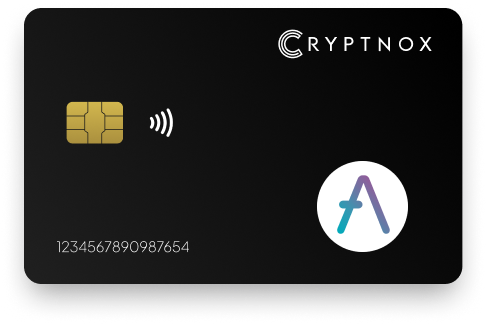
Yes. The Cryptnox Crypto Hardware Wallet – Dual-Card Set supports AAVE by adding AAVE as an ERC-20 token on Ethereum; it is not pre-programmed on the card before setup. Add it once through Add a Network or Add a Token using contract 0x7Fc66500c84A76Ad7e9c93437bFc5Ac33E2DDaE9. The receiving address is a 0x-prefixed 20-byte EVM address. Private keys are generated inside the secure element and never leave it, and the second card is the backup.

CRYPTNOX products are also available worldwide through our official Amazon stores.

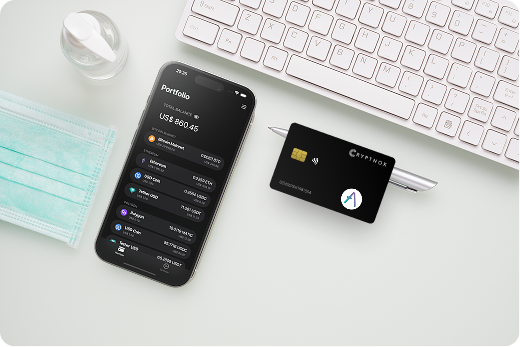
AAVE is held with the Cryptnox Crypto Hardware Wallet – Dual-Card Set as an ERC-20 token on Ethereum. The AAVE asset is not pre-programmed before setup, so the practical route is to add the Ethereum token contract once and then receive AAVE at the Ethereum address secured by the cards.
The AAVE ERC-20 contract is 0x7Fc66500c84A76Ad7e9c93437bFc5Ac33E2DDaE9. That same contract is shown for AAVE on Etherscan, and the AAVE token repository relates to the Ethereum token contract. For this wallet setup, AAVE is handled as an Ethereum ERC-20 asset rather than as a separate native-chain account.
Before buying for a wider portfolio, review the Cryptnox coin and blockchain support page to compare the AAVE Ethereum ERC-20 route with other networks and token routes available for Cryptnox hardware wallet users.
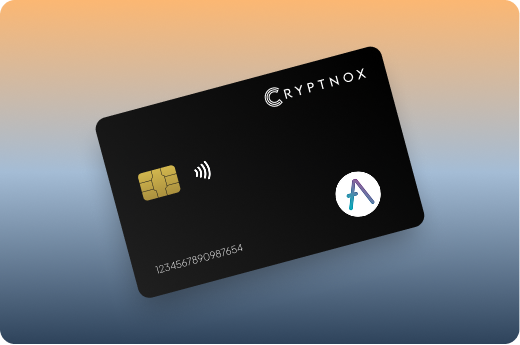
Receiving AAVE to Cryptnox means receiving an Ethereum ERC-20 token at a 0x-prefixed EVM address. The token is identified by the AAVE contract address, while control of transfers from that address depends on the Ethereum private key protected by the card’s secure element.
With the Dual-Card Set, private keys are generated inside the secure element and never leave it. For AAVE, that means the Ethereum account used to receive and sign ERC-20 transfers is card-controlled rather than created in the phone or browser.
The secure element uses an EAL6+-certified chip. EAL6+ describes the chip platform used for key protection, and the relevant AAVE outcome is that the Ethereum private key for the AAVE-holding 0x address is created and retained inside the secure element.
The card does not change AAVE into a different asset or alter the token contract. It protects the Ethereum account that controls the AAVE balance associated with the contract 0x7Fc66500c84A76Ad7e9c93437bFc5Ac33E2DDaE9.
The Dual-Card Set ships uninitialised. During first setup for an AAVE wallet, the seed is generated inside both secure elements, which makes the second card the backup for the same Ethereum account before AAVE is added as a visible ERC-20 token.
After initialisation, add AAVE through Add a Network or Add a Token, depending on the route shown in your setup. AAVE is not already enabled on the card before that step. The setup action associates the AAVE ERC-20 contract with the Ethereum account protected by the Cryptnox cards.
The Cryptnox hardware wallet tutorials are useful before adding AAVE because card initialisation and signing come before the AAVE ERC-20 token is added to the wallet.
Importing a 12- or 24-word BIP39 recovery phrase is an advanced option. The default Dual-Card Set setup for AAVE does not ask you to create a written recovery phrase, because the seed is generated inside both secure elements and the second card is the backup.
The Dual-Card Set backup model is directly relevant to AAVE because AAVE is controlled through an Ethereum private key. The product generates the seed inside both secure elements during setup, so the second card represents the same wallet as the main card. It is not a second AAVE token account and it does not create a second AAVE balance.
For AAVE, the address format stays the same: a 0x-prefixed 20-byte EVM address. The AAVE contract also stays the same: 0x7Fc66500c84A76Ad7e9c93437bFc5Ac33E2DDaE9. The backup card matters because it is tied to the same generated seed that controls the Ethereum account used for the AAVE ERC-20 token.
The cards used for this AAVE ERC-20 setup are Swiss-engineered. Buyers who want this AAVE custody route can purchase the Cryptnox Crypto Hardware Wallet – Dual-Card Set from the Cryptnox shop.
AAVE setup and use with Cryptnox can be card-based without changing the asset’s Ethereum ERC-20 route. The wallet is a contact and NFC smart card, so an AAVE holder can tap the card to a phone or insert it into a reader while keeping the Ethereum private key inside the secure element.
The free Cryptnox app on iOS and Android is the place to add the AAVE contract and use the wallet experience. Unlock uses the phone’s face or fingerprint unlock through the Cryptnox app. The Cryptnox card itself has no biometric sensor; the AAVE signing key remains in the secure element on the card.
For Web3 use involving AAVE, Cryptnox connects through WalletConnect and works with MetaMask. That matters when the AAVE interaction expects an Ethereum account: connect the 0x address secured by Cryptnox, keep Ethereum as the chain for AAVE, and verify that the AAVE token route matches the ERC-20 contract when the contract is shown.
The WalletConnect and MetaMask path does not pre-install AAVE on the card. It gives the Ethereum account secured by Cryptnox a Web3 connection route after AAVE has been added as the ERC-20 token you want to manage.
To receive AAVE with Cryptnox, use the Ethereum address for the account secured by your cards. The address format is a 0x-prefixed 20-byte EVM address, and the asset route is AAVE as an ERC-20 token on Ethereum. Do not treat AAVE setup as a separate native-chain address.
The contract address is the most precise identifier for this AAVE route. Token names can be displayed in different interfaces, but the AAVE contract for this setup is 0x7Fc66500c84A76Ad7e9c93437bFc5Ac33E2DDaE9. When adding AAVE manually, that contract is the value to use.
These checks are specific to AAVE on Ethereum. The card protects the private key for the receiving Ethereum address, while the AAVE token route is defined by the Ethereum chain, ERC-20 standard, and contract address.
AAVE is added to Cryptnox as an Ethereum ERC-20 token, so the buying decision is different from choosing a wallet page for a native coin. The important AAVE details are the Ethereum chain, the ERC-20 standard, the contract address, and the 0x-prefixed address used for receiving the token.
That is different from Bitcoin, where the asset is not an ERC-20 token; buyers comparing that custody model can review the Bitcoin hardware wallet page. It is also different from Polygon, where the route involves an EVM chain page rather than adding AAVE as the Ethereum ERC-20 token; compare that route on the Polygon hardware wallet page.
Other account-based networks also have their own route details. The Tron hardware wallet page and the Ronin hardware wallet page show why chain and address format should be checked before assuming an asset follows the same setup as AAVE on Ethereum.
For a broader Cryptnox buying path, use the crypto hardware wallet collection to compare asset pages, then return to the AAVE details here: Ethereum, ERC-20, contract 0x7Fc66500c84A76Ad7e9c93437bFc5Ac33E2DDaE9, and a 0x-prefixed receiving address.
If you are choosing the best wallet for AAVE, start with the asset route. AAVE is not a native account on the card and it is not pre-programmed before setup. It is added as the AAVE ERC-20 token on Ethereum, using contract 0x7Fc66500c84A76Ad7e9c93437bFc5Ac33E2DDaE9.
The next priority is the Ethereum private key behind the 0x address that will receive AAVE. In the Cryptnox Dual-Card Set, private keys are generated inside the secure element and never leave it. The second card is the backup because the seed is generated inside both secure elements during the uninitialised setup process.
Those criteria keep the buying decision tied to AAVE itself: an Ethereum ERC-20 token secured through a card-controlled Ethereum address, with the second Cryptnox card acting as the backup for that same wallet.
No. AAVE is not pre-programmed before setup. Add it once as the AAVE ERC-20 token on Ethereum, using contract address 0x7Fc66500c84A76Ad7e9c93437bFc5Ac33E2DDaE9. After that, AAVE is associated with the Ethereum account secured by the Cryptnox Dual-Card Set.
Use AAVE as an ERC-20 token on Ethereum. The contract address for this route is 0x7Fc66500c84A76Ad7e9c93437bFc5Ac33E2DDaE9. The receiving address is your 0x-prefixed 20-byte EVM address for the Ethereum account protected by the Cryptnox cards.
The Dual-Card Set ships uninitialised. During setup, the seed is generated inside both secure elements, so the second card is the backup for the same Ethereum wallet. Since AAVE is held as an ERC-20 token on Ethereum, the backup card protects access to the same AAVE-capable address.
No. The default Dual-Card Set setup generates the seed inside both secure elements, making the second card the backup. Importing a 12- or 24-word BIP39 recovery phrase is an advanced option, but it is not the default setup route for an AAVE wallet.
No. The card itself has no biometric sensor. For an AAVE wallet, unlocking the app experience uses the phone’s face or fingerprint unlock through the Cryptnox app, while the Ethereum private key used for AAVE remains inside the card’s secure element.
Yes. The free Cryptnox app on iOS and Android connects to Web3 through WalletConnect and works with MetaMask. For AAVE, connect the Ethereum account secured by Cryptnox and confirm that the token route is AAVE as an ERC-20 asset on Ethereum.
Use a 0x-prefixed 20-byte EVM address for the Ethereum account secured by your Cryptnox cards. AAVE is held here as an ERC-20 token on Ethereum, so the relevant contract is 0x7Fc66500c84A76Ad7e9c93437bFc5Ac33E2DDaE9.
No, and on this network that is not a limitation. The Cryptnox wallet uses one address per chain. HD address rotation comes from Bitcoin’s UTXO model and the BIP32/BIP44/BIP49/BIP84 derivation scheme; on account-model networks each account is a single fixed address by design, so the question does not apply in the same way. Cryptnox’s single-address-per-chain behaviour matches how these networks work.
At the cryptography layer the card derives keys along BIP32 and SLIP-10 paths, one path per supported chain, though that is not exposed in the app as multi-address management.