
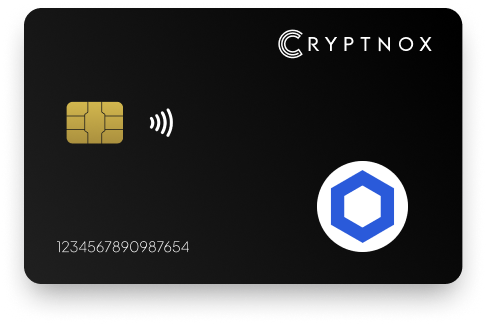
Yes. Cryptnox supports Chainlink (LINK) as a pre-programmed ERC-20 token on ZKsync Era Mainnet in the Cryptnox app. The Dual-Card Set ships uninitialised, and setup generates the seed inside both secure elements, so the second card becomes the backup. Private keys are generated inside the secure element and never leave it, while the app provides the iOS and Android interface for managing the LINK route.

CRYPTNOX products are also available worldwide through our official Amazon stores.

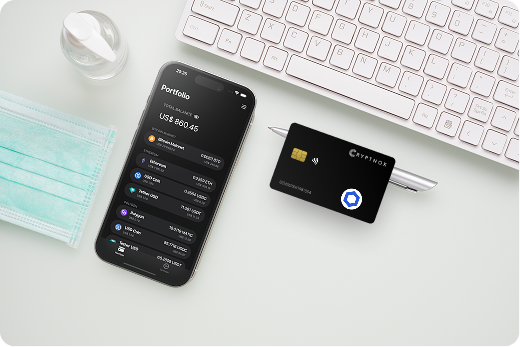
Cryptnox supports Chainlink (LINK) in the app as a pre-programmed ERC-20 token on ZKsync Era Mainnet. For a buyer setting up LINK, the important match is asset plus network route: the asset is Chainlink, the ticker is LINK, the token standard is ERC-20, and the prepared route in the app is ZKsync Era Mainnet.
That route matters because LINK can appear by name in different sending screens, while the wallet route still has to match what the Cryptnox app is prepared to receive and manage. Selecting the LINK entry on ZKsync Era Mainnet uses the ready-made route instead of asking you to create a custom token entry for that path.
The Cryptnox coin and blockchain support page is the place to compare how Chainlink appears alongside other supported assets and routes before you receive LINK.
For Chainlink on ZKsync Era Mainnet, the normal path is direct: initialise the cards, open the free Cryptnox app on iOS or Android, and use the existing LINK entry for that route. You do not need to add a custom LINK token entry when you are using the pre-programmed ZKsync Era Mainnet route.
The first setup step comes before any LINK transfer. The Dual-Card Set arrives uninitialised, so the wallet is created during setup rather than being preloaded. During that process, the seed is generated inside both secure elements, and the second card becomes the backup for the same wallet.
The Cryptnox startup guide walks through the card and app setup that should be completed before the LINK entry is used for transfers.
The prepared Chainlink route in Cryptnox is ZKsync Era Mainnet, but the app also supports a broader EVM workflow. Any EVM network can be added through Add a Network. After the network is added, its native coin and any ERC-20 deployed on that chain can be managed. ERC-20 tokens can also be added manually through Add a Token.
That creates two distinct LINK cases. If you are using LINK on ZKsync Era Mainnet, the token entry is already present in the Cryptnox app. If your intended LINK activity is on another EVM route, add that EVM network first, then add the ERC-20 token if it needs to be shown in the app.
This is different from asset pages built around other routes. The Polygon hardware wallet page focuses on a separate network path, while the Tron hardware wallet page covers a different asset route from Chainlink on ZKsync Era Mainnet.
When Cryptnox is used for Chainlink, the private keys that control the wallet are generated inside the secure element and never leave it. The app is the interface for selecting LINK, choosing the ZKsync Era Mainnet route, and connecting to Web3; it is not where the private keys are created or exported.
The card uses an EAL6+-certified chip. That chip-level security model is paired with the Chainlink route in the app, so LINK management is handled through the phone interface while the key material remains inside the card’s secure element.
The product used for this Chainlink setup is the Cryptnox Crypto Hardware Wallet – Dual-Card Set, a two-card smart-card hardware wallet set for managing LINK through the Cryptnox app.
The Dual-Card Set is designed so the backup is created during initialisation. The set ships uninitialised, and the seed is generated inside both secure elements during setup. That makes the second card the backup for the same wallet before LINK is received on the ZKsync Era Mainnet route.
For a Chainlink buyer, this means the backup card is not a separate wallet and not a later add-on to remember after funding. It is part of the initial wallet creation flow. One card can be used for regular LINK management in the app, while the second card can be stored separately as the backup for the same wallet.
If you are comparing Chainlink with other asset-specific wallet routes, the Cryptnox hardware wallet collection helps place the LINK ERC-20 route on ZKsync Era Mainnet beside other wallet guides.
Cryptnox is a contact and NFC smart card. For Chainlink, that means the same LINK wallet can be used by tapping the card to a phone or by inserting the card into a reader. The form factor does not change the asset route: LINK remains the pre-programmed ERC-20 token on ZKsync Era Mainnet in the app.
This dual-interface card design is useful when LINK is managed through the Cryptnox app because the phone and the card have different roles. The app displays Chainlink, the ZKsync Era Mainnet route, and Web3 connection options. The card holds the secure element where the private keys are generated and retained.
Buyers who want a contrast with Chainlink’s ERC-20 setup can compare it with the Bitcoin hardware wallet page, where the asset route is not the same as LINK on ZKsync Era Mainnet.
Unlock for Cryptnox can use the phone’s face or fingerprint check through the Cryptnox app. The card itself has no fingerprint reader or face sensor. For a Chainlink user, that keeps the app as the unlock and route-selection interface while the card remains the secure-element device for the wallet keys.
This distinction is important when managing LINK because the visible action happens on the phone: you open the app, choose Chainlink, and confirm the ZKsync Era Mainnet route. The key protection remains on the card side of the system, where private keys are generated inside the secure element and never leave it.
The cards are Swiss-engineered, and the LINK route is managed through the free Cryptnox app rather than through a software-only wallet key store.
The Cryptnox app connects to Web3 through WalletConnect and works with MetaMask. For Chainlink, keep the asset and route clear while using those connection options: LINK is managed as an ERC-20 token, and the prepared route in the app is ZKsync Era Mainnet.
A Web3 connection method does not replace route matching. If the activity is intended for the prepared LINK entry, use Chainlink on ZKsync Era Mainnet. If the activity requires another EVM network, add that network through Add a Network, then add the ERC-20 token through Add a Token if the token needs to be added.
If you are comparing Chainlink with another EVM-related asset guide, the Ronin hardware wallet page gives another route-specific example, while the LINK page remains focused on Chainlink as a pre-programmed ERC-20 token on ZKsync Era Mainnet.
Yes. Chainlink (LINK) is available in the Cryptnox app as a pre-programmed ERC-20 token on ZKsync Era Mainnet. That route does not require a manual token entry. If you plan to manage LINK on another EVM network, add that network first and then add the ERC-20 token if needed.
No. The ZKsync Era Mainnet route for Chainlink is already prepared in the Cryptnox app. Manual token entry is relevant only when you are using another EVM network route and the ERC-20 token needs to be added after that network has been added.
Private keys are generated inside the secure element and never leave it. The card uses an EAL6+-certified chip, while the Cryptnox app provides the interface for selecting Chainlink, using the ZKsync Era Mainnet route, and connecting to Web3.
The Dual-Card Set ships uninitialised. During setup, the seed is generated inside both secure elements, making the second card the backup for the same wallet. No recovery phrase has to be written down by default, and importing an existing BIP39 recovery phrase is an advanced option.
Yes. The free Cryptnox app connects to Web3 through WalletConnect and works with MetaMask. For Chainlink, use the pre-programmed ERC-20 entry on ZKsync Era Mainnet unless your workflow requires another EVM network, in which case that network must be added first.
No. The card itself has no fingerprint reader or face sensor. Unlock can use the phone’s face or fingerprint check through the Cryptnox app, while the card remains the secure-element device used for the wallet keys that control the Chainlink wallet.
Yes. Chainlink is pre-programmed as an ERC-20 token on ZKsync Era Mainnet. Beyond that route, any EVM network can be added through Add a Network, and ERC-20 tokens deployed on that added chain can be managed or added manually through Add a Token.
No, and on this network that is not a limitation. The Cryptnox wallet uses one address per chain. HD address rotation comes from Bitcoin’s UTXO model and the BIP32/BIP44/BIP49/BIP84 derivation scheme; on account-model networks each account is a single fixed address by design, so the question does not apply in the same way. Cryptnox’s single-address-per-chain behaviour matches how these networks work.
At the cryptography layer the card derives keys along BIP32 and SLIP-10 paths, one path per supported chain, though that is not exposed in the app as multi-address management.