
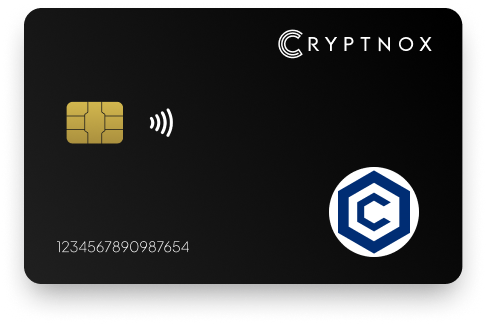
Secure Your Digital Assets with Confidence
Experience next-level protection for your digital assets with a premium hardware wallet built for security-first users
Designed around advanced encryption and a dedicated secure chip, it delivers robust offline storage while supporting a wide range of digital assets and ecosystems
The streamlined setup lets you get started in minutes, giving you access to true cold storage, reliable backup options, and full control over your assets
Engineered for performance and peace of mind, this hardware wallet is a trusted solution for anyone seeking long-term security beyond online threats
Buy it from CRYPTNOX shop directly
Accepts:

Preferred shopping solution for US:

Also available on other Amazon shops:
DE, FR, IT, BE, SE, ES, PL, NL, CA, MX, AU
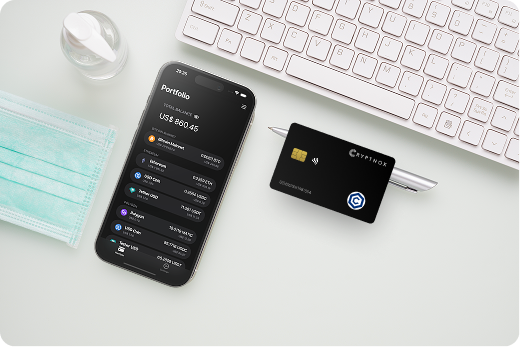
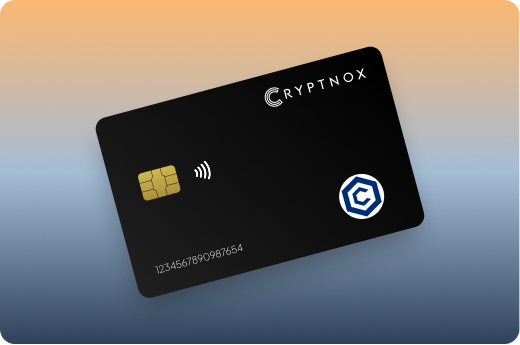
Keeps sensitive access data fully offline, protecting against online threats
Delivers a higher level of security compared to software-based solutions
Enables quick, secure actions while maintaining maximum protection
Introducing Cryptnox, the revolutionary hardware wallet designed to keep your digital assets safe, accessible, and fully under your control. Built on advanced smartcard technology, our wallets feature a secure dual-card backup system, biometric authentication, and seamless integration with MetaMask, WalletConnect, and Web3 apps. Whether you’re storing cryptocurrencies, swapping tokens, or diving into DeFi, Cryptnox delivers bank-level security without the complexity, empowering you to manage your portfolio with peace of mind.
Product Features
Product Specifications:
What It’s Built For:
Cryptnox hardware wallets are your go-to solution for:
Why Cryptnox Stands Out:
This isn’t just a wallet it’s a fortress for your digital future. With no access to your keys by Cryptnox (we never store or see them), audited firmware for top-tier reliability, and global availability, our hardware empowers beginners and experts alike. Backed by comprehensive tutorials, blogs, technical resources, and 24/7 support, Cryptnox ensures you stay ahead in the crypto world with unmatched security, simplicity, and innovation.
Cryptnox Hardware Wallets – Your Gateway to Secure, User-Friendly Crypto Management.
Ready to secure your assets? Buy a Cryptnox Hardware Wallet now and protect your crypto with ease.
Rank | Wallet Name | Description |
2 | Ledger Nano X | The Ledger Nano X provides Bluetooth connectivity for mobile Cronos management with native CRO support directly in Ledger Live. Managing over 5,500 digital assets securely offline, this wireless hardware wallet enables convenient access to Cronos DeFi and dApps from your smartphone while maintaining robust security for CRC20 tokens. |
3 | Trezor Safe 5 | The Trezor Safe 5 delivers open-source security with full CRO and Cronos compatibility through transparent, auditable firmware. The color touchscreen simplifies transaction verification while haptic feedback confirms your interactions with confidence, making it ideal for Cronos ecosystem users who value transparency and community-audited code. |
4 | Ledger Stax | Ledger Stax represents premium hardware wallet design with a stunning curved E-Ink touchscreen supporting CRO through Ledger Live integration. The always-on display and wireless charging create a modern experience for Cronos DeFi and NFT management, appealing to users who value aesthetics alongside security. |
5 | OneKey Pro | OneKey Pro optimizes Cronos security with clear signing capabilities and institutional-grade offline protection. The touchscreen interface and fingerprint authentication combine convenience with comprehensive CRC20 token support, making it suitable for frequent Cronos DeFi interactions. |
6 | Tangem Wallet | Tangem Wallet offers NFC card-based security with air-gapped CRO storage and biometric options. The ultra-portable waterproof design enables tap-to-sign functionality with a multiple card backup system for redundancy, perfect for users prioritizing portability and durability. |
7 | Ledger Nano S Plus | The Ledger Nano S Plus provides affordable entry to hardware security with full Cronos and CRO support via Ledger Live. Perfect for beginners storing large holdings securely, this budget-friendly option maintains Ledger’s proven security architecture while offering improved storage capacity. |
8 | Trezor Safe 3 | Trezor Safe 3 delivers budget-friendly open-source security with robust Cronos support featuring PIN protection and advanced passphrase options. The compact design and USB-C connectivity provide secure CRO management at an accessible price point without compromising core security fundamentals. |
9 | D’CENT Biometric | D’CENT Biometric provides fingerprint-authenticated Cronos access with dedicated support for sending, receiving, and swapping CRO offline. The biometric convenience and wireless connectivity suit users making frequent Cronos DeFi interactions who prioritize speed and convenience. |
10 | BC Vault | BC Vault supports native Cronos plus all CRC20 tokens through official Crypto.com collaboration. Multi-coin management combines with non-volatile memory and backup card system for diverse Cronos portfolio protection, ideal for users managing numerous assets. |
11 | Ellipal Titan | Ellipal Titan achieves complete air-gap isolation with no Bluetooth or USB connections, using QR-code communication exclusively. The metal construction and anti-tamper self-destruct mechanism provide maximum security for high-value CRO holdings requiring ultimate protection. |
12 | SafePal S1 | SafePal S1 offers low-cost air-gapped protection with broad chain support including Cronos blockchain. The QR-code signing and built-in camera make it accessible for DeFi and NFT users seeking complete offline isolation at budget-friendly pricing. |
13 | BitBox02 | BitBox02 delivers Swiss-made quality with touchscreen slider control and open-source firmware offering reliable Cronos/EVM support. Privacy-focused features include microSD backup and minimalist design for straightforward CRO management without unnecessary complexity. |
14 | Keystone Pro | Keystone Pro provides air-gapped large-screen security with explicit Cronos and CRO support plus MetaMask integration. Triple secure element architecture and optional fingerprint sensor deliver comprehensive protection for Cronos operations through extensive security features. |
15 | CoolWallet Pro | CoolWallet Pro combines slim Bluetooth card design with early CRO support and DeFi/NFT focus. Crypto.com Pay rewards integration, wireless charging, and mobile-first approach create portable convenience for Cronos transactions while maintaining security. |
Configuring your hardware wallet for cryptocurrency to work with Cronos requires understanding whether your device offers native support or needs MetaMask bridge integration. The setup process ensures secure communication between your hardware device and the Cronos blockchain while maintaining offline key storage.
Begin by initializing your external crypto wallet according to manufacturer instructions, creating a new wallet or recovering an existing one using your recovery phrase. Write down your recovery words on physical paper and store them securely offline, never photographing or digitally saving this critical backup information.
Essential setup steps:
For Cronos-specific preparation, install the Ethereum app on devices without native Cronos support, as the EVM compatibility allows Ethereum apps to handle Cronos transactions. Devices with native Cronos apps should install the official CRO application from their app store.
Hardware wallets without built-in Cronos interfaces require MetaMask for blockchain interaction. Connect your hardware wallet to MetaMask through the browser extension, selecting your device type when connecting hardware wallets.
Add the Cronos network manually by entering the network name, RPC URL, Chain ID, and currency symbol. Verify these details match official Cronos documentation to prevent connecting to malicious networks that could compromise your transactions.
Send a small test transaction to confirm your setup works correctly before transferring significant CRO holdings. Verify that transactions display properly on your hardware wallet screen and that you can successfully sign and broadcast to the Cronos network.
Cronos operates as a fully EVM-compatible blockchain, similar to networks like Ethereum, Polygon, and Avalanche. This compatibility allows hardware wallets designed for Ethereum to work seamlessly with CRO and CRC20 tokens while maintaining hardware-level security for transaction signing.
The Cronos network connects to the broader Crypto.com ecosystem, including the Crypto.org Chain for native CRO tokens and the Cronos blockchain for DeFi and smart contract applications. Non-custodial wallets must support bridging operations between these chains while maintaining security throughout the transfer process.
Integration considerations for Cronos users:
Some hardware wallets offer native Cronos support through their companion apps, providing streamlined access to CRO balances and transaction history. Others require manual network configuration in MetaMask, connecting your hardware device as the signing mechanism while MetaMask handles blockchain communication.
Cronos transactions require CRO tokens for gas fees, which remain significantly lower than Ethereum mainnet costs. Hardware wallet users should maintain adequate CRO balances for transaction fees when interacting with DeFi protocols or transferring CRC20 tokens.
The network’s high throughput enables fast transaction confirmation, typically within seconds. Hardware wallets introduce minimal delay since transaction signing happens locally on the device before broadcasting to the Cronos network.
Accessing Cronos DeFi platforms with hardware wallet security requires understanding the transaction approval process and smart contract interactions. Each protocol interaction needs physical device confirmation, protecting you from malicious contracts and phishing attempts.
Navigate to your chosen Cronos DeFi platform and connect your MetaMask wallet configured with hardware wallet signing. The DeFi interface communicates with MetaMask, which then prompts your hardware device for transaction approval.
Popular Cronos protocols include VVS Finance for token swaps and liquidity pools, Tectonic for lending and borrowing, and MM Finance for yield farming. Each platform requires initial token approvals before enabling transactions with your assets.
Safe protocol interaction:
Providing liquidity on Cronos DEXes requires multiple transactions signed on your hardware wallet. Adding liquidity involves approving both tokens, then depositing them into the pool contract. Hardware wallets protect each step by requiring explicit confirmation.
Withdrawing liquidity and claiming rewards similarly need hardware confirmation, ensuring only you can access your DeFi positions. This protection remains active even if someone gains access to your computer, as they cannot sign transactions without your physical device.
Yield farming on Cronos involves staking LP tokens in reward contracts for additional token emissions. Hardware wallets secure the entire process from initial liquidity provision through reward claiming and position closure.
Review APY claims carefully before entering new farms, as suspiciously high yields often indicate risky or fraudulent projects. Your hardware wallet prevents unauthorized access to staked positions but cannot protect against smart contract exploits or rug pulls, so research projects thoroughly before committing funds.
Protecting your Cronos holdings extends beyond choosing the right hardware wallet to implementing comprehensive security practices. Understanding potential vulnerabilities and attack vectors helps you maintain robust protection for your CRO tokens and CRC20 assets.
Your recovery phrase represents complete control over your Cronos assets, making its security paramount. Store recovery words on physical media like metal plates or paper in secure locations, never photographing or digitally recording this sensitive information.
Backup best practices include:
Consider splitting your recovery phrase across multiple secure locations using advanced techniques like Shamir’s Secret Sharing, though ensure you understand the recovery process before implementing complex backup schemes.
Always verify transaction details displayed on your hardware wallet screen match your intended action. Malicious websites can display false information in the browser while submitting different transactions to your hardware wallet for signing.
Compare recipient addresses character-by-character when sending CRO or CRC20 tokens, as address poisoning attacks create similar-looking addresses to trick users. For large transfers, consider sending a small test amount first to verify the address before transferring significant holdings.
Periodically review your Cronos security setup to identify potential vulnerabilities or outdated practices. Check for firmware updates on your hardware wallet, review active token approvals, and verify that backup procedures remain secure and accessible.
Monitor your Cronos addresses through blockchain explorers for unexpected activity, setting up alerts if available. Any unauthorized transactions indicate compromised security requiring immediate action to protect remaining assets.
Users frequently encounter technical challenges when integrating hardware wallets with Cronos network. Understanding common problems and their solutions prevents frustration and ensures smooth operation of your secure storage setup.
Hardware wallets sometimes fail to connect properly to MetaMask or native wallet software. USB cable quality affects connection reliability, so try different cables if your device isn’t recognized. For Bluetooth devices, ensure pairing mode is active and no other devices are connected.
Troubleshooting connection issues:
If MetaMask doesn’t detect your hardware wallet, verify that the wallet software isn’t blocking browser access. Some security features prevent simultaneous connections from multiple applications.
Incorrect Cronos network settings prevent proper blockchain communication even with correctly connected hardware wallets. Verify the RPC URL, Chain ID, and other network parameters match official Cronos documentation exactly.
Common configuration mistakes include using testnet settings for mainnet operations or outdated RPC endpoints that no longer function. If transactions fail to broadcast, check that your Cronos network configuration uses current, functional RPC providers with adequate uptime.
Transactions that fail during the signing process typically result from timeout issues or incorrect app selection on the hardware wallet. Ensure the correct blockchain app is open on your device before attempting to sign Cronos transactions.
For devices using the Ethereum app for Cronos support, verify contract data signing is enabled in the app settings. This feature allows interaction with smart contracts and dApps, which most Cronos DeFi protocols require.
Protect your Cronos assets today with the Cryptnox hardware wallet and experience premium security that doesn’t compromise on convenience for your CRO and CRC20 token management.
The Cryptnox solution is a high-security hardware wallet based on the latest smartcard technology available A seed is either generated or injected as part of the initialization process, which makes it compatible with the BIP32 and BIP39 standards When choosing the Dual Card Setup option, you can generate an identical seed in two cards in only seconds, and store the backup card in a safe place for recovery
A hardware wallet is a physical device designed to securely store private keys offline Keeping sensitive data disconnected from the internet, it significantly reduces exposure to hacking, malware, and phishing attacks
Unlike software wallets that operate on internet-connected devices, hardware wallets isolate private keys in a secure environment Transactions are signed internally, ensuring keys never leave the device or are exposed online
Yes! Hardware wallets are ideal for long-term asset protection Offline storage, durable hardware, and secure backup mechanisms make them well-suited for holding assets safely over extended periods
Access can be restored using a secure recovery process, typically based on a recovery phrase or backup solution created during setup This ensures assets remain accessible even if the physical device is no longer available
Modern hardware wallets are designed with user-friendly interfaces and guided setup processes
This makes them accessible to beginners while still meeting the security standards required by advanced users
Hardware wallets work seamlessly with Cronos DeFi protocols through MetaMask integration or native app support. Connect your hardware wallet to MetaMask, add the Cronos network configuration, and access DeFi platforms like VVS Finance, Tectonic, and MM Finance with hardware-secured transaction signing. Each DeFi interaction requires physical confirmation on your device screen, protecting against unauthorized transactions even if your computer is compromised. This security approach maintains convenience for yield farming, swapping, and liquidity provision while eliminating hot wallet vulnerability risks.
Accordion Content
Connecting your hardware wallet to Cronos requires either using native Cronos support in wallet software like Ledger Live or configuring MetaMask with Cronos network parameters. For MetaMask setup, install the browser extension, connect your hardware device, navigate to network settings, and add Cronos with the correct RPC URL, Chain ID 25, and CRO currency symbol. For devices with native support, simply install the Cronos or Ethereum app on your hardware wallet and manage CRO directly through the companion software without MetaMask.
Several hardware wallets offer native Cronos support including Ledger devices through Ledger Live integration, D’CENT through dedicated Cronos pages, and BC Vault via official Crypto.com collaboration. Cryptnox hardware wallets provide comprehensive EVM compatibility that includes seamless Cronos integration through MetaMask and WalletConnect. Even devices without specific Cronos apps support the network through EVM compatibility using Ethereum apps, as Cronos operates as a fully EVM-compatible blockchain with identical address formats and transaction structures.