
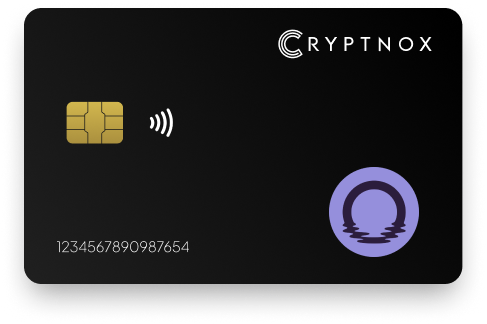
Secure Your Digital Assets with Confidence
Experience next-level protection for your digital assets with a premium hardware wallet built for security-first users
Designed around advanced encryption and a dedicated secure chip, it delivers robust offline storage while supporting a wide range of digital assets and ecosystems
The streamlined setup lets you get started in minutes, giving you access to true cold storage, reliable backup options, and full control over your assets
Engineered for performance and peace of mind, this hardware wallet is a trusted solution for anyone seeking long-term security beyond online threats
Buy it from CRYPTNOX shop directly
Accepts:

Preferred shopping solution for US:

Also available on other Amazon shops:
DE, FR, IT, BE, SE, ES, PL, NL, CA, MX, AU

Keeps sensitive access data fully offline, protecting against online threats
Delivers a higher level of security compared to software-based solutions
Enables quick, secure actions while maintaining maximum protection
Introducing Cryptnox, the revolutionary hardware wallet designed to keep your digital assets safe, accessible, and fully under your control. Built on advanced smartcard technology, our wallets feature a secure dual-card backup system, biometric authentication, and seamless integration with MetaMask, WalletConnect, and Web3 apps. Whether you’re storing cryptocurrencies, swapping tokens, or diving into DeFi, Cryptnox delivers bank-level security without the complexity, empowering you to manage your portfolio with peace of mind.
Product Features
Product Specifications:
What It’s Built For:
Cryptnox hardware wallets are your go-to solution for:
Why Cryptnox Stands Out:
This isn’t just a wallet it’s a fortress for your digital future. With no access to your keys by Cryptnox (we never store or see them), audited firmware for top-tier reliability, and global availability, our hardware empowers beginners and experts alike. Backed by comprehensive tutorials, blogs, technical resources, and 24/7 support, Cryptnox ensures you stay ahead in the crypto world with unmatched security, simplicity, and innovation.
Cryptnox Hardware Wallets – Your Gateway to Secure, User-Friendly Crypto Management.
Ready to secure your assets? Buy a Cryptnox Hardware Wallet now and protect your crypto with ease.
Rank | Wallet Name | Description |
2 | Ledger Nano X | Flagship Bluetooth-enabled hardware wallet with native Moonbeam support directly in Ledger Live. EAL5+ secure element chip protects private keys with certified tamper resistance. Battery-powered wireless design allows convenient mobile connectivity for on-the-go GLMR management. Manages 100+ crypto accounts simultaneously with extensive multi-chain support. Regular firmware updates ensure ongoing security improvements. |
3 | Trezor Safe 5 | Open-source hardware wallet leader featuring color touchscreen with haptic feedback. EAL6+ secure element combined with fully auditable firmware provides transparency alongside hardware protection. MetaMask integration enables complete access to Moonbeam’s dApp ecosystem. Shamir Backup allows advanced recovery splitting across multiple shares. |
4 | OneKey Pro | Top-rated hardware wallet featuring fingerprint authentication and advanced SignGuard technology. Comprehensive EVM and Substrate compatibility supports 30,000+ tokens including GLMR and XC-20 assets. User-friendly color touchscreen interface makes it accessible for beginners while maintaining security standards. Open-source design enables community verification. |
5 | Tangem Wallet | Card-based seedless hardware wallet with IP69K durability rating. NFC-enabled cards communicate with smartphones through simple tap-to-sign functionality. Direct GLMR support in Tangem app eliminates complex setup. Multiple backup cards provide redundancy without seed phrase management. Extremely durable waterproof construction. |
6 | Ledger Stax | Premium E-Ink curved touchscreen model with wireless charging capability. Native GLMR integration in Ledger Live provides comprehensive Moonbeam support. Customizable display shows balances and NFT collections. Multiple connectivity options include Bluetooth, USB-C, and air-gapped QR modes. Stylish design targets users wanting aesthetics with security. |
7 | SafePal S1 Pro | Affordable air-gapped wallet using QR code signing for complete network isolation. Full Moonbeam support through SafePal mobile app. Self-destruct mechanism activates upon detecting physical tampering. Color touchscreen displays transaction details. Built-in camera scans QR codes for transaction signing. Multi-chain support includes extensive EVM networks. |
8 | Trezor Model T | Touchscreen hardware wallet classic with robust Moonbeam compatibility through MetaMask. Open-source firmware enables complete security verification. Hidden wallet feature with passphrase protection provides plausible deniability. MicroSD card slot allows encrypted backups. Shamir Backup distributes recovery across multiple shares. |
9 | CoolWallet Pro | Slim card-style hardware wallet with Bluetooth and haptic feedback. EAL6+ secure element chip in credit-card form factor. GLMR support through companion mobile app. Wireless charging eliminates cables. Waterproof construction withstands environmental exposure. Fits in standard wallet card slots. |
10 | Keystone Pro | Fully air-gapped QR-based hardware wallet with triple secure element architecture. Strong EVM support enables Moonbeam compatibility. Optional fingerprint sensor module provides biometric authentication. Open-source firmware allows community verification. Large color touchscreen displays comprehensive transaction details. Battery-powered operation maintains air-gap. |
11 | Ellipal Titan | Air-gapped metal hardware wallet without any physical connectivity ports. Completely isolated from Bluetooth, USB, and wireless threats. Large color touchscreen enables comfortable interaction. Built-in camera scans QR codes for transactions. Self-destruct mechanism protects against physical tampering. Handles GLMR and ERC-20 tokens easily. |
12 | BitBox02 | Swiss-made minimalist hardware wallet with compact design. Dual-chip architecture includes secure element. EVM network support enables Moonbeam via MetaMask. Touch sensors provide button-free interaction. MicroSD card slot allows encrypted backup creation. USB-C connectivity. Fully open-source code. |
13 | KleverSafe | Hardware companion to Klever Wallet with direct Moonbeam support. Switches between cold and hot wallet modes for flexible security. Waterproof construction ensures durability. App integration provides seamless ecosystem experience. Direct GLMR management in Klever platform. |
14 | NGRAVE ZERO | Ultra-secure air-gapped wallet with EAL7 certification (highest available). EVM compatibility enables GLMR management. IP69K rating provides complete environmental protection. Biometric authentication with fingerprint sensor. Graphene backup plates offer fire/water-resistant recovery. QR-based signing maintains complete air-gap. Multi-backup system prevents loss. |
Proper setup ensures your hardware wallet protects GLMR assets effectively while maintaining convenient access to Moonbeam’s DeFi ecosystem. Understanding what hardware wallets are helps appreciate the setup process.
Begin by initializing your hardware wallet according to manufacturer instructions. Generate a new recovery seed phrase or restore an existing wallet using your backup. Learning how to securely generate seed phrases prevents common security mistakes. Write down the seed phrase on provided recovery cards or metal backup plates, never store it digitally or photograph it. Many wallets offer 12-word or 24-word options, with longer phrases providing additional entropy.
Set a strong PIN code that balances security with memorability. Some devices support biometric authentication as an alternative or supplement to PIN protection. Enable passphrase protection if your wallet supports it, creating a hidden wallet for plausible deniability or additional security layers.
Install MetaMask or another EVM-compatible wallet extension in your browser. Add the Moonbeam network using the parameters provided earlier in this guide. Connect your hardware wallet through MetaMask’s hardware wallet integration, selecting the appropriate device type and confirming the connection on your hardware device.
Your hardware wallet appears as an available account in MetaMask. Select the address you want to use for Moonbeam activities, most users choose the first derived address for simplicity. The account now requires hardware confirmation for every transaction, providing security against malware and phishing.
Before conducting transactions, verify the network settings display correctly in both MetaMask and your hardware device. Check that the Chain ID shows 1284 for Moonbeam mainnet. Send a small test transaction to confirm proper operation, many users send a minimal GLMR amount to verify everything works before transferring cryptocurrency to hardware wallet.
Keep your hardware wallet firmware updated with the latest security patches. Manufacturers regularly release updates addressing newly discovered vulnerabilities or adding functionality. Only download firmware from official sources and verify digital signatures when possible.
Store recovery seed phrases in secure locations separate from the hardware device itself. Consider using metal backup solutions that resist fire and water damage. For significant holdings, explore multi-signature setups or combined backup and inheritance solutions.
Moonbeam’s DeFi ecosystem offers numerous opportunities for yield generation, trading, and lending, all of which benefit from hardware wallet security.
Stellaswap and Beamswap serve as primary DEX platforms on Moonbeam. When swapping tokens through these interfaces with a hardware wallet connected, you receive prompts for each approval and transaction. First-time interactions with token contracts require approval transactions granting spending permissions. Your hardware device displays the token contract address and approval limit, review these carefully to ensure they match expected values.
After approval, swap transactions show the tokens being exchanged, amounts, and expected output. Hardware wallets display gas costs in GLMR, helping you evaluate whether current network conditions warrant proceeding. High-value swaps benefit particularly from hardware security, as the physical confirmation requirement prevents front-running or sandwich attacks from manipulating your transaction.
Providing liquidity to Stellaswap or Beamswap pools involves multiple transaction steps that cold storage wallets secure individually. First, you approve both tokens in the pair for spending by the DEX contract. Your device shows each approval separately. Next, the add liquidity transaction displays both token amounts and the LP tokens you’ll receive.
Staking LP tokens for yield farming rewards requires an additional approval and deposit transaction. Hardware verification ensures you’re interacting with legitimate staking contracts rather than malicious impersonators. When harvesting rewards or removing liquidity, your device again displays the operations for confirmation before signing.
Moonwell provides lending protocol functionality where hardware wallets secure supply and borrow operations. Supplying assets as collateral requires approvals followed by deposit transactions. Your hardware device shows the asset being supplied and the mToken receipt tokens you’ll receive.
Borrowing against collateral displays the asset being borrowed, amount, and current collateralization ratio. This information helps prevent over-borrowing that could lead to liquidation. Repayment transactions similarly show amounts and confirm you’re interacting with correct protocol contracts.
Protecting Moonbeam assets requires combining hardware security with operational awareness and risk management strategies. Understanding self-custody principles proves essential.
Never approve transactions without carefully reviewing details displayed on your hardware device screen. Malicious websites can present misleading information in MetaMask while the actual transaction differs. Your hardware wallet shows the raw transaction data, verify contract addresses match official protocol deployments and amounts align with your intentions.
Pay special attention to approval transactions that grant spending permissions. Unlimited approvals create ongoing risk if the approved contract contains vulnerabilities or becomes malicious. Consider approving only the specific amount needed for immediate transactions, though this increases gas costs for frequent users.
Bookmark official Moonbeam dApp URLs and always navigate from bookmarks rather than search results or links. Phishing sites replicate legitimate interfaces while substituting malicious contract addresses. Hardware wallet verification provides a critical defense layer, even if a phishing site tricks you, the hardware device displays the actual contract being called. Learning about cryptodrainers helps recognize common attack patterns.
Enable address poisoning protection in MetaMask and verify recipient addresses character-by-character for important transactions. Attackers sometimes send dust transactions from addresses visually similar to your contacts, hoping you’ll copy the wrong address from transaction history.
Test your recovery process before accumulating significant GLMR holdings. Restore your wallet from the seed phrase on a secondary device to verify the backup works correctly. Many users discover recovery issues only during emergencies when stress impairs problem-solving. Understanding backup procedures prevents loss.
Document your wallet setup including derivation paths, passphrase usage, and network configurations. Store this information securely alongside seed phrase backups. Family members or estate executors need clear instructions for accessing assets if you become incapacitated.
Large GLMR holdings may warrant multi-signature wallet deployment through platforms like Gnosis Safe on Moonbeam. Multi-sig setups require multiple hardware wallets to approve transactions, preventing single points of failure. Configure 2-of-3 or 3-of-5 schemes where transaction approval needs two or three signatures from separate devices.
Distribute multi-sig keys geographically and across trusted parties. This approach protects against both theft and loss, attackers need to compromise multiple locations while you can still access funds if one key becomes unavailable.
Users occasionally encounter connection or compatibility issues when setting up hardware security for Moonbeam. Understanding common problems enables quick resolution.
Hardware wallet connection to MetaMask requires proper browser permissions and device drivers. On Windows, Ledger devices need the Ledger Live application installed even when using MetaMask exclusively. Trezor requires Trezor Bridge software for browser communication.
Check that MetaMask has permission to access USB devices in your browser settings. Chrome and Brave handle hardware wallet connections best, Firefox sometimes experiences compatibility issues. If connection attempts fail repeatedly, try closing other applications that might compete for hardware access, including official wallet apps.
Some hardware wallets use different derivation paths for different networks. Moonbeam uses standard Ethereum derivation paths (m/44’/60’/0’/0), but if your wallet previously connected to other EVM chains, it might default to different paths. Verify the derivation path matches Ethereum standards to see your correct Moonbeam addresses.
If your GLMR balance doesn’t appear after connecting, check you’re using the same derivation path and address index as previous sessions. MetaMask sometimes selects different addresses from your hardware wallet’s address list. Scroll through available addresses during connection to locate the correct one.
Moonbeam transactions require hardware device confirmation within a time window. Taking too long to verify and approve on the device can cause MetaMask to timeout. When this occurs, the transaction remains pending on your hardware device, confirm or reject it before attempting new transactions.
If transactions consistently timeout, check for outdated firmware on your hardware device. Manufacturers optimize performance and fix bugs through updates. Also verify your computer’s USB ports function correctly, faulty connections can cause intermittent communication failures.
Complex smart contract interactions sometimes fail gas estimation in MetaMask when hardware wallets are connected. This appears as “Gas estimation failed” errors when attempting transactions. Manually set gas limits based on similar successful transactions or documentation from the protocol you’re using.
For DeFi protocols, standard operations typically require 200,000-500,000 gas. Setting limits slightly higher than estimates ensures transactions complete during network congestion. Your hardware device displays the maximum gas cost based on your limit and current gas price, helping you evaluate whether proceeding makes economic sense.
Secure your Moonbeam assets today with Cryptnox’s EAL6+ hardware wallet designed for seamless DeFi and XCM operations.
The Cryptnox solution is a high-security hardware wallet based on the latest smartcard technology available A seed is either generated or injected as part of the initialization process, which makes it compatible with the BIP32 and BIP39 standards When choosing the Dual Card Setup option, you can generate an identical seed in two cards in only seconds, and store the backup card in a safe place for recovery
A hardware wallet is a physical device designed to securely store private keys offline Keeping sensitive data disconnected from the internet, it significantly reduces exposure to hacking, malware, and phishing attacks
Unlike software wallets that operate on internet-connected devices, hardware wallets isolate private keys in a secure environment Transactions are signed internally, ensuring keys never leave the device or are exposed online
Yes! Hardware wallets are ideal for long-term asset protection Offline storage, durable hardware, and secure backup mechanisms make them well-suited for holding assets safely over extended periods
Access can be restored using a secure recovery process, typically based on a recovery phrase or backup solution created during setup This ensures assets remain accessible even if the physical device is no longer available
Modern hardware wallets are designed with user-friendly interfaces and guided setup processes
This makes them accessible to beginners while still meeting the security standards required by advanced users
Hardware wallets work seamlessly with all Moonbeam DeFi protocols including Stellaswap, Beamswap, Moonwell, and Prime Protocol. Connect your device through MetaMask using the Moonbeam network configuration, and the hardware wallet secures every transaction including swaps, liquidity provision, lending, borrowing, and yield farming. The device displays transaction details and requires physical confirmation before signing, protecting you from phishing and malicious contract interactions while maintaining full DeFi functionality. Learn more about integrating hardware wallets with dApps.
Add Moonbeam network to MetaMask using RPC URL https://rpc.api.moonbeam.network, Chain ID 1284, and currency symbol GLMR. After configuring the network, connect your hardware wallet through MetaMask’s hardware wallet feature, select your device type, and unlock it with your PIN or biometric authentication. Select the Ethereum app on your device since Moonbeam uses Ethereum-compatible derivation paths. Choose your account from the available addresses and confirm the connection. Your hardware wallet now protects all Moonbeam transactions requiring physical device confirmation for each signature.
Ledger devices provide native GLMR support directly in Ledger Live, allowing you to manage Moonbeam assets without third-party software. Tangem wallet includes direct Moonbeam support in its mobile app with NFC card signing. Most other hardware wallets support Moonbeam through MetaMask integration using their Ethereum apps, since Moonbeam maintains full EVM compatibility. This includes Trezor, OneKey, SafePal, Keystone, and Cryptnox devices, all of which connect seamlessly to Moonbeam’s network infrastructure through standard Ethereum interfaces.
Hardware wallets secure XCM cross-chain transfers between Moonbeam and other Polkadot parachains by requiring physical confirmation for each transaction. When using platforms like Stellaswap’s XCM bridge to move assets between Moonbeam, Polkadot, Astar, or other parachains, your hardware device displays the destination chain, token type, and amount before signing. This verification prevents malware or compromised interfaces from redirecting transfers to incorrect chains or unauthorized addresses. Hardware security proves particularly valuable for XCM operations since cross-chain transfers are irreversible once confirmed.