
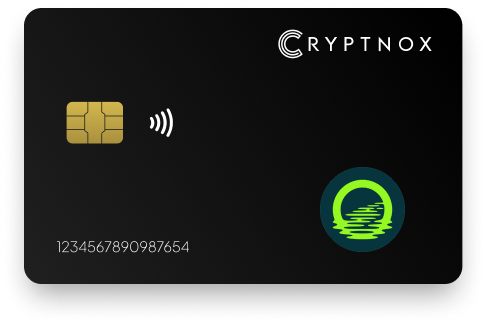
Secure Your Digital Assets with Confidence
Experience next-level protection for your digital assets with a premium hardware wallet built for security-first users
Designed around advanced encryption and a dedicated secure chip, it delivers robust offline storage while supporting a wide range of digital assets and ecosystems
The streamlined setup lets you get started in minutes, giving you access to true cold storage, reliable backup options, and full control over your assets
Engineered for performance and peace of mind, this hardware wallet is a trusted solution for anyone seeking long-term security beyond online threats
Buy it from CRYPTNOX shop directly
Accepts:

Preferred shopping solution for US:

Also available on other Amazon shops:
DE, FR, IT, BE, SE, ES, PL, NL, CA, MX, AU
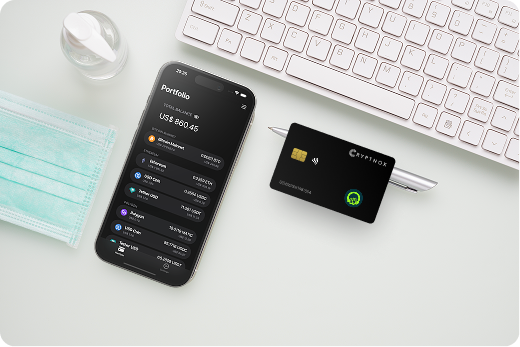
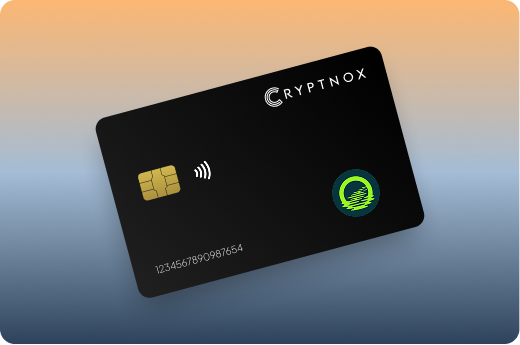
Keeps sensitive access data fully offline, protecting against online threats
Delivers a higher level of security compared to software-based solutions
Enables quick, secure actions while maintaining maximum protection
Introducing Cryptnox, the revolutionary hardware wallet designed to keep your digital assets safe, accessible, and fully under your control. Built on advanced smartcard technology, our wallets feature a secure dual-card backup system, biometric authentication, and seamless integration with MetaMask, WalletConnect, and Web3 apps. Whether you’re storing cryptocurrencies, swapping tokens, or diving into DeFi, Cryptnox delivers bank-level security without the complexity, empowering you to manage your portfolio with peace of mind.
Product Features
Product Specifications:
What It’s Built For:
Cryptnox hardware wallets are your go-to solution for:
Why Cryptnox Stands Out:
This isn’t just a wallet it’s a fortress for your digital future. With no access to your keys by Cryptnox (we never store or see them), audited firmware for top-tier reliability, and global availability, our hardware empowers beginners and experts alike. Backed by comprehensive tutorials, blogs, technical resources, and 24/7 support, Cryptnox ensures you stay ahead in the crypto world with unmatched security, simplicity, and innovation.
Cryptnox Hardware Wallets – Your Gateway to Secure, User-Friendly Crypto Management.
Ready to secure your assets? Buy a Cryptnox Hardware Wallet now and protect your crypto with ease.
Rank | Wallet Name | Description |
2 | Ledger | Industry-leading hardware wallet manufacturer offering Nano X, Stax, and Flex models with dedicated Moonriver application support. Connects seamlessly to MetaMask for MOVR management with certified secure element chip providing top-tier cryptographic protection. Excellent for managing MOVR tokens and interacting with Moonriver dApps through comprehensive EVM support. |
3 | Trezor | Open-source pioneer with Safe 3, Safe 5, and Model T models offering full MOVR support via MetaMask and EVM interfaces. Transparent auditable firmware appeals to security-conscious users who value code transparency. Color touchscreen enables comprehensive Moonriver transaction verification with clear on-device displays showing all transaction parameters. |
4 | Tangem | Card-based seedless NFC wallet with native Moonriver support and offline key storage architecture. Biometric authentication through mobile app integration enables quick MOVR transactions with tap-to-sign functionality. Ultra-portable waterproof construction survives harsh conditions while maintaining full functionality for Kusama parachain operations. |
5 | SafePal | Affordable air-gapped hardware with S1 and newer models featuring official native MOVR integration announced in 2025. QR-code signing maintains complete network isolation while self-destruct mechanism triggers on physical tampering attempts. Great entry point for beginners exploring Moonriver DeFi without premium hardware costs. |
6 | OneKey | Open-source multi-chain wallet with Pro and Classic models offering strong EVM support including Moonriver integration. User-friendly mobile and desktop apps provide transaction simulation previewing outcomes before signing. Touchscreen interface with Bluetooth/USB connectivity delivers flexible MOVR management across platforms. |
7 | BitBox02 | Swiss-made premium wallet with full EVM compatibility for MOVR via third-party apps and MetaMask integration. Privacy-focused design includes microSD backup system and high-security firmware audited by independent researchers. Minimalist approach with secure element chip provides reliable Moonriver asset protection. |
8 | KeepKey | Simple durable Ethereum-focused wallet supporting MOVR through MetaMask integration with large OLED display showing transaction details clearly. Clean interface with ShapeShift integration enables easy token swaps. Straightforward setup process suits users managing Moonriver tokens and basic cross-chain operations without complex features. |
9 | ELLIPAL Titan | Fully air-gapped metal touchscreen wallet with robust multi-chain EVM support for secure MOVR storage and signing. Complete isolation from internet exposure using QR-code communication only. Anti-tamper construction with self-destruct mechanism and large display enables offline Moonriver transaction verification without connectivity risks. |
10 | Keystone | Air-gapped QR-code wallet excellent for privacy-conscious users with broad chain support including Moonriver via EVM wallets. Triple secure element architecture with optional fingerprint authentication provides multiple security layers. Open-source firmware with official MetaMask partnership enables secure MOVR management through standardized interfaces. |
11 | CoolWallet | Slim Bluetooth card wallet Pro model with stylish mobile-friendly design and MOVR/EVM support. Wireless charging eliminates cable requirements while flexible card form factor fits standard wallet slots. App-based management provides convenient Moonriver transactions and DeFi access optimized for mobile users. |
12 | SecuX | Rugged metal-built wallet with V20 and similar models offering wide cryptocurrency support including EVM chains like Moonriver. Biometric options with large screen and durable construction suit long-term MOVR asset storage. Reliable hardware for users prioritizing physical durability and comprehensive multi-chain management. |
13 | AirGap | Smartphone-based air-gapped vault system with explicit MOVR support in multi-chain comparisons. Two-device architecture separates signing keys from internet-connected devices using isolated smartphone as secure vault. Highly secure for advanced users avoiding physical hardware devices while maintaining air-gap security principles. |
14 | KleverSafe | Dedicated hardware from Klever ecosystem with direct MOVR cold storage and 1,200+ cryptocurrency support. Seamless integration with Klever wallet app provides unified management experience. Waterproof construction with straightforward interface enables managing Moonriver alongside other Kusama ecosystem assets through ecosystem-specific features. |
15 | BC Vault | Multi-coin hardware wallet with advanced backup options and EVM compatibility for MOVR management. Non-volatile memory with multiple wallet support and backup card system enables flexible recovery methods. Solid choice for users needing diverse portfolio management with unique backup architecture supporting complex inheritance planning. |
Configuring your hardware wallet for Moonriver requires adding custom network parameters that enable communication with the parachain’s infrastructure. The setup process differs slightly depending on whether your device offers native Moonriver support or connects through MetaMask as an intermediary interface.
Begin by ensuring your hardware device runs the latest firmware version supporting EVM chains. Manufacturers regularly release updates improving network compatibility and security features, with proper backup procedures protecting your assets during firmware upgrades.
Add Moonriver to MetaMask using these network parameters:
Connect your hardware wallet to MetaMask through the wallet’s connection interface, selecting your device type from available options. MetaMask detects connected hardware wallets automatically when bridge software runs properly, displaying available accounts for selection.
Send a minimal test transaction after initial setup confirming your hardware device signs transactions correctly and the Moonriver network broadcasts them successfully. This verification step prevents discovering configuration issues when attempting larger transfers or time-sensitive DeFi operations.
Check that transaction details displayed on your hardware wallet screen match information shown in MetaMask before approving any operation. Discrepancies between device display and browser interface indicate potential security issues requiring investigation before proceeding with transfers.
Monitor the first few transactions closely, ensuring gas estimates appear reasonable and recipient addresses match intended destinations. Securely transferring cryptocurrency to hardware wallets follows specific best practices that minimize risks during initial setup and funding phases.
Moonriver’s DeFi ecosystem demands hardware wallet integration patterns that maintain security while enabling smooth protocol interactions. Most Moonriver dApps connect through WalletConnect or MetaMask interfaces, with your hardware device serving as the secure signing layer for all transaction requests.
DeFi protocols request wallet connections through standardized Web3 interfaces that hardware wallets support through bridge applications. Click the “Connect Wallet” button on any Moonriver dApp, select MetaMask or WalletConnect, then approve the connection request on your hardware device when prompted.
Token swap operations on SolarBeam require two transactions: one approving token spending and another executing the swap. Your secure hardware wallet displays both transactions separately, letting you verify approval amounts and swap parameters independently before signing each operation.
Liquidity provision into automated market makers involves multiple token approvals and deposit transactions that your device must sign sequentially. Review each transaction carefully, ensuring deposit amounts match your intended contribution and pool addresses correspond to legitimate protocol contracts.
Unlimited token approvals create ongoing security risks if protocol vulnerabilities emerge after granting permissions. Hardware wallets enable setting limited approval amounts matching immediate transaction needs, requiring fresh approvals for subsequent operations but significantly reducing long-term exposure.
Lending protocols like Moonwell request approvals for collateral deposits followed by separate borrowing transactions. Your hardware device verifies each step independently, preventing malicious interfaces from executing unauthorized operations beyond what you explicitly approve.
Flash loan attacks and sandwich attacks affect DeFi users regardless of wallet type, but hardware wallets prevent the worst outcomes by making private key theft impossible even when protocol-level exploits occur. Your cold wallet for crypto protects against account drainage even when interacting with compromised dApps.
Protecting Moonriver holdings requires security practices extending beyond simply owning a hardware wallet. Comprehensive asset protection involves proper backup procedures, safe recovery planning, and vigilant transaction verification habits that prevent common vulnerabilities.
Generating secure BIP39 seed phrases follows specific procedures ensuring randomness and privacy during wallet initialization. Never photograph seed phrases, store them digitally, or enter them into any computer or phone, these practices expose your backup to digital theft vectors that hardware wallets otherwise eliminate.
Physical seed phrase storage demands consideration of fire, flood, theft, and loss scenarios. Metal backup plates provide durability exceeding paper, while distributed storage across multiple secure locations prevents single-point-of-failure risks from natural disasters or burglary.
Self-custody wallet recovery requires testing backup procedures before significant asset accumulation. Restore your wallet from backup on a secondary device confirming seed phrases were recorded correctly and recovery procedures work as expected during actual emergencies.
Every transaction requires verification of recipient addresses character-by-character on your hardware wallet screen. Malware can modify clipboard contents or browser displays, making the hardware device’s independent display the only trustworthy source of truth about transaction destinations.
Gas price manipulation represents a common attack vector where malicious dApps set extremely high fees hoping users approve without careful review. Hardware wallets displaying gas amounts in MOVR alongside USD equivalents help you recognize suspicious fee levels exceeding normal network conditions.
Smart contract interactions demand understanding which functions you’re authorizing before signing transactions. Hardware wallets displaying function names and parameters enable informed decisions about protocol interactions, though complex DeFi operations may require additional research before approval
Firmware updates address newly discovered vulnerabilities and add support for evolving network features. Enable automatic update notifications from your hardware wallet manufacturer, reviewing release notes before applying updates to understand security improvements and new functionality.
Regular security audits of authorized dApp connections help identify outdated permissions that should be revoked. MetaMask’s connected sites feature shows which dApps maintain active connections to your hardware wallet, enabling removal of unused authorizations that present unnecessary risk surfaces.
Understanding crypto security involves recognizing that hardware wallets protect private keys but cannot prevent all user errors. Phishing sites, fake tokens, and social engineering attacks remain effective even against hardware wallet users who approve malicious transactions without proper verification.
Hardware wallet connections to Moonriver encounter predictable technical challenges that understanding accelerates troubleshooting when problems arise. Most connection issues stem from configuration errors, software conflicts, or outdated firmware rather than fundamental device incompatibilities.
Multiple browser extensions accessing hardware wallets simultaneously create communication conflicts preventing proper device detection. Disable competing wallet extensions temporarily when connecting hardware wallets to MetaMask, re-enabling them after establishing stable connections.
Bridge application conflicts arise when multiple hardware wallet management programs run concurrently. Close all hardware wallet software except the specific bridge application needed for Moonriver access, preventing resource conflicts that block device communication.
Browser security settings sometimes block WebUSB or WebHID protocols that hardware wallets require for browser communication. Adjust browser permissions granting necessary hardware access, while maintaining appropriate security restrictions for other device categories.
Incorrect RPC endpoints cause transaction broadcast failures even when your hardware wallet signs transactions correctly. Maintain multiple verified Moonriver RPC URLs in MetaMask configuration, enabling quick switching if primary endpoints experience downtime or rate limiting.
Chain ID mismatches prevent MetaMask from routing transactions to Moonriver when configuration contains errors. Verify chain ID 1285 appears correctly in network settings, as incorrect values cause transactions to fail or route to unintended networks.
Gas estimation failures occur when RPC endpoints return inaccurate fee calculations or network congestion exceeds typical parameters. Manual gas adjustment becomes necessary during high-activity periods, with hardware wallets displaying override values for your approval before transaction signing.
Firmware outdated messages indicate your hardware wallet lacks support for current network features or security updates. Install the latest firmware version from official manufacturer sources only, following hardware wallet backup guides before performing updates that might reset device settings.
Connection timeout errors suggest USB cable problems, insufficient power delivery, or Bluetooth pairing failures depending on connectivity method. Test different cables or USB ports when physical connections fail, while Bluetooth issues often resolve through device re-pairing or proximity adjustment.
Application crashes during signing operations sometimes result from memory limitations or software bugs requiring application restarts. Close resource-intensive browser tabs and applications before attempting complex multi-signature transactions that demand sustained hardware wallet connectivity.
Cross-chain bridge operations moving assets between Moonriver and other networks present heightened security requirements that hardware wallets address through transaction verification and key isolation. Bridge protocols involve multi-step processes where hardware wallets protect each phase independently.
Bridge transfers lock assets on the source chain while minting corresponding tokens on the destination chain, creating interim periods where assets exist in protocol custody. Hardware wallets verify lock transactions on Moonriver before assets leave your control, displaying exact amounts and destination chain information for approval.
Wrapped asset protocols create synthetic tokens on Moonriver representing assets from other chains. Hardware wallets signing wrap transactions should display the source asset, destination token symbol, and exchange rate, enabling verification that wrap operations match your intentions.
Unwrap operations returning assets to origin chains reverse the wrapping process, requiring hardware wallet signatures on both the Moonriver burn transaction and destination chain claim. Verify both transactions independently, ensuring destination addresses on the origin chain match your intended receiving wallet.
Official bridges maintained by network foundations typically offer better security than third-party protocols, though hardware wallet advantages protect against many bridge vulnerabilities regardless of implementation quality. Research bridge audit history and security track records before committing significant assets to cross-chain transfers.
Multi-signature bridge architectures distribute trust across multiple validators, reducing single-point-of-failure risks present in centrally-controlled bridges. Hardware wallets protect your signing authority even when bridge operator keys face compromise attempts.
Bridge transaction costs include fees on both source and destination chains plus protocol-specific charges. Hardware wallets display total costs in native tokens, helping you evaluate whether bridge operations make economic sense for intended transfer amounts.
Kusama’s parachain architecture creates unique hardware wallet requirements beyond standard EVM chain support. Moonriver’s integration with Kusama’s relay chain enables cross-parachain communication that hardware wallets must accommodate through specialized transaction formats.
Cross-Consensus Messaging (XCM) enables asset transfers between Kusama parachains using standardized message formats. Hardware wallets supporting Moonriver should parse XCM transactions, displaying source parachain, destination parachain, asset types, and transfer amounts for verification before signing.
Relay chain interactions occur when transferring assets between Moonriver and Kusama’s main relay chain. These operations involve distinct transaction formats that hardware wallets should recognize and display appropriately, showing relay chain addresses and parachain identifiers clearly.
Multi-hop transfers routing assets through intermediate parachains create complex transaction paths that hardware wallets must represent accurately. Clear display of complete transfer routes enables informed approval decisions, showing each hop’s parachain, fees, and expected execution timing.
Crowdloan contributions supporting new parachain auctions require hardware wallet signatures committing MOVR tokens to specific projects. Hardware wallets should display project identifiers, contribution amounts, lock periods, and reward terms before signing crowdloan transactions that temporarily restrict asset access.
Parachain slot auctions involve sophisticated bidding mechanisms where hardware wallets protect bid transaction integrity. Verify bid amounts, target slot numbers, and lease periods match your parachain investment strategy before approving auction participation transactions.
Reward distribution from successful crowdloans requires claiming transactions that hardware wallets sign to receive promised parachain tokens. Verify reward token addresses and claimed amounts match crowdloan terms documented at contribution time, preventing reward phishing attempts
Secure your MOVR holdings today with Cryptnox’s EAL6+ hardware wallet designed for Moonriver DeFi and cross-chain operations.
Secure your MOVR holdings today with Cryptnox’s EAL6+ hardware wallet designed for Moonriver DeFi and cross-chain operations.
The Cryptnox solution is a high-security hardware wallet based on the latest smartcard technology available A seed is either generated or injected as part of the initialization process, which makes it compatible with the BIP32 and BIP39 standards When choosing the Dual Card Setup option, you can generate an identical seed in two cards in only seconds, and store the backup card in a safe place for recovery
A hardware wallet is a physical device designed to securely store private keys offline Keeping sensitive data disconnected from the internet, it significantly reduces exposure to hacking, malware, and phishing attacks
Unlike software wallets that operate on internet-connected devices, hardware wallets isolate private keys in a secure environment Transactions are signed internally, ensuring keys never leave the device or are exposed online
Yes! Hardware wallets are ideal for long-term asset protection Offline storage, durable hardware, and secure backup mechanisms make them well-suited for holding assets safely over extended periods
Access can be restored using a secure recovery process, typically based on a recovery phrase or backup solution created during setup This ensures assets remain accessible even if the physical device is no longer available
Modern hardware wallets are designed with user-friendly interfaces and guided setup processes
This makes them accessible to beginners while still meeting the security standards required by advanced users
Most modern EVM-compatible hardware wallets support Kusama parachains including Moonriver through native integration or MetaMask connectivity. Devices with comprehensive EVM support handle Moonriver’s Ethereum-compatible smart contracts seamlessly, while some wallets offer dedicated parachain features for XCM transfers and relay chain interactions. The same hardware wallets supporting networks like Polygon, Avalanche, and Arbitrum typically work with Moonriver due to shared EVM architectural patterns across these platforms.
Yes, hardware wallets integrate seamlessly with Moonriver DeFi through MetaMask and WalletConnect connections that maintain complete key security. Your hardware device signs all transactions including token approvals, swaps, liquidity provisions, and lending operations while keeping private keys isolated from internet exposure. DeFi protocols interact with your wallet through standardized Web3 interfaces, with transaction details appearing on your hardware device screen for verification before approval.
Connect your hardware wallet to Moonriver by adding custom network configuration in MetaMask with chain ID 1285, appropriate RPC endpoints, and MOVR as the native token symbol. Install your hardware wallet’s bridge software, connect the device via USB, NFC, or Bluetooth depending on model, then select hardware wallet option in MetaMask’s connection menu. Your hardware device appears as an account source, letting you select addresses for Moonriver operations while maintaining offline key storage throughout all transactions.
Several cryptocurrency hardware wallets offer native Moonriver integration including Cryptnox with purpose-built EVM support, Ledger devices with dedicated Moonriver applications, SafePal with official MOVR integration announced in 2025, Tangem cards with native parachain support, and KleverSafe with direct MOVR cold storage. Other wallets like Trezor, OneKey, BitBox02, and Keystone support Moonriver through MetaMask integration and generic EVM compatibility rather than dedicated native applications.