
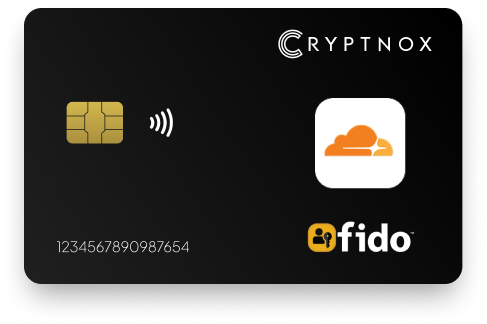
Yes. Cryptnox supports Cloudflare through WebAuthn/FIDO2 security-key 2FA for Cloudflare account login. Add the card in the Cloudflare dashboard under My Profile, Authentication, Two-Factor Authentication, Security Key Authentication, and Add. Use a browser that supports WebAuthn. The Cryptnox Crypto Hardware Wallet – Dual-Card Set is a contact and NFC smart card set, so you can tap to a phone or insert the card into a reader, depending on the device path.

CRYPTNOX products are also available worldwide through our official Amazon stores.

Faster FIDO2 sign-in on Windows: Click-to-Tap
When a service asks you to “tap your security key”, press the Click-to-Tap virtual button on the reader instead of pulling the card out and reinserting it. The card stays in the slot and the sign-in finishes in seconds.
The virtual button works on Windows with Cryptnox FIDO2 cards. On macOS and Linux the same reader operates as a standard PC/SC contact reader for any ISO 7816 card.
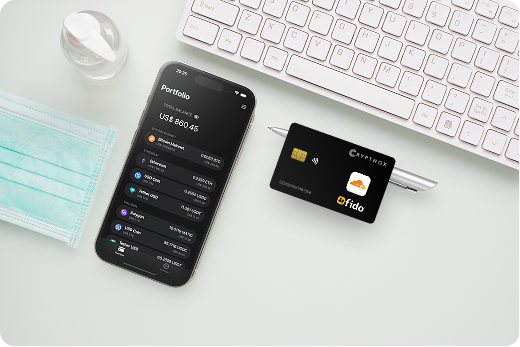
Cloudflare account protection with Cryptnox is a WebAuthn/FIDO2 security-key 2FA setup. The Cryptnox card is registered as a possession factor for the Cloudflare account, and Cloudflare asks the browser to complete a WebAuthn challenge with that registered authenticator during sign-in.
This is an MFA-first Cloudflare use case. The relevant Cloudflare route is security-key 2FA for account login in a browser that supports WebAuthn. Cloudflare’s current account-security flow frames security-key login as WebAuthn-based 2FA, while older Cloudflare material described WebAuthn as backwards compatible with FIDO U2F.
If Cloudflare is one account in a larger rollout, compare the same card format across services in the Cryptnox FIDO2 security key card collection. That hub is useful when Cloudflare, exchanges, email accounts, and financial accounts each have different enrolment paths.
Cloudflare enrolment starts in the Cloudflare dashboard. Open the My Profile dropdown, choose My Profile, open Authentication, then Two-Factor Authentication. From Set up or Manage, choose Security Key Authentication and select Add. Cloudflare documents this path in its two-factor authentication settings.
Prepare the Cryptnox card before relying on it for Cloudflare login. The practical order is to set up the card, add it in Cloudflare, and then test a Cloudflare sign-in while another account recovery route is still available. The Cryptnox FIDO2 card startup guide covers the first-use card workflow before you depend on Cloudflare’s security-key prompt.
Cloudflare recommends configuring multiple security keys, but its current 2FA documentation does not publish a numeric key limit. If more than one Cryptnox card should unlock Cloudflare access, each card must be added through Cloudflare’s Security Key Authentication flow.
Cloudflare security keys only work with browsers that support WebAuthn. That browser requirement is central to the Cloudflare setup, because the Cloudflare login page sends the challenge through the browser. If the browser cannot complete the WebAuthn flow, the Cryptnox card cannot complete that Cloudflare sign-in path on that device.
On Windows, Cloudflare warns that Windows Hello may appear before the intended security-key dialog. If the goal is to use the Cryptnox card, cancel Windows Hello and continue to the security-key prompt. Depending on the Windows system, a PIN may also be required. The Cryptnox tap-button workflow is Windows-only, so that behavior should not be treated as an Android, Linux, or all-browser promise.
The Cryptnox card is dual-interface: contact and NFC. For Cloudflare, that gives buyers two physical presentation paths, while the actual account challenge still depends on Cloudflare’s WebAuthn prompt and the browser being used.
During Cloudflare security-key 2FA, the browser asks the registered authenticator to respond to a WebAuthn challenge. The Cryptnox card performs the signing operation inside its secure element. The private keys are generated inside the secure element and never leave it.
The card uses an EAL6+-certified chip. That certification statement applies to the chip platform, not to the finished card as a wallet product. For a Cloudflare buyer, the important distinction is that the card is a hardware smart card and the key material used for the WebAuthn response remains inside the secure element.
The card itself has no fingerprint reader or face sensor. When the Cryptnox app uses a phone face or fingerprint unlock, that check is performed by the phone through the app experience. Cloudflare use remains WebAuthn/FIDO2 security-key 2FA, with the card acting as the possession factor presented to the browser.
The cards are made in Switzerland. The Cloudflare setup does not change the wallet security model: key generation for wallet use happens in secure elements, and Cloudflare registration is a separate account-authentication use case.
The product sold for this Cloudflare use case is the Cryptnox Crypto Hardware Wallet – Dual-Card Set. The set ships uninitialised. During wallet setup, the seed is generated inside both secure elements, so the second card is the wallet backup by design. There is no recovery phrase to write down by default. Importing a 12- or 24-word BIP39 recovery phrase is an advanced option, not the normal Dual-Card Set starting point.
Cloudflare recovery planning is related, but separate. The second card is the wallet backup for the Cryptnox wallet seed. Cloudflare must still know each authenticator that should work for Cloudflare login. If both physical cards should be usable for Cloudflare sign-in, register both cards in Cloudflare’s Security Key Authentication settings.
This distinction matters when one physical card set is used for both Cloudflare account protection and crypto wallet custody. The same Dual-Card Set can serve both roles, but the recovery assumptions are not the same.
Cloudflare security-key enrolment protects Cloudflare account login. The wallet function of the Cryptnox Dual-Card Set protects crypto private keys generated inside the secure element. Those are separate uses of the same card set: Cloudflare uses a WebAuthn/FIDO2 account challenge, while wallet use relies on the Cryptnox app and the secure-element key model.
The free Cryptnox app is available on iOS and Android. For wallet use, the product connects to Web3 through WalletConnect and works with MetaMask. For Cloudflare use, the card is registered as a security key under account 2FA; it is not being used as a wallet session during the Cloudflare login step.
If your Cloudflare account is part of a broader account-security plan, the parent Cryptnox FIDO2 security key cards hub helps compare service-by-service setup paths. For exchange-account planning, the Binance FIDO2 security key card guide shows a different enrolment context. For email protection, the Fastmail FIDO2 security key card guide is useful because email access often sits close to account recovery risk.
For Cloudflare alone, the requirement is clear: the authenticator must complete Cloudflare’s WebAuthn-based security-key 2FA in a supported browser. Start the buying decision with that Cloudflare login job, then check the physical device path your users will actually use.
The Cryptnox fit is strongest when the buyer wants Cloudflare 2FA plus a card-based crypto hardware wallet in a two-card set. The card format matters if you want NFC tap on a phone and a contact smart-card reader path. The backup model matters if you also want a second card that is created as the wallet backup during secure-element seed generation.
Other services may have different account-security paths. A financial-service login has its own context, as shown in the Bank of America FIDO2 security key card guide. A trading-platform account has another, as covered in the Bitfinex FIDO2 security key card guide.
Start with the Cloudflare account you need to protect. Confirm that the browser used for everyday Cloudflare access supports WebAuthn. Prepare the Cryptnox card, register it under Security Key Authentication in Cloudflare, and test sign-in before changing other access settings.
For more than one user, plan the device mix before issuing cards. Windows users may see Windows Hello before the security-key prompt. Android should be treated as CTAP1/U2F only for Cryptnox. Linux use needs the Cryptnox app. These details matter because Cloudflare support for security keys still depends on the browser and device path used during login.
Decide which cards will be registered in Cloudflare and which cards will be held for wallet backup purposes. Registering a card in Cloudflare makes it available for Cloudflare 2FA. Creating the Dual-Card Set wallet seed inside both secure elements makes the second card the wallet backup. Those two actions solve different problems, and both should be planned before the card set becomes part of daily account access.
Yes. Cloudflare supports security keys for account 2FA through WebAuthn/FIDO2 in browsers that support WebAuthn. Add the Cryptnox card in the Cloudflare dashboard under My Profile, Authentication, Two-Factor Authentication, Security Key Authentication, and Add.
Open the Cloudflare dashboard, use the My Profile dropdown, then go to My Profile, Authentication, and Two-Factor Authentication. From Set up or Manage, choose Security Key Authentication and select Add. The browser then handles the WebAuthn prompt for the card.
Cloudflare recommends configuring multiple security keys, but its current 2FA documentation does not publish a numeric limit. If you want more than one Cryptnox card available for Cloudflare sign-in, add each card through Cloudflare’s Security Key Authentication settings.
Yes, when the Cloudflare WebAuthn flow and the device support that path, the Cryptnox card can be presented by NFC tap. The card is also a contact smart card, so a desktop setup can use a reader path when that is the configured workflow.
No. The card itself has no fingerprint or face sensor. When the Cryptnox app uses a phone face or fingerprint unlock, the phone performs that local check. Cloudflare use remains a WebAuthn/FIDO2 security-key 2FA registration.
No. The second card is the wallet backup because the wallet seed is generated inside both secure elements during Dual-Card Set setup. For Cloudflare access, each card you want to use must be registered in Cloudflare’s Security Key Authentication settings.
Yes. The Cryptnox Crypto Hardware Wallet – Dual-Card Set works with the free Cryptnox app on iOS and Android, connects to Web3 through WalletConnect, and works with MetaMask. Cloudflare use is separate: it is WebAuthn/FIDO2 security-key 2FA for account login.