
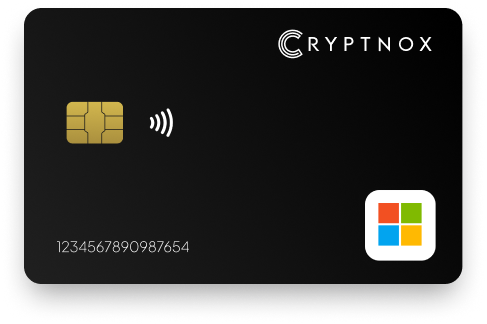
Yes. Cryptnox can be added to a Microsoft Entra ID work or school account through My Account > Security info > Add method > Security key, after an administrator enables the passkey/FIDO2 authentication method. It uses the WebAuthn/FIDO2 security-key standard. Plan it as an MFA-first credential for Microsoft, with passwordless sign-in available where Entra policy supports it. The card is contact and NFC: tap it to a phone, or insert it into a reader.

CRYPTNOX products are also available worldwide through our official Amazon stores.

Faster FIDO2 sign-in on Windows: Click-to-Tap
When a service asks you to “tap your security key”, press the Click-to-Tap virtual button on the reader instead of pulling the card out and reinserting it. The card stays in the slot and the sign-in finishes in seconds.
The virtual button works on Windows with Cryptnox FIDO2 cards. On macOS and Linux the same reader operates as a standard PC/SC contact reader for any ISO 7816 card.
Microsoft Security Key is an effective way to add an additional layer of security to your Microsoft account and enjoy a more secure experience. By adding our security key as an authentication method, no one can able to access your account even if your password and username. This makes it harder for your account to get hacked, phished or breached.
Our FIDO 2 Security Key is lightweight and can be used on the go. With its NFC technology, you can connect it to a wide variety of smartphones. Another way of using it is with a contact or contactless Card Reader if you prefer a USB. By utilising a Mircosoft security key, you lower the likelihood of unauthorised access to your online account.
Microsoft Entra ID security-key use starts with the organisation’s identity policy. A Cryptnox card can be used for Microsoft work or school accounts when the passkey/FIDO2 authentication method is enabled for the relevant users or groups. That makes it a practical fit for Entra ID rollouts where the buyer wants a physical WebAuthn/FIDO2 security key for MFA-first sign-in.
The user route is specific to Microsoft work or school accounts: My Account, then Security info, then Add method, then Security key. Cryptnox is the physical credential presented during that Microsoft registration prompt. The administrator still controls whether the method appears and whether passwordless use is allowed by policy.
For procurement and support planning, treat Cryptnox as MFA-first for Microsoft Entra ID. Passwordless sign-in is available where Microsoft Entra policy supports the route, but the card does not replace the administrator’s authentication-method settings. This matters because the same physical card may be used as a verification method in one Entra environment and as part of a passwordless flow in another.
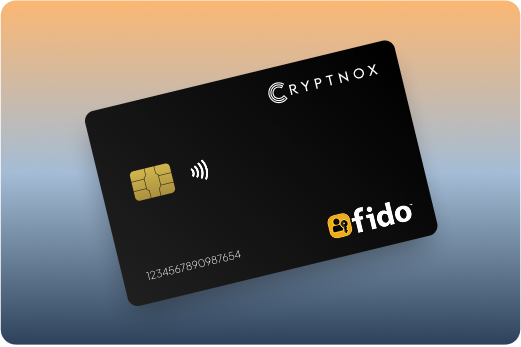
The administrator step comes before the user registers the card. In Microsoft Entra ID, the passkey/FIDO2 authentication method must be enabled for the intended users or groups. If that setting is not enabled, the user may never reach a successful card registration step, even when the Cryptnox card itself is ready.
Microsoft describes the work or school account route for setting up a security key as a verification method. For a Cryptnox deployment, turn that route into a controlled sequence:
Microsoft Entra ID supports up to 10 security keys for an account. That limit is useful when an organisation needs replacement credentials, staged rollout testing, or more than one registered security key for a user. The product sold for this use is the Cryptnox Crypto Hardware Wallet – Dual-Card Set, so the rollout plan should also decide how the second card is stored after setup.
Before registering with Microsoft, use the Cryptnox FIDO2 card startup guide so the card is prepared before it reaches the Security info screen. Card preparation and Microsoft Entra enrolment are separate actions, and separating them makes help-desk support easier.
For Microsoft Entra ID, the value of a hardware security key is that sign-in depends on a physical credential registered to the account. With Cryptnox, private keys are generated inside the secure element and never leave it. During Microsoft registration and sign-in, the card performs key operations inside the secure element rather than exposing the private key to the computer or phone handling the browser session.
The card uses an EAL6+-certified chip. That certification belongs to the chip platform, which is the relevant hardware property for the secure element in this Microsoft security-key context. The finished product should be evaluated by how it fits the Entra ID WebAuthn/FIDO2 flow, the organisation’s registration policy, and the platform limits that apply to users’ devices.
The Dual-Card Set ships uninitialised. During setup, the seed is generated inside both secure elements, so the second card is the backup. By default, there is no recovery phrase to write down. Importing an existing 12- or 24-word BIP39 recovery phrase is an advanced option, not the default setup route. For an Entra ID buyer, the backup plan is physical: decide where the second card is kept, who controls it, and how it fits account-recovery procedures.
Unlock through the Cryptnox app can use the phone’s face or fingerprint unlock. The card itself has no biometric sensor. That distinction matters in a Microsoft deployment because the card remains a contact and NFC smart card, while the phone provides the local unlock check through the app.
Cryptnox is Swiss-engineered, and the cards are made in Switzerland. For Microsoft Entra ID use, the practical security model combines secure-element key generation, possession of the card, and administrator-controlled WebAuthn/FIDO2 enrolment.
Microsoft Entra ID documents passkey and FIDO2 browser support across Windows, macOS, ChromeOS, Linux, iOS, and Android, but registration and sign-in are not identical on every platform. A buyer should test the exact operating system, browser, card-present action, and Entra policy before issuing cards to users.
For a first Microsoft rollout, a controlled registration station is often easier to support than letting every user choose a different platform. The important point is that the Entra ID policy, browser, reader, and card action have already been tested together. If users will later sign in from Android or Linux, test those paths separately because the Cryptnox platform limits are different on those systems.
Cryptnox is a dual-interface smart card: contact and NFC. In Microsoft Entra ID use, that gives the user two physical actions to plan around: tap the card to a phone, or insert it into a reader. The card format matters because the Microsoft Security info flow depends on the browser seeing the security key at the moment of registration.
At a registration desk, insertion into a reader can make the enrolment step predictable. On a phone, NFC tapping may be the natural action for sign-in, subject to the Microsoft and operating-system limits that apply. Those two moments should not be treated as the same test. A card can be enrolled on one supported setup path and then used in a different sign-in path, but both paths need to be checked before users depend on them.
The contact and NFC form also affects user instructions. Microsoft screens may refer to security keys, passkeys, or FIDO2 in related flows, while the user is holding a smart card rather than a keychain token. Training should tell users exactly when to present the card, whether they are tapping a phone or using a reader, and what Microsoft account screen they should be on.
If Microsoft Entra ID is one service in a wider hardware-key programme, the Cryptnox FIDO2 security key card hub keeps broader card-based FIDO2 guidance in one place. Use it alongside the Microsoft-specific caveats here, not as a substitute for testing the Entra registration route.

The product used here is the Cryptnox Crypto Hardware Wallet – Dual-Card Set, so some buyers will evaluate both Microsoft account protection and crypto-wallet use. Those workflows should be kept separate in support documentation. Microsoft Entra ID registration happens through My Account and Security info. Wallet use is handled through the free Cryptnox app on iOS and Android.
The app connects to Web3 through WalletConnect and works with MetaMask. That wallet capability does not change the Microsoft Entra ID security-key enrolment path, and it should not be presented to users as part of the Microsoft registration step. For mixed rollouts, give users one set of instructions for Entra ID security-key registration and a separate set for wallet actions.
The same secure-element principle remains important in both contexts: private keys are generated inside the secure element and never leave it. For the Microsoft buyer, the immediate operational question is whether the card can be enrolled and used under the organisation’s Entra policy on the chosen platforms.
A useful Microsoft Entra ID comparison does not start with a ranked list. It starts with the controls that decide whether the deployment works: the WebAuthn/FIDO2 standard, Entra administrator enablement, the Security info registration path, the account’s security-key limit, and the operating systems users will actually use.
For Cryptnox, the Microsoft-specific comparison points are clear:
The same buyer may also protect non-Microsoft accounts with FIDO2, but the enrolment route changes by service. The Binance FIDO2 security key card guide is useful when the same owner is securing an exchange account, while the Fastmail security key card guide shows a different account-protection workflow for email. For a service-by-service map, use the parent FIDO2 security key card hub.
Before buying for Microsoft Entra ID, confirm the identity environment first. The account must be a Microsoft work or school account, the administrator must be able to enable the passkey/FIDO2 authentication method, and the intended registration platform must support the required Microsoft flow.
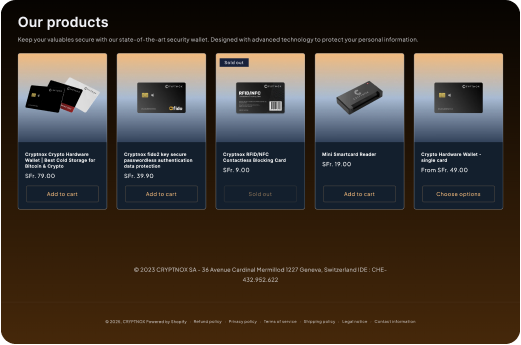
The purchase page is the Cryptnox Crypto Hardware Wallet – Dual-Card Set. If your organisation documents several service-specific FIDO2 flows, compare the Microsoft steps with the Bank of America security key card guide and the Bitfinex security key card guide so users do not assume every service uses the same registration screen.
Yes. Cryptnox can be registered to a Microsoft Entra ID work or school account as a WebAuthn/FIDO2 security key. The administrator must first enable the passkey/FIDO2 authentication method, and the user adds the card from My Account, then Security info, then Add method, then Security key.
For Microsoft, Cryptnox should be planned as MFA-first. Passwordless sign-in is available where Microsoft Entra ID policy supports that route. The card does not override Entra administrator settings, so the buyer should confirm whether the intended users are allowed to use passkey/FIDO2 for passwordless sign-in.
Microsoft Entra ID supports up to 10 security keys for an account. That matters if an organisation wants replacement credentials, more than one registered key, or controlled testing before rollout. Cryptnox is sold as a Dual-Card Set, with the second card created as the backup during setup.
Microsoft documents sign-in support across several platforms, but registration has limits. iOS and macOS browsers do not support new security-key registration, and ChromeOS does not support security-key registration. Plan the initial Entra ID registration on a setup path that supports adding a new security key.
Microsoft supports Android web sign-in in Chrome and Edge, not Firefox. Microsoft native-app FIDO2 security-key sign-in on Android requires Android 13 or later. With this Cryptnox card, Android is CTAP1/U2F only, so do not plan an Android rollout as if every FIDO2 path behaves the same.
No. Unlock can use the phone’s face or fingerprint unlock through the Cryptnox app, but the card itself has no biometric sensor. The card is a contact and NFC smart card, and its private keys are generated inside the secure element and never leave it.
The Dual-Card Set ships uninitialised. During setup, the seed is generated inside both secure elements, so the second card is the backup. By default, there is no recovery phrase to write down. Store the second card according to the organisation’s Microsoft account-recovery and access policy.
Yes. Cryptnox ships worldwide from the official CRYPTNOX store. Orders to Switzerland, the European Union and the United States are dispatched from stock already held in each of those regions, so the parcel does not cross a customs border into your country and there are no import duties to pay. Orders to other destinations are shipped internationally, and any import duties or local taxes are set by the destination country and are the recipient’s responsibility. Current shipping rates are shown at checkout.