
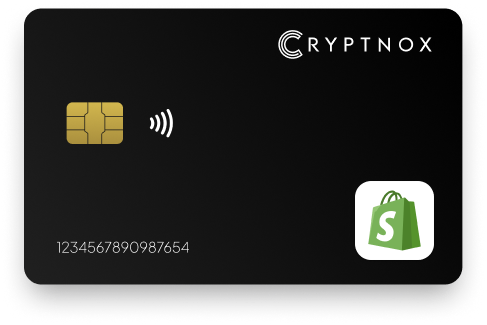
Yes. Shopify supports WebAuthn-compatible security keys as a second factor for Shopify account login, and the Cryptnox Crypto Hardware Wallet – Dual-Card Set can be enrolled through that route. Shopify’s documented hardware security-key flow keeps the password step; it is not passwordless admin sign-in. Enrol the contact and NFC smart card from Shopify admin, activate it at the browser prompt, and keep the second card as the backup created during initialisation.

CRYPTNOX products are also available worldwide through our official Amazon stores.

Faster FIDO2 sign-in on Windows: Click-to-Tap
When a service asks you to “tap your security key”, press the Click-to-Tap virtual button on the reader instead of pulling the card out and reinserting it. The card stays in the slot and the sign-in finishes in seconds.
The virtual button works on Windows with Cryptnox FIDO2 cards. On macOS and Linux the same reader operates as a standard PC/SC contact reader for any ISO 7816 card.
As a Shopify store owner, a persistent concern is protecting your brand from unauthorized access. This will allow you to serve customers and sell products without issues. The best way to protect your online store and strengthen your login security is through Shopify two-factor authentication.
With Shopify 2FA, you can provide an additional layer of protection to your account. This implies that when you log in to your Shopify account, you will be required to authenticate the process. Cryptnox security key, a hardware authentication tool, offers a phishing-resistant way of keeping hackers and other cybercriminal elements out of your store. It is a superior alternative to other Shopify authenticator apps.

Shopify uses WebAuthn-compatible security keys for two-step authentication on Shopify account login. The security key is not replacing the Shopify password in the documented flow; it is added after the password step as the physical second factor. For a store owner choosing a Shopify security key, that means the buying question is whether the device can be used when Shopify’s browser prompt asks for a WebAuthn-compatible key.
The Cryptnox Crypto Hardware Wallet – Dual-Card Set is a contact and NFC smart card set. In the Shopify flow, you use the card when the browser asks you to activate a security key. On a phone, the interaction is tap-to-phone. On a desktop setup, the interaction can be insertion into a reader. That dual-interface form factor matters for Shopify teams that log in from both mobile and desktop environments.
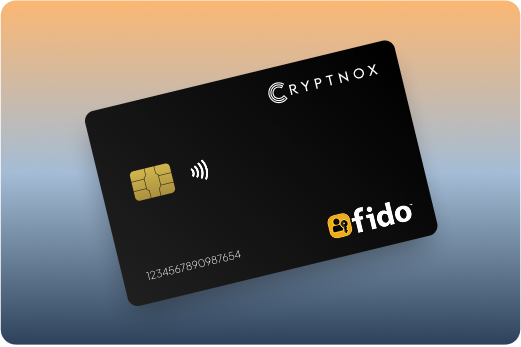
Shopify says the security-key route requires a migrated Shopify ID, a WebAuthn-compatible security key, and a compatible browser. Shopify’s own instructions for this flow are available in the Shopify security key guide, which describes adding a security key under two-step authentication.
The Cryptnox set is a practical fit when the Shopify account owner wants a physical second factor, wants card-based activation instead of an app code, and wants a second card available from the initial card setup. If you are comparing the same smart-card format across more account-security use cases, the Cryptnox FIDO2 security key card hub is the broader place to compare service-specific flows.
Shopify enrolment starts in Shopify admin. Click the store name in the top bar, open your profile, choose Security, and go to Two-step authentication. Select Turn on two-step, enter the Shopify account password, and continue to the authentication-method choice.
Choose Security key as the authentication method, enter a security-key name, and select Turn on. Shopify then opens its security-key prompt. At that point, activate the Cryptnox contact and NFC smart card through the device path you are using: tap the card to a phone, or insert it into a reader on a desktop setup. After the key is enrolled, save the 10 recovery codes that Shopify provides.
Prepare the card before starting Shopify enrolment so the browser prompt does not time out while you are setting up the device. The Cryptnox FIDO2 card startup guide is the relevant starting point before you add the card under Shopify’s Two-step authentication screen.
For Shopify’s WebAuthn challenge, the Cryptnox card keeps private-key operations inside the secure element. Private keys are generated inside the secure element and never leave it. The platform uses an EAL6+-certified chip, which is the chip-level security property behind the smart-card platform.
The Dual-Card Set ships uninitialised. During setup, the seed is generated inside both secure elements, so the second card is the backup. There is no recovery phrase to write down by default. Importing an existing 12- or 24-word BIP39 seed is available as an advanced option, but that is not the default setup path for this two-card product.
Shopify says multiple security keys and multiple two-step authentication methods can be enrolled. That matters because a Shopify account should not depend on a single physical item. With the Cryptnox set, the second card is created as the backup during initialisation, so it can be stored separately and used as part of a Shopify access plan.
During Shopify enrolment, do not look for a fingerprint sensor on the card. The card does not contain one. If the Cryptnox app is used in your workflow, unlock is handled through the phone’s biometrics. Shopify’s own security-key prompt still expects you to activate the contact and NFC smart card at the right moment.
The product is sold as the Cryptnox Crypto Hardware Wallet – Dual-Card Set. The cards are Swiss made and use the dual-interface smart-card format required for tap-to-phone use or reader insertion.
Shopify’s security-key flow depends on browser support. Shopify lists Chrome desktop 67+, Firefox desktop 60+, Chrome Android 73+, Firefox Android 66+, Edge 18+, Opera 54+, Safari Technology Preview 83+, and Brave for iOS 1.11.3+. A store owner should check the actual browser used for Shopify access before making a hardware key mandatory on an account.
The Cryptnox card also has platform limits that affect Shopify use. Android support is CTAP1/U2F only, not full CTAP2. Linux requires the Cryptnox app. The tap-button feature is Windows-only. Those limits are especially important when one Shopify store is managed from a mix of phones, personal laptops, and shared workstations.
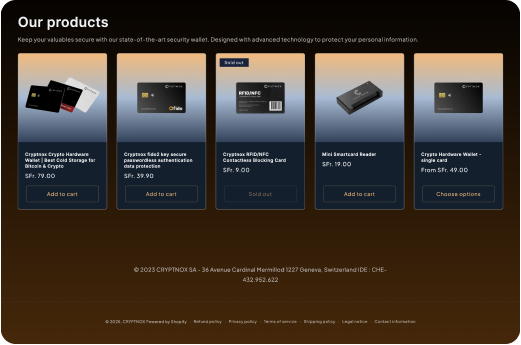
Shopify also cautions that sensor-based security keys do not work in private browsing sessions. Even though the Cryptnox card has no sensor on the card, the safest rollout is to enrol and test it in the same browser mode the Shopify account owner will use for real store access.

For Shopify, the Cryptnox card is enrolled as a WebAuthn-compatible second factor. Separately, the Dual-Card Set also functions as a crypto hardware wallet. The free Cryptnox app is available on iOS and Android, connects to Web3 via WalletConnect, and works with MetaMask. The Shopify role remains the security-key role; the wallet role is used through the Cryptnox app and supported Web3 connection paths.
This combination can reduce the number of physical devices a store owner carries when they want hardware-backed Shopify login and crypto key custody in the same card set. In the wallet role, private keys are generated inside the secure element and never leave it. In the Shopify role, the browser calls for a WebAuthn-compatible security key after the password step.
If you are planning account protection across services rather than only Shopify, the FIDO2 security key card collection gives the parent view of Cryptnox smart-card use cases. The Shopify setup can also be compared with exchange-specific flows such as Binance security key cards and Bitfinex security key cards, where each service controls its own enrolment screens and login rules.
A fair Shopify comparison starts with Shopify’s requirements: migrated Shopify ID, WebAuthn-compatible security key, and compatible browser. Any hardware key being considered for Shopify must fit that path before backup design, form factor, or wallet features matter. Shopify’s documented hardware security-key flow is two-step authentication, so a device should be evaluated for reliable second-factor use rather than passwordless admin sign-in.
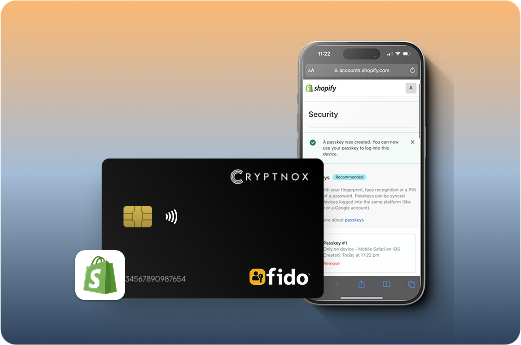
The Cryptnox advantage for a Shopify buyer is specific: a two-card smart-card set, secure-element key handling, and dual-interface activation. If your comparison extends to services outside ecommerce, read the Bank of America security key card page and the Fastmail security key card page to see how the same hardware category changes when the service’s own account-security flow changes.
Before requiring a security key on a Shopify account, prepare the Shopify account state, the card set, the browser, and the recovery plan. The aim is not only to enrol a card once. The aim is to keep the Shopify account reachable when the primary card is unavailable, a browser changes, or the account owner moves between phone and desktop access.
For a single-owner Shopify store, this checklist avoids dependence on one card and one browser session. For a team, it gives each account owner a repeatable way to add hardware-backed two-step login without confusing Shopify’s security-key flow with passwordless admin access. When the device plan is ready, order the Cryptnox Crypto Hardware Wallet – Dual-Card Set and enrol it from Shopify admin after setup.
No. Shopify’s documented hardware security-key flow is two-step authentication for Shopify account login. The Shopify password step remains, and the WebAuthn-compatible security key is used as the second factor. Passwordless support applies only to Microsoft Entra, Google, and login.gov, not to Shopify admin sign-in in this setup.
In Shopify admin, click the store name in the top bar, open your profile, go to Security, and choose Two-step authentication. Select Turn on two-step, enter your password, choose Security key, enter a name, and activate the Cryptnox contact and NFC smart card when Shopify shows the security-key prompt.
Shopify says multiple security keys and multiple two-step authentication methods can be enrolled. The Dual-Card Set also gives you a second card created as the backup during initialisation. Store the second card separately, enrol the access methods that match your Shopify policy, and save Shopify’s 10 recovery codes.
No. The card has no fingerprint sensor. If the Cryptnox app is part of your workflow, unlock uses the phone’s biometrics. For Shopify, the important step is the WebAuthn-compatible browser prompt, where you activate the contact and NFC smart card by tapping it to a phone or inserting it into a reader.
No. The Dual-Card Set ships uninitialised, and the seed is generated inside both secure elements during setup. The second card is the backup. Importing an existing 12- or 24-word BIP39 seed is available as an advanced option, but it is not the default setup route.
For this contact and NFC smart card, Android support is CTAP1/U2F only, not full CTAP2. Linux requires the Cryptnox app. Shopify also requires a compatible browser, so test the exact phone, reader, operating system, and browser combination before relying on the card for store access.
Yes. Shopify uses the card through its WebAuthn-compatible security-key flow as a second factor. Separately, the Dual-Card Set is a crypto hardware wallet. The free Cryptnox app is available on iOS and Android, connects to Web3 via WalletConnect, and works with MetaMask.
Yes. Cryptnox ships worldwide from the official CRYPTNOX store. Orders to Switzerland, the European Union and the United States are dispatched from stock already held in each of those regions, so the parcel does not cross a customs border into your country and there are no import duties to pay. Orders to other destinations are shipped internationally, and any import duties or local taxes are set by the destination country and are the recipient’s responsibility. Current shipping rates are shown at checkout.