Solana has emerged as one of the fastest-growing blockchain ecosystems, offering ultra-fast transactions and thriving DeFi and NFT communities. Protecting your SOL tokens and SPL assets requires a reliable hardware wallet for Solana that combines bank-level security with seamless ecosystem integration. Discover the Best Hardware Wallet for Solana
What to Look For in a Solana Hardware Wallet
Choosing the best Solana hardware wallet requires evaluating several critical features that impact both security and usability. Native Solana support or reliable third-party wallet integration determines how smoothly you can interact with the ecosystem. Many hardware wallets connect through Phantom or Solflare to access the full range of Solana functionality.
Key considerations include:
- Secure element chip certification (EAL5+, EAL6+, or military-grade) ensuring maximum protection against physical and digital attacks
- SOL staking capabilities allow you to earn rewards while maintaining cold storage security
- SPL token compatibility for managing the diverse tokens in Solana’s ecosystem
- NFT management features enabling secure interaction with marketplaces like Magic Eden
- Phantom and Solflare integration providing access to DeFi protocols and dApps
- Backup and recovery options, including seed phrases, multi-card systems, or seedless approaches
- Transaction verification on the device displays to prevent phishing and address manipulation
The form factor matters too, whether you prefer USB stick designs, touchscreen devices, NFC cards, or air-gapped solutions using QR codes. Biometric authentication and fingerprint scanning add convenience layers while maintaining security standards. Consider connectivity options like Bluetooth for mobile management, USB-C for computer access, or completely offline air-gapped communication.
Top 15 Best Hardware Wallets for Solana (SOL) in 2026
1. Cryptnox – Best Hardware Wallet for Solana in 2026
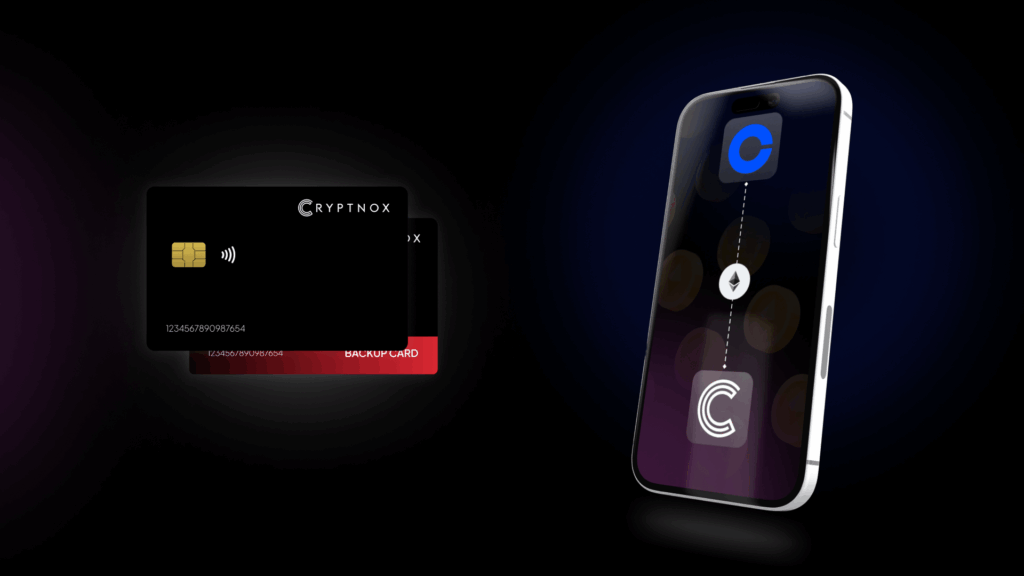
Introducing Cryptnox, the revolutionary hardware wallet designed to keep your digital assets safe, accessible, and fully under your control. Built on advanced smartcard technology, our wallets feature a secure dual-card backup system, biometric authentication, and seamless integration with MetaMask, WalletConnect, and Web3 apps. Whether you’re storing cryptocurrencies, swapping tokens, or diving into DeFi, Cryptnox delivers bank-level security without the complexity, empowering you to manage your portfolio with peace of mind.
Product Features
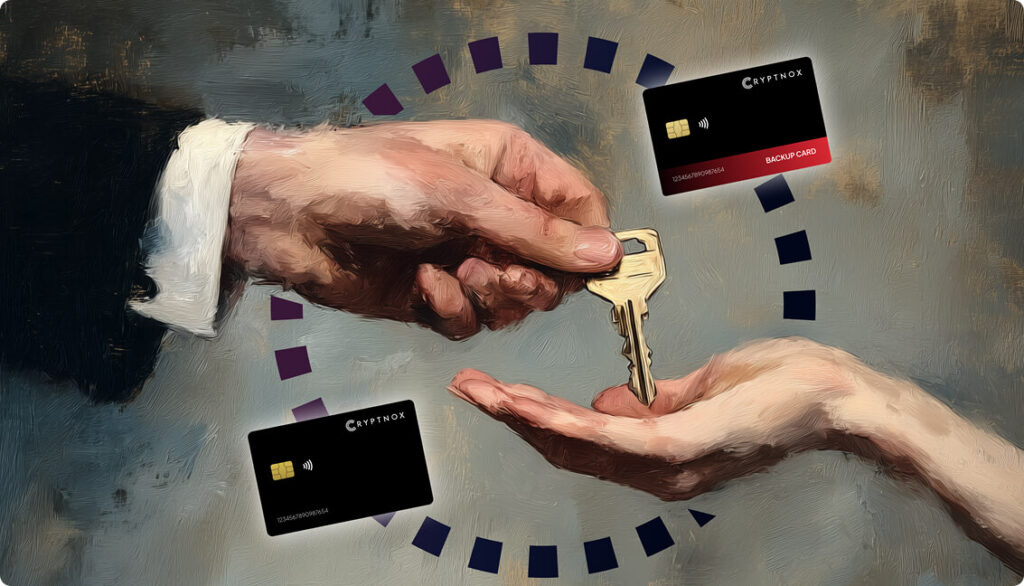
- Dual-Card Backup System: Never lose access to your keys with our innovative dual-card setup, allowing secure initialization and recovery using any pair of Cryptnox cards.
- Biometric Authentication: Add an extra layer of protection with built-in biometrics, ensuring only you can access your wallet.
- FIDO2 Functionality: Now included with every card, enabling secure logins, consent adjustments, and more across compatible platforms.
- Multi-Blockchain Support: Access a wide range of networks, including popular ones for DeFi and Web3 applications.
- PIN/PUK Security: Robust credentials to prevent unauthorized access, with reset options available without compromising your seed.
- BIP39 Compatibility: Easily import existing seeds or generate new ones for ultimate flexibility.
Product Specifications:
- Security: Firmware audited by external cybersecurity firms; no personally identifiable data stored; prevents unauthorized access.
- Integration: Works seamlessly with DeFi apps, Web3 platforms, MetaMask, and WalletConnect; supports iOS and Android apps via Apple Store and Google Play.
- Delivery: Fast shipping worldwide; available directly from Cryptnox Shop or Amazon in DE, FR, IT, BE, SE, ES, PL, NL, CA, MX, AU.
- Performance: High-security smartcard tech with quick response times and reliable connectivity.
What It’s Built For:
Cryptnox hardware wallets are your go-to solution for:
- Secure Storage: Safeguard your cryptocurrencies with hardware-level protection against hacks and theft.
- DeFi and Web3 Access: Use your card for decentralized finance, NFTs, and other blockchain applications without exposing your keys.
- Backup and Recovery: Perform dual-card setups for redundancy, or reset credentials if needed, all while maintaining control.
- Multi-Account Management: Handle multiple wallets and seeds, including BIP39 imports, for diverse crypto portfolios.
- Everyday Security: Leverage FIDO2 for secure logins, social sharing, and more in a user-friendly package
- Specialized Tasks: From token swaps to analytics tracking, Cryptnox adapts to your crypto needs.
Why Cryptnox Stands Out:
This isn’t just a wallet it’s a fortress for your digital future. With no access to your keys by Cryptnox (we never store or see them), audited firmware for top-tier reliability, and global availability, our hardware empowers beginners and experts alike. Backed by comprehensive tutorials, blogs, technical resources, and 24/7 support, Cryptnox ensures you stay ahead in the crypto world with unmatched security, simplicity, and innovation.
Cryptnox Hardware Wallets – Your Gateway to Secure, User-Friendly Crypto Management.
Ready to secure your assets? Buy a Cryptnox Hardware Wallet now and protect your crypto with ease
2. Ledger Nano X
Ledger Nano X stands as one of the most trusted hardware wallets for Solana users, combining Bluetooth connectivity with comprehensive ecosystem support. The device features an EAL5+ secure element chip and connects seamlessly with Phantom or Solflare wallets for full Solana functionality. Users can manage over 5,000 assets through the Ledger Live app while engaging with Solana DeFi protocols, staking SOL, and managing NFTs.
- Key features: USB and Bluetooth connectivity, Phantom/Solflare integration, EAL5+ secure chip, mobile app support via Ledger Live, 5,000+ asset support, seed phrase backup, compact form factor
- Best for: Solana users seeking mobile management, multi-chain portfolios, DeFi interaction, NFT collectors, SOL staking with custom validators
- Pros: Reliable Bluetooth connectivity, strong brand reputation, excellent mobile app experience, comprehensive Solana ecosystem access through Phantom integration, regular firmware updates
- Cons: Premium pricing compared to entry-level options, requires third-party wallet apps for full Solana features, closed-source firmware
3. Ledger Stax
Ledger Stax elevates the hardware wallet experience with a curved E-Ink touchscreen that provides exceptional transaction visibility and usability. This premium device maintains Ledger’s security standards while offering advanced features for Solana users, including custom staking validator selection when paired with Phantom or Solflare. The large display clearly shows transaction details, making it easier to verify addresses and amounts before confirming.
- Key features: Curved E-Ink touchscreen, wireless charging, NFC and Bluetooth connectivity, Phantom/Solflare compatibility, EAL5+ secure chip, custom validator selection, premium build quality
- Best for: Advanced Solana users, professional traders, those prioritizing user experience, NFT enthusiasts needing clear transaction verification
- Pros: Exceptional display clarity for verifying Solana transactions, intuitive touchscreen interface, wireless charging convenience, premium materials and design, enhanced transaction visibility
- Cons: Highest price point among Ledger products, requires third-party wallet integration for Solana, overkill for basic storage needs
4. Ledger Flex
Ledger Flex combines portability with modern connectivity options, featuring a slim touchscreen design perfect for managing Solana assets on the go. The device supports NFC and Bluetooth, enabling quick connections to mobile devices for signing transactions with Phantom wallet. Bank-grade security protects your SOL tokens and SPL assets while maintaining convenient access to the Solana ecosystem.
- Key features: Slim touchscreen design, NFC and Bluetooth connectivity, USB-C support, Phantom integration, EAL5+ secure element, mobile-first experience, portable form factor
- Best for: Travelers, mobile-focused users, on-the-go Solana management, frequent transaction signers, minimalist design preferences
- Pros: Ultra-portable design, NFC tap-to-connect convenience, responsive touchscreen, secure Solana transaction signing, excellent mobile compatibility
- Cons: Smaller screen than Stax, premium pricing, requires Phantom or Solflare for Solana functionality, limited native features
5. Trezor Model T
Trezor Model T stands out as the flagship open-source hardware wallet with a vibrant color touchscreen and support for over 8,500 coins including Solana. The device emphasizes transparency through its open-source architecture, allowing security researchers to verify the code. Solana support comes through third-party integration with Phantom, enabling access to staking, DeFi, and NFT features while maintaining Trezor’s security standards.
- Key features: Color touchscreen, open-source firmware, USB-C connectivity, Shamir backup option, FIDO2 authentication, GPG encryption, 8,500+ coin support, third-party Solana integration
- Best for: Open-source advocates, security-conscious users, multi-currency holders, those preferring transparent development, advanced backup needs
- Pros: Fully open-source code, excellent community support, Shamir backup for advanced recovery, strong reputation for transparency, responsive touchscreen interface
- Cons: No secure element chip (uses general purpose chip), requires third-party apps for Solana, higher price than entry-level models, lacks Bluetooth connectivity
6. Keystone 3 Pro
Keystone 3 Pro delivers maximum security through completely air-gapped operation, using QR codes for all communication between the wallet and connected devices. This approach eliminates risks from USB or Bluetooth connections while providing full Solana support. The device features four EAL6+ secure chips and fully open-source firmware, making it ideal for security-focused users managing substantial SOL holdings.
- Key features: Air-gapped QR code communication, 4x EAL6+ secure chips, large touchscreen, fully open-source, wireless charging, fingerprint sensor, 30,000+ asset support, multi-chain capabilities
- Best for: Maximum security requirements, large SOL holdings, paranoid security users, open-source enthusiasts, multi-chain portfolio management
- Pros: Complete air-gap isolation, military-grade security with multiple secure chips, open-source transparency, wireless charging convenience, excellent build quality
- Cons: QR code process more complex than direct connections, bulkier design, premium pricing, learning curve for air-gapped workflow
7. Ledger Nano S Plus
Ledger Nano S Plus provides an affordable entry point into hardware wallet security with USB-C connectivity and comprehensive Solana support through Phantom integration. The device features Ledger’s trusted secure element chip and connects to Solana DeFi protocols and NFT marketplaces through third-party wallets. This option suits beginners and long-term holders focused on cold storage without mobile management needs.
- Key features: USB-C connectivity, EAL5+ secure chip, Phantom/Solflare compatibility, affordable pricing, seed phrase backup, compact design, 5,000+ asset support
- Best for: Beginners, long-term SOL storage, budget-conscious users, cold storage focus, those preferring wired connections
- Pros: Most affordable Ledger option, trusted security standards, simple setup process, reliable build quality, good starting point for hardware wallets
- Cons: No Bluetooth or mobile connectivity, smaller screen than premium models, requires a computer for most operations, third-party wallet integration needed
8. D’CENT
D’CENT hardware wallet integrates biometric fingerprint scanning directly into the device, offering enhanced convenience without compromising security. The large touchscreen displays transaction details clearly, while native Solana support enables direct management of SOL tokens, SPL assets, and NFTs. Users can stake Solana and interact with DeFi protocols through the wallet’s mobile app integration.
- Key features: Fingerprint biometric authentication, large color touchscreen, native Solana support, Bluetooth and USB connectivity, mobile app pairing, SOL staking support, NFT management
- Best for: Users prioritizing convenience, biometric security fans, active Solana DeFi users, frequent transaction signers, mobile management
- Pros: Fast fingerprint authentication, native Solana functionality, intuitive touchscreen interface, strong mobile app experience, supports SOL staking directly
- Cons: Closed-source firmware, higher price point, biometric sensor durability concerns, limited open-source transparency
9. SecuX Neo X
SecuX Neo X features a large 2.8-inch color display that provides exceptional visibility for verifying Solana transaction details before signing. Military-grade security protects private keys while supporting Solana alongside multiple blockchain networks. The wallet connects to Phantom and Solflare for accessing the full Solana ecosystem including DeFi, staking, and NFT management.
- Key features: Large 2.8-inch color display, military-grade security, Bluetooth and USB-C connectivity, Solana compatibility, multi-chain support, mobile app integration, touchscreen interface
- Best for: Users prioritizing transaction visibility, multi-chain management, those preferring large displays, Solana DeFi participants, NFT collectors
- Pros: Largest display among hardware wallets, easy transaction verification, strong security certifications, user-friendly interface, competitive pricing for features offered
- Cons: Bulkier form factor, closed-source firmware, less known brand compared to Ledger/Trezor, requires third-party wallet for Solana
10. Tangem Wallet
Tangem Wallet reimagines hardware wallet design as a credit-card-sized NFC device requiring no battery or cables. The seedless approach uses the card itself as the backup, with multi-card sets providing redundancy. Supporting over 7,000 assets including Solana, Tangem offers extreme portability for managing SOL tokens through a dedicated mobile app.
- Key features: Credit card form factor, NFC connectivity, seedless design, multi-card backup system, 7,000+ asset support, no battery required, mobile app exclusive, audited security
- Best for: Travelers, minimalist users, long-term cold storage, those seeking ultimate portability, seedless backup preference, frequent travelers
- Pros: Ultimate portability in card format, no charging needed, simple NFC tap operation, audited security protocols, multi-card backup redundancy
- Cons: No physical display for transaction verification, closed-source firmware, requires mobile device for all operations, less suitable for frequent traders
11. SafePal S1
SafePal S1 delivers budget-friendly security through air-gapped operation using QR codes for transaction signing. Supporting over 30,000 coins including Solana, the wallet features a self-destruct mechanism that protects assets if tampering is detected. USB-C connectivity and mobile app pairing make it accessible for newcomers seeking affordable cold storage.
- Key features: Air-gapped QR code operation, USB-C connectivity, self-destruct tamper protection, 30,000+ asset support, compact design, mobile app pairing, budget-friendly pricing
- Best for: Budget-conscious users, beginners exploring hardware wallets, cold storage focus, travel-friendly portability, multi-coin holders
- Pros: Very affordable price point, air-gapped security, self-destruct protection feature, broad asset compatibility, good value for money
- Cons: Basic interface and firmware updates, QR code process less intuitive, smaller screen, less polished user experience than premium options
12. Trezor Safe 3
Trezor Safe 3 offers cost-effective open-source security with physical button controls and improved chip protection. Solana support enables management of SOL tokens and SPL assets through third-party wallet integration. The device emphasizes transparency and multi-currency storage for users seeking reliable basic functionality.
- Key features: Physical button controls, open-source firmware, enhanced secure chip, USB-C connectivity, multi-coin support, seed phrase backup, compact design, Trezor Suite app
- Best for: Open-source advocates, budget-conscious buyers, basic storage needs, those preferring physical buttons, multi-currency holders
- Pros: Affordable Trezor option, open-source transparency, reliable security standards, trusted brand reputation, straightforward functionality
- Cons: Basic features compared to Model T, requires third-party apps for Solana, no touchscreen, limited advanced features
13. OneKey Pro
OneKey Pro combines premium hardware with wireless charging and open-source firmware for maximum transparency. The touchscreen device supports Solana and extensive blockchain ecosystems through native integration and third-party wallet compatibility. Four EAL6+ secure chips provide robust protection for users prioritizing both security and user experience.
- Key features: Touchscreen interface, wireless charging, open-source firmware, 4x EAL6+ secure chips, Bluetooth and USB-C, Solana support, 30,000+ assets, premium build quality
- Best for: Advanced users, open-source enthusiasts, premium experience seekers, multi-chain portfolios, those valuing build quality
- Pros: Wireless charging convenience, fully open-source code, multiple secure chips, excellent touchscreen interface, strong security certifications
- Cons: Higher price point, bulkier than slim models, less established brand recognition, complex for basic users
14. Trezor Safe 5
Trezor Safe 5 represents an updated model with improved security features and interface enhancements while maintaining Trezor’s open-source commitment. Solana support joins numerous cryptocurrency options for users seeking transparent, user-friendly multi-coin storage. The device balances security standards with accessible setup for hardware wallet newcomers.
- Key features: Updated secure chip, open-source firmware, improved interface, USB-C connectivity, multi-currency support, seed phrase backup, Trezor Suite integration, physical button controls
- Best for: Open-source preference, intermediate users, multi-coin management, those upgrading from older Trezor models, transparency advocates
- Pros: Enhanced security over previous models, open-source transparency, reliable Trezor ecosystem, regular firmware updates, trusted community
- Cons: Requires third-party wallet for Solana features, no touchscreen or Bluetooth, mid-range pricing, basic display
15. Ledger Nano S
Ledger Nano S serves as Ledger’s entry-level stick-style wallet offering secure offline storage with Solana integration through Phantom and Solflare. The affordable device features Ledger’s trusted secure element chip and USB connectivity for basic cold storage requirements. This option suits users focused on long-term SOL storage without needing advanced features or mobile access.
- Key features: Stick-style USB design, EAL5+ secure chip, Phantom/Solflare integration, affordable pricing, seed phrase backup, basic display, 5,000+ asset support
- Best for: Long-term cold storage, absolute beginners, minimal budget, basic SOL holdings, those wanting Ledger security at lowest cost
- Pros: Most affordable hardware wallet option, trusted Ledger security, simple operation, good for learning hardware wallets, reliable build
- Cons: Very basic features, small display, no mobile connectivity, limited screen size for verification, being phased out for newer models
Connecting Hardware Wallets to Phantom and Solflare
Most hardware wallets access Solana functionality through integration with Phantom or Solflare, the ecosystem’s leading wallet applications. Phantom wallet supports hardware wallet connections from Ledger and other compatible devices, adding a security layer while maintaining the intuitive interface Solana users appreciate. The integration process typically involves connecting your hardware wallet via USB or Bluetooth, then selecting the hardware wallet option within Phantom.
Solflare wallet offers robust hardware wallet support with detailed step-by-step connection processes. Users connect their Ledger devices, open the Solana app on the hardware wallet, and select the hardware wallet access method in Solflare. A critical step involves enabling blind signing on the hardware device, which allows interaction with SPL tokens and smart contracts while maintaining security.
This bridge approach provides the best of both worlds, your private keys stay protected in the hardware wallet’s secure element, while the software interface enables smooth interaction with Solana DeFi protocols, NFT marketplaces, and staking validators. Transaction signing occurs on the hardware device itself, with the software wallet merely facilitating blockchain communication. The Cryptnox hardware wallet similarly integrates with Web3 applications through WalletConnect, offering flexible connectivity for multi-chain portfolios.
Hardware Wallet Security for Solana NFT Collectors
Solana’s NFT ecosystem on platforms like Magic Eden and Tensor demands robust security measures to protect valuable digital collectibles. Hardware wallets provide the strongest protection by keeping your private keys offline even while actively trading or minting NFTs. The device displays transaction details on its screen, allowing you to verify the recipient address and amount before approving any NFT transfer.
Phishing attacks targeting Solana users have become increasingly sophisticated, with scammers creating fake tokens and malicious smart contracts that mimic legitimate protocols. Understanding common crypto drainers helps protect against these threats. Always verify contract addresses on Solscan against official sources before approving any transaction. Hardware wallets with clear signing capabilities display this information directly on the secure device screen, making it easier to spot suspicious requests.
Best practices for NFT security include:
- Bookmarking official marketplace URLs to avoid phishing sites that harvest wallet credentials
- Approving only the exact token amounts needed, rather than unlimited permissions
- Using hardware wallets for high-value collections while keeping a separate hot wallet for experimentation
- Double-checking recipient addresses on the hardware wallet screen before confirming transfers
- Keeping firmware updated to patch security vulnerabilities
- Storing backup phrases in secure physical locations away from internet-connected devices
The Cryptnox hardware wallet offers biometric authentication and dual-card backup systems that add protection layers while simplifying the recovery process if you need to restore access.
How to Safely Transfer Crypto to Hardware Wallets
Understanding how to securely transfer cryptocurrency to hardware wallets requires following specific protocols to avoid costly mistakes. Start by verifying the receiving address multiple times on your hardware wallet’s screen before initiating any transfer. Test with small amounts first, send a minimal quantity of SOL to confirm the address works correctly before transferring larger holdings.
The transfer process involves generating a receiving address on your hardware wallet, which displays on the device’s secure screen. Copy this address carefully or use QR code scanning to prevent typos that could send funds to incorrect destinations. Many exchanges and hot wallets support address whitelisting, allowing you to save verified hardware wallet addresses for future transfers.
Key safety considerations include:
- Always verify addresses on the hardware wallet display, not just on your computer or phone screen
- Save screenshots of successful transactions, including transaction IDs for record-keeping
- Be aware of network fees and congestion that might delay confirmation times
- Never share your seed phrase or recovery words with anyone claiming to provide support
- Understand that blockchain transactions are irreversible once confirmed
- Store backup phrases using the BIP39 seed phrase standard in secure physical locations
For Solana specifically, ensure you have a small amount of SOL in your hardware wallet to cover transaction fees when moving SPL tokens or NFTs. The introduction to crypto hardware wallets provides foundational knowledge for secure asset management.
FAQ
What is the best hardware wallet for Solana (SOL)?
The best hardware wallet for Solana depends on your specific needs and priorities. Ledger Nano X offers excellent mobile connectivity with Bluetooth and seamless Phantom integration for full Solana ecosystem access. Keystone 3 Pro provides maximum security through air-gapped operation with QR codes, ideal for large holdings. The Cryptnox hardware wallet delivers multi-chain portfolio management with advanced smart card technology, dual-card backup systems, and EAL6+ certified security. For budget-conscious users, Ledger Nano S Plus or SafePal S1 provide reliable cold storage at affordable prices.
Can I stake Solana on a hardware wallet?
Yes, you can stake SOL while maintaining hardware wallet security through integration with Phantom, Solflare, or native wallet apps. Hardware wallets like D’CENT offer native staking support, while Ledger devices enable staking when connected to Phantom or Solflare. You can select custom validators, monitor rewards, and manage staked positions while your private keys remain protected in the hardware device. Liquid staking options provide SPL tokens representing your staked SOL, allowing you to use those tokens in DeFi while earning rewards.
Which hardware wallets work with the Phantom wallet?
Phantom wallet integrates with several hardware wallets including Ledger Nano X, Ledger Nano S Plus, Ledger Stax, and other compatible devices. The connection process involves selecting the hardware wallet option in Phantom, connecting your device via USB or Bluetooth, and following the on-screen prompts. This integration provides hardware-level security while accessing Phantom’s user-friendly interface for Solana DeFi, NFTs, and dApp connectivity. Hardware wallets sign transactions internally without exposing private keys to your computer or phone.
Do hardware wallets support Solana NFTs?
Hardware wallets fully support Solana NFT management through integration with marketplaces like Magic Eden and Tensor. When connected to Phantom or Solflare, you can mint, buy, sell, and transfer NFTs while keeping your private keys secure offline. The hardware device displays transaction details including the NFT contract address and recipient, allowing you to verify each action before approval. This protects against phishing attacks where malicious sites attempt to drain valuable NFT collections. Premium models like Ledger Stax offer large displays that make NFT transaction verification easier.