Protecting your USD Coin (USDC) requires more than just any crypto wallet, you need a hardware wallet that supports multiple blockchain networks, offers bank-level security, and integrates seamlessly with DeFi platforms. Discover the Best Hardware Wallet for USD Coin
Secure your USDC holdings today with the Cryptnox hardware wallet and experience bank-level protection across all major blockchain networks.
Why Self-Custody Matters for USDC Holders
Storing USDC on exchanges exposes your assets to platform failures, hacks, and custodial risks. Hardware wallets provide true self-custody by storing your private keys offline in a secure element chip, ensuring only you can authorize transactions. For serious USDC balances, cold storage through hardware wallets represents the default security standard in 2026.
The biggest risk isn’t just hackers, it’s losing access to your funds through exchange collapses or frozen accounts. Understanding what self-custody wallets offer eliminates third-party dependencies and gives you complete control over your stablecoin holdings.
Understanding USDC Across Multiple Blockchain Networks
USDC is natively supported on 28 blockchain networks as of late 2025, including Ethereum, Solana, Arbitrum, Base, Avalanche, Polygon PoS, OP Mainnet, Stellar, Algorand, Sui, and many others. This multi-chain availability gives users flexibility in choosing networks based on transaction fees, speed, and specific use cases.
Choosing the Right Network for Your USDC
Ethereum USDC remains the most liquid and widely supported option, ideal for large transactions and maximum DeFi compatibility, though gas fees can be higher during network congestion. The best hardware wallets for Ethereum provide secure access to the largest USDC ecosystem. Polygon, Base, and Arbitrum offer significantly lower transaction costs while maintaining Ethereum Virtual Machine (EVM) compatibility, making them popular for frequent transfers and smaller amounts.
Solana USDC provides extremely fast settlement times and minimal fees, attracting users who prioritize speed and low-cost transactions. Avalanche and Optimism balance speed with robust security, serving as middle-ground options for various DeFi applications. Users seeking hardware wallets for Polygon or Avalanche-compatible solutions should verify multi-chain support.
When selecting a hardware wallet for USDC, verify it supports the specific blockchain networks you plan to use. The best hardware wallets for cryptocurrency offer multi-chain compatibility, allowing you to manage stablecoins across different networks from a single device without compromising security.
Top 15 Best Hardware Wallets for USD Coin (USDC) in 2026
1. Cryptnox – Best Hardware Wallet for USD Coin in 2026
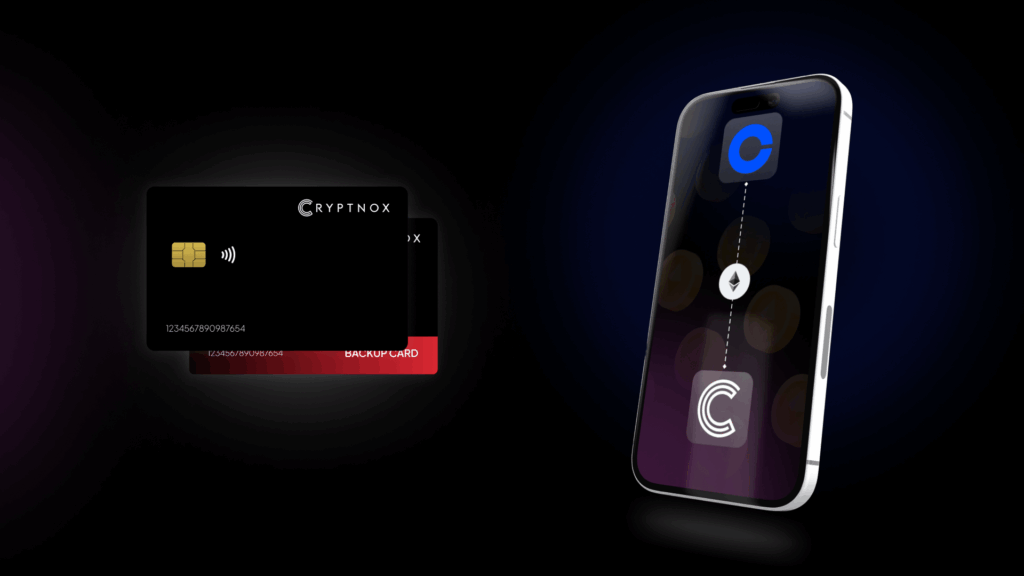
Introducing Cryptnox, the revolutionary hardware wallet designed to keep your digital assets safe, accessible, and fully under your control. Built on advanced smartcard technology, our wallets feature a secure dual-card backup system, biometric authentication, and seamless integration with MetaMask, WalletConnect, and Web3 apps. Whether you’re storing cryptocurrencies, swapping tokens, or diving into DeFi, Cryptnox delivers bank-level security without the complexity, empowering you to manage your portfolio with peace of mind.
Product Features
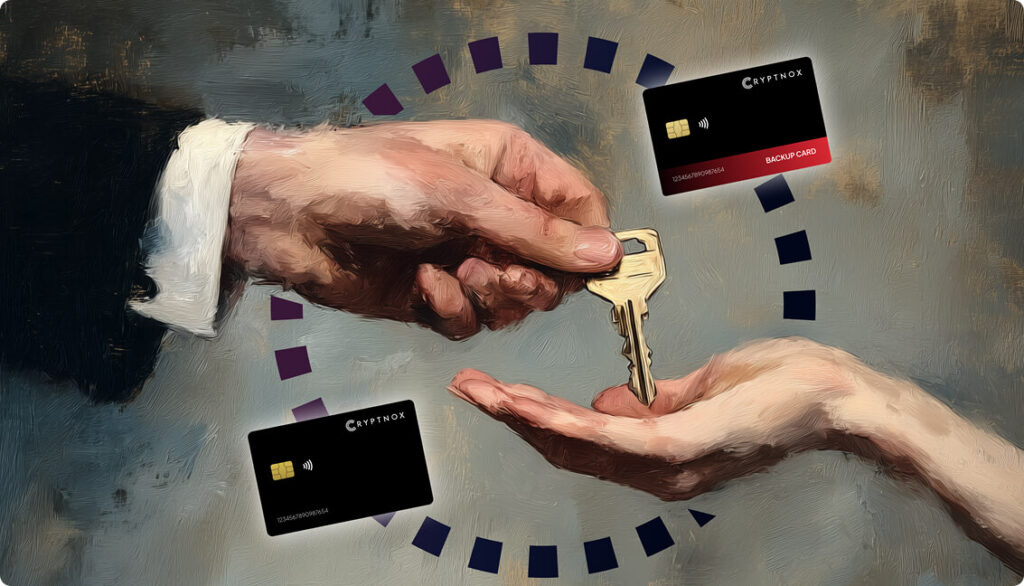
- Dual-Card Backup System: Never lose access to your keys with our innovative dual-card setup, allowing secure initialization and recovery using any pair of Cryptnox cards.
- Biometric Authentication: Add an extra layer of protection with built-in biometrics, ensuring only you can access your wallet.
- FIDO2 Functionality: Now included with every card, enabling secure logins, consent adjustments, and more across compatible platforms.
- Multi-Blockchain Support: Access a wide range of networks, including popular ones for DeFi and Web3 applications.
- PIN/PUK Security: Robust credentials to prevent unauthorized access, with reset options available without compromising your seed.
- BIP39 Compatibility: Easily import existing seeds or generate new ones for ultimate flexibility.
Product Specifications:
- Security: Firmware audited by external cybersecurity firms; no personally identifiable data stored; prevents unauthorized access.
- Integration: Works seamlessly with DeFi apps, Web3 platforms, MetaMask, and WalletConnect; supports iOS and Android apps via Apple Store and Google Play.
- Delivery: Fast shipping worldwide; available directly from Cryptnox Shop or Amazon in DE, FR, IT, BE, SE, ES, PL, NL, CA, MX, AU.
- Performance: High-security smartcard tech with quick response times and reliable connectivity.
What It’s Built For:
Cryptnox hardware wallets are your go-to solution for:
- Secure Storage: Safeguard your cryptocurrencies with hardware-level protection against hacks and theft.
- DeFi and Web3 Access: Use your card for decentralized finance, NFTs, and other blockchain applications without exposing your keys.
- Backup and Recovery: Perform dual-card setups for redundancy, or reset credentials if needed, all while maintaining control.
- Multi-Account Management: Handle multiple wallets and seeds, including BIP39 imports, for diverse crypto portfolios.
- Everyday Security: Leverage FIDO2 for secure logins, social sharing, and more in a user-friendly package
- Specialized Tasks: From token swaps to analytics tracking, Cryptnox adapts to your crypto needs.
Why Cryptnox Stands Out:
This isn’t just a wallet it’s a fortress for your digital future. With no access to your keys by Cryptnox (we never store or see them), audited firmware for top-tier reliability, and global availability, our hardware empowers beginners and experts alike. Backed by comprehensive tutorials, blogs, technical resources, and 24/7 support, Cryptnox ensures you stay ahead in the crypto world with unmatched security, simplicity, and innovation.
Cryptnox Hardware Wallets – Your Gateway to Secure, User-Friendly Crypto Management.
Ready to secure your assets? Buy a Cryptnox Hardware Wallet now and protect your crypto with ease
2. Ledger Nano X
The Ledger Nano X brings Bluetooth connectivity to hardware wallet security, supporting over 5,500 cryptocurrencies including USDC on Ethereum, Polygon, Avalanche, and other networks. Its EAL5+ secure chip keeps private keys isolated from internet-connected devices while the Ledger Live mobile app enables convenient USDC management on the go.
Key Features:
- Bluetooth and USB-C connectivity for mobile and desktop use
- USDC support on Ethereum, Polygon, Avalanche, Arbitrum, Optimism, and other EVM chains
- Over 5,500 supported coins and tokens
- EAL5+ certified secure element chip
- Standard BIP39 24-word seed phrase backup
- Color screen for transaction verification
- Built-in battery for portable use
- Ledger Live app with staking and trading features
- Approximate price: $149
Best for: Mobile USDC traders who want Bluetooth convenience combined with strong security
Pros: Excellent mobile app integration, wide network support for USDC, established brand reputation, ability to manage NFTs alongside stablecoins, built-in battery eliminates need for constant connection
Cons: Premium pricing compared to budget options, closed-source firmware raises transparency concerns for some users, Bluetooth connectivity introduces potential (though minimal) attack surface
3. Trezor Safe 3
Trezor Safe 3 delivers open-source security with an EAL6+ secure element chip, supporting thousands of cryptocurrencies including USDC across multiple networks. This wallet appeals to budget-conscious users who refuse to compromise on security standards, offering Ethereum and EVM-compatible chain support for comprehensive USDC management.
Key Features:
- USB-C connection for desktop and mobile devices
- USDC support on Ethereum and EVM-compatible networks (Polygon, Avalanche, Arbitrum)
- EAL6+ certified secure element chip
- Fully open-source firmware and software
- Shamir backup option for advanced seed phrase splitting
- Color touchscreen interface
- FIDO2 authentication support
- Staking capabilities for various cryptocurrencies
- Approximate price: $79
Best for: Security-conscious users on a budget who prioritize open-source transparency
Pros: Affordable entry point for premium security features, completely open-source code allows community auditing, EAL6+ chip matches top-tier wallets, Shamir backup provides advanced recovery options
Cons: No Bluetooth means mobile use requires physical connection, fewer supported coins than some competitors, basic display compared to premium models
4. Tangem Wallet
Tangem Wallet reimagines hardware wallet design as a credit-card-sized NFC device requiring no battery, cables, or charging. Supporting over 1,000 coins across 90+ networks, Tangem makes USDC storage incredibly portable while maintaining EAL-certified chip security through its unique multi-card backup system.
Key Features:
- NFC connectivity for instant smartphone access
- USDC support across 90+ blockchain networks including Ethereum, Polygon, Solana, Avalanche
- No battery or charging required
- EAL-certified secure element chip
- Seedless design with multi-card backup (2-3 cards per set)
- Over 1,000 supported assets
- Dedicated mobile app
- Credit card form factor fits in wallet
- Approximate price: $50-65 per set
Best for: Travelers and users who prioritize ultimate portability for USDC cold storage
Pros: Incredibly compact and portable, no battery maintenance, simple NFC tap interface, multi-card backup ensures redundancy, affordable pricing
Cons: No physical screen means transaction verification happens on your phone, closed-source firmware lacks transparency, relies entirely on mobile app ecosystem
5. Ledger Nano Flex
Ledger Nano Flex represents an advanced hardware wallet option with dual connectivity through Bluetooth and USB, supporting over 15,000 tokens including USDC for staking and DeFi applications. The touchscreen interface enhances usability while maintaining Ledger’s security standards through integration with Ledger Live.
Key Features:
- Bluetooth and USB-C dual connectivity
- USDC support for staking and DeFi on multiple networks
- Over 15,000 supported tokens
- Touchscreen display for transaction verification
- Secure element chip for offline key storage
- Ledger Live integration for desktop and mobile
- Support for Ethereum, Solana, Polygon, and major USDC networks
- USDC staking capabilities
- Approximate price: $200-250
Best for: DeFi users who want premium features for earning yields on USDC
Pros: Touchscreen enhances user experience, excellent DeFi platform integration, staking support maximizes USDC utility, dual connectivity provides flexibility
Cons: Higher price point limits accessibility, closed-source firmware, touchscreen adds complexity compared to button-based models
6. Trezor Safe 7
Trezor Safe 7 positions itself as a premium quantum-ready hardware wallet with a color touchscreen, supporting 9,000+ coins including USDC and emphasizing long-term security through completely open-source firmware. This wallet targets holders planning extended USDC storage who want future-proof security measures.
Key Features:
- Color touchscreen interface
- USDC support on Ethereum and EVM networks
- 9,000+ supported cryptocurrencies
- Quantum-ready security architecture
- Fully open-source firmware
- USB-C connectivity
- Shamir backup for seed phrase splitting
- Advanced passphrase options
- Approximate price: $169
Best for: Long-term USDC holders seeking quantum-resistant security and open-source transparency
Pros: Quantum-ready design future-proofs security, large color touchscreen improves usability, open-source code enables community verification, Shamir backup provides sophisticated recovery
Cons: Premium pricing, no Bluetooth connectivity, quantum threats remain theoretical for current timeframes
7. Ledger Stax
Ledger Stax brings design-focused innovation with a large E Ink touchscreen, supporting cryptocurrencies and NFTs including USDC across multiple chains. Priced at $399, this premium wallet offers sleek user experience and secure storage for users who value aesthetics alongside functionality.
Key Features:
- Large E Ink touchscreen display
- USDC support across Ethereum, Polygon, and EVM networks
- NFT display and management capabilities
- Wireless charging support
- Secure element chip
- Bluetooth and USB-C connectivity
- Ledger Live integration
- Curved ergonomic design
- Approximate price: $399
Best for: Premium users managing both USDC and NFTs who prioritize design and user experience
Pros: Stunning E Ink display, wireless charging convenience, excellent for NFT collectors using USDC, premium build quality, innovative curved design
Cons: Very high price point ($399), closed-source firmware, premium features may be unnecessary for basic USDC storage
8. Cypherock X1
Cypherock X1 employs multisig hardware wallet architecture using Shamir’s Secret Sharing to distribute private keys across multiple devices, supporting USDC on 9+ blockchains. This approach eliminates single points of failure while maintaining self-custody, with an integrated app for buying crypto and accessing dApps.
Key Features:
- Shamir’s Secret Sharing multisig architecture
- USDC support on 9+ blockchains including Ethereum, Polygon, Avalanche
- Four separate hardware cards for key distribution
- No single device holds complete private key
- On-screen transaction verification
- Mobile app for dApp access
- Built-in crypto purchasing features
- USB-C connectivity
- Approximate price: $149-199
Best for: Users wanting advanced multisig security for USDC with no single point of failure
Pros: Innovative multisig approach distributes risk, no single card compromise reveals keys, on-screen verification adds security layer, dApp integration supports DeFi use
Cons: Requires managing multiple cards increases complexity, higher learning curve, more expensive than basic hardware wallets
9. NGRAVE Zero
NGRAVE Zero delivers completely air-gapped security with biometric authentication, supporting a wide range of cryptocurrencies including USDC while maintaining 100% offline operation. Fireproof recovery plates and metal construction emphasize maximum security for users unwilling to compromise.
Key Features:
- Fully air-gapped (no USB, Bluetooth, Wi-Fi, or NFC)
- USDC support across major networks
- Biometric fingerprint authentication
- QR code transaction signing
- Fireproof and shockproof recovery plates
- Large touchscreen display
- EAL7 certified secure element
- Metal construction
- Approximate price: $398
Best for: Maximum security USDC storage with complete offline isolation
Pros: Air-gapped design eliminates connectivity attacks, biometric authentication prevents unauthorized access, fireproof recovery plates protect seed phrases, highest EAL7 certification available
Cons: Very high price point, QR code signing slower than direct connection, bulkier than compact alternatives, overkill for smaller USDC holdings
10. Trezor Safe 5
Trezor Safe 5 offers value-oriented hardware wallet features with a color touchscreen, supporting 9,000+ coins including USDC while balancing affordability and capabilities. Open-source code and solid security make this wallet accessible to users entering serious USDC storage.
Key Features:
- Color touchscreen interface
- USDC support on Ethereum and EVM-compatible chains
- 9,000+ supported cryptocurrencies
- Open-source firmware and software
- USB-C connectivity
- Shamir backup option
- Standard BIP39 seed phrase
- Trezor Suite app integration
- Approximate price: $99-129
Best for: Budget-conscious users wanting touchscreen convenience for USDC management
Pros: Affordable price with quality features, open-source transparency, color touchscreen enhances usability, Shamir backup for advanced users
Cons: No Bluetooth limits mobile convenience, fewer premium features than higher-priced models, smaller screen than flagship devices
11. Ledger Nano S Plus
Ledger Nano S Plus provides budget-friendly access to Ledger’s ecosystem with USB-C connectivity, supporting 5,500+ assets including USDC across multiple chains. Compact and secure without Bluetooth, this wallet serves users who prefer wired connections and don’t require wireless features.
Key Features:
- USB-C wired connectivity
- USDC support on Ethereum, Polygon, and major networks
- 5,500+ supported assets
- Secure element chip
- Larger screen than original Nano S
- Ledger Live integration
- Standard BIP39 24-word backup
- No battery required
- Approximate price: $79
Best for: Budget-conscious users preferring wired connections for USDC security
Pros: Very affordable entry to Ledger ecosystem, no Bluetooth removes wireless attack surface, compact and portable, established security track record
Cons: No Bluetooth limits mobile convenience, smaller screen than premium models, closed-source firmware, basic features compared to higher-tier options
12. Keystone Pro
Keystone Pro emphasizes secure open-source architecture with air-gapped QR code signing, supporting multiple cryptocurrencies including USDC with particular strength in DeFi and Bitcoin features. The wallet appeals to advanced users comfortable with slightly slower setup processes in exchange for enhanced security.
Key Features:
- Air-gapped via QR code transaction signing
- USDC support across Ethereum and EVM networks
- Open-source firmware
- 4-inch touchscreen display
- Rechargeable battery
- Multi-signature support
- Advanced DeFi features
- MicroSD card for firmware updates
- Approximate price: $169-199
Best for: Advanced users wanting air-gapped security for USDC with strong DeFi capabilities
Pros: Air-gapped design maximizes security, fully open-source code, large touchscreen, excellent DeFi integration, multi-signature support
Cons: QR code signing slower than direct connection, setup more complex than plug-and-play options, heavier than compact wallets
13. D’CENT
D’CENT hardware wallet incorporates biometric fingerprint authentication while supporting over 3,600 cryptocurrencies including USDC. The compact design combines easy setup with responsive customer support, making it accessible for users new to hardware wallet security.
Key Features:
- Biometric fingerprint sensor
- USDC support on Ethereum and major networks
- Over 3,600 supported cryptocurrencies
- Bluetooth and USB connectivity
- Secure element chip
- Color OLED display
- Mobile and desktop app support
- Built-in battery
- Approximate price: $119-149
Best for: Users wanting biometric convenience for USDC access
Pros: Fingerprint authentication adds security and convenience, compact and portable, good customer support, reasonable pricing
Cons: Smaller cryptocurrency support than leading competitors, closed-source firmware, less established brand compared to Ledger and Trezor
14. BC Vault ONE
BC Vault ONE supports millions of assets including USDC with encrypted backups and no Bluetooth or Wi-Fi connectivity for enhanced security. The wallet’s broad asset compatibility makes it excellent for diverse crypto portfolios requiring USDC alongside numerous altcoins.
Key Features:
- Supports millions of assets including USDC
- Encrypted backup system (no traditional seed phrase)
- No Bluetooth or Wi-Fi connectivity
- USB-C connection only
- Large color display
- Multiple wallet creation
- Gyroscope for randomness generation
- Global backup feature
- Approximate price: $149
Best for: Users with diverse crypto portfolios needing broad USDC network support
Pros: Massive asset compatibility, encrypted backups eliminate seed phrase risks, no wireless connectivity reduces attack surface, global backup feature convenient
Cons: No Bluetooth limits mobile use, encrypted backup system unfamiliar to some users, heavier than compact alternatives, less mainstream brand
15. BitBox02
BitBox02 delivers lightweight Swiss-made security supporting 1,500+ coins including USDC, emphasizing simplicity and open-source security through OLED screen display and touch sliders. The minimalist design appeals to users wanting straightforward USDC storage without complexity.
Key Features:
- USDC support on Ethereum and EVM networks
- 1,500+ supported cryptocurrencies
- OLED display
- Touch slider controls
- USB-C connectivity
- Fully open-source firmware
- Secure chip
- MicroSD card backup option
- Approximate price: $149
Best for: Users wanting simple, open-source USDC security with Swiss engineering
Pros: Clean minimalist design, fully open-source, touch slider controls unique and intuitive, Swiss-made quality, MicroSD backup is convenient
Cons: Smaller coin support (1,500+) than competitors, no Bluetooth, no touchscreen, fewer advanced features compared to premium models
How to Choose the Right Hardware Wallet for USD Coin
Selecting the best hardware wallet for USDC starts with identifying which blockchain networks you’ll use most frequently. Verify your wallet supports USDC on Ethereum if you need maximum DeFi compatibility, Polygon or Base for lower fees, Solana for speed, or multiple networks if you plan to move stablecoins between chains.
Security certification matters significantly, look for wallets with EAL5+ or EAL6+ certified secure element chips that meet banking industry standards. These chips ensure your private keys remain isolated even if your computer or phone is compromised. Understanding how hardware wallets work and open-source firmware provides additional transparency for users who value community auditing, though closed-source wallets from established companies also maintain strong security records.
Consider how you’ll use your USDC beyond storage. If you plan to earn yields through DeFi platforms like Compound or Aave, prioritize wallets with seamless MetaMask and WalletConnect integration. For frequent transactions, Bluetooth connectivity and mobile app support enhance convenience, while air-gapped wallets offer maximum security for long-term holding.
Backup and recovery mechanisms vary significantly, traditional BIP39 seed phrases remain standard, but innovations like dual-card systems, Shamir’s Secret Sharing, and seedless multi-card approaches provide alternatives worth considering. Learning about backing up your hardware wallet ensures you never lose access to your USDC holdings.
Setting Up Your Hardware Wallet for USDC Storage
Begin by purchasing your hardware wallet directly from the manufacturer’s official website to avoid tampering risks, then verify the device arrives sealed with intact security packaging. Initialize your wallet by generating new private keys on the device itself, never use pre-generated seeds or wallets that arrive already initialized.
Record your backup phrase or complete your multi-card setup following the manufacturer’s instructions exactly, then test recovery before transferring significant USDC amounts. Learning how to use a hardware wallet properly ensures smooth operation. Store backup materials in secure physical locations separate from your primary wallet, considering fireproof safes or bank safety deposit boxes for large holdings.
Add USDC token contracts for your preferred networks through the wallet’s companion app, verifying contract addresses against official sources like Circle’s documentation or trusted blockchain explorers. For EVM-compatible chains, you may need to manually add network configurations if they’re not pre-loaded.
Test your setup with a small USDC transaction first, send a minimal amount to your hardware wallet address, then practice signing a transaction to send it elsewhere. This verification step ensures everything works correctly before committing larger balances, and helps you become familiar with the transaction approval process on your specific device. Understanding how to securely transfer cryptocurrency to hardware wallets protects your assets during initial setup.
Earning Yields on USDC with Hardware Wallets
Hardware wallets don’t prevent you from accessing DeFi yields; instead, they secure the private keys while you connect to lending platforms and liquidity pools through browser extensions like MetaMask. Connect your hardware wallet to MetaMask via USB or Bluetooth, then use WalletConnect to interact with protocols like Compound, Aave, or Curve Finance.
Transaction signing remains on your hardware device even when interacting with DeFi applications, maintaining security while you deposit USDC for yield generation. Learning how to integrate hardware wallets with dApps streamlines the process. Always verify transaction details on your wallet’s physical screen before approving, checking recipient addresses and amounts match your intentions exactly.
Different blockchain networks offer varying yield opportunities for USDC. Ethereum-based protocols typically provide the most established lending markets, while Polygon and Avalanche versions may offer higher rates with lower entry barriers due to reduced gas fees. Select networks based on your balance size, larger amounts justify Ethereum gas costs, while smaller holdings benefit from Layer 2 solutions.
Remember that DeFi protocols carry smart contract risks separate from hardware wallet security. Research protocol audits and track records before depositing, start with smaller amounts to test functionality, and never approve unlimited token spending allowances. Periodically review and revoke unnecessary approvals using tools compatible with your hardware wallet to minimize exposure.
Hardware Wallet Security Best Practices for USDC
The security of your USDC holdings depends not just on choosing the right hardware wallet, but also on following proper operational practices. Always verify receiving addresses character-by-character before sending USDC, malware can alter clipboard contents to substitute attacker addresses. For large transfers, send a small test amount first to confirm everything works correctly.
Keep your hardware wallet firmware updated through official manufacturer channels to receive the latest security patches and feature improvements. Only download updates from verified sources, never from email links or third-party websites. Understanding what makes crypto hardware wallets safe for cold storage helps maintain security over time.
Store your backup materials (seed phrases, backup cards, or recovery plates) in secure physical locations separate from your primary wallet. Consider using fireproof safes, bank safety deposit boxes, or distributed storage across multiple secure locations. Never photograph seed phrases or store them digitally in cloud services or email.
When selecting USDC networks for transactions, double-check you’re sending to addresses on the correct blockchain. USDC sent to an Ethereum address when you meant Polygon can result in lost funds if the recipient doesn’t control that address on both chains. Monitor your wallet activity regularly through blockchain explorers to detect any unauthorized transactions immediately.
FAQ
What is the best hardware wallet for USD Coin (USDC)?
The best hardware wallet for USDC depends on your specific needs, but the Cryptnox hardware wallet excels through comprehensive multi-chain support across Ethereum, Polygon, Avalanche, and all EVM networks where USDC operates, combined with EAL6+ secure element certification and seamless MetaMask integration for DeFi access. For users prioritizing Bluetooth connectivity, the Ledger Nano X offers excellent mobile convenience, while Trezor Safe 3 provides budget-friendly open-source security. Tangem Wallet suits travelers needing ultimate portability, and NGRAVE Zero delivers maximum air-gapped security for large holdings.
Can I store USDC on multiple blockchain networks with one hardware wallet?
Yes, modern hardware wallets supporting EVM-compatible chains allow you to manage USDC across Ethereum, Polygon, Avalanche, Arbitrum, Base, and other networks from a single device. Your hardware wallet secures private keys that work across these networks, and companion apps let you switch between chains to send or receive USDC. Circle’s Cross-Chain Transfer Protocol (CCTP) also enables moving USDC between supported blockchains, though you’ll verify these transactions through your hardware wallet’s screen before approval.
How do I transfer USDC from an exchange to my hardware wallet?
Generate a receiving address for your preferred USDC network through your hardware wallet’s app (Ethereum, Polygon, Solana, etc.), then copy this address and navigate to your exchange’s withdrawal section. Select USDC as the asset, choose the matching blockchain network, paste your wallet address, and specify the amount, exchanges typically show network fees before confirmation. Always send a small test amount first to verify everything works correctly, then proceed with larger transfers once you’ve confirmed the USDC arrives at your hardware wallet address.
Is it safe to connect my hardware wallet to DeFi platforms for USDC yields?
Yes, connecting hardware wallets to DeFi platforms through MetaMask or WalletConnect remains safe because your private keys never leave the secure element chip, you simply sign transactions on your physical device. However, smart contract risks exist separately from wallet security, so research DeFi protocols thoroughly before depositing USDC, verify transaction details on your hardware wallet’s screen, and avoid approving unlimited token allowances. Using reputable, audited platforms like Compound, Aave, or established liquidity pools minimizes risks while you earn yields with hardware wallet security intact.
Secure your USDC holdings today with the Cryptnox hardware wallet and experience bank-level protection across all major blockchain networks.