
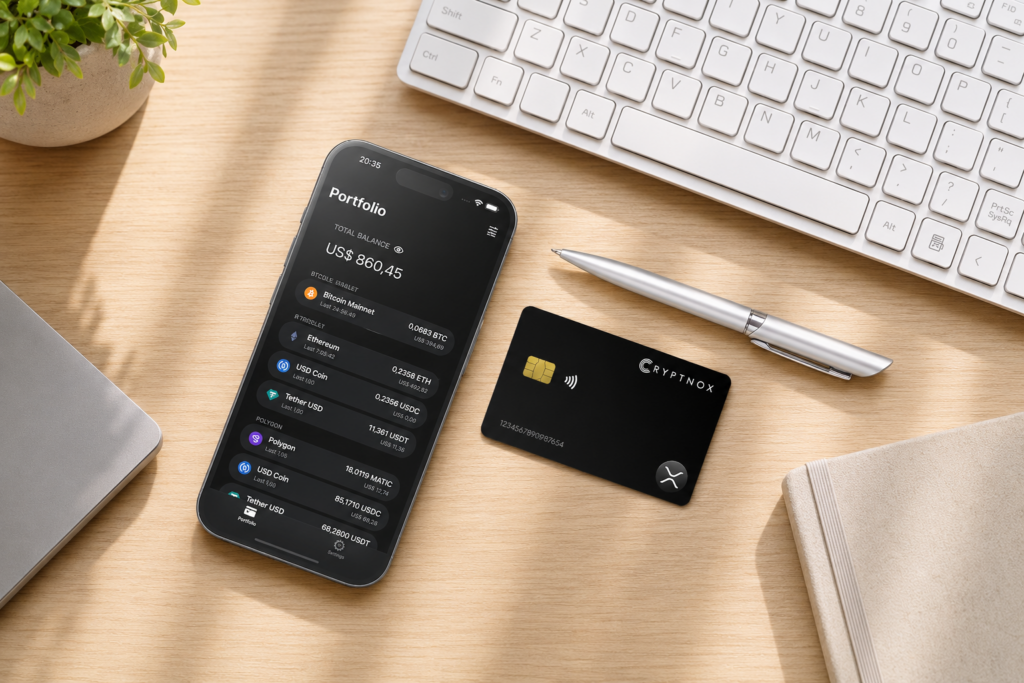
XRP Hardware Wallet
Does the Cryptnox wallet support XRP?
Yes. Native XRP is available through the pre-programmed Ripple network in the free Cryptnox app, so you do not need to add the XRP Ledger network manually. The Cryptnox Crypto Hardware Wallet – Dual-Card Set uses a classic XRP Ledger address beginning with r. Private keys are generated inside the secure element and never leave it. XRP Ledger issued currencies can be added manually with Add a Token, after the account is prepared with the required trust line.
Native XRP support in the Cryptnox app
XRP is ready on the Ripple route
Cryptnox supports native XRP through the pre-programmed Ripple network in the free Cryptnox app for iOS and Android. A buyer setting up the Cryptnox Crypto Hardware Wallet – Dual-Card Set for XRP does not need to enter custom XRP Ledger network details before using native XRP. The route is for XRP as the native coin of the XRP Ledger, which uses an account model rather than a UTXO set.
The XRP Ledger account uses a classic address beginning with r. That address is the central self-custody destination for the account controlled by the card-generated private key. Because the XRP Ledger does not use UTXOs, HD address rotation is not an XRP Ledger concept and should not be treated as a missing XRP feature.
- Chain: XRP Ledger.
- Asset: native XRP.
- Cryptnox app route: pre-programmed Ripple network.
- Address format: classic XRP Ledger address beginning with r.
- Token path: XRP Ledger issued currencies can be added manually with Add a Token.
The Cryptnox coin and blockchain support page is the best place to check XRP beside other supported networks before moving funds. For first setup of the card pair, the Cryptnox startup guide explains the initial wallet flow used before you begin managing XRP.
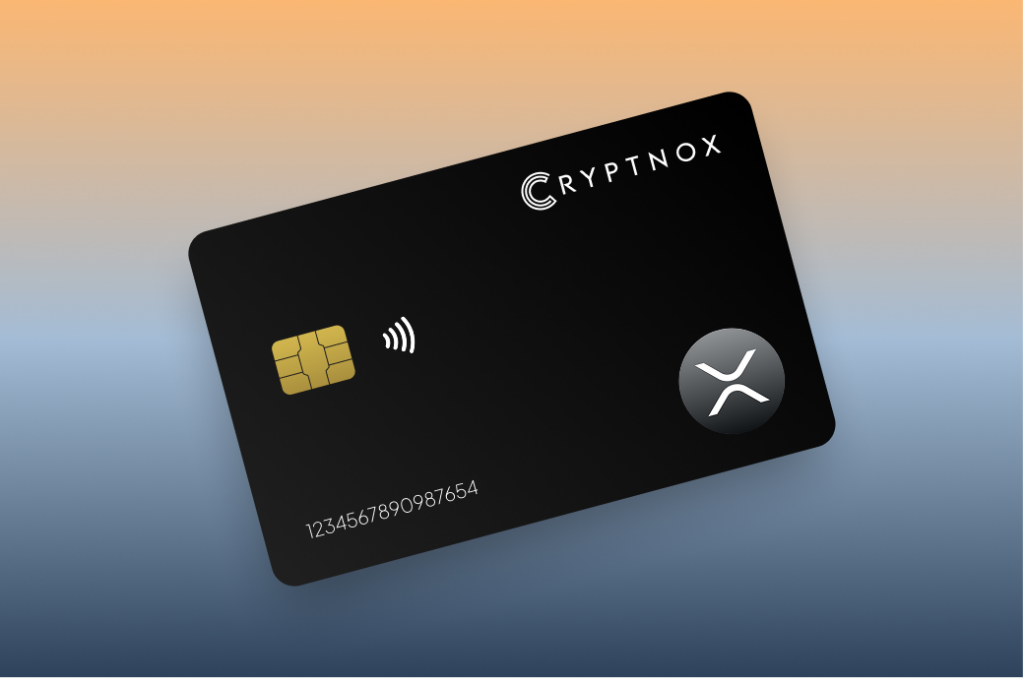
XRP Ledger addresses and destination tags
Classic addresses begin with r
An XRP Ledger self-custody address uses the classic format beginning with r. When you receive XRP to the account controlled by your Cryptnox cards, that classic address is the address to verify. A self-custody XRP address normally does not need a destination tag unless the recipient specifically asks for one.
Destination tags matter when XRP is sent to a shared or custodial address. An exchange, broker, or business may use one XRP Ledger address for many customers, invoices, or internal accounts. In that case, the destination tag is a 32-bit number that tells the receiver which customer or invoice to credit. If a service gives both an XRP address and a tag, the tag should be treated as part of the payment instruction.
Before sending XRP
- Confirm that the address begins with r.
- Use your Cryptnox-controlled address for self-custody deposits.
- Do not add a tag to your own address unless the recipient asks for one.
- Copy the tag exactly when depositing to an exchange, broker, or shared business address.
- For XRP Ledger issued currencies, confirm that the recipient can receive the specific issued currency.
Coming from a broker? Follow our step-by-step guide to sending XRP from Robinhood to a Cryptnox Wallet.
Bitcoin users may be used to different address behavior. The Bitcoin hardware wallet page covers a different transaction model, while XRP Ledger payments center on the classic account address and, when required, a destination tag.
Secure-element key storage for XRP
The XRP account key stays in the card
With the Cryptnox Crypto Hardware Wallet – Dual-Card Set, private keys are generated inside the secure element and never leave it. For XRP, that means the private key controlling the classic XRP Ledger account is not created in the phone app and is not exported from the card. The Cryptnox app is the interface for preparing XRP Ledger activity, while the key material remains inside the secure element.
That XRP account key is a secp256k1 key, which is the XRP Ledger’s default key type for account key pairs. The secure element generates the secp256k1 key and signs XRP Ledger transactions with it, so the signing step happens on the card rather than in the phone. The XRP Ledger documents the available cryptographic key types.
The card platform uses an EAL6+-certified chip. That property belongs to the chip and platform. For an XRP holder, the important practical point is that the XRP account key is anchored in a smart-card secure element while the phone displays the account and prompts the card when a signature is needed.
Dual-interface smart-card format
The card is a contact and NFC smart card. You can tap it to a phone or insert it into a reader. That dual-interface format fits XRP self-custody because the card remains the signing device while the app handles the XRP Ledger workflow shown to the user.
Unlock uses the phone’s biometrics through the Cryptnox app. The card itself has no biometric sensor. The cards are Swiss-engineered and made in Switzerland. The same app can connect to Web3 through WalletConnect and works with MetaMask, while native XRP remains available through the pre-programmed Ripple route.
Buy from the Official CRYPTNOX Store

Prefer Amazon?
CRYPTNOX products are also available worldwide through our official Amazon stores.

Dual-card backup for an XRP account
The second card is the backup
The Dual-Card Set ships uninitialised. During setup, the seed is generated inside both secure elements, so the second card is the backup for the same wallet material. For an XRP account, that means the backup card is prepared from the beginning for the same account key rather than being an optional later copy.
There is no default written recovery phrase to record during setup. That matters for an XRP buyer who wants the backup process to be card-based from the start. One card can be used for the XRP Ledger account, and the second card can be kept separately as the backup for the same wallet material.
- Main card: used to operate the XRP Ledger account.
- Backup card: created during the same initial process inside the secure elements.
- Default recovery workflow: no recovery phrase is written down by default.
- Advanced route: importing an existing BIP39 recovery phrase is available for users who intentionally choose that option.
The card pair is sold as the Cryptnox Crypto Hardware Wallet – Dual-Card Set. For XRP, the backup model is easy to understand because the XRP Ledger account is controlled by the private key generated inside the secure elements.
Issued currencies and Add a Token
Native XRP is not the same as issued currencies
Native XRP is available in the Cryptnox app through the pre-programmed Ripple network. XRP Ledger issued currencies are handled differently. They can be added manually with Add a Token, and they should not be treated as the same workflow as native XRP.
An XRP Ledger account must set up a trust line for an issued currency and its issuer before it can hold that token. The XRP Ledger describes these as trust-line tokens. This is the XRP Ledger step that often surprises holders who are used to token balances appearing after a network is selected.
What Add a Token is for
Add a Token is the manual path for XRP Ledger issued currencies in the Cryptnox app. The user adds the issued currency details rather than expecting the native XRP entry to display every possible XRP Ledger token. Before moving a token balance, the account needs the right trust line for the issuer and currency.
- Use the pre-programmed Ripple network route for native XRP.
- Use Add a Token for XRP Ledger issued currencies.
- Set the relevant trust line before trying to hold the issued currency.
- Confirm issuer and currency details before moving a token balance.
If your portfolio also includes assets with different token rules, the TRON hardware wallet page and Polygon hardware wallet page explain separate network flows. XRP Ledger issued currencies have their own trust-line requirement, so the XRP setup should be handled on its own terms.
Ripple USD (RLUSD) is already in the app
Ripple USD (RLUSD) is the exception in this group. It is pre-programmed in the Cryptnox app, so it does not have to be entered through Add a Token the way other XRP Ledger issued currencies do. The XRP Ledger requirements still apply to it: the account needs a trust line for RLUSD and its issuer, and that trust line carries the usual owner reserve described below.
XRP reserves and token planning
Trust lines can tie up XRP
The XRP Ledger reserve model affects how much XRP remains freely spendable. The base reserve is 1 XRP per account, plus an owner reserve of 0.2 XRP per owned ledger object. A typical trust line is an owned ledger object, so adding issued currencies can tie up a little XRP in reserve. The chain’s own documentation explains the XRP Ledger reserve requirements.
For native XRP, the reserve is part of having the XRP Ledger account. For issued currencies, each trust line for an issuer and currency pair can add to the XRP held in reserve. This does not change where Cryptnox keeps the private key, but it does affect balance planning before you add tokens or move issued currencies into self-custody.
Reserve-aware setup
- Keep enough XRP in the account to satisfy the base reserve.
- Expect a typical trust line to add an owner reserve.
- Plan issued-currency additions before moving a token balance.
- Remember that reserved XRP is not the same as freely spendable XRP.
This is why XRP storage should not be reduced to a generic token-wallet checklist. Native XRP, issued currencies, trust lines, reserves, classic addresses, and destination tags all affect the account-level workflow a buyer uses with Cryptnox.
How Cryptnox fits an XRP self-custody setup
A comparison based on XRP workflow
A useful XRP hardware-wallet comparison should start with the XRP Ledger details that affect real transfers. The wallet should support native XRP without making the buyer build the network manually, use the classic r address format, leave room for destination tags when sending to shared service addresses, and provide a clear manual route for XRP Ledger issued currencies.
Cryptnox covers native XRP through the pre-programmed Ripple network in the app. It also supports XRP Ledger issued currencies through Add a Token, with the trust-line step handled as part of the XRP Ledger token workflow. The security model is card-based: private keys are generated inside the secure element and never leave it, and the second card is the backup created during setup.
The broader Cryptnox hardware wallet hub is useful when comparing self-custody across assets, but XRP needs its own evaluation because the XRP Ledger uses an account model rather than UTXOs. If you also hold Ronin assets, the Ronin hardware wallet page covers that separate asset path. For XRP, the buying decision should focus on native XRP support, issued-currency handling, secure-element key storage, and the dual-card backup model.
Frequently asked questions
Is Cryptnox a hardware wallet for XRP?
Yes. Cryptnox supports native XRP through the pre-programmed Ripple network in the free Cryptnox app. The XRP Ledger account uses a classic address beginning with r, and the private keys are generated inside the card secure element and never leave it.
Do I need to add the XRP Ledger network manually?
No. Native XRP is already available through the app’s pre-programmed Ripple network. XRP Ledger issued currencies are different from native XRP and can be added manually with Add a Token after the XRP Ledger account is prepared with the relevant trust line.
Does an XRP self-custody address need a destination tag?
Usually no. A self-custody XRP address normally does not need a destination tag unless the recipient asks for one. A shared or custodial address, such as an exchange, broker, or business address, may require a tag so the receiver can credit the correct customer or invoice.
Can I hold XRP Ledger issued currencies with Cryptnox?
The Cryptnox app supports XRP Ledger issued currencies. Ripple USD (RLUSD) is pre-programmed in the app; other issued currencies are added manually with Add a Token. Before an XRP Ledger account can hold an issued currency, it must set up a trust line for that currency and issuer, so token storage requires more preparation than native XRP.
What XRP reserve should I expect when adding tokens?
The XRP Ledger has a base reserve of 1 XRP per account and an owner reserve of 0.2 XRP per owned ledger object. A typical trust line is an owned object, so adding issued currencies can tie up a little XRP that is not freely spendable.
How does the Dual-Card Set back up an XRP wallet?
The Dual-Card Set ships uninitialised. During setup, the seed is generated inside both secure elements, so the second card is the backup for the same wallet material. By default, setup does not require writing down a recovery phrase.
Does the Cryptnox card have a biometric sensor?
No. The card itself has no biometric sensor. Unlock uses the phone’s biometrics through the Cryptnox app, while the XRP private key remains in the card secure element and is not exported to the phone.
Does Cryptnox ship worldwide, and will I pay import duties?
Yes. Cryptnox ships worldwide from the official CRYPTNOX store. Orders to Switzerland, the European Union and the United States are dispatched from stock already held in each of those regions, so the parcel does not cross a customs border into your country and there are no import duties to pay. Orders to other destinations are shipped internationally, and any import duties or local taxes are set by the destination country and are the recipient’s responsibility. Current shipping rates are shown at checkout.