
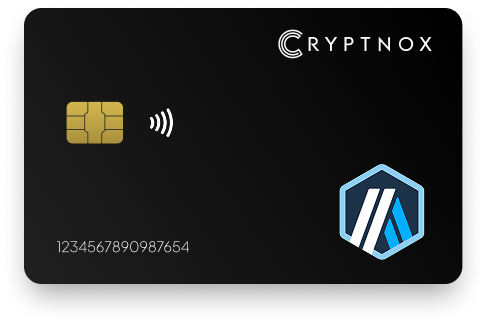
Secure Your Arbitrum (ARB) Assets with Confidence
Experience next-level security for your Arbitrum (ARB) tokens with the Cryptnox Hardware Wallet—an advanced crypto wallet featuring cutting-edge encryption and a dedicated secure chip. Designed with ARB users in mind, it offers robust offline storage while supporting multiple cryptocurrencies, including Bitcoin and Ethereum.
Our streamlined setup guide helps you get started in minutes, unlocking powerful features like true cold storage and comprehensive backup options. Built for performance and peace of mind, the Cryptnox wallet is your trusted companion for securing Arbitrum and beyond.
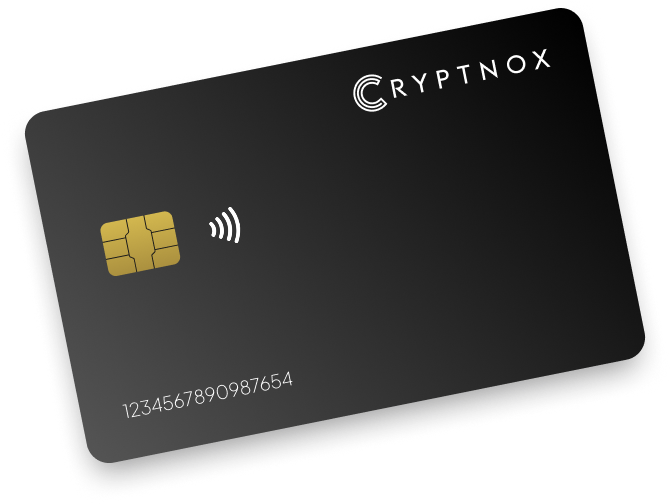
Key features
• EAL6+ certified secure element
• NFC-enabled for seamless transactions
• Compact smartcard form factor
Use case
• Best for individuals who prefer a minimalist approach to crypto security without the need for backups.
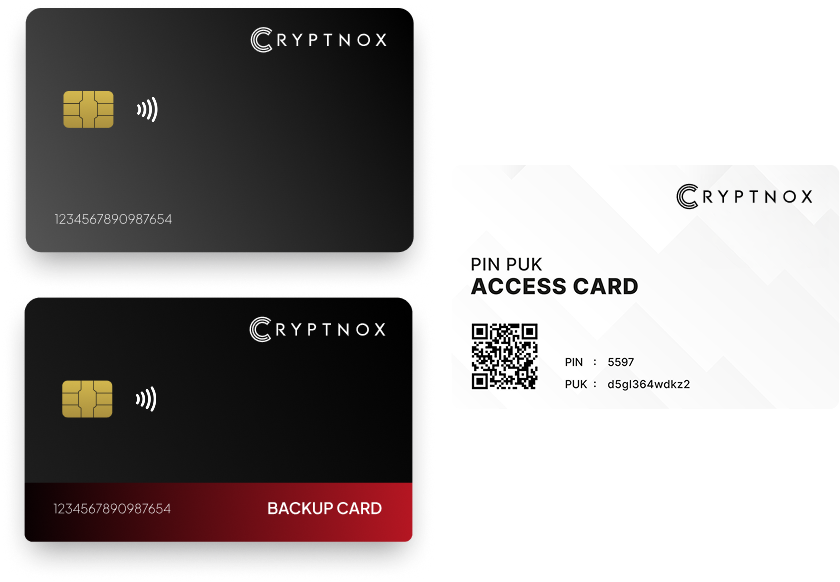
Key features
• Rapid 23-second dual card initialization
• Backup card for disaster recovery
• NFC-enabled smartcards factor
Use case
• Suitable for users who require a reliable backup mechanism to safeguard their digital asset
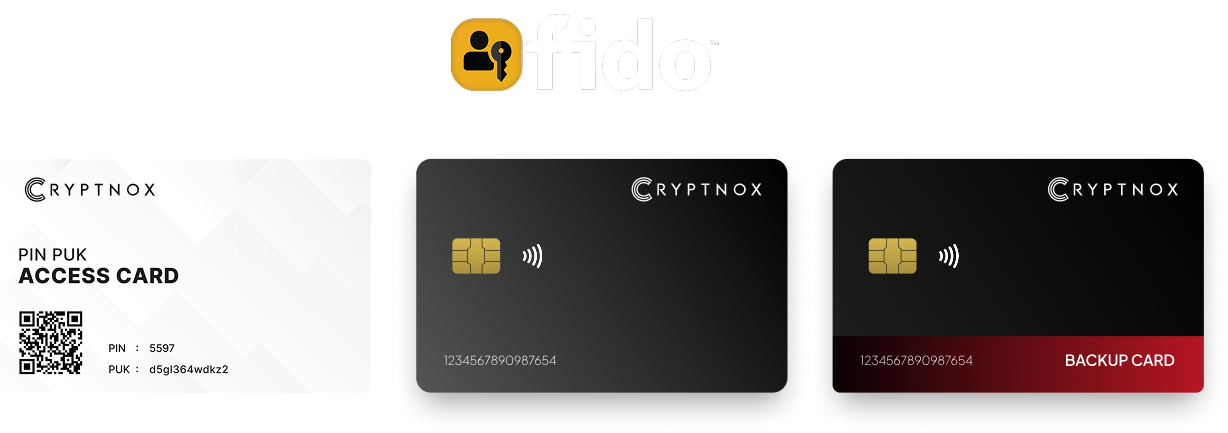
Key features
• Dual card setup with backup
• FIDO2 Level 1 certified for passwordless authentication
• NFC-enabled for both crypto transactions and secure logins
Use case
• Ideal for preofessionals and enterprises seeking a unified solution for digital asset management and secure authentication.
Introducing Cryptnox, the revolutionary hardware wallet designed to keep your digital assets safe, accessible, and fully under your control. Built on advanced smartcard technology, our wallets feature a secure dual-card backup system, biometric authentication, and seamless integration with MetaMask, WalletConnect, and Web3 apps. Whether you’re storing cryptocurrencies, swapping tokens, or diving into DeFi, Cryptnox delivers bank-level security without the complexity, empowering you to manage your portfolio with peace of mind.
Product Features
Product Specifications:
What It’s Built For:
Cryptnox hardware wallets are your go-to solution for:
Why Cryptnox Stands Out:
This isn’t just a wallet it’s a fortress for your digital future. With no access to your keys by Cryptnox (we never store or see them), audited firmware for top-tier reliability, and global availability, our hardware empowers beginners and experts alike. Backed by comprehensive tutorials, blogs, technical resources, and 24/7 support, Cryptnox ensures you stay ahead in the crypto world with unmatched security, simplicity, and innovation.
Cryptnox Hardware Wallets – Your Gateway to Secure, User-Friendly Crypto Management.
Ready to secure your assets? Buy a Cryptnox Hardware Wallet now and protect your crypto with ease.
Hardware Wallet | Description |
Ledger Stax | Premium E Ink touchscreen with Bluetooth/NFC and CC EAL6+ security. Excellent for managing Arbitrum assets via Ledger Live or MetaMask with support for thousands of coins and seamless Layer 2 integration. |
Ledger Flex | Compact touchscreen model with accessible design and Bluetooth connectivity. Strong security and user experience for Arbitrum/Ethereum transactions, pairs seamlessly with mobile and desktop wallets. |
Ledger Nano X | Popular Bluetooth-enabled portable wallet widely used for Arbitrum via MetaMask or Ledger Live. Reliable offline signing with broad asset support across Ethereum and Layer 2 networks. |
Ledger Nano S Plus | Affordable USB model with high app storage capacity. Great entry-level option for secure Arbitrum storage and transactions with MetaMask integration for optimistic rollup operations. |
Trezor Safe 5 | Advanced open-source hardware wallet with secure element. Excellent transparency and security for Arbitrum/EVM chains with user-friendly interface and clear transaction verification. |
Trezor Safe 3 | Secure, affordable open-source model with secure chip. Reliable for signing Arbitrum transactions through Trezor Suite or MetaMask with straightforward Layer 2 network configuration. |
Trezor Model T | Touchscreen model known for open-source firmware. Strong for Ethereum L2s like Arbitrum with clear on-device verification for complex DeFi and smart contract interactions. |
Tangem Wallet | Innovative NFC card-based hardware wallet with tap-to-use mobile app. Highly secure and portable for Arbitrum management, ideal for users seeking convenient Layer 2 access on the go. |
OneKey Pro/Classic | Multi-chain hardware wallet with Bluetooth support and native multi-EVM compatibility including Arbitrum. Open-source elements with strong security features for optimistic rollup transactions. |
Keystone 3 Pro | Air-gapped QR code wallet excellent for high-security offline signing on Arbitrum. MetaMask mobile/desktop compatible with no USB or wireless connectivity for maximum protection. |
Ellipal Titan | Fully air-gapped large-screen wallet using QR codes. Robust security for long-term Arbitrum/ETH storage with no USB/Bluetooth exposure, ideal for cold storage of Layer 2 assets. |
SafePal S1 | Budget-friendly air-gapped QR code wallet with easy integration for Arbitrum via software wallets. Good for beginners seeking security on a budget while exploring Layer 2 DeFi. |
D’CENT Biometric | Fingerprint biometric authentication with Bluetooth connectivity. Direct support for Arbitrum One network in compatible apps, user-friendly for mobile DeFi and GameFi interactions. |
BitBox02 | Compact open-source Swiss-made wallet with clean design. Reliable Ethereum/EVM support for Arbitrum transactions through MetaMask with straightforward setup and operation. |
SecuX (W20/V20) | Durable metal build with Bluetooth options and broad crypto support. Includes Arbitrum via standard EVM interfaces with large touchscreen for transaction verification. |
KeepKey | Simple USB wallet from ShapeShift with straightforward MetaMask integration. Solid basic security for Arbitrum signing, suitable for users wanting simple Layer 2 access. |
NGRAVE ZERO | Ultra-premium air-gapped touchscreen wallet with highest security ratings. Cold storage solution for Arbitrum assets with large display for complex transaction verification. |
BC Vault | Unique multi-currency wallet with advanced recovery options. Full EVM compatibility for Arbitrum and other L2s with one-time random key generation for enhanced security. |
CoolWallet Pro | Bluetooth-enabled flexible card wallet that’s portable and secure. Designed for mobile Arbitrum/DeFi interactions with credit card form factor for everyday carry. |
Arbitrum One uses an optimistic rollup model where transactions are assumed valid unless challenged during a dispute period. This architecture requires you to maintain strict private key security since the Layer 2 operates on the same cryptographic principles as Ethereum mainnet. Your hardware wallet protects these keys in a secure element chip, isolated from internet-connected devices where malware could steal your assets.
The challenge mechanism provides security through validators who can dispute invalid state transitions. However, your personal security depends entirely on keeping your seed phrase offline and your signing device protected. Understanding what makes crypto hardware wallets safe helps you appreciate why cold storage devices achieve this by generating keys in a secure environment and requiring physical confirmation for every transaction.
Cold storage principles apply equally to Layer 2 assets as they do to mainnet holdings. When you store significant value in Arbitrum DeFi protocols, NFT collections, or GameFi tokens, a cold storage wallet keeps your private keys completely isolated from online threats. Even if your computer becomes compromised, attackers cannot sign transactions without physical access to your device.
Transaction finality on Arbitrum One differs from Ethereum mainnet. Transactions confirm in seconds on the Layer 2, but withdrawal transactions to mainnet face a 7-day challenge period. During this week, your assets remain locked while validators can dispute the withdrawal if fraud is detected. Hardware wallets provide secure storage throughout this extended timeframe.
DeFi protocols on Arbitrum involve complex smart contract interactions that create unique security challenges. When you approve a token spending limit for a perpetual DEX like GMX, or deposit funds into a yield optimizer, you’re granting contract permissions that could be exploited if the protocol contains vulnerabilities. Hardware wallets force you to manually review and approve each contract interaction on the device screen, protecting you from cryptodrainers and malicious contracts.
Secure element chips rated at EAL6+ or similar provide robust protection against physical attacks and side-channel analysis. The Cryptnox hardware wallet uses Common Criteria certified chips that resist advanced attack methods. This protection level matters for users holding significant assets or operating in environments with elevated security risks.
Backup strategies for Layer 2 assets follow the same principles as mainnet Ethereum. Your seed phrase recovers access to all accounts across both Ethereum and Arbitrum One since they share the same key derivation paths. Understanding how to back up your hardware wallet ensures you store your recovery phrase in multiple secure physical locations, never digitally or in cloud storage.
Some hardware wallets offer additional backup features like dual-card systems or encrypted cloud backups. These options provide redundancy while maintaining security, though traditional methods using metal seed phrase storage remain highly effective. Consider your personal risk tolerance and the value of your Arbitrum holdings when choosing backup approaches.
Adding Arbitrum One to MetaMask with your hardware wallet requires manual network configuration since most wallets don’t include Layer 2 networks by default. First, connect your hardware device to MetaMask following the manufacturer’s instructions on how to use hardware wallet. Then navigate to MetaMask’s network settings and select “Add Network” to input the Arbitrum One details.
The official Arbitrum One network parameters are:
After entering these details, MetaMask connects to Arbitrum One while your hardware wallet continues protecting your private keys. Every transaction request on the Layer 2 network now requires approval on your physical device, maintaining security while you interact with Arbitrum dApps.
Alternatively, use ChainList to add Arbitrum One automatically. Visit chainlist.org, connect your MetaMask with hardware wallet, search for “Arbitrum One,” and click “Add to MetaMask.” The verified RPC information populates automatically, reducing configuration errors.
Interacting with Arbitrum DeFi protocols like GMX for perpetual trading or Camelot for DEX swaps follows standard Web3 patterns. Navigate to the protocol’s website, click “Connect Wallet,” and select MetaMask. Your hardware wallet prompts you to confirm the connection, then approve each transaction on the device screen before broadcasting to the network.
Popular Arbitrum protocols include:
Understanding WalletConnect and Cryptnox card security enables hardware wallet use with mobile dApps and platforms that don’t support direct MetaMask integration. Scan the QR code with MetaMask on your phone while your hardware wallet is connected via Bluetooth or USB adapter. This setup works well for Arbitrum GameFi apps and NFT marketplaces accessed on mobile devices.
Moving assets between Ethereum and Arbitrum One requires bridge interactions that your hardware wallet secures. The official Arbitrum bridge (bridge.arbitrum.io) offers the most trustless option since it uses the same security model as the Layer 2 itself. Connect your hardware wallet through MetaMask, select the amount to bridge, and approve both the mainnet deposit and the subsequent claim on Arbitrum.
Third-party bridges like Stargate, Synapse, and Hop Protocol offer faster withdrawals and multi-chain routing. These protocols introduce additional trust assumptions through their liquidity pools and validator sets. Your non-custodial wallet protects you from wallet compromise during these operations, though you should research each bridge’s security model before transferring significant value.
Withdrawal transactions from Arbitrum to Ethereum face the 7-day challenge period inherent to optimistic rollups. Initiate the withdrawal on Arbitrum, wait one week while validators can dispute the transaction, then claim your funds on Ethereum mainnet. Your hardware wallet secures your keys throughout this extended process.
Arbitrum’s DeFi ecosystem requires hardware wallets that handle frequent transaction signing without compromising security. Perpetual trading on GMX involves multiple transactions per session as you adjust positions, set stop losses, and claim rewards. Your physical crypto wallet must confirm each operation quickly while displaying clear details about leverage amounts, collateral changes, and fee structures.
Decentralized exchanges on Arbitrum One process swaps with significantly lower gas costs than mainnet. Trading on Uniswap, Camelot, or Trader Joe through your hardware wallet becomes practical even for smaller trade sizes. Look for devices with responsive interfaces that don’t create friction when you need to approve multiple swaps during active trading sessions.
Yield farming protocols like Radiant Capital require careful permission management. When you approve a lending protocol to access your tokens, you’re creating an ongoing allowance that persists until revoked. Hardware wallets help you review these permissions carefully, checking the contract address and token limits before approval.
Multi-step DeFi strategies become more complex to verify on small screens. Depositing into a yield optimizer might involve approving token spending, depositing funds, staking LP tokens, and claiming rewards. Each step requires hardware confirmation. Devices with larger displays or detailed transaction summaries help you maintain security without getting overwhelmed by approval requests.
NFT minting and trading on Arbitrum platforms like TofuNFT or Stratos require different security considerations. Mint transactions often involve lower values but higher frequency, especially during popular drops. Your hardware wallet protects against malicious minting contracts that request excessive permissions or attempt to drain wallets during the mint process.
GameFi applications in the Treasure DAO ecosystem combine frequent micro-transactions with occasional high-value NFT trades. Games like Bridgeworld or The Beacon require constant transaction signing as you play, claim rewards, and purchase in-game assets. Hardware wallets with biometric authentication or NFC tap-to-confirm make these frequent interactions more convenient while maintaining security.
Social platforms on Arbitrum like Lens Protocol create new interaction patterns where you sign messages to post content, follow accounts, and interact with decentralized social graphs. These operations rarely involve transferring assets but still require signature verification to prevent account compromise. Hardware wallets ensure only you can authenticate actions on your social profiles.
Knowing how to respond to security incidents protects your Arbitrum assets. If you suspect a compromised approval, use your hardware wallet to connect to revoke.cash and remove dangerous permissions. The site shows all active token approvals across Arbitrum and other networks, letting you revoke access that malicious contracts might exploit.
For suspected private key compromise (lost hardware wallet, exposed seed phrase), immediately generate a new wallet and transfer all Arbitrum assets to fresh addresses. Use your backup seed phrase to recover on a new device, create new addresses, and move funds before attackers can. Learning how to securely transfer cryptocurrency to hardware wallet helps you execute emergency transfers quickly and safely.
Transaction verification on Arbitrum One protects you from signing malicious contract calls disguised as legitimate DeFi interactions. When your hardware wallet displays transaction details, you should see the destination contract address, function being called, token amounts, and gas estimates. Blind signing creates vulnerabilities where you approve operations without understanding their effects.
Hardware wallets with superior transaction decoding show human-readable summaries instead of raw hexadecimal data. Rather than displaying “0x7ff36ab5” as the function selector, advanced devices show “Swap 1000 USDC for minimum 0.5 ETH on Camelot DEX.” This clarity prevents approval of transactions that don’t match your intentions.
DeFi protocols involve complex smart contract calls with multiple parameters. When you open a leveraged position on GMX, the transaction includes collateral amount, leverage multiplier, position direction (long/short), and slippage protection. Your hardware wallet should display these critical parameters clearly enough to verify correctness before signing.
Arbitrum-specific operations like bridge withdrawals have unique transaction structures. The withdrawal transaction on Layer 2 creates a claim that you execute on mainnet after the challenge period. Hardware wallets that understand optimistic rollup patterns can provide contextual warnings about the 7-day waiting period and two-transaction process.
Screen size significantly impacts your ability to verify complex transactions. Devices with larger displays show complete contract addresses and longer token names without truncation. When interacting with newer Arbitrum protocols that aren’t in common token databases, you need to see full addresses to verify you’re sending funds to the correct contract.
Advanced verification features separate basic from professional-grade hardware wallets. Some devices support transaction simulation, showing the expected state changes before you sign. Others provide detailed breakdowns of permission scopes when approving ERC-20 spending limits, helping you set appropriate maximum allowances.
Open-source hardware wallets allow security researchers and developers to audit the code that protects your keys. This transparency helps identify vulnerabilities before they’re exploited and builds community confidence in the device’s security. Comparing options like Ledger vs Trezor shows how different manufacturers approach the balance between open-source transparency and secure element protection.
Closed-source devices can still achieve high security through certification programs and secure element chips, as seen with Ledger products and Cryptnox wallets. The Common Criteria EAL6+ certification process involves rigorous third-party testing that validates security claims even without public source code.
Follow these security practices when using your hardware wallet with Arbitrum One:
When bridging assets, pay special attention to the destination chain and receiving address. Sending funds to wrong chains or addresses often results in permanent loss. Hardware wallets can’t reverse blockchain transactions, so verification before signing provides your only protection
Protect your Arbitrum DeFi, NFTs, and GameFi assets with Cryptnox’s EAL6+ certified hardware wallet designed for Layer 2 security.
The Cryptnox solution is a high security hardware wallet based on the latest smartcard technology available. A seed is either generated or injected as part of the initilization process, which makes it compatible with the BIP32 and BIP39 standards. When choosing the Dual Card Setup option, you can generate an identical seed in two cards in only seconds, and store the backup card in a safe place for recovery.
Utilizes advanced encryption and offline storage of private keys.
Yes, it supports multiple cryptocurrencies including Bitcoin, Ethereum, and more.