
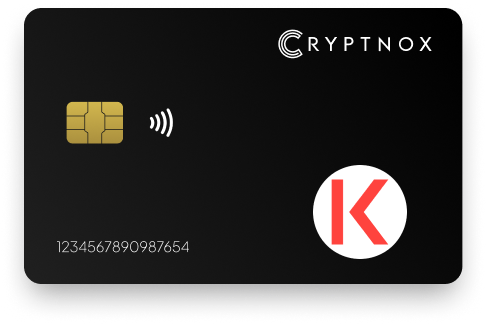
Secure Your Digital Assets with Confidence
Experience next-level protection for your digital assets with a premium hardware wallet built for security-first users
Designed around advanced encryption and a dedicated secure chip, it delivers robust offline storage while supporting a wide range of digital assets and ecosystems
The streamlined setup lets you get started in minutes, giving you access to true cold storage, reliable backup options, and full control over your assets
Engineered for performance and peace of mind, this hardware wallet is a trusted solution for anyone seeking long-term security beyond online threats
Buy it from CRYPTNOX shop directly
Accepts:

Preferred shopping solution for US:

Also available on other Amazon shops:
DE, FR, IT, BE, SE, ES, PL, NL, CA, MX, AU
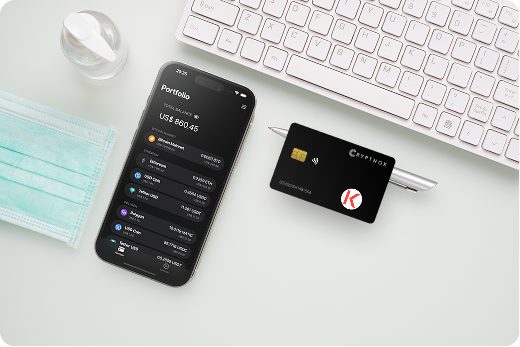
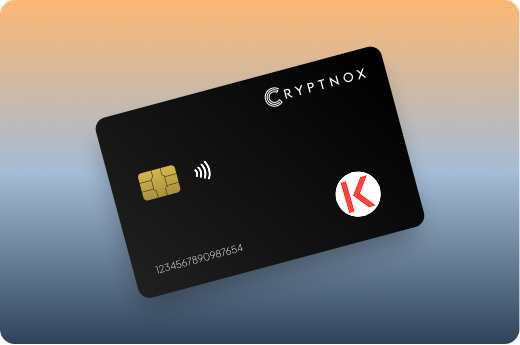
Keeps sensitive access data fully offline, protecting against online threats
Delivers a higher level of security compared to software-based solutions
Enables quick, secure actions while maintaining maximum protection
Introducing Cryptnox, the revolutionary hardware wallet designed to keep your digital assets safe, accessible, and fully under your control. Built on advanced smartcard technology, our wallets feature a secure dual-card backup system, biometric authentication, and seamless integration with MetaMask, WalletConnect, and Web3 apps. Whether you’re storing cryptocurrencies, swapping tokens, or diving into DeFi, Cryptnox delivers bank-level security without the complexity, empowering you to manage your portfolio with peace of mind.
Product Features
Product Specifications:
What It’s Built For:
Cryptnox hardware wallets are your go-to solution for:
Why Cryptnox Stands Out:
This isn’t just a wallet it’s a fortress for your digital future. With no access to your keys by Cryptnox (we never store or see them), audited firmware for top-tier reliability, and global availability, our hardware empowers beginners and experts alike. Backed by comprehensive tutorials, blogs, technical resources, and 24/7 support, Cryptnox ensures you stay ahead in the crypto world with unmatched security, simplicity, and innovation.
Cryptnox Hardware Wallets – Your Gateway to Secure, User-Friendly Crypto Management.
Ready to secure your assets? Buy a Cryptnox Hardware Wallet now and protect your crypto with ease.
Rank | Wallet Name | Description |
2 | Ledger Nano X | Flagship Bluetooth-enabled wallet with CC EAL5+ secure element supporting full Kava functionality via Cosmos app for IBC tokens and Ethereum app for EVM co-chain. Integrates seamlessly with Ledger Live app for portfolio management, Keplr for Cosmos operations, and native Kava app integration for staking and yield farming. Wireless mobile connectivity eliminates cable requirements for smartphone users. Large storage capacity supports 100+ simultaneous apps. |
3 | Ledger Nano S Plus | Affordable high-storage option supporting 100+ simultaneous apps with excellent Kava compatibility through Cosmos app for native chain and Ethereum app for EVM operations. Ideal entry-level hardware wallet for beginners holding KAVA long-term with offline signing capability and USB-C connectivity. Proven Ledger security architecture in budget-friendly package without Bluetooth features. |
4 | Ledger Stax | Premium E-Ink curved touchscreen model with NFT display support and strong Kava integration for both Cosmos and EVM co-chains. Features tamper-proof design with wireless charging and customizable curved display for viewing portfolio details. User-friendly touchscreen interface simplifies transaction verification and DeFi protocol interactions on Kava. Designed by iPod creator Tony Fadell for style and functionality. |
5 | Ledger Flex | Compact NFC and touchscreen design for mobile users supporting Kava natively through Cosmos and Ethereum apps. Excellent for on-the-go Kava management with Ledger Live and third-party wallet compatibility. Bluetooth and NFC connectivity options provide flexibility for different device types. Clear touchscreen displays transaction details for verification before signing Kava operations. |
6 | Trezor Safe 3 | Open-source budget-friendly wallet with secure element and Kava support via Trezor Suite desktop app, MetaMask integration, and Rabby wallet compatibility. Reliable for Cosmos-based assets with USB-C connectivity and compact design. Fully auditable firmware provides transparency for security-conscious users. Supports Kava through third-party wallet bridges for both co-chains. |
7 | Trezor Model T | Touchscreen flagship with comprehensive multi-coin support handling Kava through compatible wallet integrations. Features color touchscreen for clear transaction verification and broad cryptocurrency ecosystem coverage. Open-source firmware undergoes regular community audits for transparency. Supports both Kava co-chains through MetaMask and compatible Cosmos wallets. |
8 | OneKey Pro | Advanced open-source wallet with SignGuard technology for clear signing and full Kava chain support covering both Cosmos and EVM operations. Top-rated for privacy and multi-chain DeFi with touchscreen interface and fingerprint authentication. Bluetooth and USB connectivity options support desktop and mobile usage. Large storage capacity handles extensive DeFi operations. |
9 | OneKey Classic 1S | Portable affordable OneKey model with complete Kava compatibility and robust security features. Balances price and functionality for everyday KAVA holders with physical confirmation buttons and Bluetooth connectivity. Compact design fits easily in pocket or bag for portable security. Straightforward interface simplifies Kava transactions for regular users. |
10 | SafePal S1 | Air-gapped app-integrated hardware with self-destruct mechanism supporting Kava natively across both co-chains. Cost-effective solution for secure offline storage with QR-code transaction signing and built-in camera for scanning. Complete isolation from internet threats through air-gapped design prevents remote attacks. Integrated SafePal app provides portfolio management. |
11 | Tangem Wallet | Innovative card-based cold storage with no battery requirement and direct Kava support through mobile app. Simple tap-to-sign NFC operation with durable waterproof IP68 construction. Multiple card backup system provides redundancy if one card gets lost or damaged. Ultra-thin credit-card design fits in standard wallet slots. |
12 | Keystone 3 Pro | Air-gapped QR-code wallet with large 4-inch screen and strong Kava support across 5,500+ cryptocurrency assets. Ideal for advanced users wanting maximum isolation with triple secure element architecture and optional fingerprint sensor. Open-source firmware undergoes regular security audits. Large display clearly shows transaction details before signing. |
13 | KleverSafe | Dedicated hardware from Klever ecosystem with full offline Kava support for cold storage security. Pairs seamlessly with Klever app for smooth cold/hot wallet switching. Waterproof construction protects against environmental damage. Straightforward interface simplifies cryptocurrency management with integrated staking capabilities through Klever platform. |
14 | Ellipal Titan | Metal air-gapped wallet with QR scanning supporting Kava on both Cosmos and EVM co-chains. Robust metal construction ideal for large portfolios with tamper-proof design and anti-tamper self-destruct mechanism. No Bluetooth or USB connectivity ensures complete isolation from network-based attacks. Large touchscreen displays transaction details clearly. |
15 | CoolWallet Pro | Sleek Bluetooth card-style wallet with Kava support via multi-chain integration and mobile-first approach. Stylish portable design combines convenience with security through wireless connectivity. Flexible credit-card form factor fits in standard wallets for everyday carry. Rechargeable battery powers wireless operations for untethered mobile transactions. |
Hardware wallets provide offline cold storage that isolates your private keys from internet-connected devices, protecting KAVA holders from phishing attacks, malware, and exchange hacks. Unlike hot wallets that remain vulnerable to remote exploits, cold storage wallets require physical confirmation for every transaction.
For Kava users participating in DeFi protocols like Kava Lend, Kava Mint, or Kava Earn, hardware wallets offer secure signing for complex transactions involving collateral deposits, borrowing operations, and liquidity provision. Your private keys never leave the secure element chip, even when integrating hardware wallets with dApps through Keplr or MetaMask.
The dual-chain nature of Kava makes hardware security especially valuable. Users frequently move assets between the Cosmos co-chain and EVM co-chain, stake KAVA tokens for network rewards, provide liquidity to automated market makers, and execute IBC transfers to other Cosmos ecosystem chains. Each operation involves signing transactions that expose hot wallet users to potential compromise.
Hardware wallets safeguard your holdings during high-risk DeFi activities:
Non-custodial wallets give you complete control over your private keys, preventing exchange failures or custodial breaches from affecting your KAVA holdings.
Kava’s unique design combines two separate blockchain environments that serve different purposes. The Cosmos co-chain handles native KAVA operations, IBC transfers, staking, and Cosmos SDK-based DeFi protocols. The EVM co-chain provides Ethereum compatibility, allowing deployment of Solidity smart contracts and integration with EVM-based networks.
Hardware wallet users must navigate both chains depending on their activity. Staking KAVA tokens occurs on the Cosmos co-chain through Keplr wallet integration, while interacting with EVM-compatible protocols requires MetaMask connectivity. Physical crypto wallets support both interfaces through different connection modes.
The architecture creates complexity that demands secure transaction signing. Moving assets between co-chains involves wrapped tokens and bridge contracts that attackers frequently target. Hardware wallets prevent private key exposure during these vulnerable cross-chain operations by keeping credentials isolated within tamper-resistant chips.
Selecting the right hardware wallet for Kava requires evaluating specific technical capabilities. Secure element chips rated EAL5+ or EAL6+ provide bank-grade protection against physical tampering and side-channel attacks. These certified chips isolate private key operations from external access.
Dual-chain support separates devices designed for Cosmos ecosystems from general-purpose wallets. Look for native integration with Keplr for Cosmos operations and MetaMask for EVM compatibility. Some wallets require separate apps for each co-chain, while advanced models handle both environments seamlessly.
Biometric authentication adds convenience without sacrificing security. Fingerprint readers or PIN codes prevent unauthorized access if your device gets lost or stolen. Backup and recovery systems vary significantly, some wallets use traditional seed phrases, while others implement multi-card backup schemes or encrypted recovery files.
Understanding how to use hardware wallets properly ensures you maximize security benefits while maintaining convenient access to Kava DeFi protocols.
Connecting your hardware wallet to Kava involves different processes depending on which co-chain you’re accessing. For the Cosmos co-chain, you’ll typically use Keplr wallet as the interface. Install the Keplr browser extension, connect your hardware device via USB, Bluetooth, or NFC, and select Kava from the network list.
EVM co-chain connectivity requires MetaMask or compatible Web3 wallets. Add Kava’s EVM co-chain as a custom network in MetaMask with the appropriate RPC endpoint and chain ID. Connect your hardware wallet through MetaMask’s hardware wallet integration options, which typically support Ledger and Trezor devices through WebUSB.
Some advanced wallets like Cryptnox offer unified connectivity for both chains through a single card interface. The NFC tap-to-sign functionality works with mobile devices and desktops equipped with NFC readers, eliminating cable requirements while maintaining security.
Proper wallet backup procedures prevent permanent loss of access to your KAVA tokens if your hardware device fails or gets lost.
Hardware wallets enable secure participation in Kava’s DeFi ecosystem without exposing private keys to Web3 applications. Staking KAVA tokens for validator rewards requires signing delegation transactions on the Cosmos co-chain. Your hardware device displays the validator address, delegation amount, and estimated rewards before you confirm the operation.
Yield farming across Kava’s liquidity pools involves more complex transaction sequences. Depositing assets into automated market makers, borrowing against collateral, and claiming rewards each require separate signed transactions. Hardware wallets prevent malicious contracts from draining funds by requiring manual approval for every operation.
Cross-chain IBC transfers to other Cosmos ecosystem chains like Osmosis or Secret Network happen through the Cosmos co-chain. Your hardware wallet signs the IBC transfer packet while keeping private keys isolated. This security model protects against crypto drainer attacks targeting DeFi users.
Secure payment processing through hardware wallets ensures your DeFi transactions can’t be intercepted or modified by attackers monitoring your connection.
Initial setup for using hardware wallets with Kava involves configuring both co-chains separately. Begin by initializing your hardware device and securely generating your seed phrase or backup cards. Store recovery information in multiple secure locations to prevent permanent loss of access.
For Cosmos co-chain setup, install Keplr wallet extension and connect your hardware device. Navigate to settings, select “Connect Hardware Wallet,” and choose your device type. Keplr automatically detects available accounts and displays your KAVA address. Test connectivity by signing a small transaction before transferring cryptocurrency to your hardware wallet.
EVM co-chain configuration requires adding Kava’s network to MetaMask with the correct chain ID and RPC endpoint. Connect your hardware wallet through MetaMask’s hardware integration menu. Some devices require enabling browser support or contract data signing in their settings to interact with DeFi protocols properly.
Cold wallet solutions provide the highest security level when properly configured with verified network parameters.
Interacting with Kava Lend, Mint, and Earn protocols through hardware wallets requires integrating your hardware device with dApps while maintaining security. Connect your hardware wallet to Keplr or MetaMask, then navigate to the Kava protocol interface. The Web3 connection allows the dApp to propose transactions without accessing your private keys.
When depositing collateral to Kava Mint, your hardware wallet displays the transaction details including the contract address, deposit amount, and gas fees. Verify these details match your intentions before confirming on the device. Malicious contracts attempting unauthorized operations will be visible during the approval step.
Yield farming across liquidity pools involves multiple transaction signatures. First approve the protocol to spend your tokens, then execute the deposit transaction. Your hardware wallet requires separate confirmation for each step, preventing bundled exploits that drain funds through complex transaction sequences.
Crypto exchange comparisons show that self-custody wallets eliminate counterparty risk from centralized platforms while maintaining full control over DeFi operations.
Protecting your KAVA holdings extends beyond hardware wallet selection to encompass comprehensive security practices. Never enter your seed phrase into websites, apps, or digital devices, recovery information belongs offline only. Physical crypto wallets should be stored separately from backup information to prevent simultaneous compromise.
Phishing attacks targeting cryptocurrency holders have increased dramatically. Bookmark official Kava protocol URLs and wallet interfaces to avoid fake sites collecting signatures for malicious transactions. Hardware wallets protect against most phishing by displaying transaction details on trusted screens, but verifying destination addresses remains your responsibility.
For users managing substantial KAVA holdings, consider multi-signature schemes or backup redundancy systems. Some wallets like Cryptnox dual-card backup provide automatic redundancy without requiring complex multi-sig setups. Regular security audits of your wallet configuration identify potential vulnerabilities before exploitation.
Understanding common attack vectors helps you recognize and avoid situations that compromise even hardware-protected assets through social engineering or approval exploits.
Protect your Kava DeFi operations with bank-grade hardware security from Cryptnox, supporting both Cosmos IBC and EVM chains.
The Cryptnox solution is a high-security hardware wallet based on the latest smartcard technology available A seed is either generated or injected as part of the initialization process, which makes it compatible with the BIP32 and BIP39 standards When choosing the Dual Card Setup option, you can generate an identical seed in two cards in only seconds, and store the backup card in a safe place for recovery
A hardware wallet is a physical device designed to securely store private keys offline Keeping sensitive data disconnected from the internet, it significantly reduces exposure to hacking, malware, and phishing attacks
Unlike software wallets that operate on internet-connected devices, hardware wallets isolate private keys in a secure environment Transactions are signed internally, ensuring keys never leave the device or are exposed online
Yes! Hardware wallets are ideal for long-term asset protection Offline storage, durable hardware, and secure backup mechanisms make them well-suited for holding assets safely over extended periods
Access can be restored using a secure recovery process, typically based on a recovery phrase or backup solution created during setup This ensures assets remain accessible even if the physical device is no longer available
Modern hardware wallets are designed with user-friendly interfaces and guided setup processes
This makes them accessible to beginners while still meeting the security standards required by advanced users
Yes, hardware wallets work seamlessly with Kava DeFi protocols through Keplr and MetaMask integrations. You connect your device to the wallet interface, navigate to Kava Lend, Mint, or Earn protocols, and sign transactions directly on your hardware device. Your private keys never leave the secure element chip even while interacting with smart contracts. Each DeFi operation requires manual approval on the hardware device screen, preventing unauthorized transactions. Both Cosmos co-chain and EVM co-chain protocols support hardware wallet signing through their respective interfaces.
Connecting to Kava’s dual-chain architecture requires separate setup for each co-chain. For the Cosmos co-chain, install Keplr wallet extension, connect your hardware device via USB/Bluetooth/NFC, and add Kava from the network list. For the EVM co-chain, add Kava’s EVM network to MetaMask with the correct chain ID and RPC endpoint, then connect your hardware wallet through MetaMask’s hardware integration. Some advanced wallets provide unified connectivity for both chains through a single interface. Testing with small transactions on both co-chains verifies proper configuration before moving significant funds.
Most major hardware wallets support Kava’s dual-chain architecture through different apps or wallet interfaces. Ledger devices use the Cosmos app for the native co-chain and Ethereum app for EVM operations. Trezor models connect through Keplr for Cosmos and MetaMask for EVM chains. Cryptnox provides native support for both co-chains through seamless Keplr and MetaMask integration with its card-based design. OneKey, SafePal, and Tangem also offer comprehensive support across both environments. Air-gapped wallets like Keystone and Ellipal handle both chains through QR-code transaction signing with compatible wallet interfaces.
Staking KAVA through a hardware wallet provides maximum security for earning validator rewards while maintaining full custody of your tokens. When you delegate KAVA to validators, your tokens remain in your control, staking doesn’t transfer ownership. Your hardware wallet signs the delegation transaction without exposing private keys to the staking interface or validator nodes. You can claim rewards, redelegate to different validators, or undelegate tokens at any time by signing additional transactions on your device. The security model protects against validator compromise or staking interface exploits since your keys never leave the hardware device.
Yes, hardware wallets fully support Inter-Blockchain Communication (IBC) transfers from Kava to other Cosmos ecosystem chains like Osmosis, Cosmos Hub, or Secret Network. These cross-chain transfers occur on Kava’s Cosmos co-chain through Keplr wallet integration. Your hardware device signs the IBC transfer packet containing the destination chain, recipient address, and token amount. The trustless IBC protocol handles the transfer without intermediary bridges or wrapped tokens. Hardware security during IBC operations protects against man-in-the-middle attacks that could redirect transfers to attacker-controlled addresses on destination chains.