
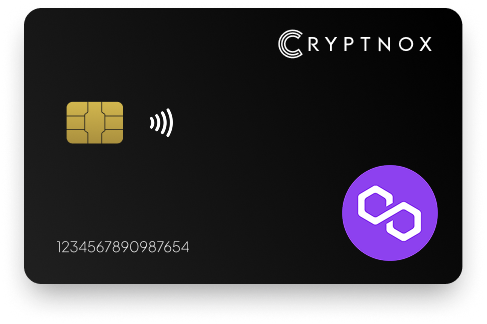
Secure Your Polygon Mumbai (Testnet MATIC) Assets with Confidence
Protect your Polygon Mumbai testnet MATIC with the Cryptnox Hardware Wallet—an advanced crypto wallet featuring cutting-edge encryption and a secure chip. Designed for developers and testers, it ensures your testnet assets remain safely offline, while also supporting major networks like Ethereum and Bitcoin.
Get started in minutes with our easy-to-follow setup guide, unlocking secure cold storage and robust backup options. Whether you’re testing smart contracts or dApps, the Cryptnox wallet gives you dependable protection and flexibility for Mumbai and beyond.
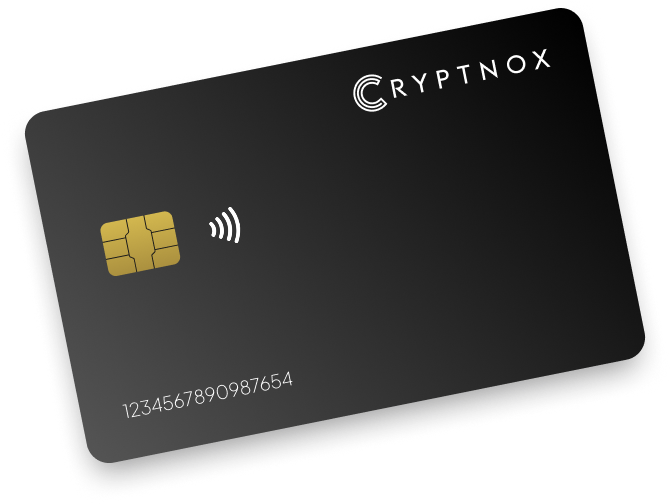
Key features
• EAL6+ certified secure element
• NFC-enabled for seamless transactions
• Compact smartcard form factor
Use case
• Best for individuals who prefer a minimalist approach to crypto security without the need for backups.
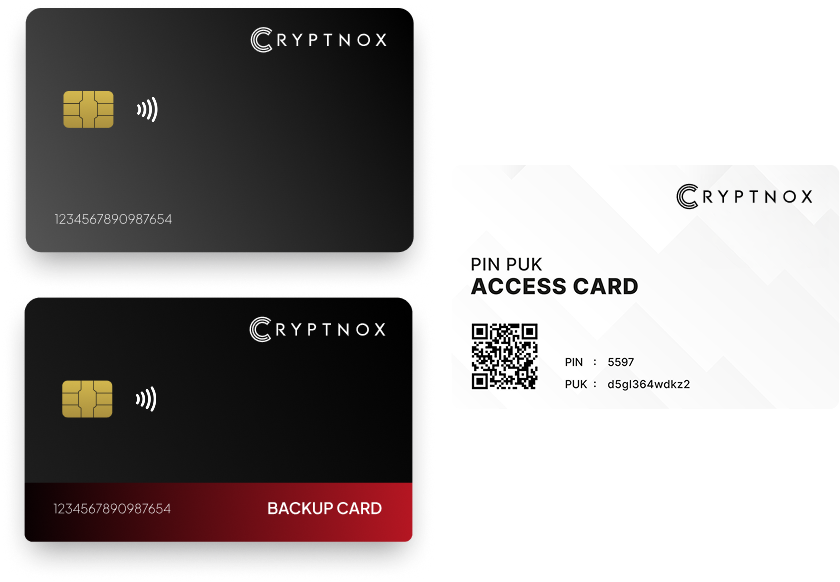
Key features
• Rapid 23-second dual card initialization
• Backup card for disaster recovery
• NFC-enabled smartcards factor
Use case
• Suitable for users who require a reliable backup mechanism to safeguard their digital asset
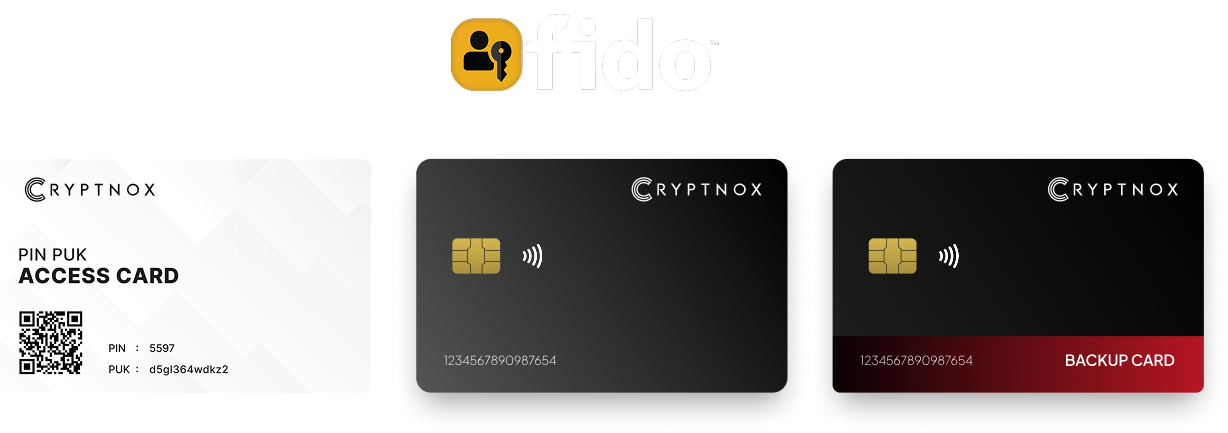
Key features
• Dual card setup with backup
• FIDO2 Level 1 certified for passwordless authentication
• NFC-enabled for both crypto transactions and secure logins
Use case
• Ideal for preofessionals and enterprises seeking a unified solution for digital asset management and secure authentication.
Introducing Cryptnox, the revolutionary hardware wallet designed to keep your digital assets safe, accessible, and fully under your control. Built on advanced smartcard technology, our wallets feature a secure dual-card backup system, biometric authentication, and seamless integration with MetaMask, WalletConnect, and Web3 apps. Whether you’re storing cryptocurrencies, swapping tokens, or diving into DeFi, Cryptnox delivers bank-level security without the complexity, empowering you to manage your portfolio with peace of mind.
Product Features
Product Specifications:
What It’s Built For:
Cryptnox hardware wallets are your go-to solution for:
Why Cryptnox Stands Out:
This isn’t just a wallet it’s a fortress for your digital future. With no access to your keys by Cryptnox (we never store or see them), audited firmware for top-tier reliability, and global availability, our hardware empowers beginners and experts alike. Backed by comprehensive tutorials, blogs, technical resources, and 24/7 support, Cryptnox ensures you stay ahead in the crypto world with unmatched security, simplicity, and innovation.
Cryptnox Hardware Wallets – Your Gateway to Secure, User-Friendly Crypto Management.
Ready to secure your assets? Buy a Cryptnox Hardware Wallet now and protect your crypto with ease.
Rank | Wallet Name | Description |
2 | Ledger Nano X | Bluetooth-enabled flagship with CC EAL5+ secure element chip supporting 5,500+ assets including Polygon and MATIC. Mobile-friendly for Mumbai testnet via Ledger Live and MetaMask integration with battery-powered wireless use ideal for developers testing on-the-go. Wide cryptocurrency ecosystem support with regular firmware updates ensures compatibility with emerging Polygon features and testnet upgrades. |
3 | Ledger Flex | Compact E-Ink grayscale touchscreen with CC EAL6+ chip excelling at Polygon NFT and token management. Features Clear Signing for transaction verification with seamless Mumbai support via MetaMask, user-friendly for DeFi testing workflows and smart contract deployment. E-Ink display provides excellent outdoor readability during mobile testing sessions while consuming minimal battery power. |
4 | Ledger Stax | Premium curved E-Ink touchscreen with wireless charging supporting 5,500+ assets. Features MATIC-to-POL support with high customizability and security for Polygon storage and transactions on Mumbai testnet with stylish modern design. Customizable display options help developers quickly identify different Mumbai testnet accounts and manage multiple development environments. |
5 | Trezor Safe 5 | Open-source touchscreen wallet with OPTIGA EAL6+ secure element supporting 1,000+ assets including Polygon. Transparent firmware with SLIP-39 Shamir backup, ideal for secure Mumbai testnet signing with fully auditable code and haptic feedback. Community audits ensure transparent handling of Polygon testnet transactions with regular security reviews. |
6 | Trezor Model T | Open-source color touchscreen with Shamir and SLIP-39 backup options. Multi-currency EVM support via MetaMask integration with community-audited firmware for Polygon testnet reliability and transparency with comprehensive transaction verification. Color display enhances transaction verification by visually distinguishing different transaction types and contract interactions. |
7 | Tangem Wallet | NFC card-based wallet with no battery or screen and EAL6+ certification. Quick mobile app pairing for EVM chains like Polygon and Mumbai testnet, ultra-portable and durable design perfect for testnet developers requiring tap-to-sign convenience. The card format enables instant smartphone connectivity for rapid development workflows where frequent transaction signing would interrupt coding flow. |
8 | SafePal S1 | Affordable air-gapped QR-code wallet with built-in camera and tamper-resistant construction. Supports 1,000+ tokens including Polygon with mobile app for Mumbai testnet offline signing, self-destruct mechanism on tampering for budget-conscious developers. Complete air-gap isolation eliminates network-based attack vectors during offline transaction signing. |
9 | ELLIPAL Titan | Fully air-gapped metal QR-code wallet with large color touchscreen and anti-tamper seals. Robust for Polygon DeFi and testnet operations with no USB or WiFi connectivity for maximum isolation from online threats during Mumbai testing. Metal housing survives development environment hazards that could damage plastic devices. |
10 | KeepKey | Large OLED screen for easy transaction and address verification supporting 7,000+ assets including Polygon. Simple USB setup with MetaMask integration, good value for Mumbai testnet address checks and transaction signing with clear display. Oversized display makes confirming long contract addresses and transaction parameters less error-prone during rapid development cycles. |
11 | OneKey Pro | Touchscreen wallet with biometric authentication and Bluetooth connectivity. Features open-source elements with multi-chain support including Polygon via companion app, compact design for mobile Mumbai testnet use with fingerprint unlock. Fingerprint authentication accelerates repeated signing operations during high-frequency testing sessions. |
12 | D’CENT Wallet | Biometric fingerprint unlock with Bluetooth and large screen display. Supports Polygon staking and multi-chain operations, reliable for testnet transactions with convenient wireless connectivity and fingerprint authentication for frequent Mumbai testing. Staking support extends functionality beyond basic transaction signing for governance testing. |
13 | Keystone 3 Pro | Open-source air-gapped QR wallet with large color screen and EAL5+ chip. Fingerprint support with strong capabilities for Polygon DeFi and testnet previews, triple secure element architecture with complete air-gap isolation for Mumbai development. Redundant protection through multiple secure chips provides additional security layers. |
14 | NGRAVE ZERO | EAL7-certified air-gapped QR wallet with fingerprint and biometric authentication. Offline key generation with premium stainless steel build for ultra-secure Polygon and Mumbai storage, highest Common Criteria security rating available for testnet assets. Complete key lifecycle isolation ensures private keys never contact networked devices. |
15 | BitBox02 | Open-source wallet with secure element chip supporting Ethereum and Polygon via MetaMask. Touchscreen slider interface with Swiss-made reliability for testnet security, minimalist design with microSD backup for Mumbai development workflows. Swiss engineering standards ensure rigorous security testing and quality control. |
Initial hardware wallet setup begins with device initialization and secure seed phrase generation. Most hardware wallets guide users through PIN creation and recovery phrase backup during first use. Write recovery phrases on durable materials and store in secure locations separate from hardware devices. This separation ensures wallet recovery remains possible even if hardware devices are lost or damaged during development activities.
Install MetaMask browser extension or mobile app after completing hardware wallet initialization. Configure MetaMask with Mumbai testnet network parameters by adding a custom RPC entry. Mumbai’s chain ID 80001 distinguishes testnet from Polygon mainnet, preventing accidental transaction broadcasts to wrong networks. Save the Mumbai network configuration and switch MetaMask to testnet mode before connecting cold wallet devices.
Connect your hardware wallet through MetaMask’s account menu by selecting “Connect Hardware Wallet” and choosing your device type. MetaMask detects connected hardware devices and requests permission to communicate. Approve the connection request on the hardware wallet screen, then select which account addresses to import into MetaMask. Hardware-connected accounts display distinctive icons indicating external signing requirements for all transactions.
DeFi protocol interactions on Mumbai require approval transactions before executing swaps, deposits, or withdrawals. Hardware wallets make token approval amounts explicit through confirmation screens showing exact permission levels. Developers testing DeFi applications can validate how approval workflows appear to end users, ensuring frontend interfaces properly communicate permission requests. Limited approval amounts reduce risk exposure during testing phases where smart contract bugs might exist.
Liquidity pool operations involve multi-step processes where hardware signing confirms each transaction component. Adding liquidity requires token approvals followed by deposit transactions, with hardware wallets prompting confirmations at each step. Testing these workflows on Mumbai reveals friction points in user experiences where multiple hardware confirmations might cause abandonment. Developers optimize transaction batching and approval flows based on Mumbai testing insights before mainnet deployment.
Yield farming strategies often involve complex contract interactions spanning multiple protocols. Hardware wallet transaction verification displays show each protocol interaction, allowing developers to validate complete operation flows. Mumbai testing with hardware signing identifies where transaction sequences might fail or where gas estimation errors could strand operations mid-process. This visibility prevents mainnet scenarios where partial operation completion leaves user funds in unexpected states.
Separate hardware wallet accounts for testnet and mainnet operations prevent accidental transaction broadcasts to wrong networks. Many hardware wallets support multiple account derivation from single seed phrases, enabling dedicated Mumbai testnet accounts. Label accounts clearly within MetaMask to distinguish testnet from production addresses. This separation reduces risks where developers might inadvertently spend mainnet assets during testing activities.
Verify network configurations before signing transactions, confirming MetaMask displays “Mumbai Testnet” rather than “Polygon Mainnet.” Hardware wallet screens typically show chain IDs that can be cross-referenced against known network identifiers. Double-checking network context before approval prevents costly errors where testnet transaction logic executes against mainnet contracts and protects against crypto drainer attacks.
Limit testnet account funding to necessary amounts for immediate testing purposes. While Mumbai uses valueless test MATIC, associated ERC-20 tokens might represent significant development effort or intellectual property. Restricting testnet holdings minimizes losses if accounts become compromised during security testing activities. Treat testnet security seriously even though monetary value remains absent, as development workflows and deployment practices carry forward to mainnet.
Network configuration errors represent the most frequent connection issue, typically involving incorrect RPC URLs or chain IDs. Hardware wallets connect successfully to MetaMask but transactions fail when Mumbai network parameters contain typos. Verify RPC endpoints use the current Mumbai infrastructure URLs, as testnet providers occasionally change addresses. Chain ID 80001 must match exactly, as single-digit errors route transactions to entirely different networks.
Hardware wallet firmware compatibility sometimes prevents proper Mumbai transaction signing. Older firmware versions may not recognize Polygon’s gas token transitions or Layer 2 specific transaction formats. Update hardware wallet firmware to latest versions before beginning Mumbai development. Manufacturers regularly release updates supporting new blockchain networks and transaction types as ecosystems evolve.
Transaction confirmation delays on Mumbai testnet can create confusion about whether hardware signing completed successfully. Testnet block times vary based on network load, sometimes taking longer than mainnet confirmations. Hardware wallets complete signing almost instantly, but blockchain confirmation requires mining. Wait patiently after hardware approval while MetaMask shows pending transaction status. Block explorers provide confirmation when transactions finalize on Mumbai’s testnet.
Secure your Mumbai testnet development with the Cryptnox hardware wallet today.
The Cryptnox solution is a high security hardware wallet based on the latest smartcard technology available. A seed is either generated or injected as part of the initilization process, which makes it compatible with the BIP32 and BIP39 standards. When choosing the Dual Card Setup option, you can generate an identical seed in two cards in only seconds, and store the backup card in a safe place for recovery.
Utilizes advanced encryption and offline storage of private keys.
Yes, it supports multiple cryptocurrencies including Bitcoin, Ethereum, and more.